Preview 1 of 4
Design file organization guide: naming conventions, page structure and clean-up checklist
Name layers, components, styles and variables, structure your pages and clean up your design files before sharing them: PDF guide, checklist and log. In French.
Overview
Description
This guide is for designers and freelancers who share their mockup files with a client or a development team. It is meant for the moment a file has to make sense without its author: before a client review, before a handoff, when a component library starts to grow, or when you reopen a project months later. It explains how to name layers, components, variants, styles and variables, how to split a file into pages and sections, and what to check before you share it.
The guide is written for Figma, the design tool whose features it describes. Figma is a trademark of Figma, Inc.; this guide is independent, neither affiliated with nor endorsed by Figma, Inc. Every rule carries an identifier and its source: an article from the tool’s help center, the token format of the W3C Design Tokens Community Group, or a public design system. When a rule has no written source, the guide presents it as advice, to adapt to your team.
Specifications
| Guide | 16-page PDF |
|---|---|
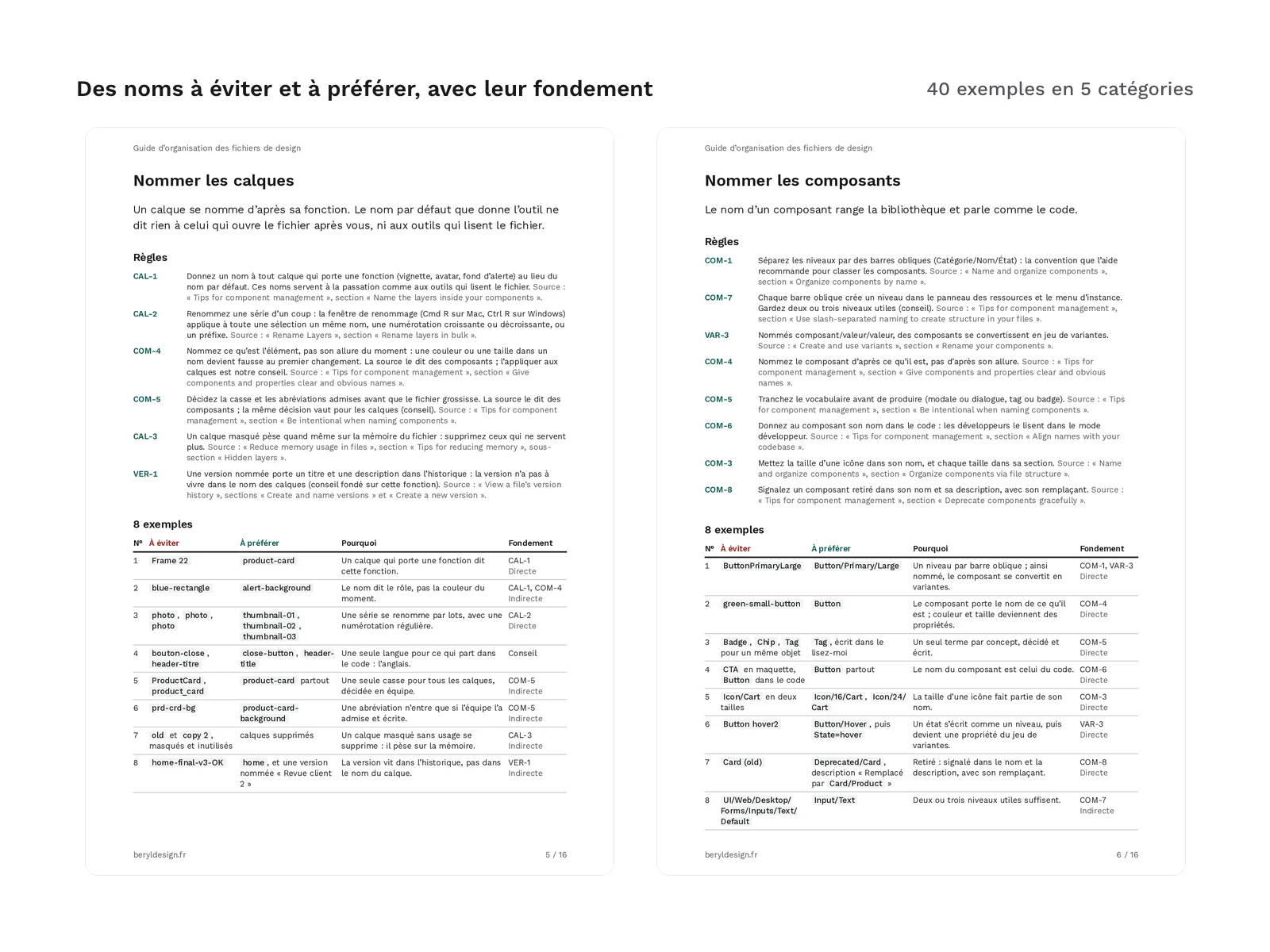
| Examples | 40, in 5 categories of 8 |
| Standard page structures | 4 |
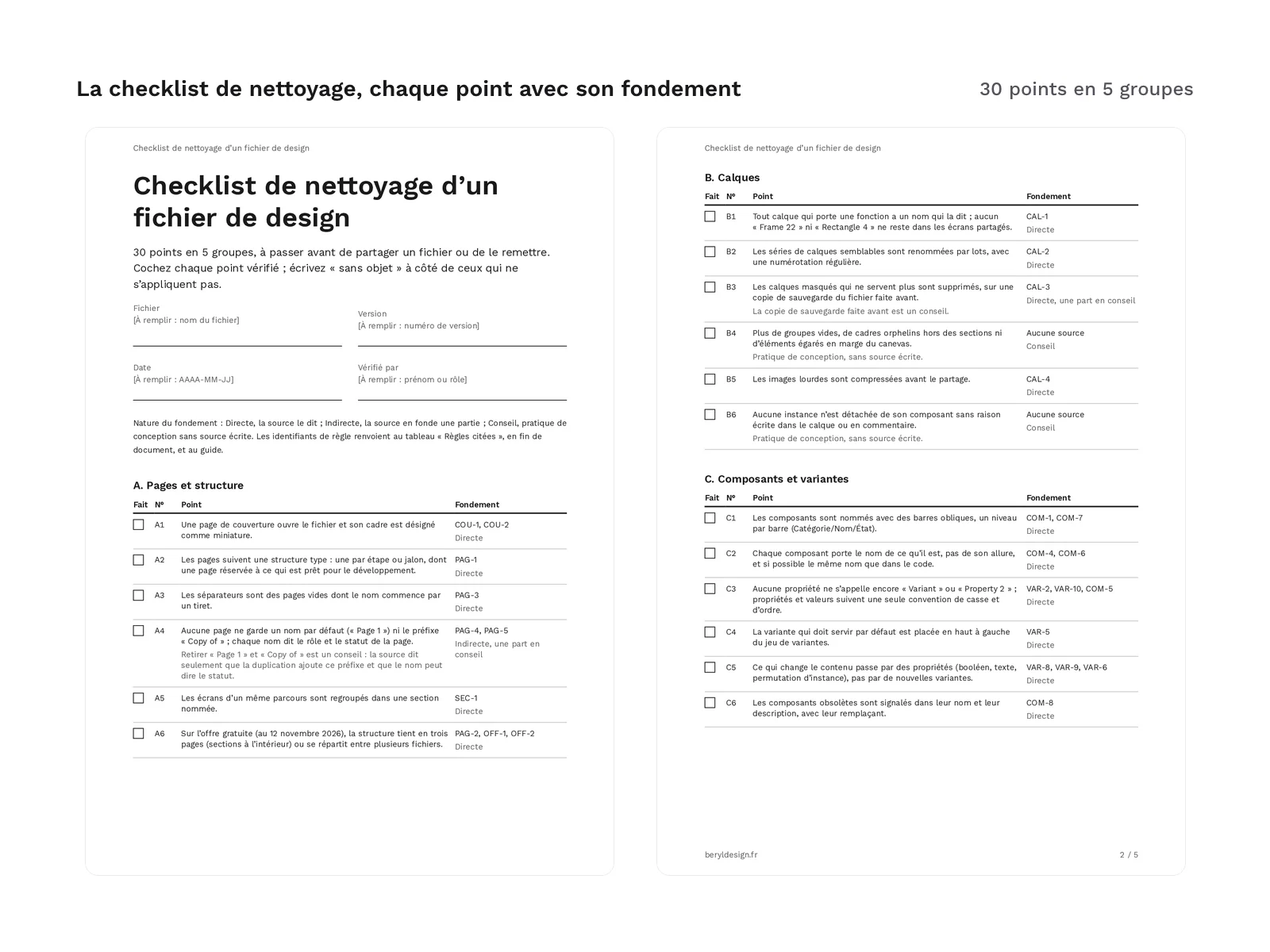
| Cleanup checklist | 30 items in 5 groups |
| Cover template | 1920 × 1080 px |
| Sources | 29 |
| Formats | tagged A4 PDF, XLSX, SVG, PNG, Markdown, DOCX |
| License | commercial (page in French) |
| Version | 1.0.0 of November 12, 2026 |
Contents
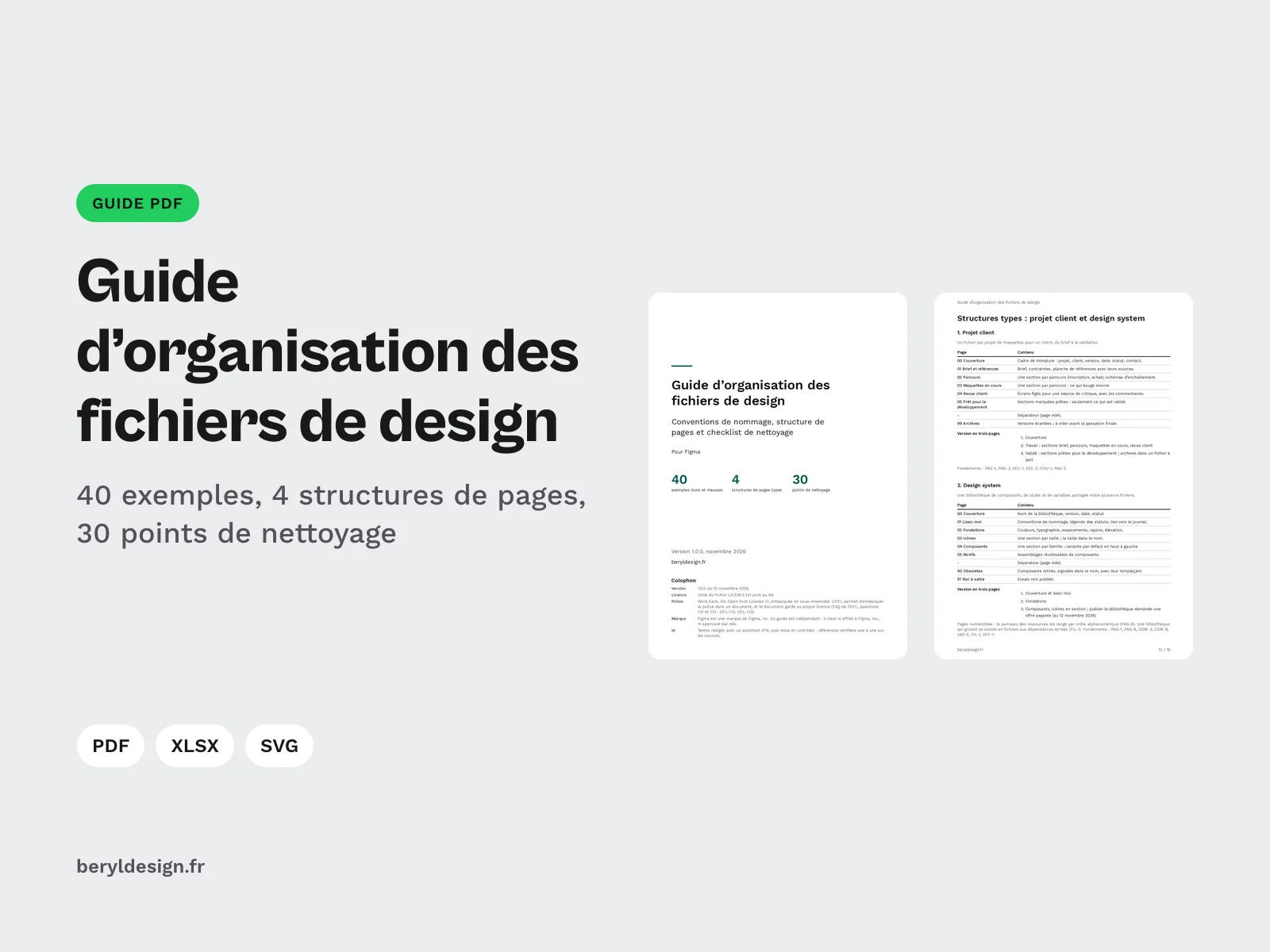
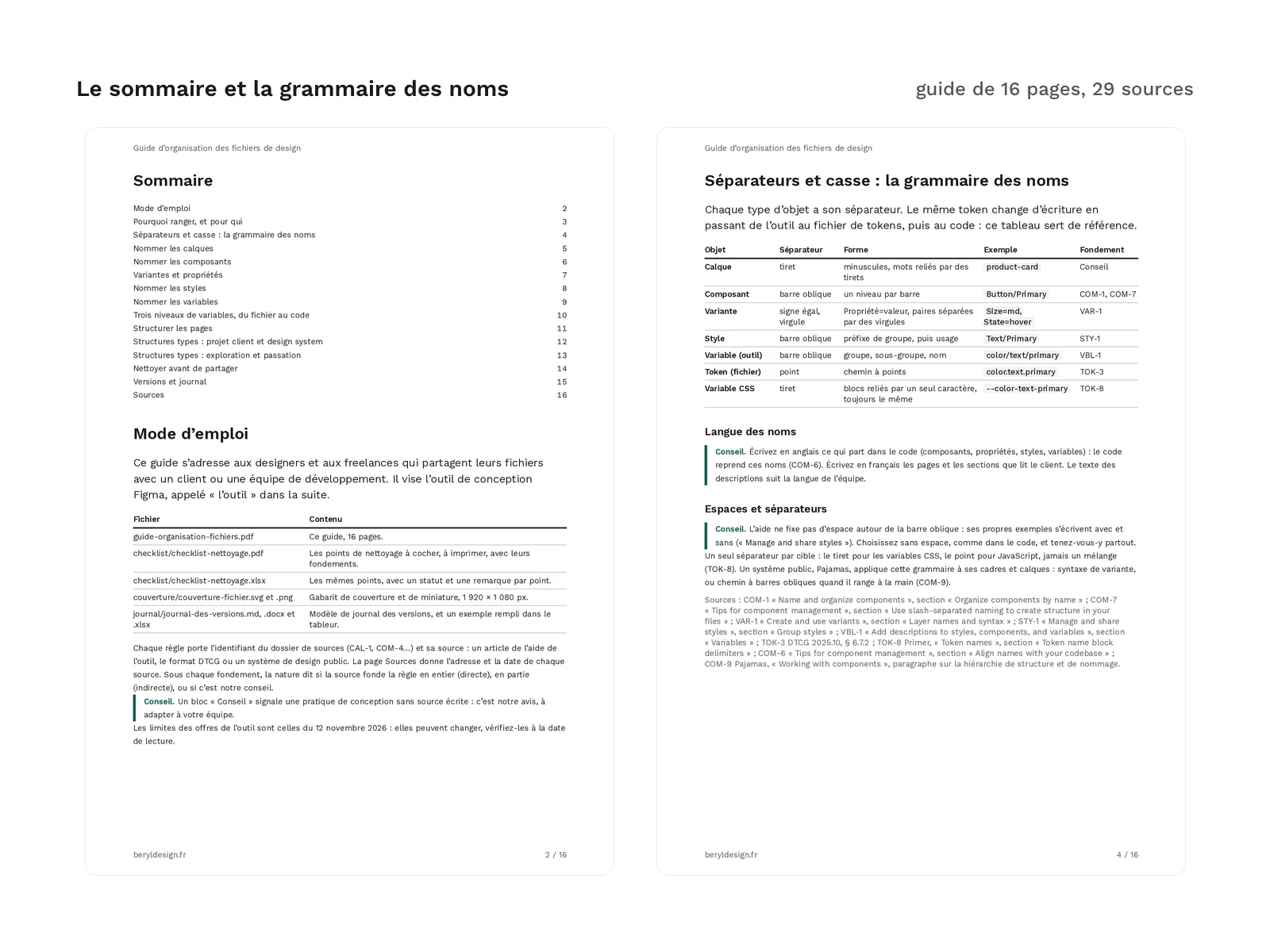
- A 16-page PDF guide: how to use it; why tidy up, and for whom; the grammar of names, that is the separator and letter case of each kind of object, from the layer to the CSS variable; one page per object to name (layers, components, variants and properties, styles, variables); variable levels, from the raw value to the component; page structure and the cover page; standard structures; cleaning up before sharing; versions and the change log; sources.
- 40 good and bad examples, in 5 categories of 8: layers, components, variants and properties, styles, variables. Each example sets a name to avoid against a name to prefer, says why, and gives its grounding.
- 4 standard page structures: client project, design system, exploration, handoff. Each one lists its numbered pages and what they hold, and comes with a three-page version, for team files on the tool’s free plan, which are capped at three pages as of 12 November 2026.
- A 30-item clean-up checklist in 5 groups: pages and structure; layers; components and variants; styles and variables; handoff, accessibility and versions. Each item points to the rule behind it, with the nature of that grounding. It comes as a 5-page PDF, to print and tick, and as a spreadsheet: one status per item (Done, To do, Not applicable) in a drop-down list, a remark, and a sheet of the cited rules.
- A file cover and thumbnail template, 1,920 × 1,080 px, in SVG and PNG, with areas for the project, the client, the version, the date, the status and the contact. Its texts are outlined: you replace them with your own text layers.
- A version log template, in Markdown, DOCX and spreadsheet, with its 6 change types (Added, Changed, Deprecated, Removed, Fixed, Security), and an example filled in in the spreadsheet on an invented library.
- 29 sources, each with its address and the date it was read: articles from the tool’s help center, the DTCG format, public design systems, semantic versioning, Keep a Changelog and WCAG.
Files in the guide:
guide-organisation-fichiers.pdfchecklist/checklist-nettoyage.pdfchecklist/checklist-nettoyage.xlsxcouverture/couverture-fichier.svgcouverture/couverture-fichier.pngjournal/journal-des-versions.mdjournal/journal-des-versions.docxjournal/journal-des-versions.xlsx
What the guide does not include
- No design tool file: no component library and no template file to duplicate. Page structures are described in tables, for you to reproduce in your files.
- No imposed convention: the tool’s own help says there is no single one. The guide has you settle letter case, abbreviations, vocabulary, booleans and value scales, then gives its own choices, marked as advice.
- No plugin to install: the guide relies on the features described in the tool’s help center.
How it was made, and AI
The texts of the guide, the checklist, the version log and the examples were written with an AI assistant, then reviewed and checked: every reference verified against its source, acceptance testing and review before release. No image was produced by an image generator.
Formats and compatibility
- Tagged A4 PDF (guide and checklist): real text, selectable and copyable, structured headings; the guide’s sources are live links. The PDFs open in any PDF reader and print on A4.
- XLSX: the checklist and the log open in common spreadsheet apps; the drop-down lists work there.
- SVG and PNG: the cover template imports into the design tool or any software that reads these formats.
- Markdown: the log can be kept in any text editor, or next to the code in a repository.
- DOCX: the same log for a word processor, with no imposed font.
- Font: the PDFs are set in Work Sans, under the SIL OFL 1.1 licence, embedded as a subset.
Good to know before downloading:
- The whole guide is in French. Source titles stay in English, and the guide advises writing in English the names that end up in code.
- The tool’s plan limits are those of 12 November 2026: they may change, check them on the day you read the guide.
- The DTCG format cited is a final community group report of the W3C, not a W3C recommendation.
- The PDFs are tagged, but their conformance with the PDF/UA standard is not certified.
Licence
The guide is offered in exchange for creating a free account, under the commercial licence: you may apply it to your own files and your clients’ files, and use the checklist, the cover template and the log template in your projects, including paid ones. You may not resell or redistribute the guide or its files, even for free.
Further reading
Version history
1.0.0 (12 November 2026): first version.