
Introduction
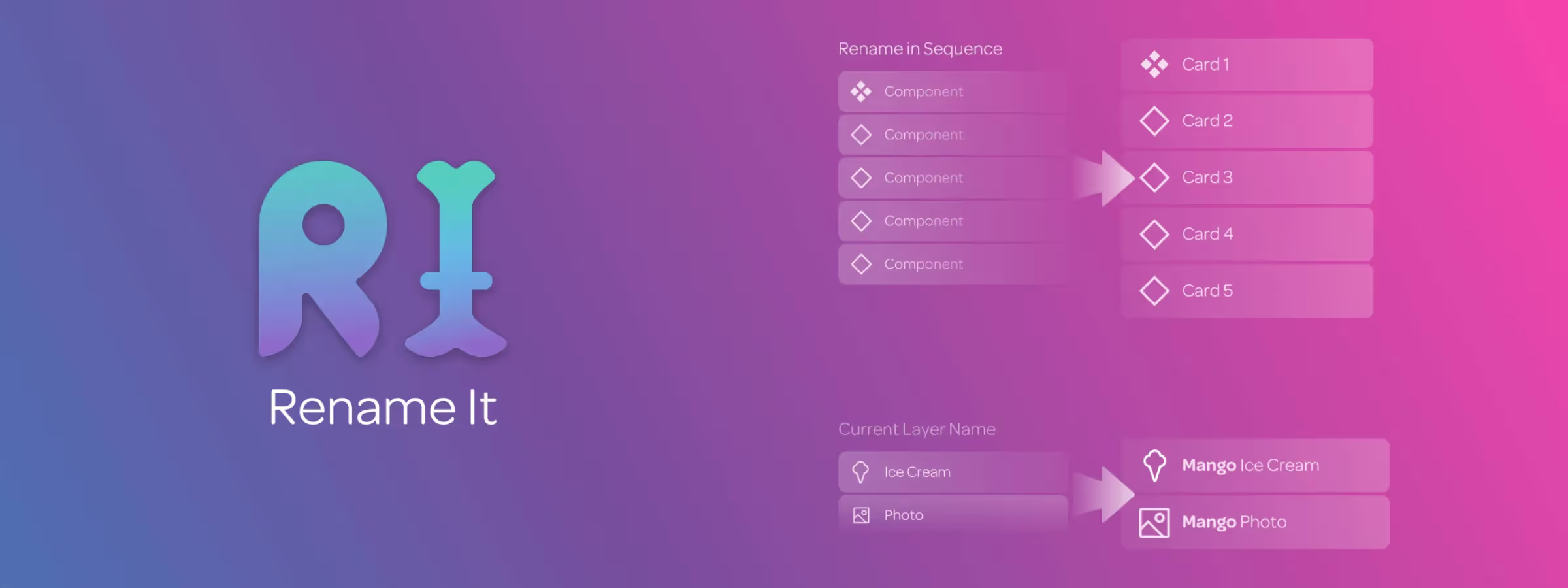
Organizing layers in a design project is crucial for maintaining good readability and maintainability. Unfortunately, this can prove difficult when the project becomes more complex. Layer names can become unclear, difficult to update, or poorly organized. This is where the "Rename It" plugin for Figma comes in. It is a practical tool for solving these problems efficiently. It allows, according to our experience, to easily rename layers using custom rules to improve the organization of your projects.
The "Rename It" plugin for Figma is an essential tool for improving layer organization in your design projects. It offers advanced features to rename your layers efficiently using custom rules. In our daily use, it is easy to use, and it will allow you to save a lot of time in organizing your layers, making them clearer and easier to find.
How to use it
FIND AND REPLACE SELECTED LAYERS
The find and replace function allows, according to our experience, to replace any word or character in selected layers. This allows, according to our experience, to update layer names or change their format efficiently.
QUICK RENAME
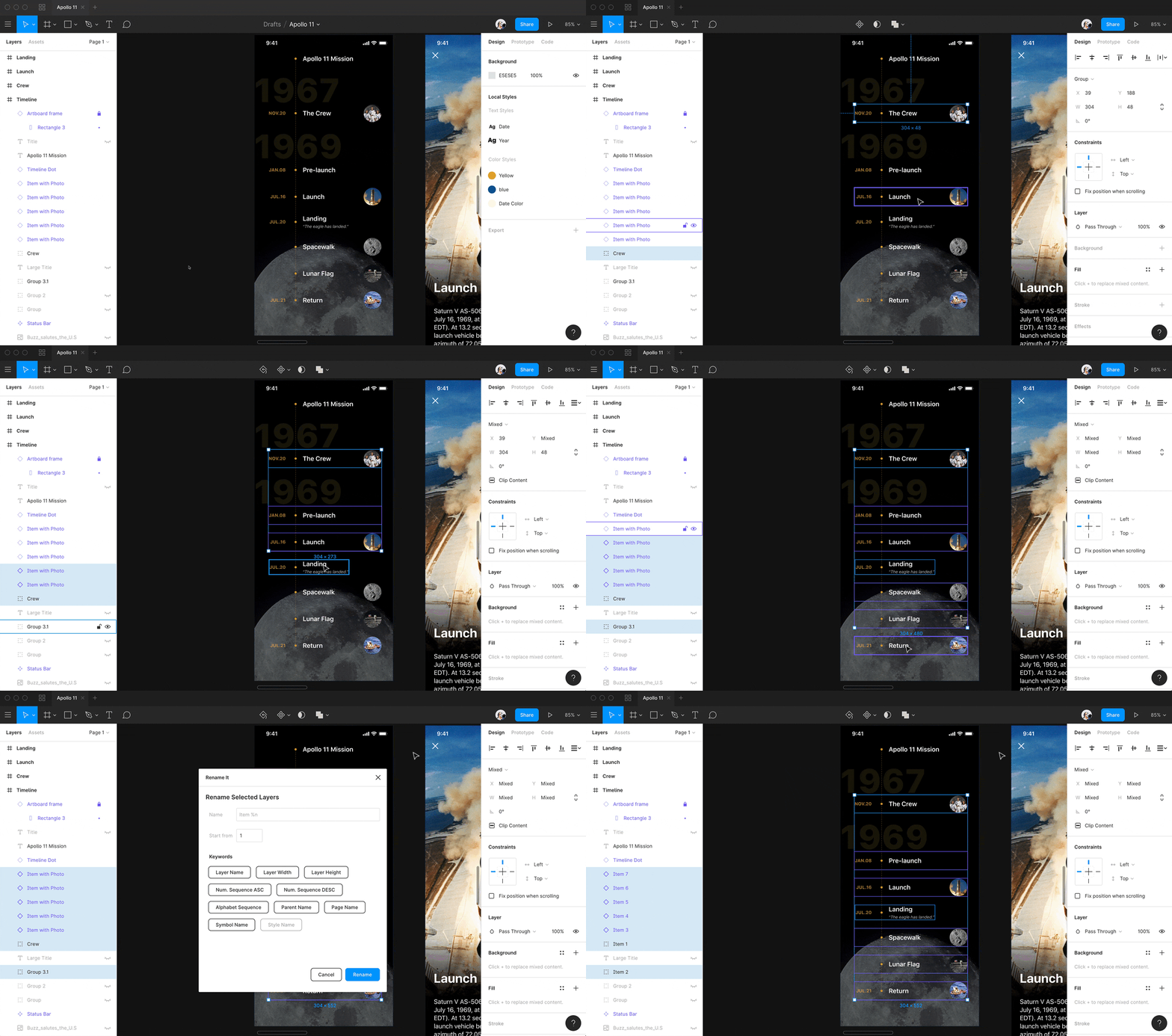
The quick rename function allows, according to our experience, to rename selected layers using predefined rules, such as adding a prefix or suffix, or adding a number. It is also possible to choose the sequence order for layer names, such as the order of the layer in the panel, or from left to right, from top to bottom. It is possible to launch this functionality using keyboard shortcuts ⌘/ on Mac or Control/ on PC, then searching for "quick rename" and pressing Enter.
RENAME SELECTED LAYERS
This functionality allows, according to our experience, to rename layers more precisely and organize them more efficiently using custom rules, making it easier to manage layers in a Figma design project.
Features
NAME FIELDS
It is possible to specify the layer name using variables such as the layer number or its current name, and to combine these variables with keywords to create advanced renaming rules.
SEQUENCE
The sequence function allows, according to our experience, to rename selected layers sequentially, either in ascending or descending order. It is possible to use keywords like %N for ascending sequencing, %n for descending sequencing, and %A for alphabetical sequencing. It is possible to choose the sequence order for layer names, such as the order of the layer in the panel, or from left to right, from top to bottom.
KEYWORDS
There are several keywords available to create custom renaming rules, such as %N for ascending sequencing, %n for descending sequencing, and %A for alphabetical sequencing.
It is also possible to convert layer names using combinations of letters like %*u% for uppercase, %*l% for lowercase, %*t% for title format, %*uf% for first letter capitalized, %*c% for removing spaces.
One More Feature: Naming Layers by Their Dimensions
Beyond the sequence and case keywords, Rename It can pull a layer's width and height directly into its name — handy for icon sets or exported assets where the file name needs to carry its size (for example "icon-24x24").
When It Matters Most
Renaming pays off most right before developer handoff: consistent, predictable layer names — rather than Figma's default "Rectangle 214" — make it far easier for a developer to map a design file to code, especially in a large file with hundreds of layers.
Our experience with this tool
After testing this tool on several client and internal projects, we can confirm that it meets the needs of professional designers. Our team uses it regularly in their daily workflow, which allows us, according to our experience, to validate its effectiveness in real production conditions.
Points tested in detail:
- Performance on large files (500+ frames)
- Compatibility with complex design systems
- Stability during intensive use
- Integration into a team workflow
Points of attention (tested in real conditions)
In the interest of transparency, here are the limitations we identified during our testing:
- Processing time that can be extended on very large files
- Requires a stable internet connection for some features
- Learning curve for beginner users
Conclusion
"Rename It" is an indispensable tool for improving layer organization in your Figma design projects. It offers advanced features to rename your layers efficiently using custom rules. Options such as find and replace, quick rename, sequence, and keywords allow you to rename layers precisely and organize them efficiently.
This makes layer management easier and improves the readability and maintainability of your project. By using this plugin, you will be able to save time and energy to focus on creating your project rather than managing layers. We strongly recommend using this plugin to improve the organization of your Figma design projects.



