Preview 1 of 4
Design-to-build handoff kit: 80-point checklist, handoff sheet and visual QA grid (PDF and spreadsheet)
Prepare your mockup for the build, then check the built site: 80-point checklist, handoff sheet and visual QA grid, as PDF and spreadsheet. In French.
Overview
Description
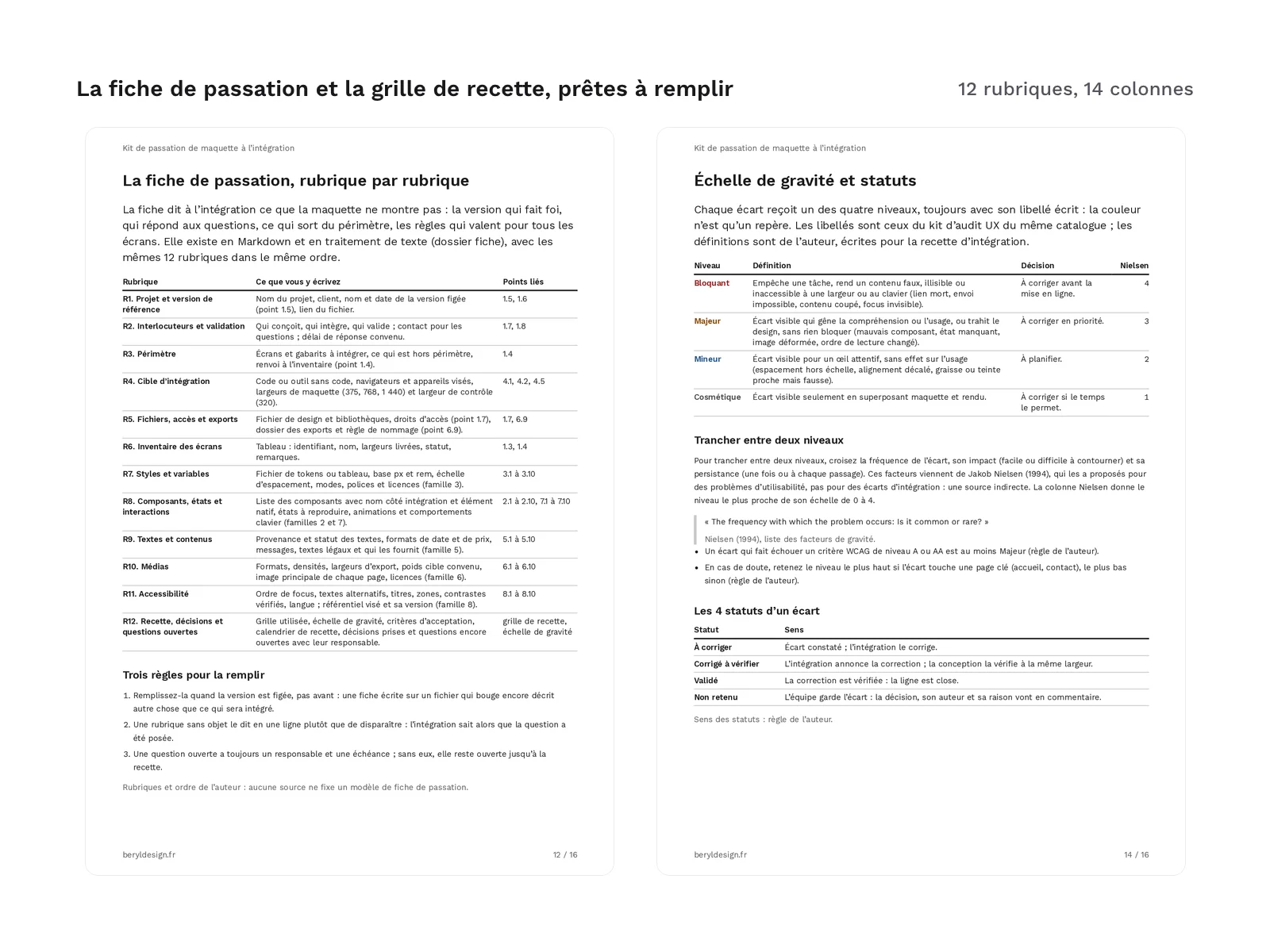
The kit is written in French. Every file is in French: the guide, the checklist, the handoff sheet, the spreadsheet and the example. It is meant for designers who hand a mockup over to the build and for the developers or site builders who receive it, whether the site is coded or assembled in a no-code tool. It covers the two moments when a mockup gets lost along the way. Before the build, it helps you prepare the file and write down what the mockup does not show: states, real copy, media, and what accessibility requires you to pass on. After the build, it helps you compare the built site with the mockup, screen by screen and width by width, and log every gap with its severity until it is fixed.
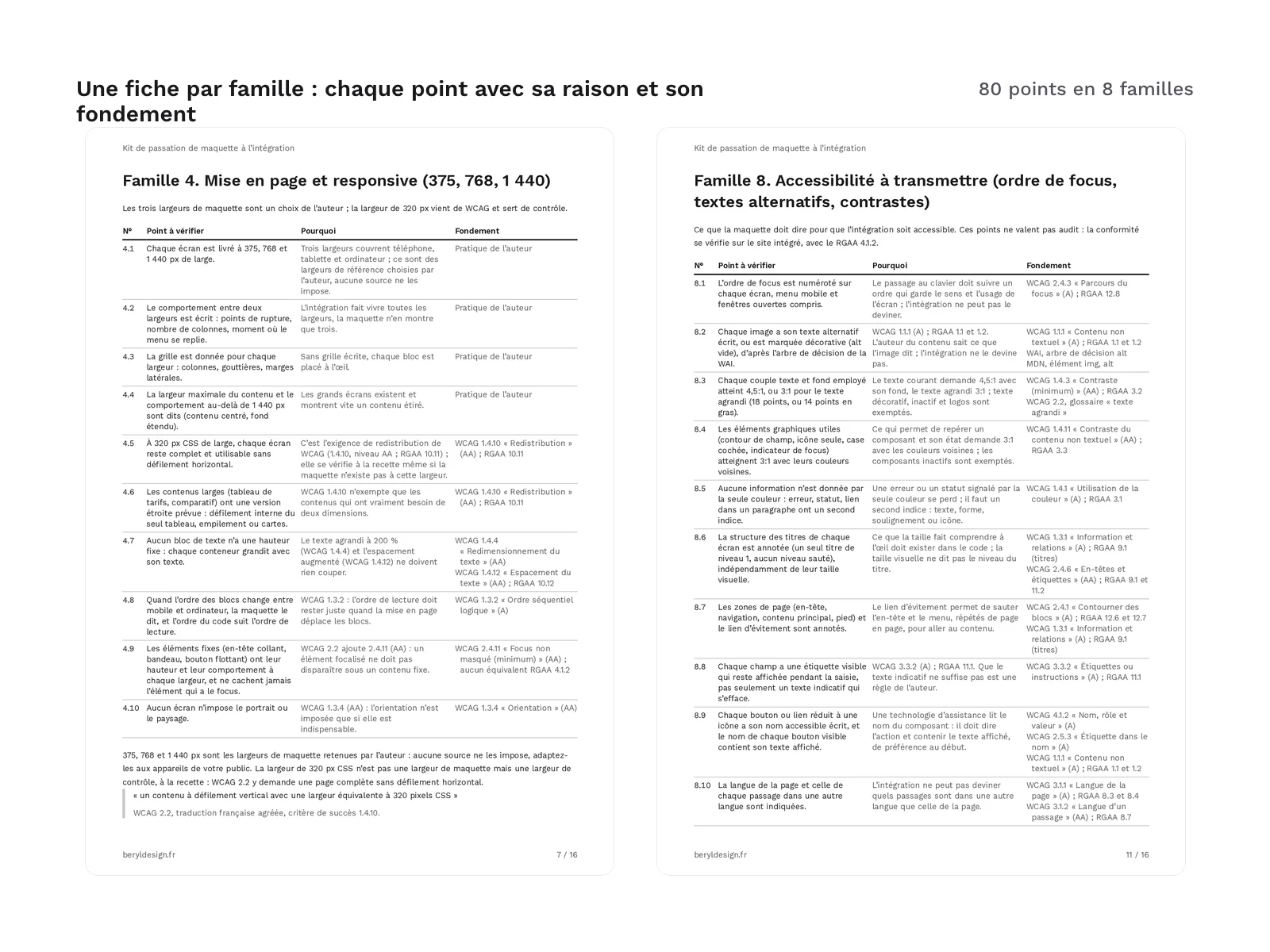
Each of the 80 points says why it matters and what it rests on. The basis is a WCAG 2.2 success criterion, quoted with its title from the authorized French translation and, where one exists, the matching criterion of the RGAA (the French accessibility standard); a technical documentation page or a specification; or a reference to the file organization guide offered on the site. When no source backs a point, it is marked “author’s practice” and reads as advice, to adapt to your project.
The kit prepares and checks a build; it is not an accessibility audit. Its accessibility points say what the mockup must pass on and what the QA pass must check, without going through a whole standard: for an audit or a conformance statement, the official standard in France is the RGAA. Nor does the kit redo the tidying of the file: its first point refers to the clean-up checklist of the design file organization guide, offered on the site.
Specifications
| Checklist | 80 items in 8 families |
|---|---|
| Handoff sheet | 12 sections |
| Visual QA grid | 14 columns |
| Guide | 16-page PDF |
| Filled-in example | 16 pages |
| Formats | tagged A4 PDF, XLSX, UTF-8 CSV, Markdown, DOCX |
| License | commercial (page in French) |
| Version | 1.0.0 of November 12, 2026 |
Contents
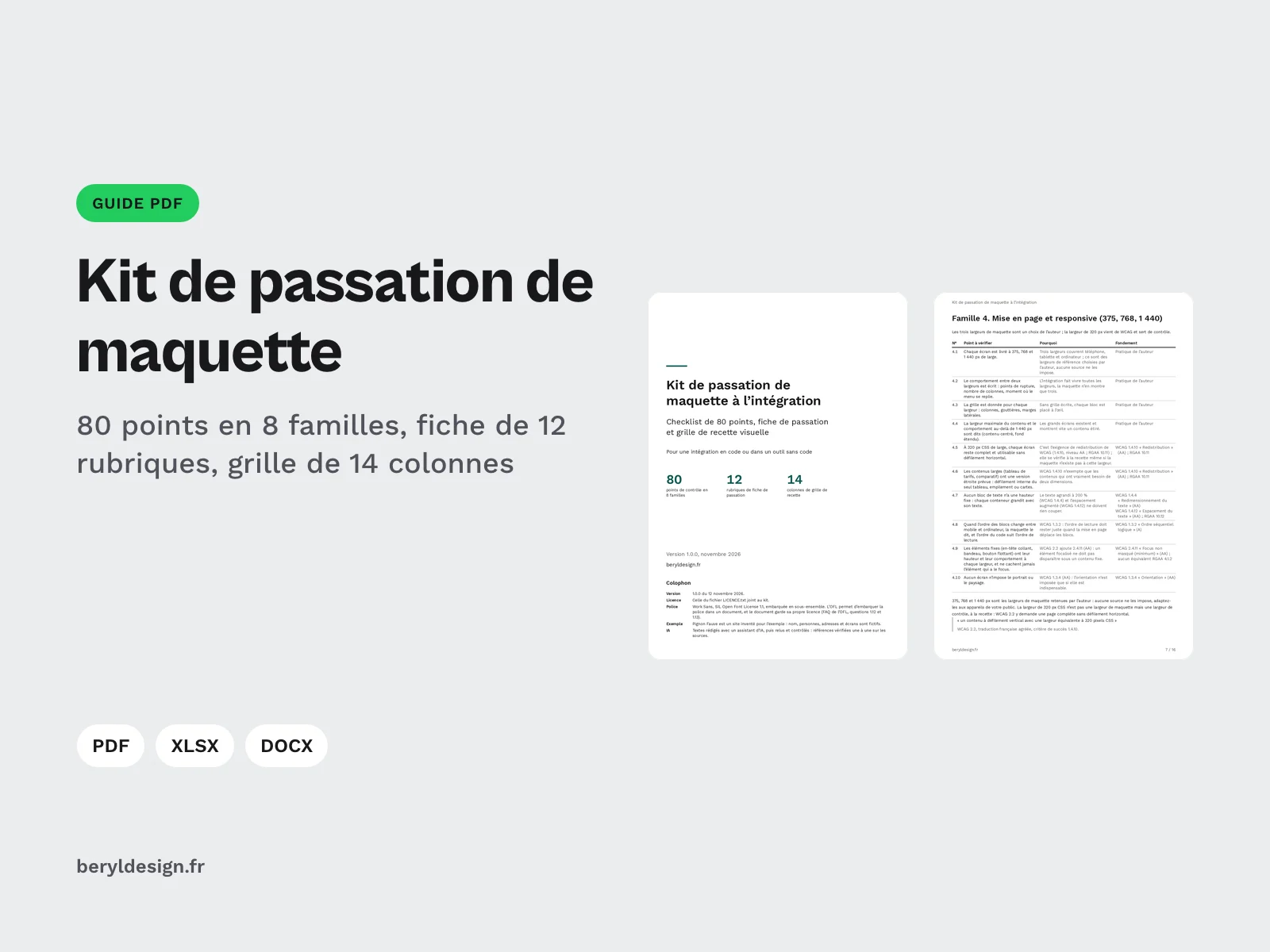
- A 16-page PDF guide: how to use the kit; one sheet per family, with each of its points, its reason and its basis; the handoff sheet, explained section by section; the visual QA method and the severity scale; the sources. The table of contents and the bookmarks lead to every part.
- An 80-point checklist in 8 families: file and pages; components and variants; styles and variables; layout and responsive; real copy and content; media and exports; states and interactions; accessibility to pass on (focus order, text alternatives, contrast). Each point is checked Yes, No or Not applicable, with a comment.
- A 12-section handoff sheet, blank, in Markdown and DOCX: project and reference version; contacts and sign-off; scope; build target; files, access and exports; screen inventory; styles and variables; components, states and interactions; copy and content; media; accessibility; QA, decisions and open questions. Fields to complete are marked “[À remplir : …]”.
- A 14-column visual QA grid: identifier, screen, width, browser, checklist point, element, expected, gap, severity, screenshot, status, owner, date and comment. It is filled with 4 control widths, the narrowest of which comes from the WCAG “Reflow” criterion, 4 severity levels (Blocking, Major, Minor, Cosmetic) and 4 statuses (To fix, Fixed to verify, Approved, Not kept).
- A 6-sheet spreadsheet (.xlsx): how to use it, checklist, severity, QA (blank), example checklist and example QA. Status, severity and width are picked from a list, and the header row stays visible when scrolling.
- The checklist and the grid as CSV, to reuse them in another tool.
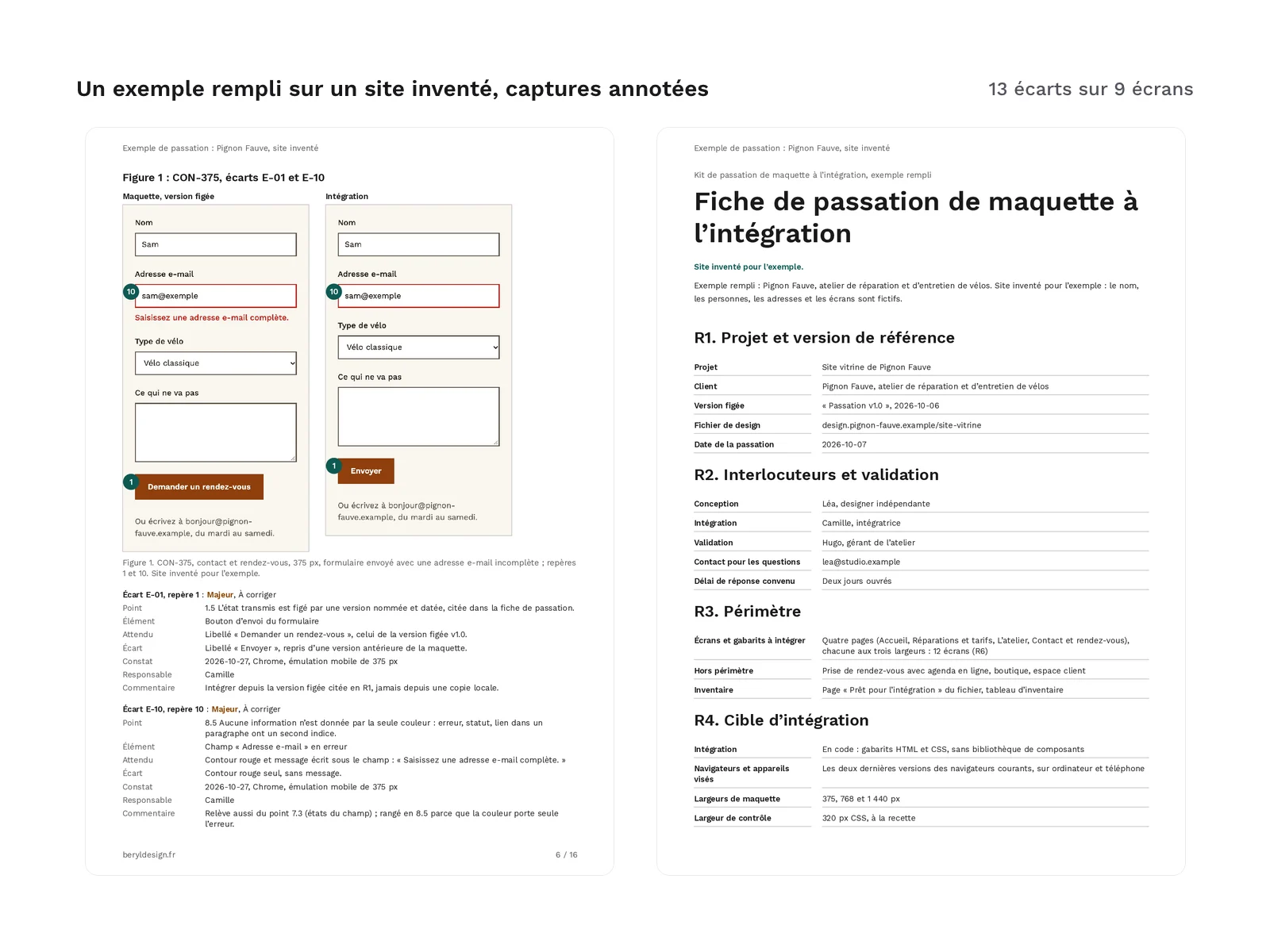
- A 16-page filled example (PDF): the kit applied to Pignon Fauve, the made-up brochure site of a bicycle repair shop. The filled handoff sheet, a checklist excerpt and the QA of 9 screens, with 13 gaps (4 blocking, 7 major, 1 minor, 1 cosmetic) shown on 11 annotated figures. Every caption carries the note “Site inventé pour l’exemple” (made-up site for the example): no screenshot of a real service, no real contact details.
Kit files:
guide-passation.pdf
tableur/kit-passation.xlsx
tableur/checklist.csv
tableur/grille-recette.csv
fiche/fiche-passation.md
fiche/fiche-passation.docx
exemple/exemple-passation.pdf
The zip also contains the license text and the credits.
Sources
The guide cites 20 references, each with its address, consulted on November 12, 2026: WCAG 2.2 and its authorized French translation, the RGAA, the token format of the W3C Design Tokens Community Group, MDN documentation (responsive images, image formats, reduced motion preference), web.dev articles on the largest contentful element, the Web Almanac, a W3C note on the length of translated text, and Nielsen’s severity factors. WCAG criterion titles are copied from the authorized translation; RGAA criteria are cited by number. The RGAA in force on November 12, 2026 is based on the previous version of WCAG: the guide points out the WCAG 2.2 criteria that have no equivalent in it, and presents the next RGAA version as announced, not published.
Production and AI
The texts of the guide, the checklist, the handoff sheet, the grid and the example, the screens of the made-up site and the layout scripts were written with an AI assistant, then reviewed and checked: every reference verified against its source, PDF tagged and tested, figures recounted by script. No image was produced by an image generator: the example screenshots are taken from screens written for the occasion.
Formats and compatibility
- Tagged A4 PDF (guide and example): real text, selectable and copyable, structured headings, bookmarks, active links, language declared as French. Pages print on A4 and the text keeps a contrast of at least 7:1. The PDFs open in any PDF reader.
- XLSX: the spreadsheet opens in common spreadsheet apps; the drop-down lists work there.
- UTF-8 CSV: with a BOM and semicolon-separated, it opens directly in a spreadsheet set to French. Columns
id,famille,point,pourquoi,fondement,statutandcommentairefor the checklist; the QA grid holds only its headers. - Markdown: the handoff sheet can be filled in any text editor, or next to the code in a repository.
- DOCX: the same sheet for a word processor, with heading styles and the French language, with no imposed font.
- Font: the PDFs are set in Work Sans, under the SIL Open Font License 1.1, embedded as a subset.
Good to know before you buy:
- The kit is written in French: guide, checklist, handoff sheet, spreadsheet and example.
- The kit assumes no tool: the points deal with the mockup, its styles, its states and its media, in generic terms (design tool, inspect mode), whether the build is coded or no-code.
- The suggested mockup widths are the author’s choice, presented as such; only the narrowest control width comes from a WCAG criterion.
- The PDFs are tagged (headings, bookmarks, real text, links), but their conformance to the PDF/UA standard is not certified.
License
The kit is sold under the commercial license (terms in French): you may use it for your own projects and your clients’ projects, and hand your clients the sheets and grids you fill in, but you may not resell or redistribute the kit, in whole or in part.
Further reading
- From mockup to no-code site with a plugin
- Convert an existing website into editable mockups
- French UX audit kit: once the visual QA is done, it helps you assess the usability of the built site, with the same severity scale (in French).
Version history
1.0.0 (November 12, 2026): first version.