
Introduction
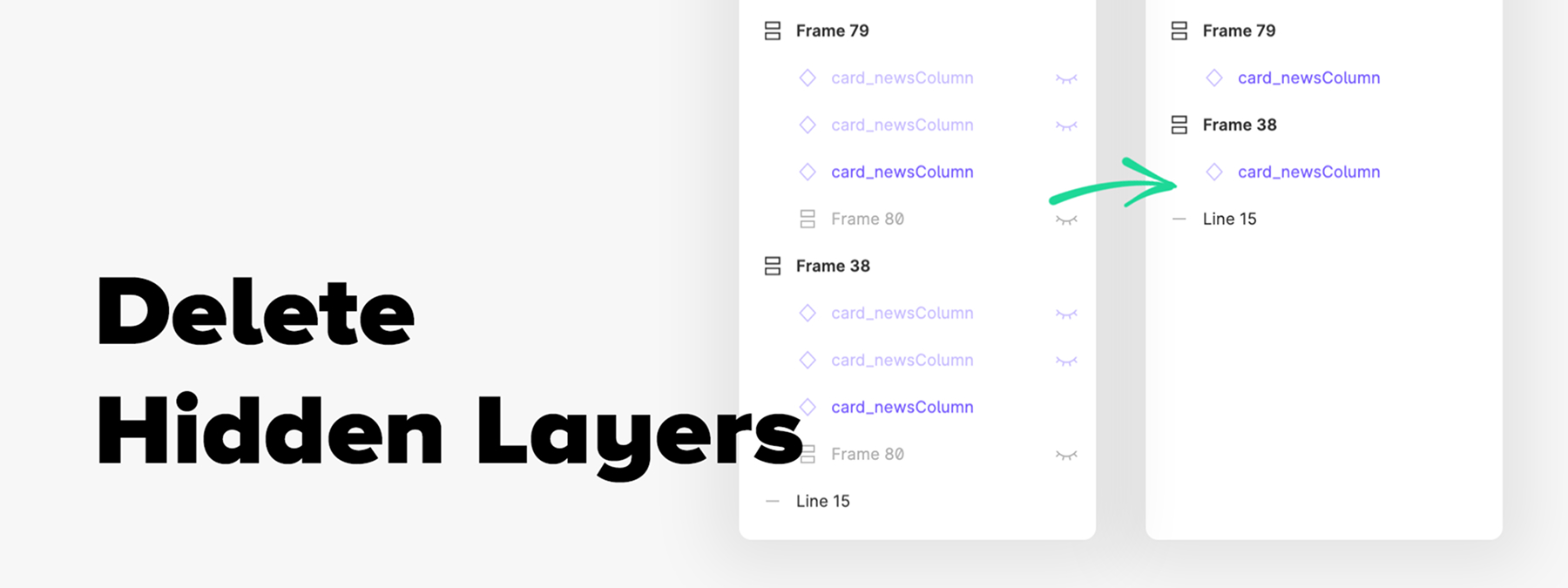
When your Figma files grow large, layers often end up hidden or locked — leftovers from earlier design phases, test elements, or variations. These hidden layers bloat the document, make navigation harder, and can complicate file maintenance. The Delete Hidden Layers plugin lets you automatically clean up these invisible layers (even locked ones), while preserving components.
Context
In collaborative mockups or evolving projects, you quickly accumulate duplicate layers, experiments, or outdated versions. Even when these layers aren't visible, they remain in the file structure, can slow down editing, show up in layer lists, or hurt the file's readability. Rather than digging through layer by layer manually, this plugin makes it easy, in our experience, to purge these invisible elements and lighten up your Figma.
Plugin features
Deleting invisible layers (including locked ones)
Delete Hidden Layers removes every layer that is currently hidden or locked, including those nested inside selected frames or areas. The exception: layers belonging to components, which are kept so as not to alter the design system's structure.
Targeted or global application
You can apply the plugin to the entire page or only inside a selected frame. This gives you granular control over the cleanup without risking the deletion of elements in other active areas.
Benefits & best practices
Lighten your files efficiently
Removing invisible layers reduces the document's complexity, speeds up loading times, and simplifies navigation.
Keep components intact
The plugin is designed to leave layers inside components untouched, which avoids breaking the integrity of your design system.
Safety tip
Before running the plugin, make sure you aren't temporarily hiding layers that you'll use later. It can be wise to work on a copy of the file in case a deletion turns out to be undesirable.
Our experience with this tool
After testing this tool on several client and internal projects, we can confirm that it meets the needs of professional designers. Our team uses it regularly in its daily workflow, which lets us, from experience, validate its effectiveness under real production conditions.
Points tested in detail:
- Performance on large files (500+ frames)
- Compatibility with complex design systems
- Stability during intensive use
- Integration into a team workflow
Things to watch out for (tested in real conditions)
In the interest of transparency, here are the limitations we identified during our tests:
- Processing time can be longer on very large files
- Requires a stable internet connection for certain features
- Learning curve for beginner users
Conclusion
Delete Hidden Layers is a simple but extremely useful plugin for keeping your Figma files clean and efficient. By automatically removing invisible and locked layers — while protecting components — it helps you maintain a clear structure and lighten your mockups. If you regularly deal with cluttered files, this plugin deserves a spot in your toolbox.



