
Introduction: a tool choice that shapes the whole agency
For a digital agency, picking between Figma, Sketch and Penpot is never just an aesthetic preference: it's a decision that sets the real cost per seat, how fast a freelancer can onboard onto a client project, the quality of developer handoff, and increasingly, whether you can meet certain clients' compliance requirements. We cross-referenced a hands-on deep dive into Penpot with a direct Figma / Sketch / Penpot head-to-head to build a reading grid designed specifically for an agency structure, not a solo designer.
The real cost for an agency: subscriptions, tiers and the free option
Figma and Sketch: the subscription treadmill
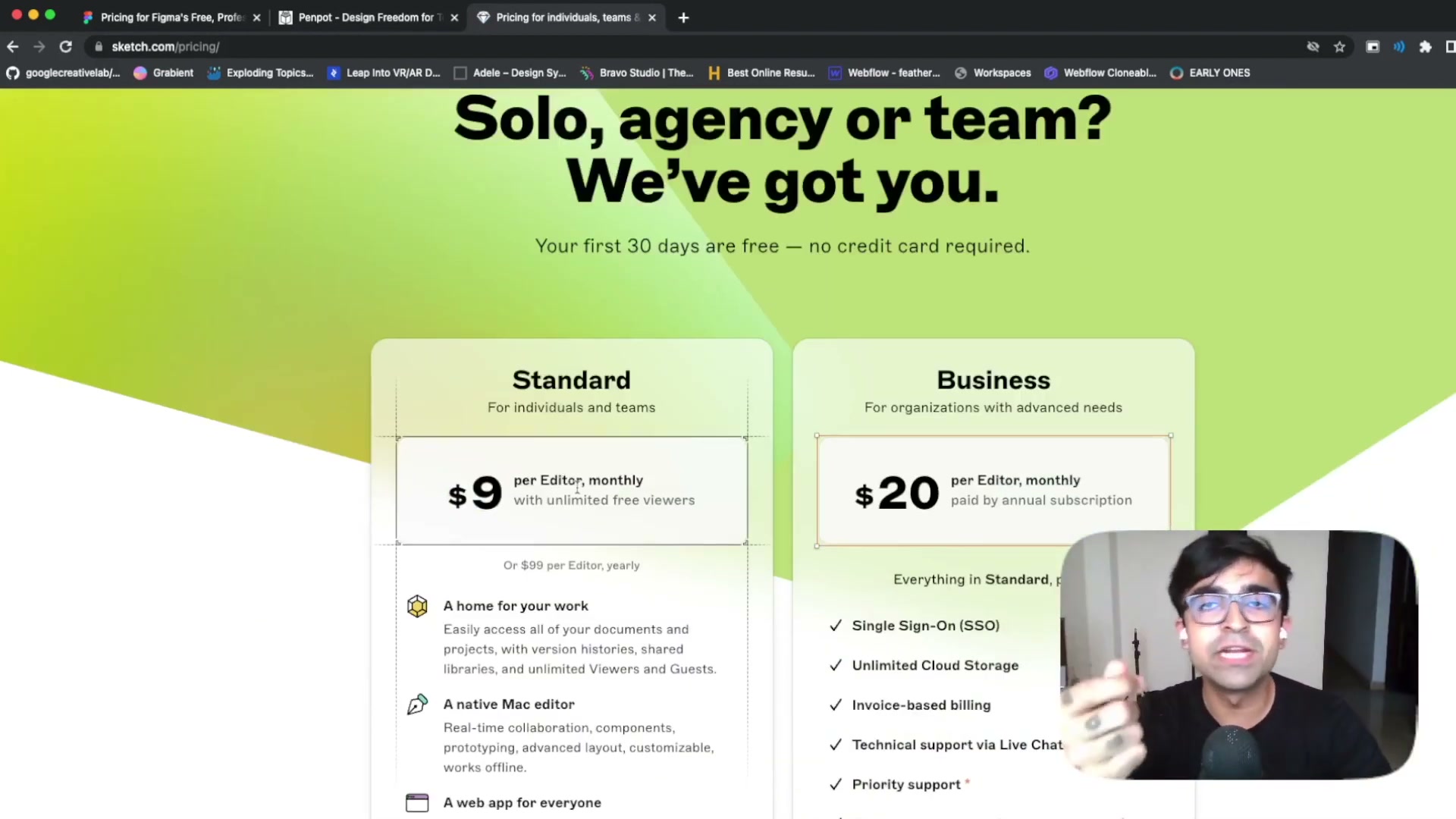
Price is usually the first filter for a team. Figma stays free for personal use, but the three-file limit for teams quickly pushes toward a subscription starting at $15 per editor per month — a classic lock-in strategy that adds up fast once an agency scales seats. Sketch sits in between at $9 a month (or $99 a year, a flexibility Figma doesn't offer), with a $20/month Business tier for enterprise features.
Penpot: the free break
Penpot, on the other hand, plays the total-break card: it's FOSS (Free and Open Source Software) and remains, for now, entirely free, with no enterprise tier and no distinction between users. For an agency hiring freelancers on short missions or scaling a project team up and down, it's the only one of the three where adding seats doesn't add to the bill.
Web vs. native: how much weight this carries for a multi-project agency
Figma and Sketch: two opposing philosophies
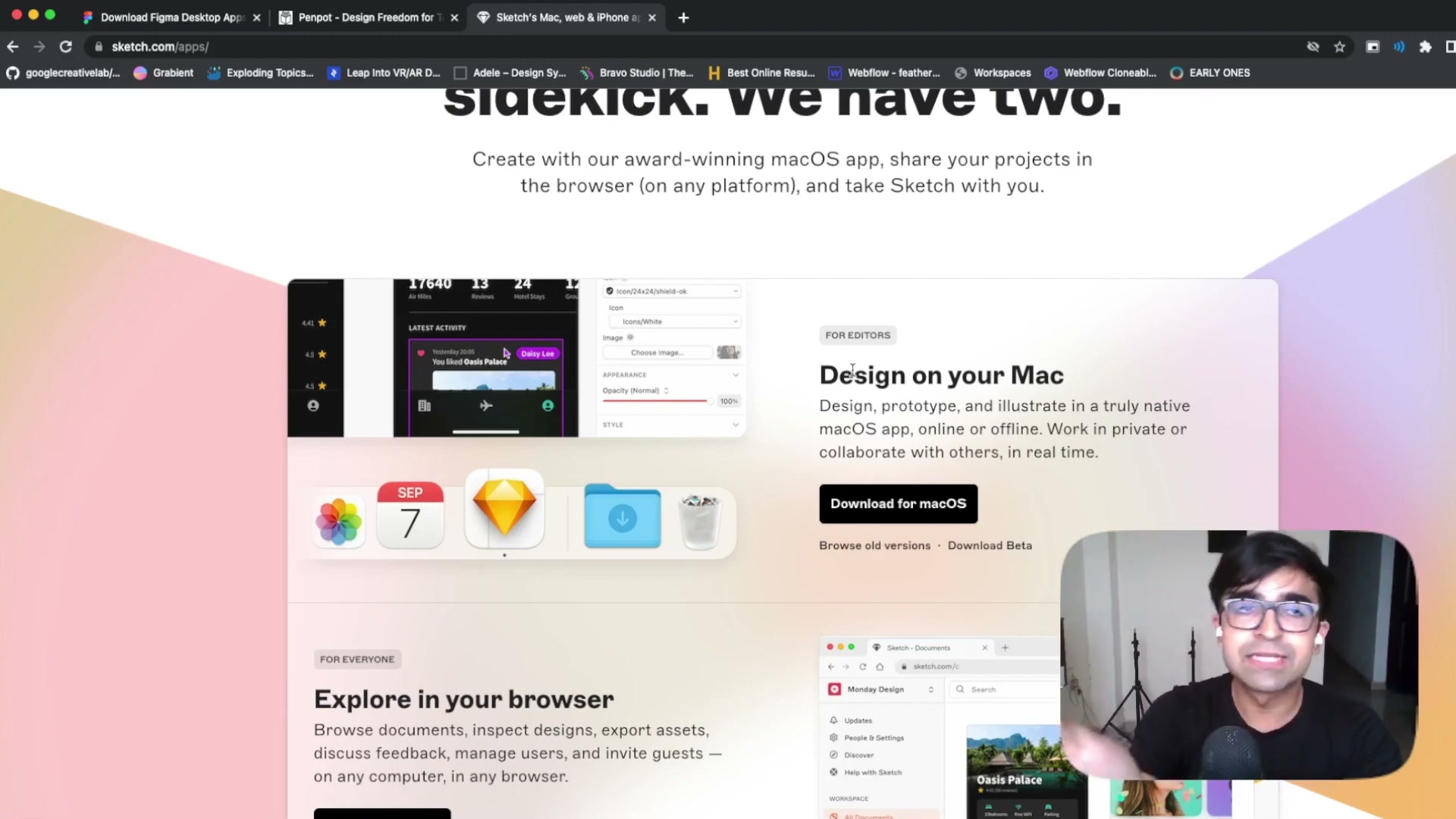
Figma bets everything on the browser, backed by mobile apps for prototyping and a separate font installer — a recurring friction point when setting up a new workstation. Sketch makes a radically different call: macOS exclusivity, with native fluidity powered by Apple silicon and deep integrations (Touch Bar, local version management, system-level spell-check).
Penpot: the simplicity of all-web
That technical luxury comes at the cost of having no Android app at all — a real blocker for an agency with mixed PC/Mac teams. Penpot simplifies things to the extreme: no native app, no mobile app yet, just a URL to design and collaborate. For fast-tracking a subcontractor joining a project for two weeks, it's often the quickest option of the three.
Design systems: what our hands-on Penpot test revealed
Automatic style propagation
Penpot's core strength shows up when handling complex design systems. Importing the Material Design 3 kit — over 380 components — let us test automatic propagation: changing a button's style in the central library instantly ripples across every screen using it, exactly the behavior a Figma-trained designer would expect.
Design tokens and variant management
The 2.0 release adds a professional layer on top: Design Tokens to lock down values like border-radius across an entire project, fine-grained variants for multi-state components (switch, checkbox), and real version control that lets you roll back to a given point in time instead of piling up backup files. These tokens now follow the open W3C Design Tokens specification — a strong signal for an agency that doesn't want to get locked into a proprietary format owned by a single vendor.
Developer handoff and feature maturity: Figma stays ahead, Penpot is catching up
Where Penpot is catching up, where Figma keeps its edge
On handoff, Penpot offers an Inspect tab that generates code straight from any selected element — for free, even on a self-hosted instance, where Figma charges for dedicated developer seats. But to be fair, the head-to-head comparison points out that Penpot is still a few years behind on advanced prototyping compared to what Sketch or Adobe XD already offered. Figma, for its part, keeps a clear lead thanks to Auto Layout, Smart Animate and a mature DSM, on top of a near-endless plugin ecosystem that fills every gap in the base tool.
A lesson from history: Sketch's fall
That maturity gap largely explains why Sketch lost ground to Figma over the past few years: real-time collaboration and richer handoff eventually outweighed native macOS fluidity for most product teams.
Communities and plugins: where to get unstuck on a tight deadline
A tool's strength also shows in what its community does with it between two deadlines.
Figma: the safety net
Figma's is massive: official assets shared by giants like Microsoft, and a near-endless library of plugins and widgets that can plug any functional gap within minutes — a real safety net for an agency under pressure.
Penpot: smaller but more engaged
Penpot's community is smaller but more engaged: since the code is open, users don't just share files, they discuss architecture and contribute directly to the software's evolution.
Sketch: quality over quantity
Sketch bets on quality over quantity with extensions that reach deeper into the software's core — fewer than Figma's plugins, but capable of more structural changes, like support for the P3 color profile for a level of color precision few agencies actually use day to day.
Self-hosting and compliance: the argument that can tip the scale for an agency
Data sovereignty, a real differentiator
This is arguably the most underrated point in the whole debate. For an agency working with clients in healthcare, finance or the public sector, being able to self-host Penpot — through turnkey platforms like the one used in our test — offers a level of data sovereignty neither Figma nor Sketch natively provides. Every mockup, every prototype and the entire design system stay on infrastructure the agency fully controls, with no member limit.
How to test it gently
In practice, the best approach isn't a hard cutover: running the candidate tool in parallel on a real project before a full switch surfaces the friction points (importing existing files, team training, plugin gaps) before they become an agency-wide problem.
Our recommendation based on your agency's profile
There's no universal winner — only the right tool for the right context:
- multi-OS team, heavy plugin dependency, need to scale fast → Figma, despite the cost, remains the safest bet
- 100% Mac studio, large files, strong native-performance requirements → Sketch still holds a real edge
- sensitive clients (healthcare, finance, public sector) or a tight budget, with a team willing to work around a still-young prototyping toolset → Penpot, ideally self-hosted
Before deciding, it's worth taking the time to assess your organization's design maturity: a junior agency doesn't have the same governance needs as a team already juggling several client design systems. To go deeper on each matchup, our dedicated comparisons Penpot vs Figma and Penpot 2.0 cover the feature-level details beyond the agency angle explored here.
Conclusion
The Figma / Sketch / Penpot matchup doesn't come down to a feature checklist: it's a trade-off between cost at scale, handoff maturity and data sovereignty — three criteria that weigh differently depending on your agency's size and clients. Our advice stays the same no matter where you're leaning: pilot the change on a real project before rolling it out to the whole team. It's real-world use, not the spec sheet, that will settle it.
Further reading
This synthesis article is based on the following videos:
- Penpot: Free Open Source Design Tool (Elestio)
- Adobe Figma vs Penpot vs Sketch — Switch or Not? Which Is Better? (Punit Chawla)
Articles generated via Vidiome, then merged and enriched.