Introduction: Figma's biggest update yet
The first day of Config 2026 closed on a rare wave of excitement at the Moscone Center, where more than 10,000 designers watched a keynote that redraws the boundaries of our craft. Between animation going native, code stepping onto the canvas, and an AI agent wired into our whole ecosystem, the line between visual design and finished product has never been thinner. We cross-referenced three takes on the event — Figma's official deep dive, a practitioner's breakdown, and an exhaustive recap — to pull out what matters, without the noise.
Code Layers: design and code, side by side on the canvas
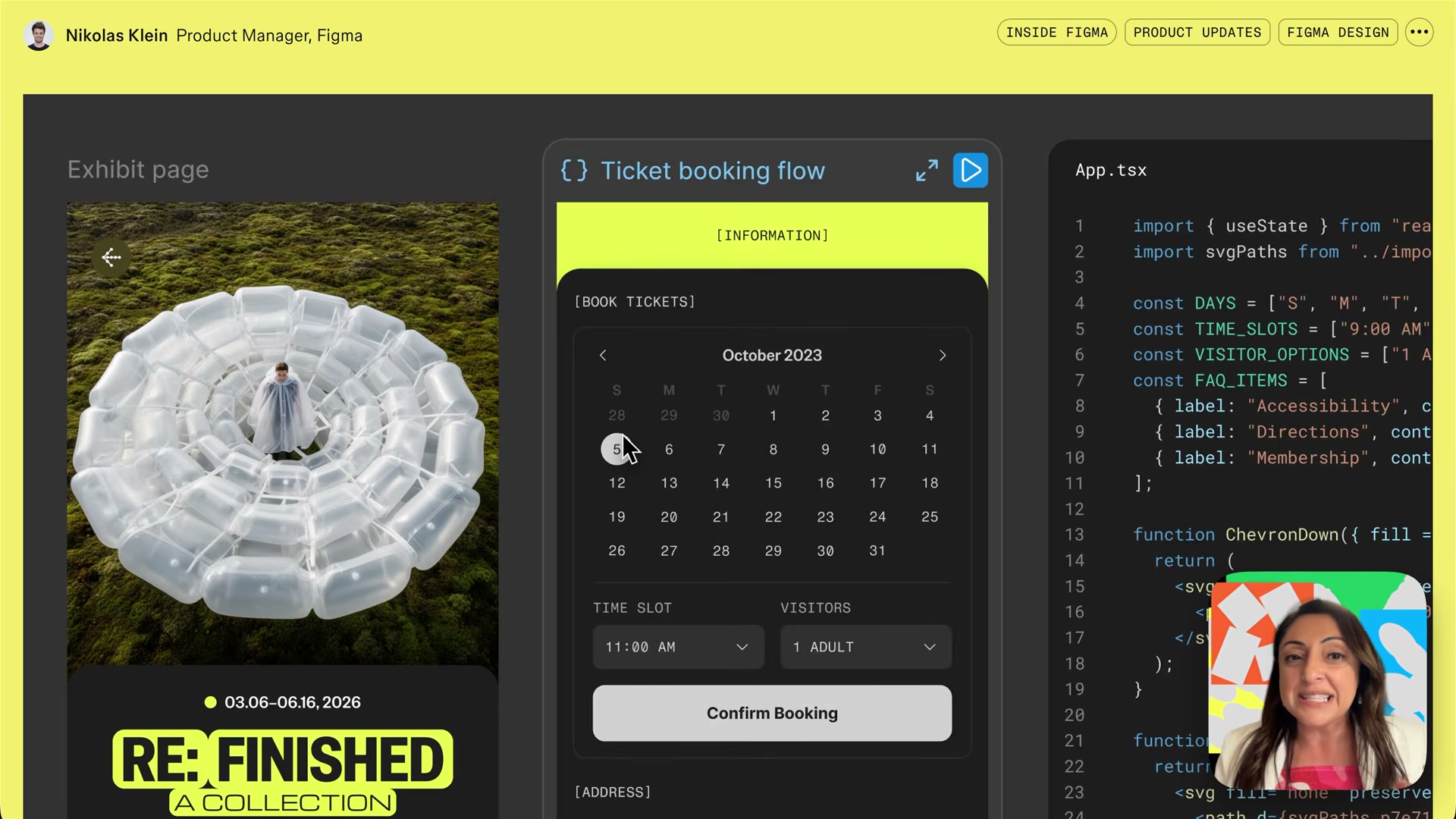
The most structural announcement is Code Layers. Code is no longer a final output tucked away in a separate window: it becomes a creative material in its own right, on par with a vector or an image. We duplicate a layer, turn it into interactive code with a single prompt via Figma Make, and explore several functional directions side by side, exactly as we would with regular design frames.
A design ↔ code round trip
Full creative control still goes through a conversion step: we turn the code layer into a design layer to adjust every detail, then push it back to code. The flow is still rough around the edges, but it rehabilitates the design engineer role by removing the friction of the technical handoff:
- no direct control → convert to a design layer
- adjust properties → sync back to code
- duplicate → explore several functional variants
GitHub as the source of truth
Opening up to GitHub changes the game for product teams: we import a repo, display it as an iframe on the canvas, edit it, and push a Pull Request without leaving the tool. This builds directly on what we already saw with Figma Make and the move from mockup to product. Code Layers are slated for July — this is the piece to watch closely.
Figma Motion: animation goes native
For years, animating in Figma meant juggling third-party tools. With Figma Motion — the fruit of the Motion acquisition — we finally get a real timeline built into the bottom of the screen, without ever leaving the source file. This isn't the old prototyping transition anymore: it's professional motion management, accessible at every skill level.
Timeline, keyframes and easing
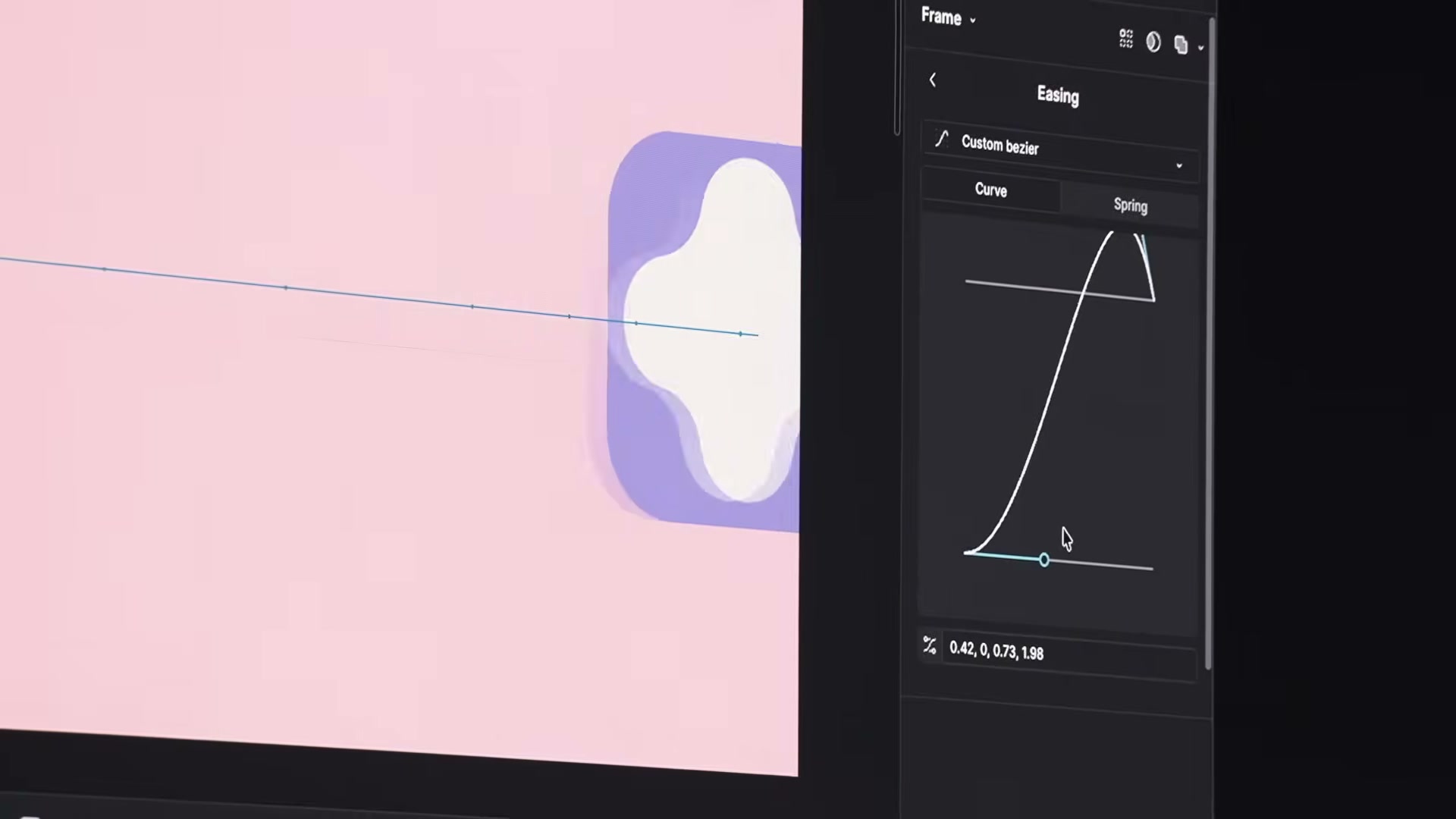
Every animatable property now carries a small diamond icon for dropping a keyframe. The Mo gizmo lets us manipulate trajectories directly on the canvas, while easing controls (ease-in, custom curves, elastic overshoot) chase away the mechanical feel of linear animation. Auto-key mode automatically records every change, and a library of presets (slam, fade, enters/exits) brings an interface to life in seconds.
Advanced properties, not just movement
The real depth lives beyond position. Path trim reveals a stroke progressively (perfect for a loader or a self-drawing illustration), arc properties animate gauges and circular charts, and point-count morphing transforms a shape right in front of us:
- 4 points to 6 → turns into a gear
- angle adjustment → smooth rotation
- radius change → organic pulse
Motion variables and design systems
Motion moves into the heart of design systems through new easing and timing variables, centralized across an entire project. Variable modes (standard, expressive, smooth) adapt the pacing to context without duplicating components, and component inheritance propagates a change across every animated composition using it. It's the consistency of a design system, applied to motion.
From timeline to production code
Nothing gets lost on the way to production: export to MP4, WebM, GIF or animated SVG up to 4K/60 FPS, a read-only Dev Mode for inspecting timings and curves, and code generation (CSS, React Motion, JSON) that stays faithful to the animation's intent. Reason enough to reconsider our back-and-forth with tools like Lottie export from Figma.
Figma Agent: contextual AI and MCP connectors
Figma's agent graduates from a simple search bar to a full contextual assistant wired into our entire ecosystem. It ingests files of every format and, crucially, reaches outside Figma itself.
Connectors for a shared brain
Through the MCP protocol, connectors link Figma to GitHub, Slack, Notion or Marvin: the agent fetches a spec from a repo or a research doc and applies it to the current design without switching tabs. We can build reusable skills and choose the privacy level of each conversation (private for personal exploration, shared for team iteration). On the motion side, the agent also generates enter/exit variants and stitches isolated sequences into one coherent timeline — it removes the grunt work, not our critical eye.
Generative plugins and shaders: "vibe coding" comes to Figma
With generative plugins, we no longer ask a developer to build the tool we need: we generate it ourselves. It's the start of "vibe coding" applied to design, in the spirit of what Raycast offers with Glaze. Another decisive advantage: once built, the plugin no longer consumes tokens, and it travels with the file shared to a client.
- manual grid building → automatic Bento grid generation
- recurring need → creation prompt → unlimited runs
- contrast checks, file organization → a dedicated plugin on the fly
Shaders: the canvas comes alive
Shaders, already familiar from Framer or Paper, arrive to manipulate canvas pixels directly: glass effects, dynamic textures, gradients that breathe. We stack layers, blend them through different modes, and animate them with the timeline for an organic result. Figma is finally catching up with modern web publishing standards.
What the three keynote recaps reveal
All three videos converge, but each lights up a different facet — and that's instructive. Figma's official deep dive focuses on Motion's mechanics: keyframes, easing, advanced properties, variables. The practitioner's breakdown (Ryan Hayward) reframes everything around "vibe coding" and the full-stack designer, drawing an explicit parallel to the era when Webflow promised to publish without code. The exhaustive recap (AI-Design Professor) leans instead on MCP connectors and on Figma Weave for orchestrating workflows. Three angles, one shared thesis: the boundary between design, motion and code is collapsing, and the designer becomes the autonomous editor of a finished product.
Should you jump in now?
Figma Motion is in beta, the Agent is limited to paid plans, and Code Layers are landing in July — caution is still warranted for critical production work. But experimentation doesn't wait: Motion for micro-interactions, the agent for repetitive tasks, and custom plugins for your workflow are all usable today. The biggest risk isn't trying too early — it's letting the productivity gap these tools are already opening between teams keep widening.
Conclusion: a craft in perpetual motion
Config 2026 confirms a shift, not just an update. By bringing design, animation and code together on a single canvas, Figma is turning us from image-makers into product editors. What stays constant is what makes a designer valuable: intent. The tools accelerate everything — movement, code, generation — but it's still our critical eye that decides what deserves to exist on screen.
Further reading
This synthesis article is based on the following videos:
- Figma deep dive: Motion | Config 2026 (official Figma channel)
- Figma Motion, Code Layers & More! — Config 2026 (Ryan Hayward)
- Figma Config 2026 Updates: Code Layers, Motion, Weave, Shaders, Plugins & More! (AI-Design Professor)
Articles generated via Vidiome, then merged and enriched.