Preview 1 of 4
UX audit and research readout presentation template: 24 layouts, light and dark (.pptx)
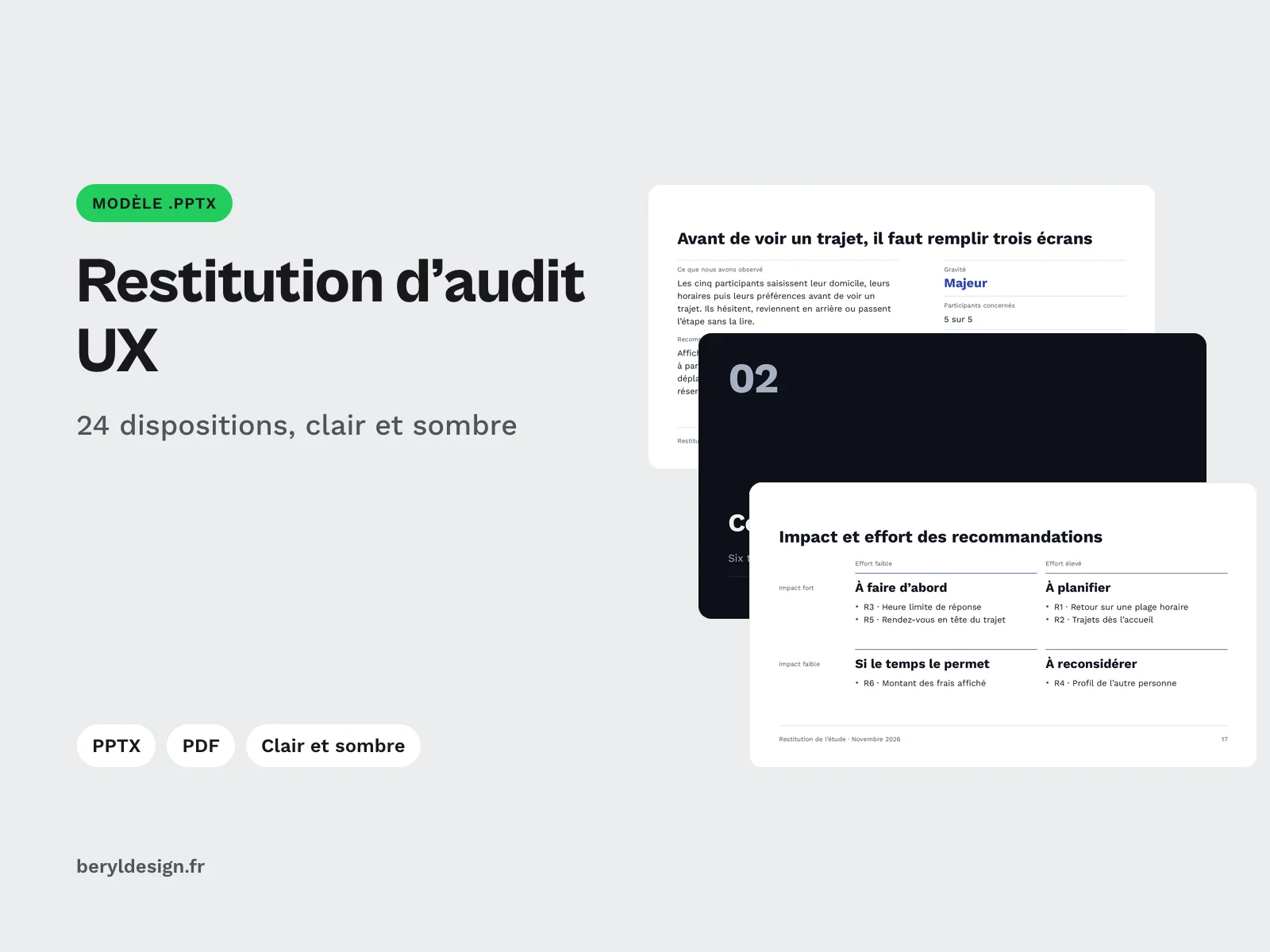
A .pptx template for UX audit and research readouts: 24 layouts, severity, coded quotes, impact and effort matrix, roadmap, in light and dark themes.
Overview
Description
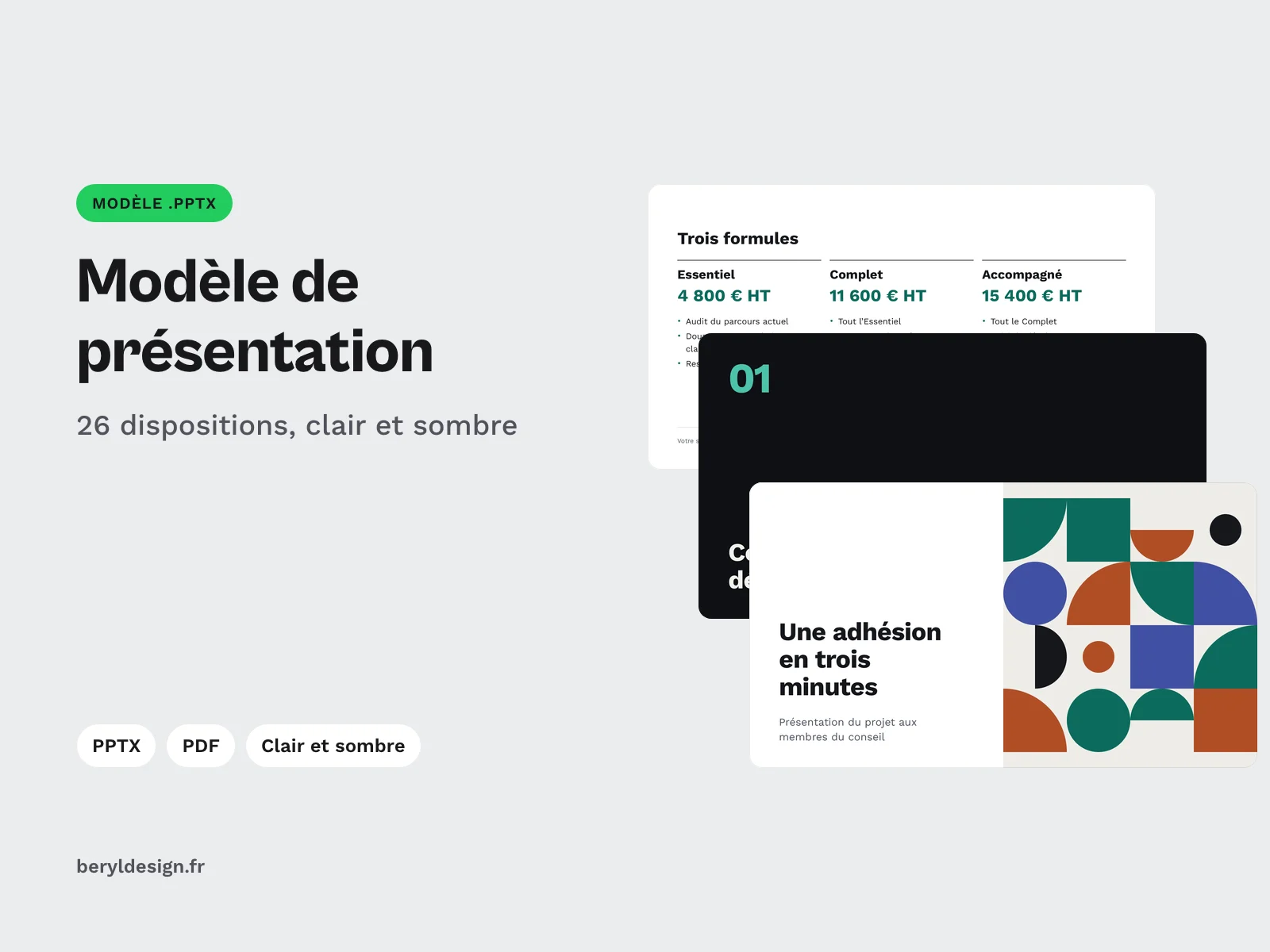
This template is for UX designers, researchers and teams who present the results of an audit or a user study: the readout meeting, where you show the findings, their severity and what participants said, then decide what to fix and in which order. The written report says everything; the presentation puts in order what people need to see to decide. It is not a set of frozen slides: it is a master and layouts built on placeholders, designed for this work. You pick a layout, fill its title, text, picture, table or chart placeholders, and the layout stays right without nudging anything. Layouts and sample content are in French.
Specifications
| Layouts | 24 |
|---|---|
| Sample slides | 24 |
| Themes | 2 |
| Text styles | 7 |
| PDF preview | 48 pages |
| Sample images | 3 |
| Formats | PPTX (16:9), PDF, TTF (OFL), CSV, JSON |
| License | commercial (page in French) |
| Version | 1.0.0 of November 11, 2026 |
Contents
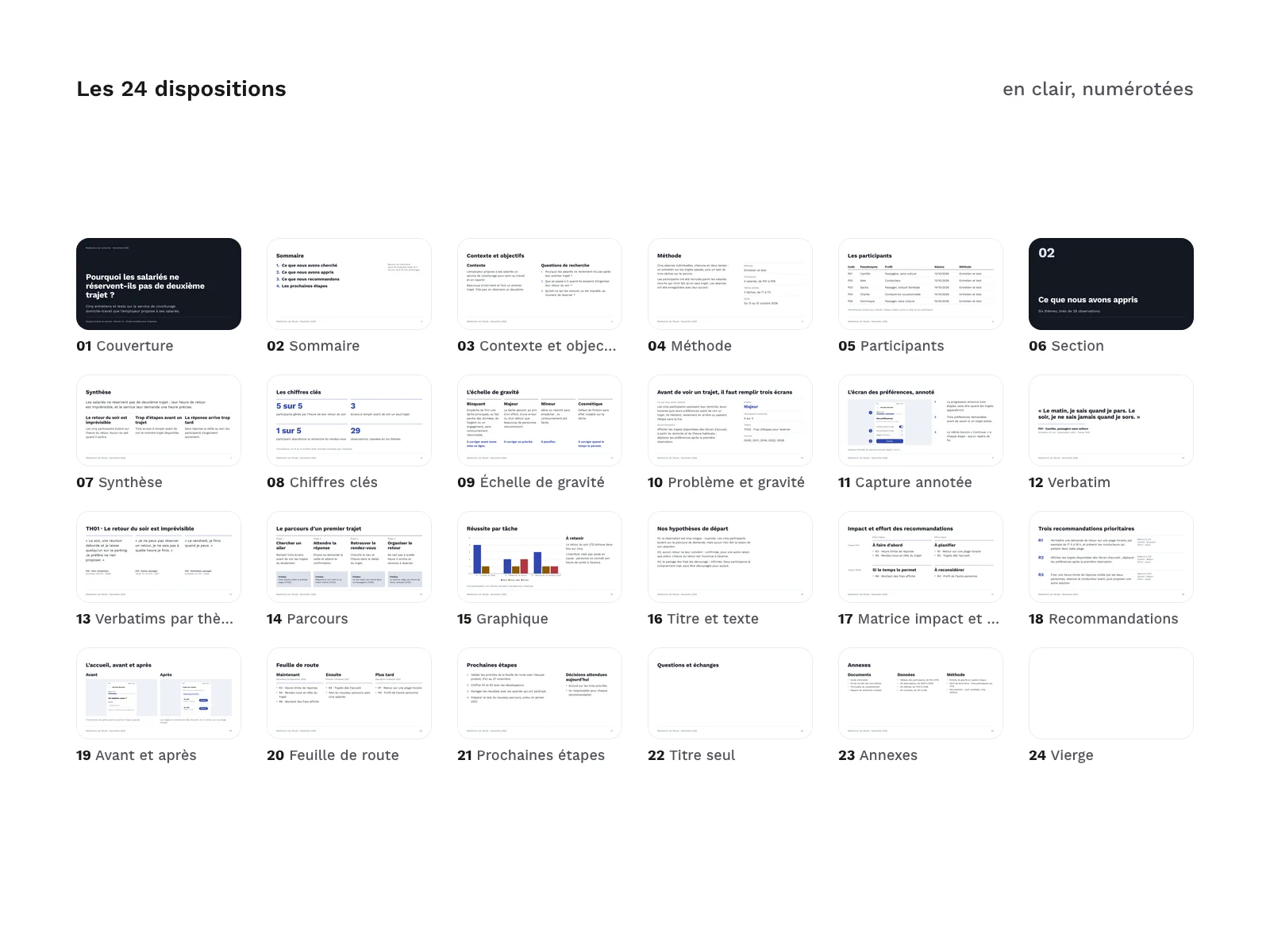
- 24 layouts built on placeholders: cover, agenda, context and goals, method, participants, section, summary, key figures, severity scale, issue and severity, annotated screenshot, quote, quotes by theme, journey, chart, title and text, impact and effort matrix, recommendations, before and after, roadmap, next steps, title only, appendix and blank.
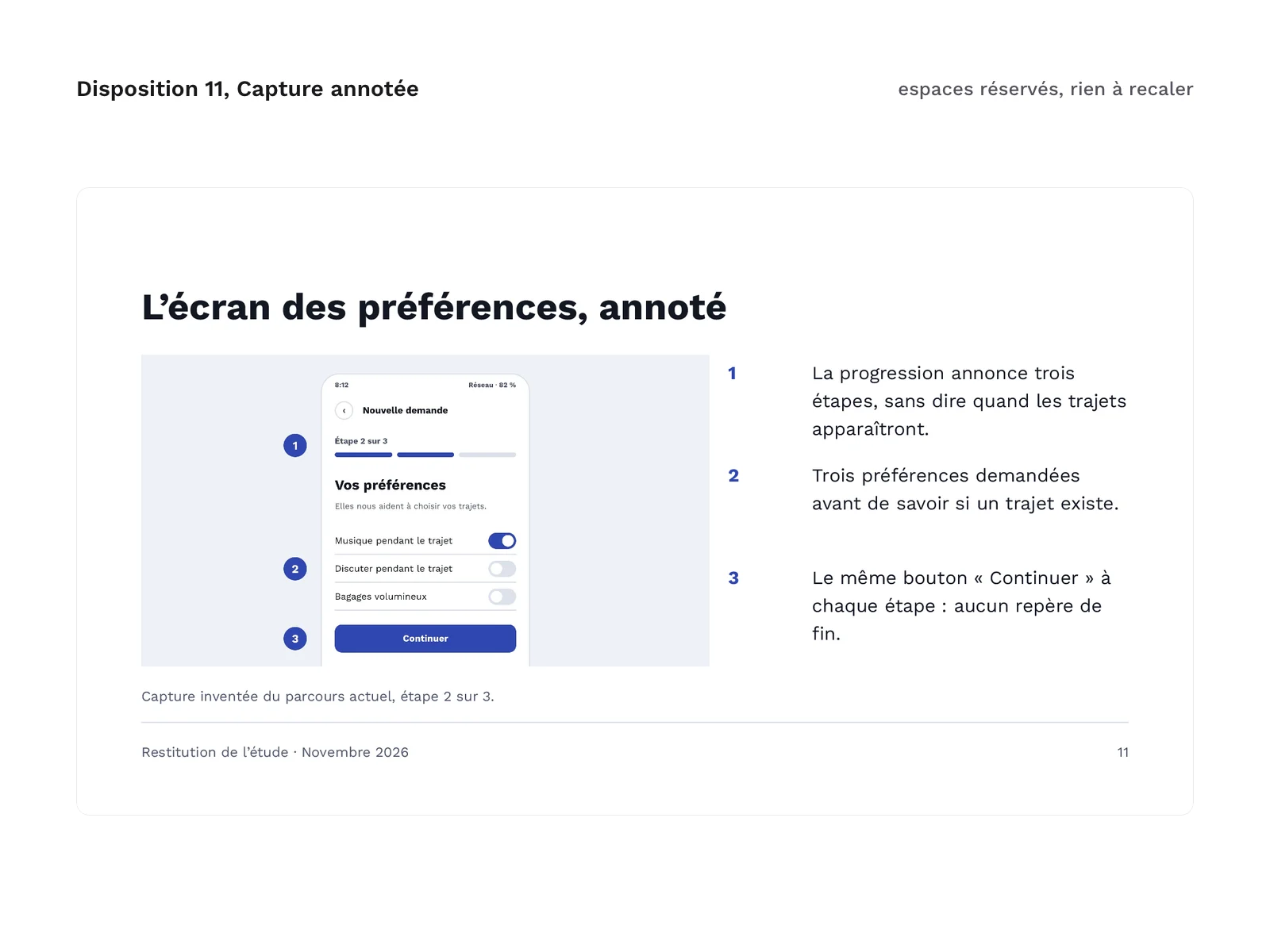
- Layouts specific to a readout: a finding with its recommendation, its severity and its evidence; a screenshot with commented markers; a quote and its source; the quotes of one theme; a step-by-step journey with its pain points; recommendations ranked by impact and effort; a captioned before and after; a roadmap by horizon.
- 24 sample slides, one per layout: the readout of an invented study on a home-to-work carpooling service, with participants identified by pseudonyms. You see each layout filled in before you use it.
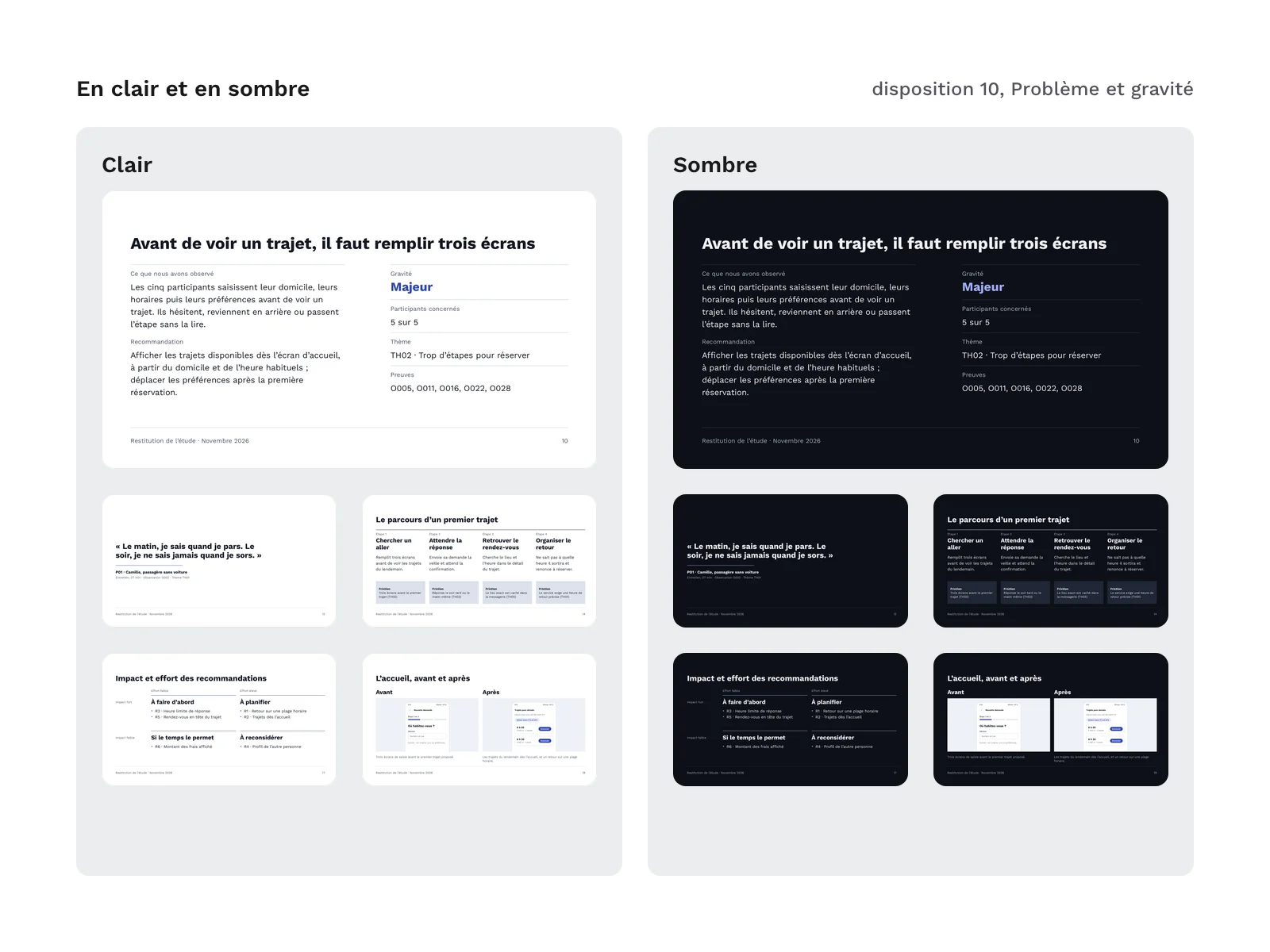
- 2 themes, light and dark, each in its own .pptx file. No colour is hard-coded: the master, the layouts, the table and the chart only use the theme colours. Changing the theme colours recolours the whole template.
- 7 text styles on a named scale, from caption to section number, with fixed line heights.
- Work Sans in 2 weights, regular and bold, as TTF files, with its licence.
- A PDF preview of each theme, 48 pages in all, rendered page by page from the delivered files.
- 3 sample images: screens of an invented app, with no photo, no person and no logo. Each one has alt text.
- The documents: the user guide (in French), the list of layouts and their placeholders (type, number, position and size) and the description of the system (grid, spacing, type scale, light and dark palettes).
Archive layout:
pptx/ux-audit-research-readout-deck-light.pptx
pptx/ux-audit-research-readout-deck-dark.pptx
pdf/ux-audit-research-readout-deck-light.pdf
pdf/ux-audit-research-readout-deck-dark.pdf
fonts/WorkSans-Regular.ttf
fonts/WorkSans-Bold.ttf
fonts/OFL.txt
docs/guide.md
docs/dispositions.csv
docs/systeme.json
The zip also holds the licence text, a README file (LISEZMOI) and the credits.
Severity and codes, from one document to the next
- The same severity scale as the UX audit kit: blocking, major, minor and cosmetic, with the same definition and the same decision. The level is written out in words on every finding: colour alone does not convey severity.
- The same codes as the user research kit for participants, observations, themes, findings, recommendations and tasks. A quote on screen can be traced back in your notes by its participant, its moment and its observation code.
- The participants table follows the columns of the research kit’s table: code, pseudonym, profile, session and method. No real name appears in it.
You do not need either kit to use this template: they stop at the report, and this template serves the meeting that follows it.
How to use it
- Install the fonts first from the
fonts/folder. Without them, the software swaps Work Sans for another font: widths change and texts no longer fit in their placeholders. - Add a slide by picking its layout from the list. Placeholders keep the same number from one layout to the next: when you switch layouts, the content follows.
- Avoid free text boxes: they follow neither the grid nor the styles. All the text of the sample slides sits in placeholders.
- Drop your screenshots into the picture placeholders: they are cropped to the shape of the placeholder. The numbered markers of the annotated screenshot are part of the sample image: on your screenshots, add them in your capture tool. Fill in the alt text.
- Table and chart are native: the table is edited like any table, the chart data in its built-in spreadsheet. The sample data is invented.
Good to know
- The sample images are the same in the light file and in the dark file. They are light screens and stay light in the dark file. They are there to be replaced with your own screenshots.
- The cover and the section slides stay on a dark background in both files.
- The sample content and the layout names are in French.
Production and AI
The layout system, the layouts, the sample content (adapted from the invented study of the user research kit), the invented interface screens and the scripts were produced with an AI assistant (Claude Code), then reviewed and checked: every text in a placeholder, every colour in the theme, every measurement on the grid, contrast in light and dark, rendering of every page reviewed. No image was made by an image generator: the sample screens are pages written in code and then captured.
Formats and compatibility
- PPTX (16:9): the two templates, light and dark, with their master, layouts, theme and sample slides.
- PDF: the preview of each template, to compare your rendering with the reference.
- TTF (OFL): Work Sans, to install on your computer.
- CSV: the list of layouts and their placeholders, readable in a spreadsheet.
- JSON: the layout system (grid, spacing, type scale, palettes).
The files were checked in LibreOffice Impress: every page of both templates was rendered there, and the PDF preview comes from that rendering. Opening in other presentation applications has not been verified yet for this version. If you use another one, install the fonts first, then compare a few pages with the PDF preview.
Licence
The template comes under a commercial licence: you may use it for your personal and professional presentations, including the ones you show or hand over to your clients, but you may not resell or redistribute the template, even for free. Work Sans is under the SIL Open Font License 1.1: you may install it and ship it with your presentations, not sell it on its own.
Further reading
- Rename and number your slides automatically before PDF export (in French)
- Presentation template for freelance designers: the sister template, to present a proposal or a project to a client. This one reports its results.
- French UX audit kit and French user research kit: to run the audit or the study and write the report.
Version history
1.0.0 (11 November 2026): first release.