
Introduction: two videos, one common thread
In 2026, generating an interface with AI is no longer a feat. The real question has become: how do you keep control of your visual identity and your time when every tool promises to do it all for you?
We crossed two complementary readings. The first tests Magic Patterns, an interface generator that refuses to touch business logic and focuses purely on the visual layer. The second documents a product designer's full workflow, from note-taking in meetings all the way to AI execution.
Magic Patterns is just one name among a wave of similar tools that emerged in 2026: Visily, UX Pilot, Banani and Builder.io are all fighting over the same ground, each with a slightly different angle. We focus on Magic Patterns here because it best illustrates one precise approach: generating an interface without ever imposing its own business logic.
Magic Patterns: design as the last line of defense
This video starts from a concern shared by Figma's CEO: if anyone can generate code with AI, design becomes the one real differentiator left. Magic Patterns builds on that observation to position itself differently from full-stack app generators like Bolt or Lovable.
Starting from what already exists, not a blank page
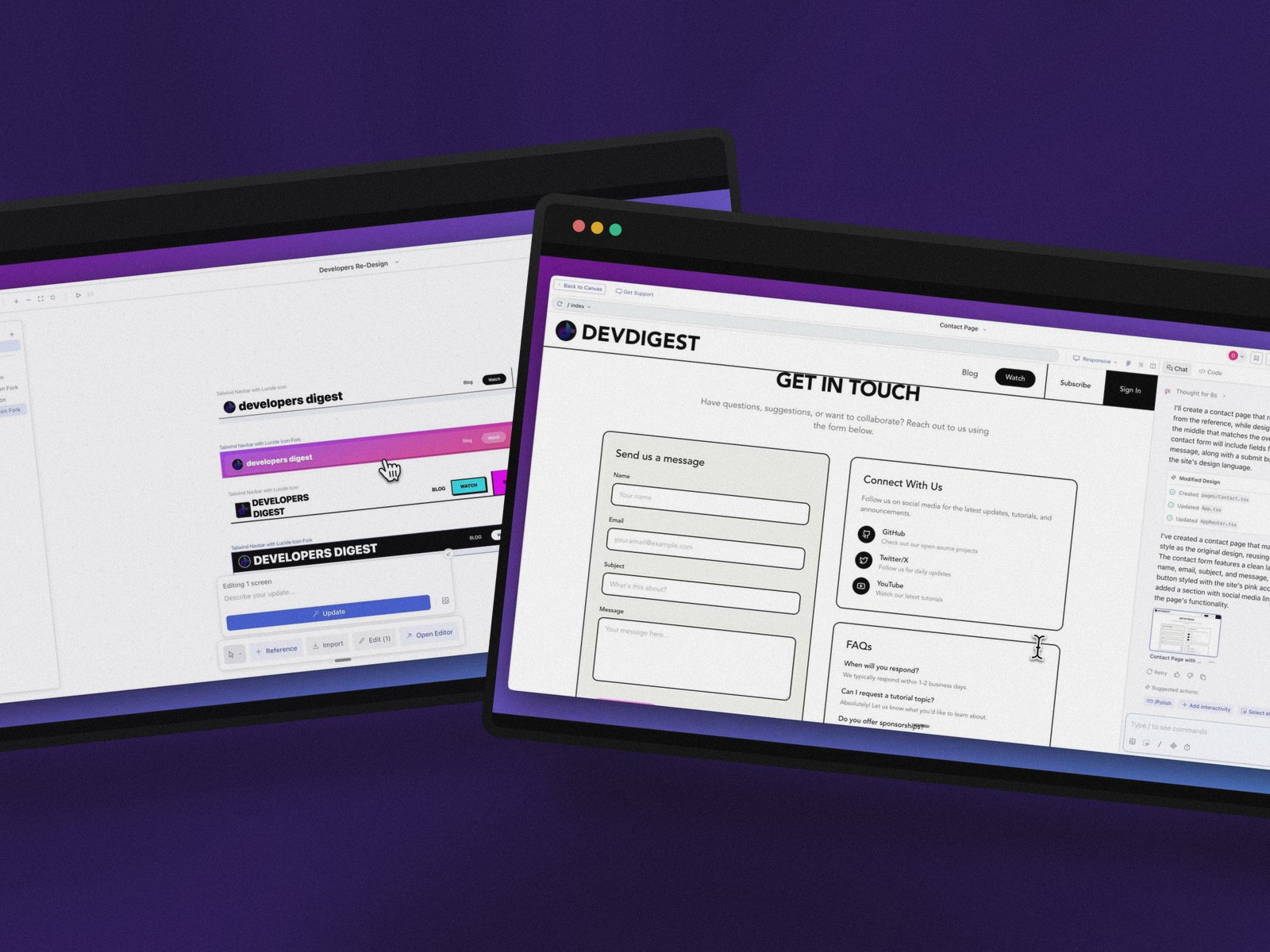
Rather than regenerating everything from scratch, the tool ships a Chrome extension that captures elements from a site already online: a blog section, a video gallery. The HTML and DOM turn into components you can manipulate straight inside the editor.
This hybrid approach works just as well on your own site as on a competitor's, letting you pull out a design pattern you like. A real time saver during the prototyping phase.
The infinite canvas for comparing without losing the thread
Unlike a classic IDE, Magic Patterns opens onto a canvas where several iterations of the same component sit side by side. A header can be reimagined in glassmorphism, then in neo-brutalism, then in an inverted color scheme, without ever losing the original version.
It's during this visual comparison phase that the tool pushes you to test aesthetics you wouldn't have dared code by hand.
Generating without betraying your brand guidelines
The real test of a redesign is consistency across pages. The tool uses already-approved pages as a reference: borders, button radii and color palettes get reapplied automatically to any new section you ask for.
Custom component libraries, called up with a simple "@", let designers and developers share the same building blocks. The result: export to Figma, a ZIP download, or GitHub sync, without ever stepping outside the existing workflow.
The real workflow of a designer who unplugged the chaos
The second video starts from the opposite observation: piling up AI tools mostly creates friction when they don't talk to each other. This designer documents a deliberately small, but fully connected ecosystem, from the first client meeting to delivery.
Granola: capturing a meeting without ever losing focus
Design doesn't start inside a piece of software — it starts during a conversation or a user interview. Granola runs quietly in the background, no visible bot, and hands you a usable structure the moment the call ends: decisions, action items, open questions.
Its iOS version takes over for in-person interviews, when staying present with the person in front of you matters more than note-taking.
Notion: the center of gravity of the whole setup
Notion becomes the hub where everything converges: design specs, research notes, enriched meeting summaries. Its chat interface lets you query the entire knowledge base instead of re-reading it manually.
MCP connectors now link Notion to Linear, Slack or Google Drive — an architecture we already detailed in our Figma Agent and MCP guide. Autonomous agents are even starting to run repetitive tasks on top of this documentation base.
Kittl and Spokenly: speeding up creation and speech
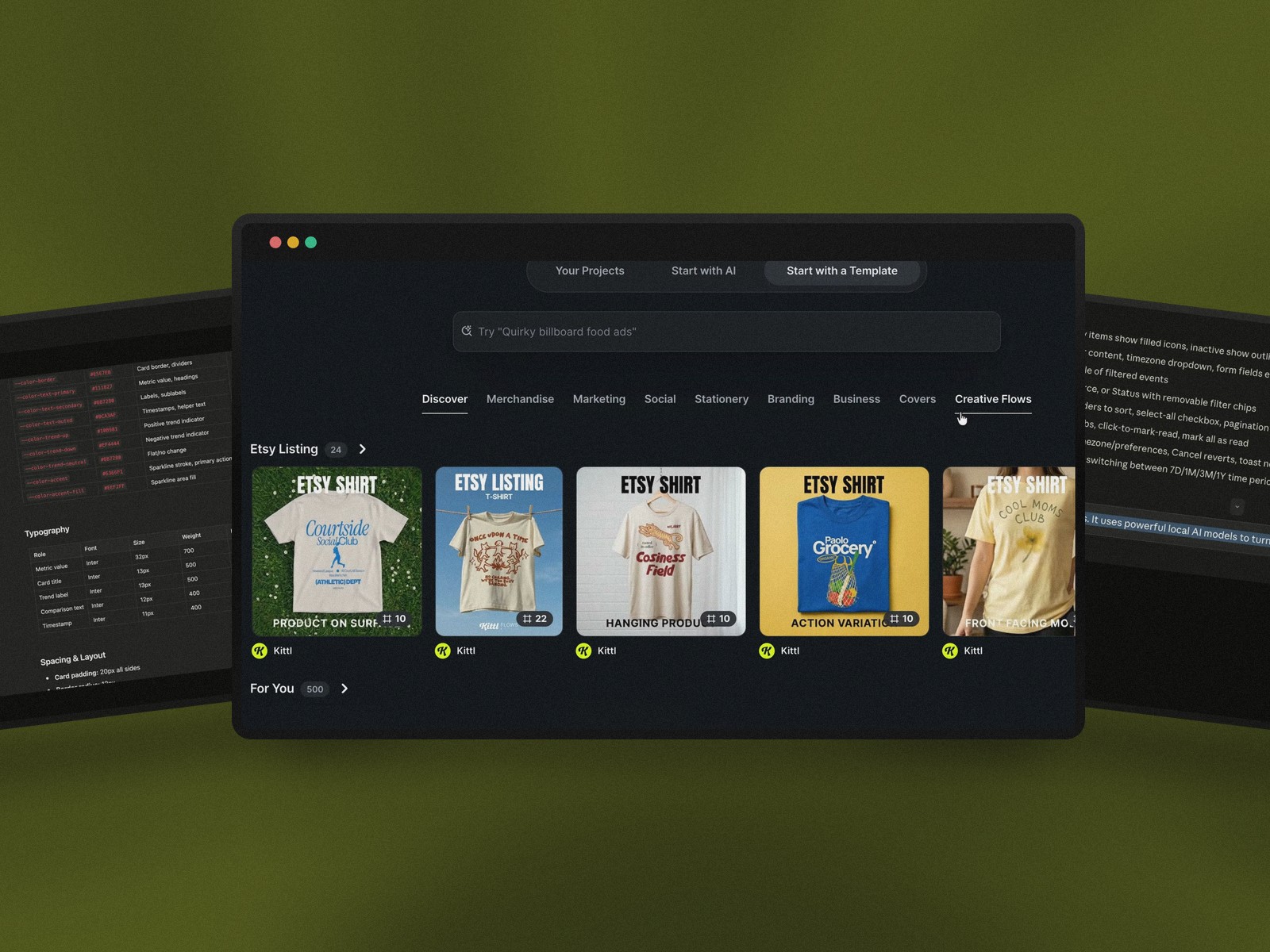
For pure graphic creation, Kittl turns a text prompt into visual variants you can remix endlessly, with a choice of models depending on the look you're after.
The real bottleneck is still often typing. Spokenly replaces keyboard input with dictation, three to four times faster — and hearing your own words out loud makes it easier to catch a sloppy instruction before it ever reaches the AI.
Claude Code: the executor that ties every point together
At the top of this chain, Claude Code gets direct access to Figma, Notion and GitHub through MCP connectors. It builds a first version based on specs already stored, rather than starting from an isolated prompt with no memory of the project.
The same principle works with Cursor or Codex: it's not the tool that matters, it's the thread linking capture, organization and execution.
What these two stories have in common
Magic Patterns and this full workflow tackle the same tension from two different angles. One protects visual identity inside a single interface-generation tool. The other orchestrates several specialized AIs to smooth out an entire creative process.
In both cases, AI isn't improvising in a vacuum: it builds on context a human already laid down — an approved page, a captured meeting, a stored spec. That context is exactly what keeps the output from feeling generic, and it echoes what we observed in our analysis of vibe coding's impact on the design profession.
How to apply this to your own practice right now
Two habits stand out from these two stories, transferable to any project:
- start from what already exists (a live site, an already-approved page) rather than an empty prompt, to ground the AI in real context
- pick a small number of tools that are genuinely interconnected, rather than piling up apps that never talk to each other
- treat every generated output as a first draft to fix, never as a final deliverable to ship as-is
A solo designer can start small: wire up a single MCP connector between two tools already used daily, before considering a full chain like the one described above.
Underneath it all, the skill that stays rare isn't knowing how to prompt — it's knowing what context to give, and when to stop generating. We dig into that thread further in our article on designer AI skills for 2026.
Conclusion
Neither video describes design generated out of thin air. One protects a brand inside a canvas; the other orchestrates a chain of tools so you never have to start from zero again.
The common thread is that AI becomes genuinely useful in proportion to the context a human has already built for it. In 2026, the real lever isn't access to AI anymore — it's the quality of the context you feed it.
Further reading
This synthesis article is based on the following videos:
- Magic Patterns: Why Design Wins in a World of AI Code Generators... The ULTIMATE Text-to-UI Tool (Developers Digest)
- My Simple AI Workflow for UI/UX Design in 2026 (Griffin Wooldridge)
Articles generated via Vidiome, then merged and enriched.