
Introduction: three videos, one shift in the craft
Vibe coding is easy to describe but hard to overstate. It means generating an app or an interface by talking to an AI, instead of writing every line of code yourself. We looked at three videos that tackle this shift from very different angles, without falling into the "AI replaces designers" trap.
The first comes from the creator of an AI coding tool, describing how roles are being reorganized inside a real engineering team. The second follows a logo designer confronted directly with AI on his own creative turf. The third documents, step by step, the workflow of a designer who rebuilt his entire process around AI, from Figma to deployment. Three readings, one phenomenon.
The tool creator's view: the end of role silos
In this interview, the creator of the AI coding tool describes a radical shift inside product teams. The walls between design, product and engineering are dissolving as coding becomes accessible to everyone. Inside the team he calls Quad Code, product managers and engineering leads write code themselves.
Value no longer comes from the line written, but from the overall product vision.
Five roles instead of fixed job titles
Rather than splitting people by technical specialty, the organization he describes is structured around the product's lifecycle. Coding stops being a differentiator — it becomes a shared prerequisite. Five profiles emerge:
- Prototypers → turn a raw idea into a concrete first iteration, fast, without aiming for permanence
- Builders → take over once the idea is validated, to ship a market-ready product
- Maintainers → keep a system stable once it's under heavy real-world load
- Growers → multiply the reach of a solution that has already found its market
- Perfectors → polish the last details for a seamless experience
The designer who no longer waits on a developer
The most concrete point is also the most telling: a designer can now nudge a button's position herself, without pinging anyone on Slack or filing a ticket. Removing that friction doesn't erase the developer's role.
It redefines it around the ability to navigate an entire project, rather than being the sole gatekeeper of implementation.
What a designer is living through today: logos and human judgment
The design world was shaken by the announcement of a well-known logo designer who said he was giving up in the face of AI. The trigger: a tool called Fable 5, capable of generating logo concepts in seconds. Rather than take that surrender at face value, another creator tested the tool himself on three real briefs.
Meridian and Hartwell: the gap between the idea and the execution
For Meridian, a consulting firm, the AI proposes a semantically strong idea: a vertical line through the "I", evoking a meridian. But the execution falls apart — the name becomes unreadable, parsing as "Myrr" and "Deianne" instead of Meridian.
A second concept falls back on a tired cliché, a compass needle, revealing the AI's tendency to pick the path of least creative resistance rather than an original idea.
For Hartwell, a solid-wood furniture workshop, the result is more mixed. The AI folds a butterfly key into the crossbar of the "H" — a genuine nod to the client's craft, arguably the best output of the whole test. But the kerning across the rest of the alphabet stays uneven, a mistake any junior designer would catch.
Crux: what AI still doesn't understand
For Crux, a climbing gear brand, the AI fails to grasp the real constraints of a logo system. A thin white line meant to symbolize a hinge disappears entirely once the mark is shrunk onto a clothing label. Another concept, a plain "peak and valley" shape, ends up looking like a generic gas-station logo.
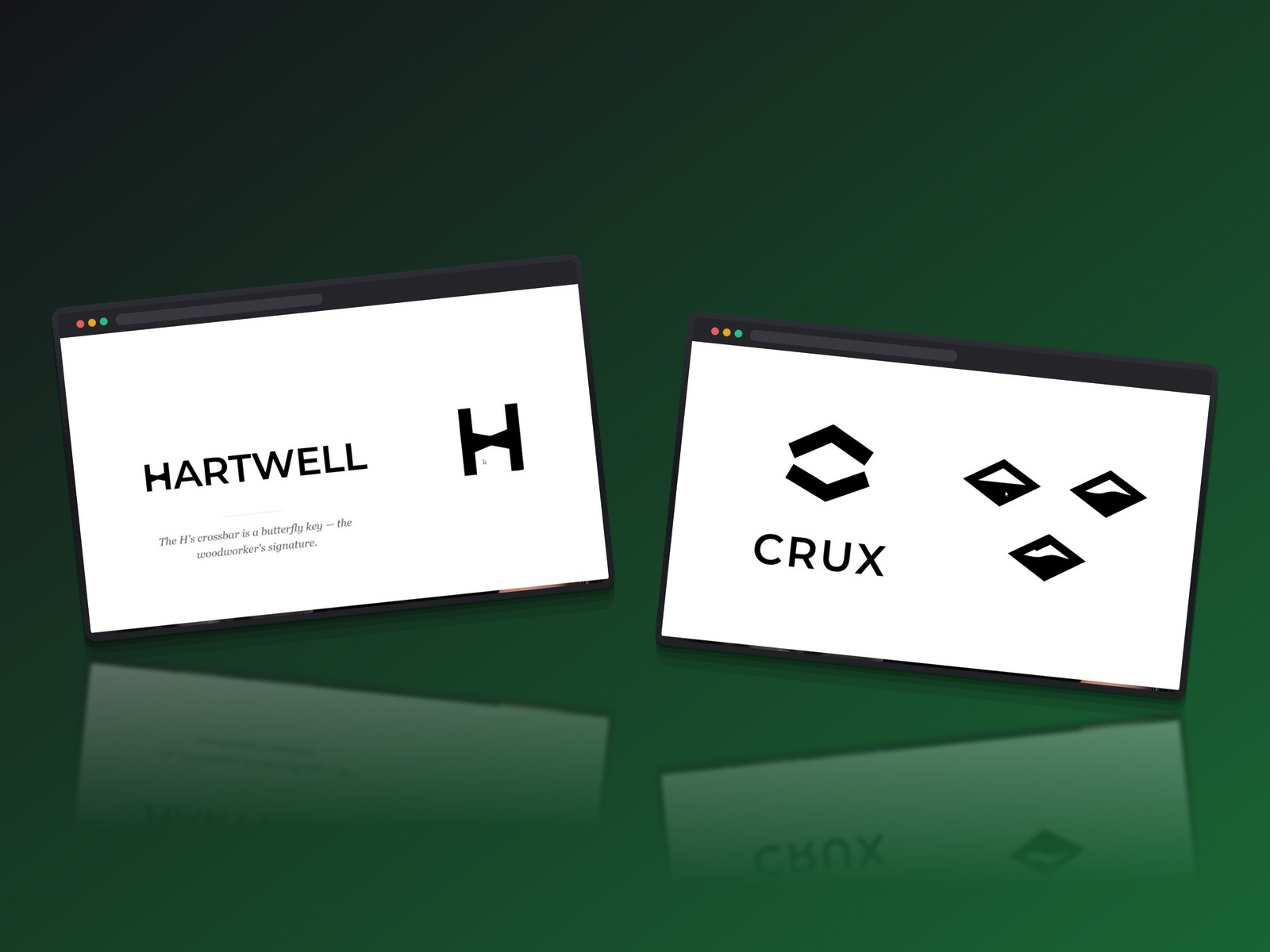
The designer has to step back in: adjusting curves, thickening strokes, injecting the personality that was missing. The verdict is nuanced.
Fable 5 behaves like an intermediate-level designer at best. It can iterate fast, but it can't yet tell a good idea from a cliché on its own — or think in terms of a whole system rather than a single isolated image.
What actually changes in the workflow: one designer's full rebuild
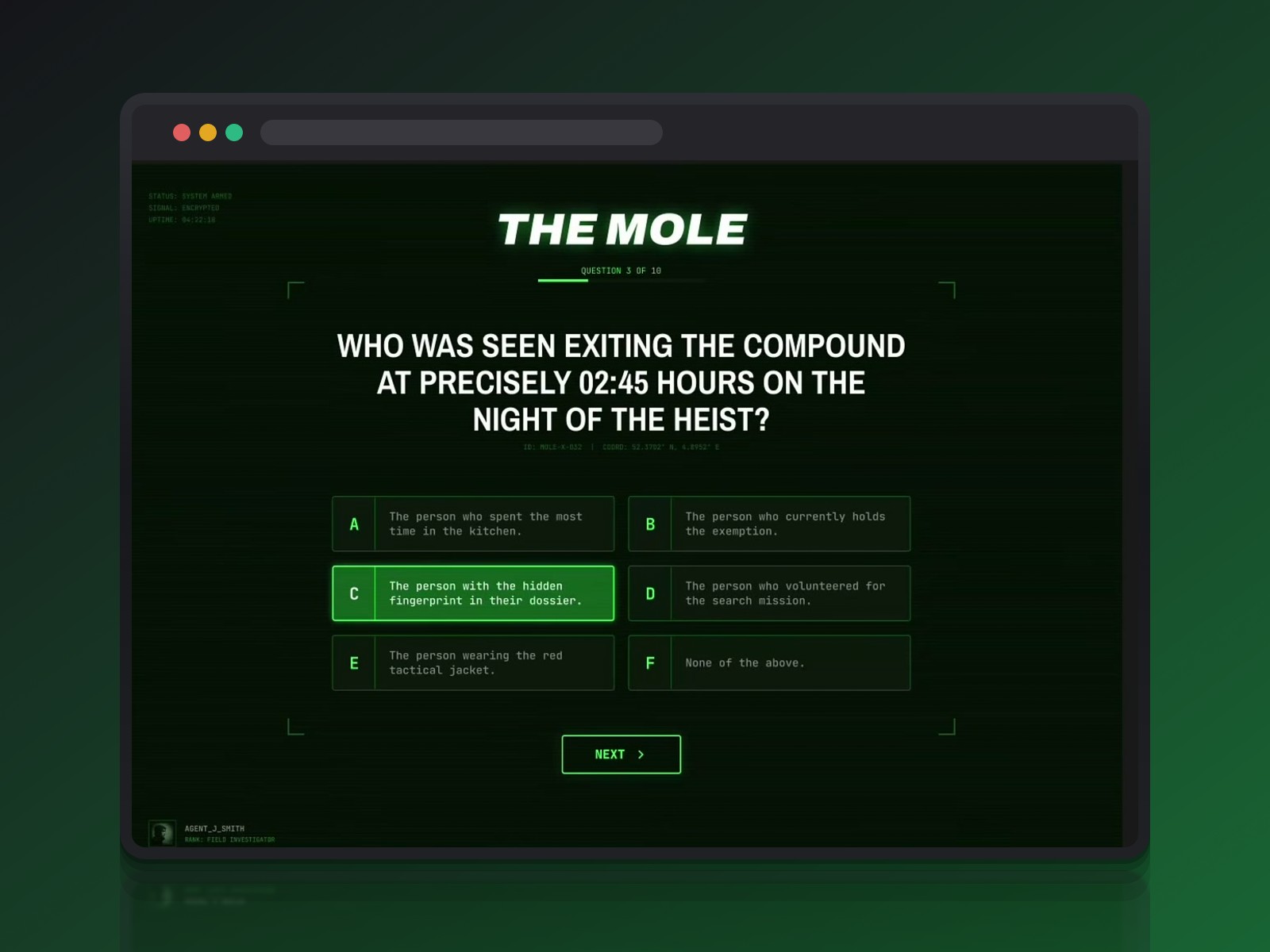
A radically different picture: a designer who rebuilt his entire process around AI to ship a real, deployed application. He built a playable, interactive version of the show The Mole, made for a party with friends. The stack: Figma, Claude, GitHub, Vercel and Supabase.
Figma is still the starting point, not the AI
Before writing a single line of code, he still opens Figma to think through the user flow, the hierarchy and the interactions. Ten minutes spent thinking through design saves thousands of tokens in code generation later on.
He keeps creative direction himself — here, a spy-movie aesthetic of CRT monitors and green scanlines — rather than letting the AI invent the product's soul. It's the same logic we described in how Figma Make turns a mockup into a real product.
Claude as a technical partner, not a magician
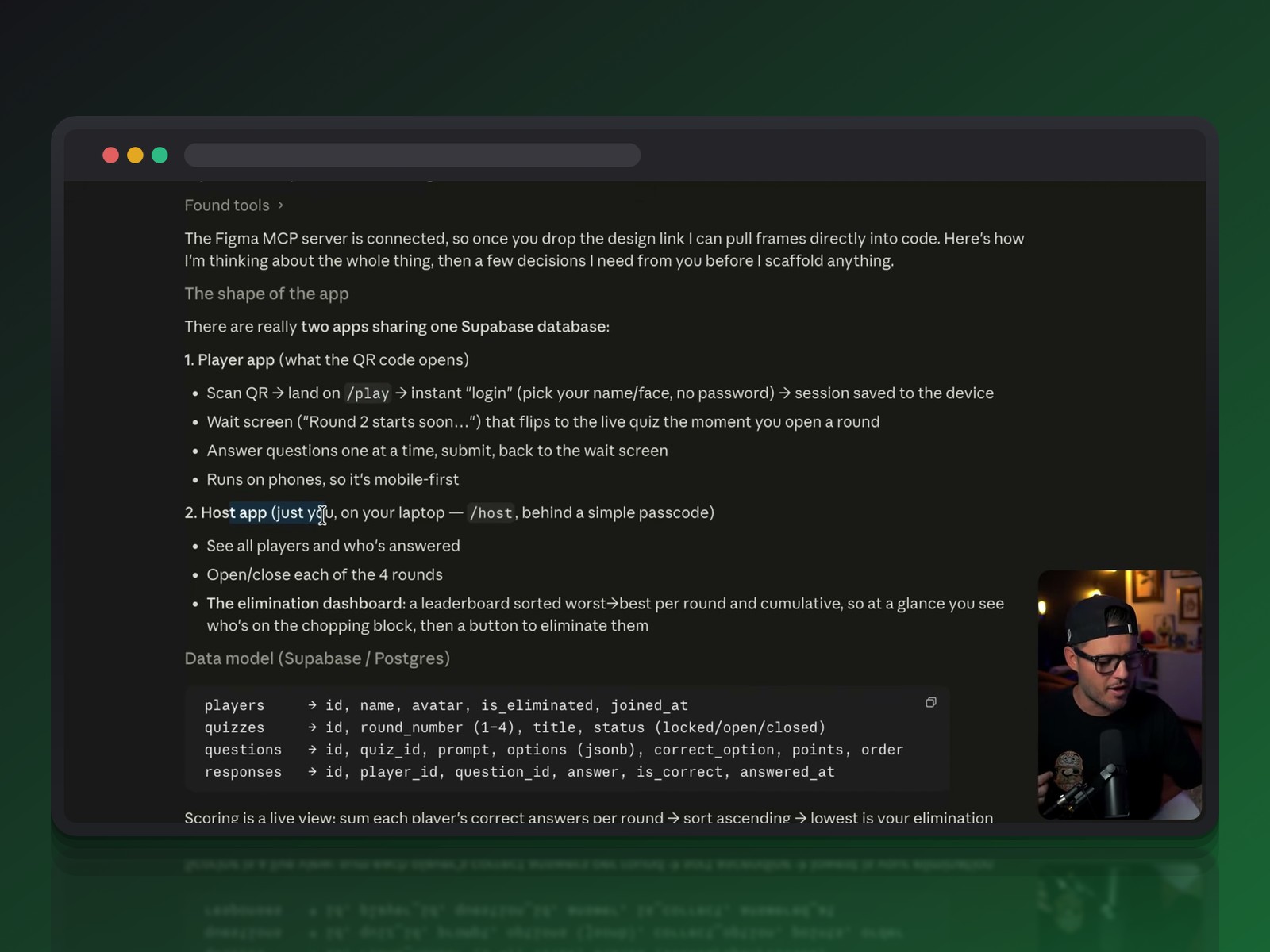
Once the visual direction is locked, Claude becomes the developer. Fed the context of the Figma files through connectors, it asks questions the designer hadn't anticipated: how should scores be calculated? what question format should be used?
That back-and-forth forces the business logic to get clarified before the database even exists. It's a dynamic close to what we described about Claude and the prototyping revolution.
From prototype to deployed product
GitHub tracks every change; every commit triggers an automatic deploy on Vercel, giving a real, testable URL within seconds. That fast loop changes everything — you immediately see if a button is too small or text is unreadable, under real conditions.
Supabase handles the data model on its side — players, quizzes, responses. A SQL editor acts as a safety net whenever the automatic link between the AI and the database breaks.
The key skill is no longer avoiding problems, but learning to solve them faster. A bug that would once have cost three hours now gets fixed in minutes, once you treat the AI as a collaborator you question rather than a magic button.
Three angles, one shared shift
These three readings complement each other more than they repeat one another. The tool creator describes roles reorganizing around the product lifecycle, rather than around technical specialty.
The logo designer's story shows AI's concrete limits: readability, originality, scaling constraints. The designer-turned-builder shows what a rebuilt workflow actually looks like day to day — Figma always first, AI as executor, a deployment loop compressed from weeks to hours.
What all three have in common: design doesn't disappear, it shifts toward intent and creative direction. That's a broader trend we already tracked in the return of hybrid, technical profiles on the design job market.
What doesn't change: taste and judgment
None of the three sources concludes that the designer becomes obsolete. Even the tool creator frames the shift as a reorganization of roles, not their disappearance.
The logo designer who gave up seems to be reacting more to personal burnout than to an absolute technological reality, as the breakdown of his own tests suggests.
Taste, critical judgment and a real grasp of a medium's constraints remain the filter AI still can't reproduce on its own. That filter is exactly what separates a usable result from one that looks great on a 27-inch screen and falls apart once printed small.
How to adapt your workflow starting now
Three habits emerge from these three stories, useful on any project, a friends' game night or a client product:
- keep a design tool as a thinking step before any prompt, to set the intent instead of outsourcing it
- treat every AI output as a first draft to correct, never as a final deliverable
- learn to question AI like a junior developer: give it context, check every answer, keep the structural decisions for yourself
For a deeper dive into which skills to prioritize, our article on designer AI skills for 2026 picks up exactly where this leaves off.
Conclusion: a craft shifting its center of gravity
Vibe coding doesn't erase design — it shifts its center of gravity. Less time spent producing every pixel or every line yourself, more time spent deciding what deserves to exist on screen.
The question isn't whether AI will replace designers anymore. It's which designers will learn to direct AI, instead of enduring it.
Further reading
This synthesis article is based on the following videos:
- Odd Lots: Claude Code Creator On The Era of Vibe Coding (Bloomberg)
- Top logo designer quits because 'AI is better than me' (DesignCourse)
- I Built a Real App With AI (Figma → Claude → GitHub → Vercel → Supabase) (Jesse Showalter)
Articles generated via Vidiome, then merged and enriched.