
Introduction: The Anthropic Earthquake in the Design Market
Anthropic has just made a bold move with the release of Claude Design, an interface that promises to radically transform the way we design digital products. We are witnessing a small revolution in which the barrier between the idea and its visual execution almost entirely collapses. In this exploration, we test the limits of a tool that claims to replace, or at least dramatically assist, skilled designers in creating websites, applications and videos of exceptional quality. We dive into a world where code and pixels merge with no apparent effort.
Design System: The Art of Taming Visual Consistency
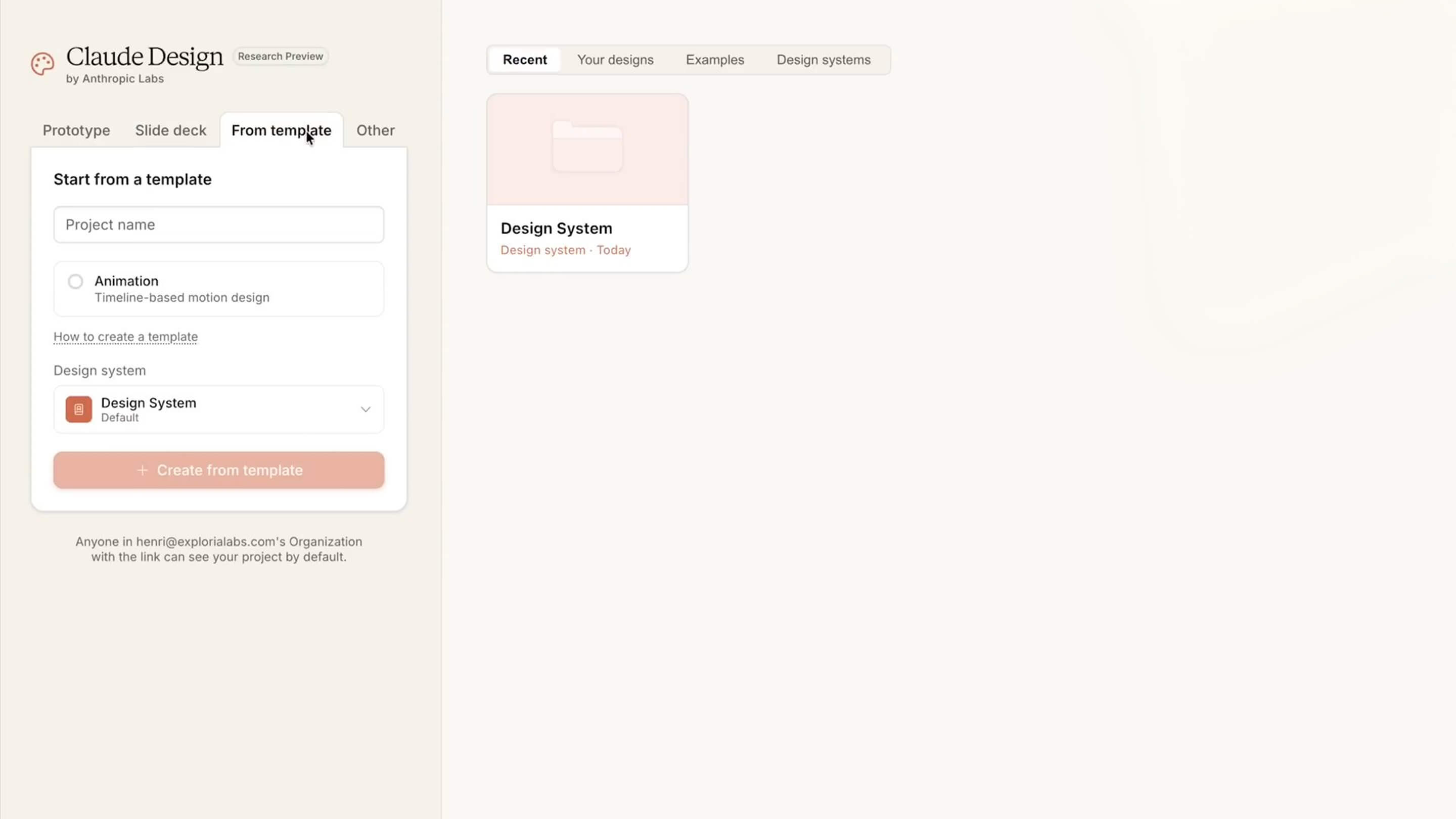
It all starts with building a solid foundation: the Design System. Rather than starting from scratch on every project, we set up a single visual identity that will act as the creative brain for the artificial intelligence. We describe our project, in this case Exploria Labs, specifying crucial details such as the color palette or the editorial tone. The process takes about five minutes to sync everything, then lets us generate any asset without ever betraying our brand guidelines.
When the Machine Understands Your DNA
The tool does not just pick colors at random; it analyzes the company's context to suggest consistent components. We defined a clean palette with orange and navy accents, while insisting on an educational, non-corporate tone. The result is stunning: Claude Design retrieves the logos, defines the headers and even anticipates the design of future forms. We validate a complete structure that will serve as the basis for all our future iterations.
The Real Savings Behind Automation
- overly institutional tone → eliminated
- inconsistent colors → eliminated
- unreadable typography → eliminated
The system adjusts in real time to produce a ready-to-use visual environment.
Web Prototyping: From Prompt to High-Fidelity Landing Page
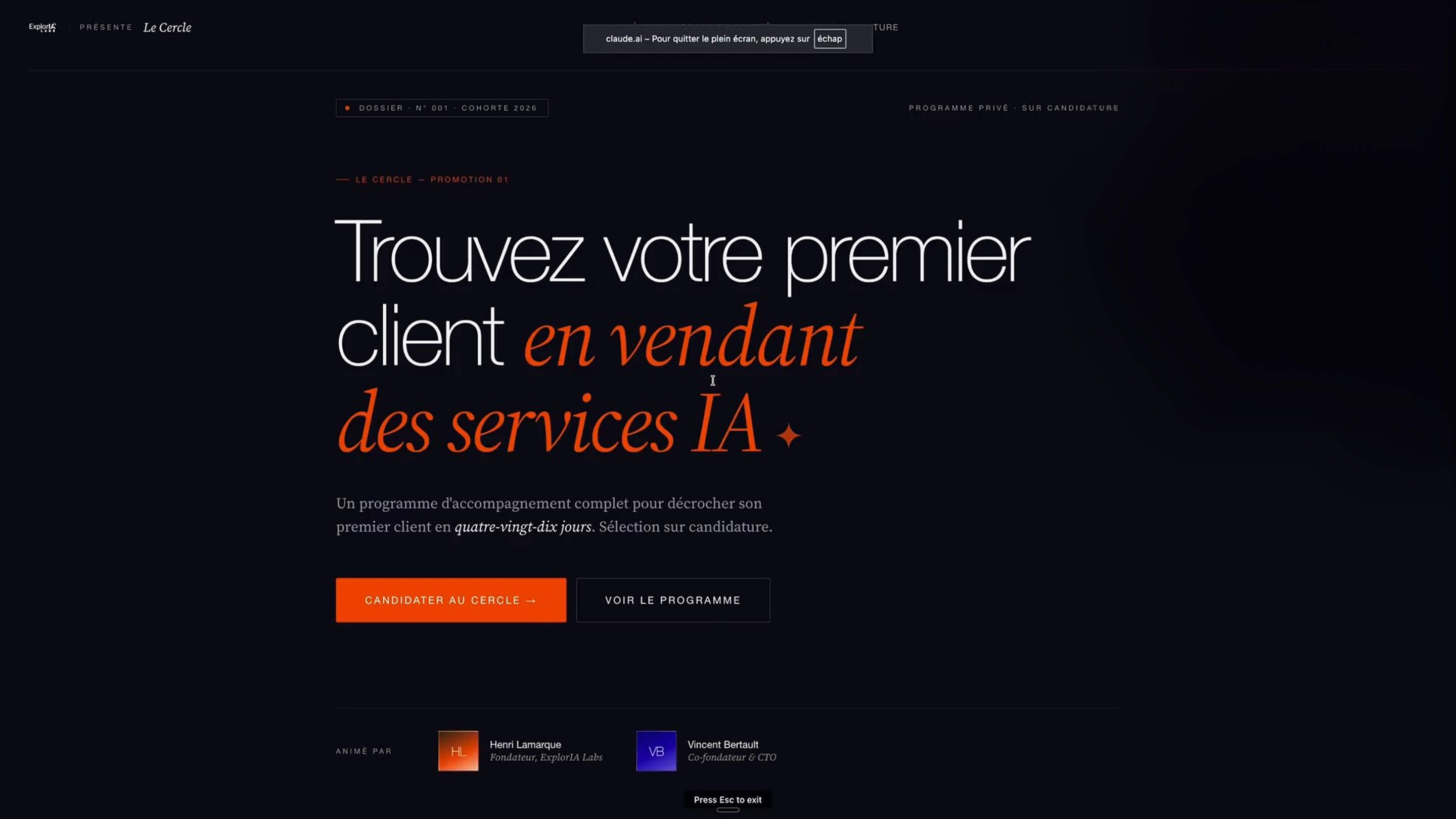
We shift into high gear by asking the AI to build a complete landing page for a coaching offer called "Le Cercle." Using High Fidelity mode, we directly plug in the design system created earlier to guarantee a professional finish. We are not settling for a mere image; the tool generates a real file structure with usable code. This is where the magic happens: the AI interprets complex instructions in natural language to structure the information in a logical and aesthetic way.
Sketch Mode, or a Helping Hand for Creatives
For those who want to stay in control, Sketch mode lets you roughly draw sections to guide the AI. We can sketch out where a block of text or an image should go, and Claude Design turns that scribble into a modern interface. It is a bridge between human intuition and the raw computing power of the Opus 4.7 model. We draw, we annotate, and we watch the interface come together before our eyes as if a junior designer were carrying out our orders in real time.
A Result That Rivals Human Copywriting
The final rendering of the website leaves us speechless with its precision and the relevance of its copy. Not only did the AI respect the colors, it also wrote punchy headlines about the opportunity AI represents for freelancers and employees. The buttons are functional, the testimonials are laid out tastefully, and the visual hierarchy is respected. We notice that the tool even anticipated FAQ sections and application processes without us having to rerun the initial prompt.
Videos and Slides: Reinventing the Startup Pitch
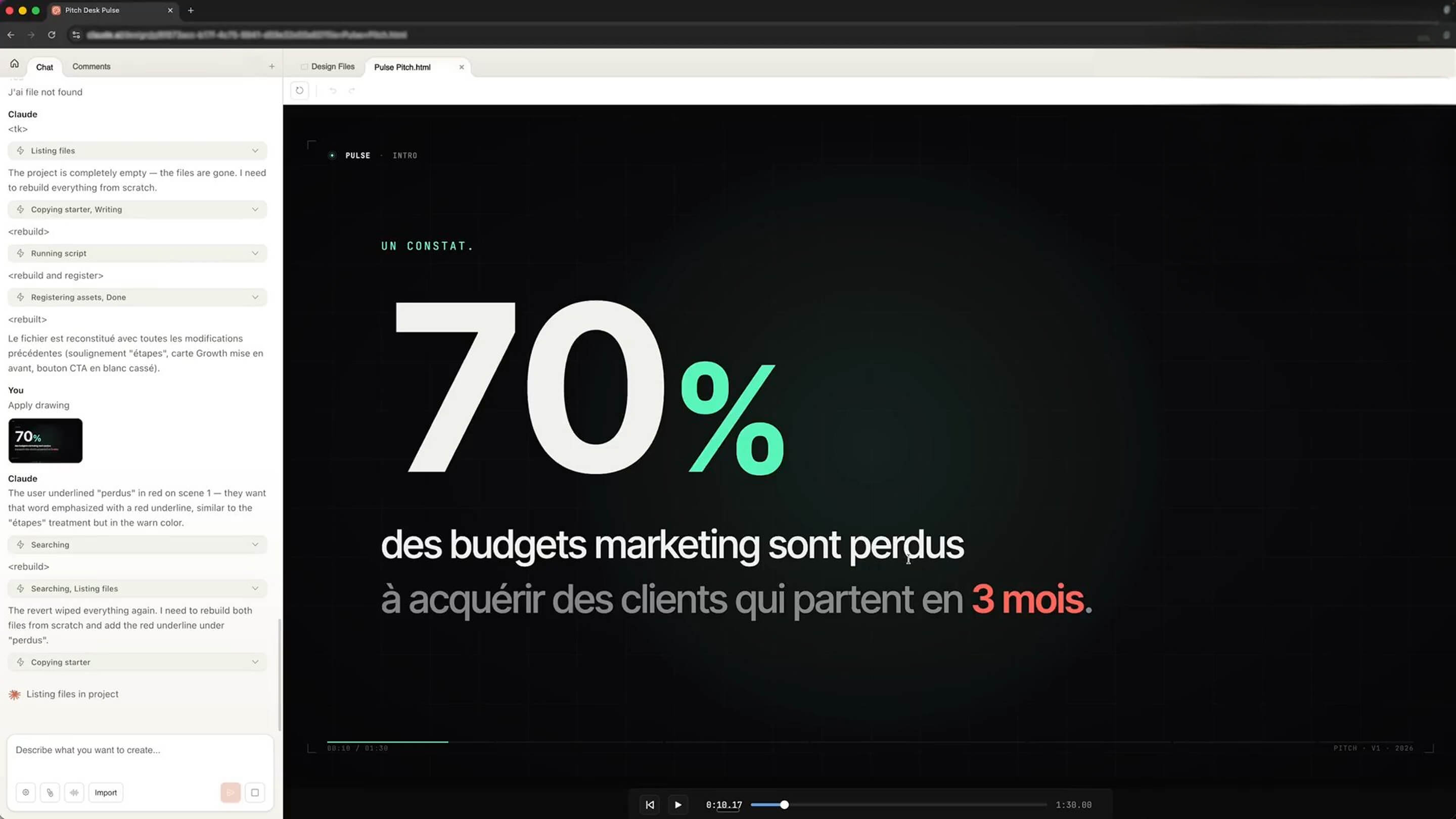
We now explore an unexpected side of Claude Design: creating animated presentations. To pitch a fictional startup called Pulse, we ask for a ninety-second video capable of grabbing investors' attention. The tool does not merely stack slides side by side; it builds a genuine visual narrative with smooth transitions and data animations. We leave the static world of PowerPoint to step into that of automated motion design.
Animation in the Service of Data
The generated video presents the problem of customer retention with remarkable clarity, using animations to highlight budget losses. We see the numbers animate, the charts evolve and the solutions appear with precise timing. It is a phenomenal time-saver for any entrepreneur who has to illustrate a complex concept in just a few seconds. The quality of the visual rendering rivals productions that would normally require specialized software and hours of editing.
Interoperability with Classic Tools
- PDF export → validated
- Canva integration → possible
- PowerPoint format → available
We fine-tune the details, such as emphasizing a specific word or adding an explosion effect on a number, simply by asking in writing.
Mobile Apps: Designing a User Experience in 3 Minutes
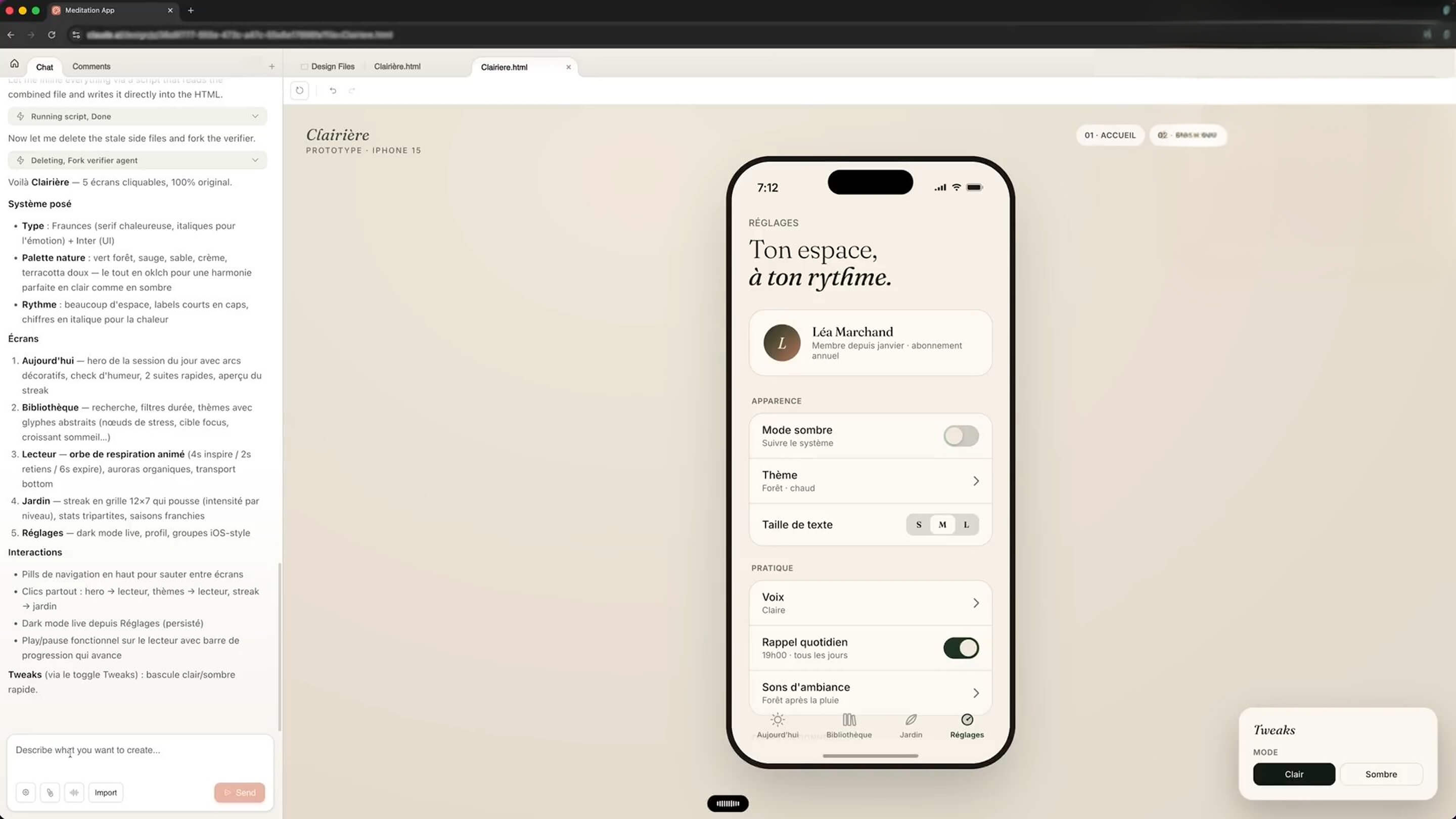
We challenge the tool to create a complete meditation app, from the dashboard to the audio player. By enabling the Front-end Design skills, we launch a generation that simulates an iPhone interface. The process is transparent: the AI builds the folders, checks the interactions and assembles the screens one by one. We are no longer simply contemplating an image, but facing an interactive prototype that lets us navigate between the different features.
A Professional Eye for Detail
The result gives us five distinct screens, including a session library and a "garden" that serves as a dashboard to track your progress. The level of design is such that Claude Design even generates a presentation board with annotations, mimicking the delivery work of a design agency. We switch themes, going from light mode to dark mode in one click, and we find that every element stays perfectly readable and aesthetically pleasing.
Advanced Interaction and Special Effects
To test the raw power of the model, we tried to create interactive text areas with real-time visual effects. By typing words like "fire" or "electricity," animations appear instantly on screen. Although it may seem gimmicky, it demonstrates the tool's ability to generate complex code capable of handling user events. We realize that what would have taken an expert developer hours is generated here in a matter of seconds.
Deployment: Turning the Prototype into a Real Website
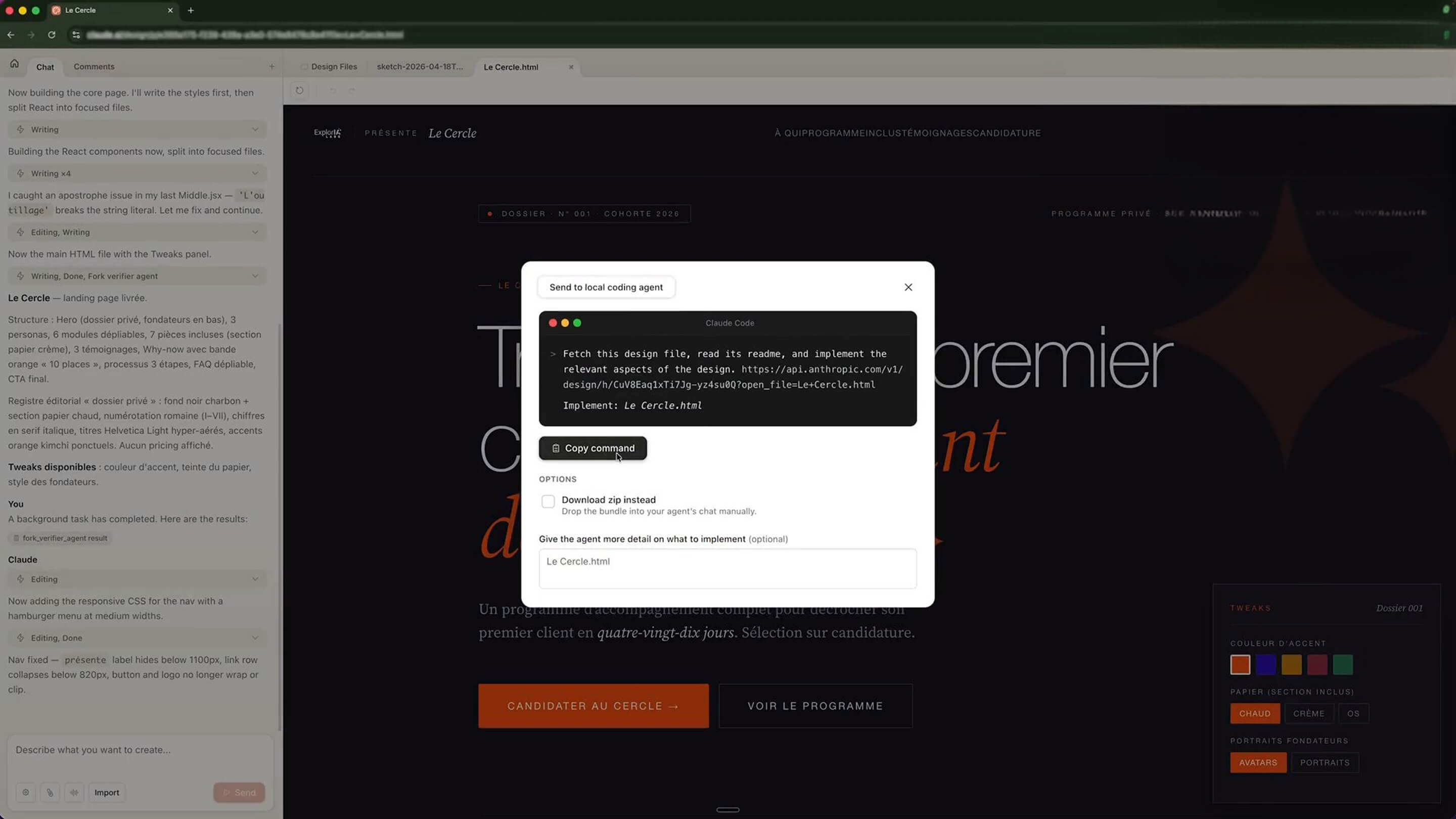
The final step of our journey is to take the design out of its cocoon and make it accessible to the whole world. We use the export feature to Claude Code, Anthropic's intelligent terminal, to turn our mockup into a living website. This is where everything comes full circle: the design becomes code, and the code becomes a product. We get a zip file containing all the HTML and CSS sources, ready to be hosted.
From Terminal to Server in a Few Clicks
We import our project into Claude Code to finalize the technical implementation. Without writing a single line of code by hand, we ask the AI to organize the files for optimal deployment. Once the folder is ready, we turn to a hosting solution like Hostinger to put the site online. We upload the files into the manager, and within moments, our landing page is accessible from any browser or smartphone.
A Revolution for the Freelancer
- automatic mobile adaptation → successful
- button responsiveness → perfect
- loading time → optimized
We go from an abstract idea to a concrete sales tool with disconcerting ease.
Conclusion: A New Paradigm for Digital Creation
We come away from this test convinced that Claude Design marks a major turning point. Granted, demanding professional designers will sometimes miss the surgical precision of a tool like Figma, but for 95% of fast-creation needs, the tool is unbeatable. We are moving from an era of manual production to an era of AI-assisted art direction. Whether you are a developer looking to polish your interfaces or an entrepreneur in a hurry to test an idea, the combination of Claude Design, Claude Code and a host like Hostinger forms a formidable ecosystem. The future of design will not be coded, it will be conversed.
USEFUL LINKS
This article is based on the video "7 utilisations INCROYABLES de Claude DESIGN (Anthropic frappe FORT)"
Article generated via Vidiome