
Uizard, the generator built for people who've never opened Figma
Uizard isn't playing in the same league as the generators we've already covered. Where Google Stitch vs Figma Make or Figma Make, Framer and Lovable speak to designers speeding up their existing pipeline, Uizard is built first for product managers, founders, and anyone who's never opened a professional design tool.
The pitch is simple: describe an idea in plain language and get a clickable, multi-screen prototype back, no learning curve required.
What makes Uizard approachable for non-designers
From prompt to multi-screen prototype
Uizard doesn't generate a single static screen — its Autodesigner engine builds a full flow of connected screens in one pass. For a founder who wants to test an interaction model before writing a line of code, that's a real time-saver over the usual back-and-forth between design and validation.
Scanning reality: sketches and screenshots
Two features bridge the gap between physical inspiration and digital editing. The Wireframe Scanner turns a hand-drawn sketch into an editable screen; the Screenshot Scanner does the same starting from a screenshot of an app that inspired you.
Either way, you're never starting from a blank page — you're digitizing an intent already sketched on paper or spotted elsewhere, then making it your own.
The editor: a conversation, not a piece of software
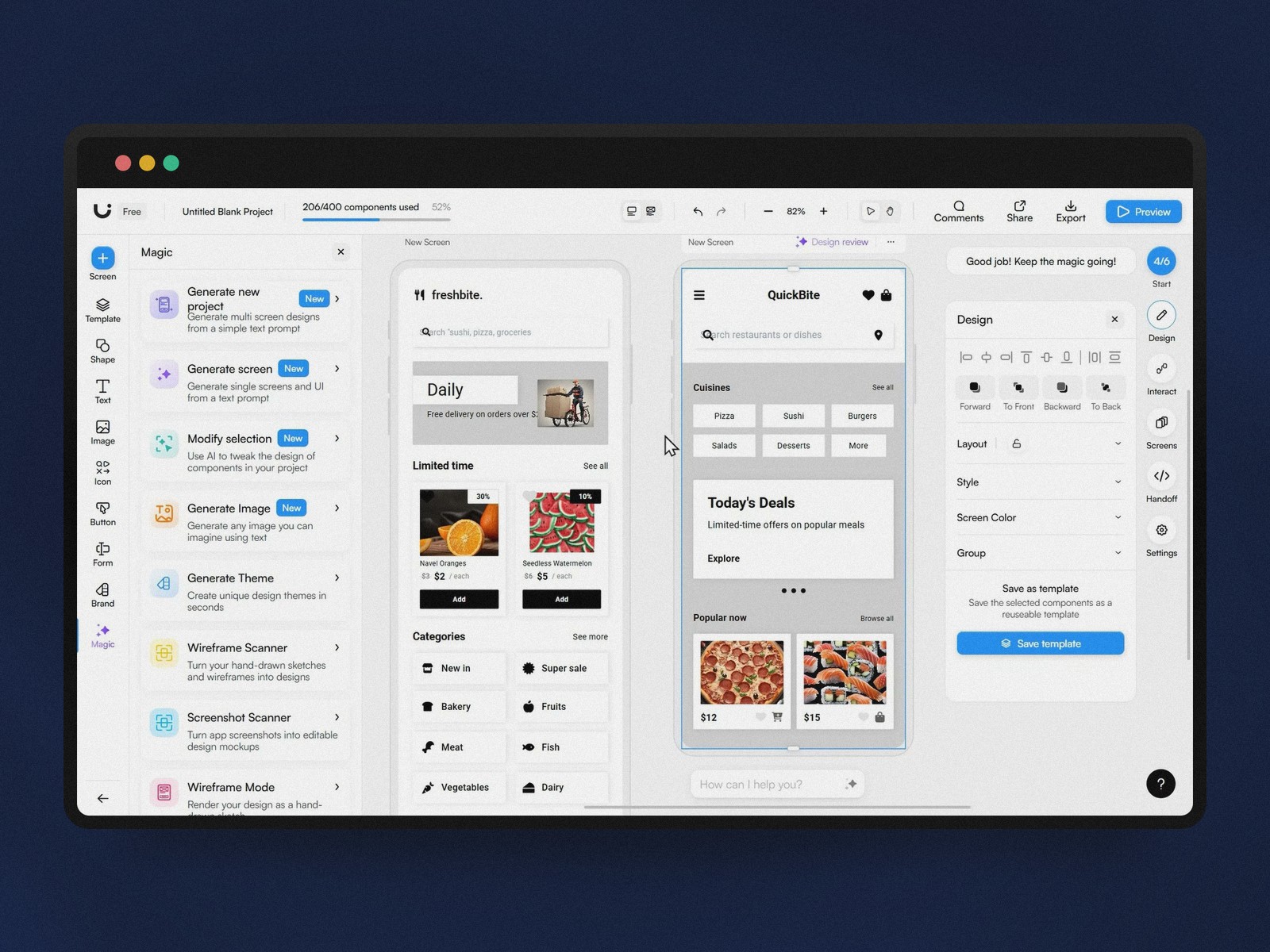
An AI assistant built into every step
The workspace embeds an AI chat directly in the editor: tweaking a style or adjusting a layout becomes a sentence to type rather than a menu to hunt through. It's what puts Uizard closest to Canva in terms of accessibility, while staying focused on interface prototyping.
Generating entire themes in one click
Changing a project's full color scheme or typography takes a single command. That's useful for pitching several visual directions to a client without rebuilding every screen by hand — at the cost, as we'll see, of results that can feel a bit generic.
The limits: speed comes at a cost
Templates that start to look alike
Heavy use exposes the seams. Several reviewers flag results as generic or repetitive, especially for user flows that fall outside the standard cases (onboarding, dashboard, form).
Developer export, the real weak spot
Uizard exports React or CSS code for isolated components, but not for a full assembled screen. It's the most commonly cited friction point: the handoff to development still relies heavily on manual work, unlike tools such as v0 that specifically target production-ready code.
Uizard's actual positioning
Pricing: from a limited free tier to the Business plan
The free plan caps out at 3 projects and 10 templates — enough to try the tool, not enough for regular use. The Pro tier ($12/month) unlocks Autodesigner 2.0 with 500 monthly generations; Business adds unlimited generations and brand kits for teams. There's no traditional free trial on the paid tiers, which can catch people off guard at signup.
A niche between Figma and the blank page
Against tools like Figma or Adobe XD, Uizard isn't trying to compete on functional depth: no advanced layer management, no batch editing, no complex prototyping. That's a deliberate choice favoring immediacy for someone who's never opened this kind of software before, during a pitch or early concept validation — not for shipping a production design system.
Conclusion
Uizard doesn't replace a designer — it democratizes the first step of design for everyone else on a product team. For a one-day MVP or an idea to validate with investors, it's exactly the right level of tooling, as long as you accept that a real designer takes over the moment the project moves past the prototype stage.
Further reading
This synthesis article is based on the following videos:
- Uizard et l'IA générative : transformer instantanément vos idées et croquis en prototypes interactifs tactiles
- Uizard et l'IA générative : entre prototypage ultra-rapide et limites de la création automatisée
- Comment Wizard utilise l'intelligence artificielle pour transformer vos idées en prototypes d'interfaces fonctionnels
Articles generated via Vidiome, then merged and enriched.