
Introduction: three tools, three philosophies of AI-assisted design
Asking an AI to generate an interface is nothing exotic in 2026, but the result varies wildly depending on the tool. Figma Make, Framer and Lovable share the same promise: turn a prompt into a working screen. But each one targets a different outcome.
We cross-referenced a direct Figma Make vs. Lovable comparison across three concrete scenarios, an in-depth Figma Make tutorial, and a hands-on test of Framer's new AI site generator. Enough to move past the marketing demo and focus on real-world use.
Figma Make: the precision of a designer who thinks mobile-first
A native instinct for mobile UI conventions
Asked to design an onboarding flow for an Uber-style transport app, Figma Make natively understands smartphone constraints. The generated screens include an iOS-style back button and a simulated status bar, just like an experienced mobile designer would.
That instinct shows up in the visuals too: the tool pulls from stock libraries like Unsplash to illustrate a car marketplace, rather than generating cars with warped bodywork and impossible reflections. Its product filtering system is even functional in the prototype, not just drawn.
Cleaning up your layers before the AI takes over
Result quality starts upstream. Before running the generation, you need to clear out stray layers and structure elements with Auto Layout — otherwise the AI risks misreading a card grid or a nav bar.
Picking a model and watching your credits
Talking to the AI matters as much as the prototype itself. A vague prompt like "make it interactive" wastes credits, while a precise brief — context, layout, interactions — gives noticeably more reliable results.
Model choice also shapes the outcome: Claude Opus 4.6 brings surgical precision for complex cases at the cost of more resources, while the default model is enough for simple tweaks.
From prototype to working React code
The move to development produces an actual React project with a full file structure, not a flat image. The tool relies on Tailwind CSS and generates reusable classes: tweaking one product card ripples across the whole grid.
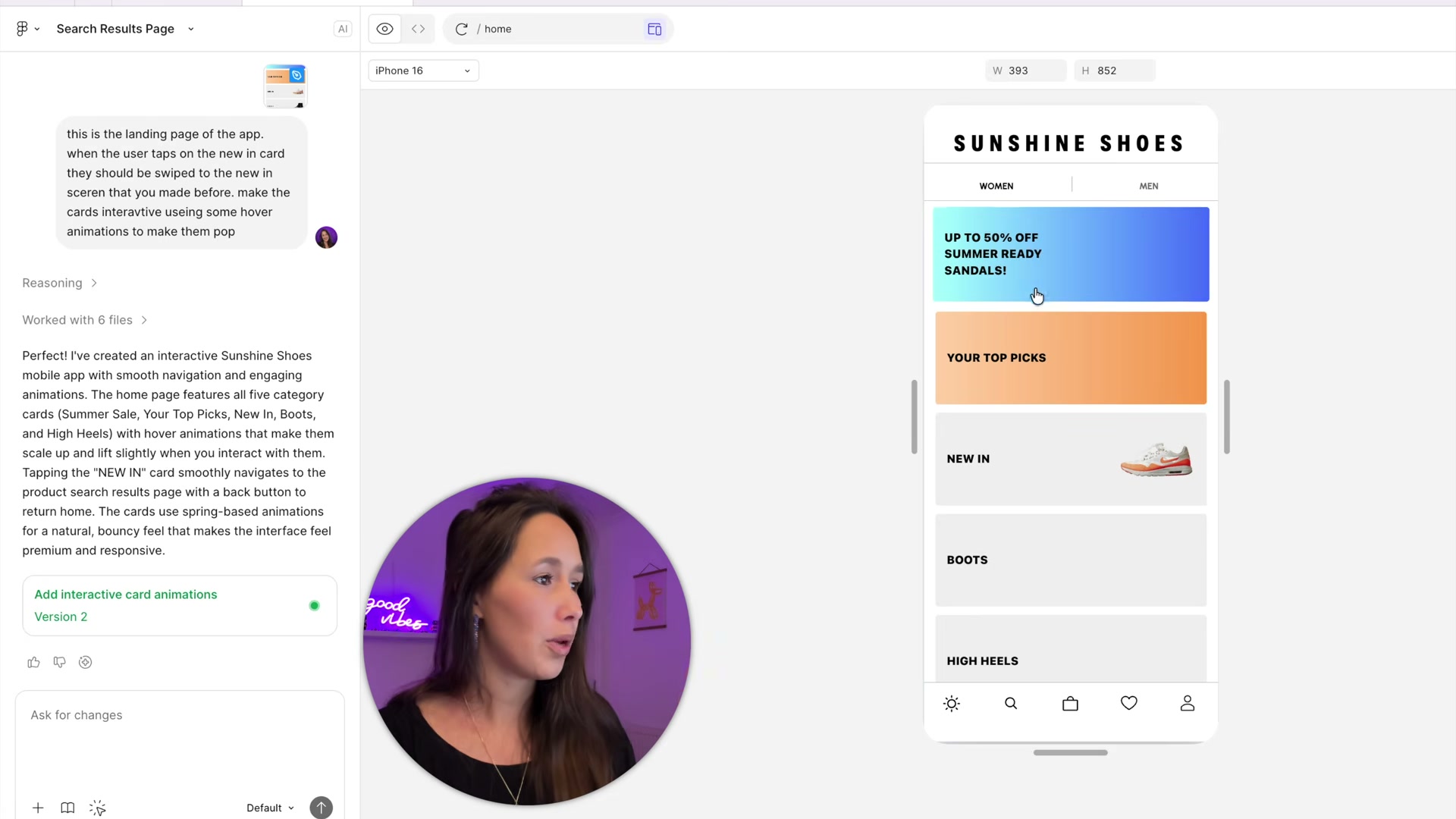
Connecting your own component library through Export to Figma Make then forces the AI to respect a brand identity instead of inventing a generic style. A Markdown guidelines file can even lock in persistent rules for animation behavior or accessibility constraints. That agent-driven logic, wired into the wider Figma ecosystem, extends the AI announcements made at Config 2026.
Framer: from idea to published site in minutes
Wireframer: no more blank page
The process starts with a simple description: a portfolio, a landing page, a company site. Wireframer instantly generates a full structure with desktop and mobile breakpoints, cutting out hours of manual responsive tweaking.
If a section is missing, you just ask for it instead of digging through an endless component library. A mobile hamburger menu appears automatically where only a desktop nav existed before.
Making it your own, not just generic
Once the structure is in place, you need to reclaim the design so it doesn't read as "AI-generated": import your own logo, adjust the color palette, swap in your own visuals. The preview mode lets you check responsive behavior in real time, grid by grid.
Workshop: custom components without writing code
When no-code hits its ceiling, Workshop steps in to generate a custom code component. A clock displaying a country's local time, with customizable font and color controls, comes out of a single prompt.
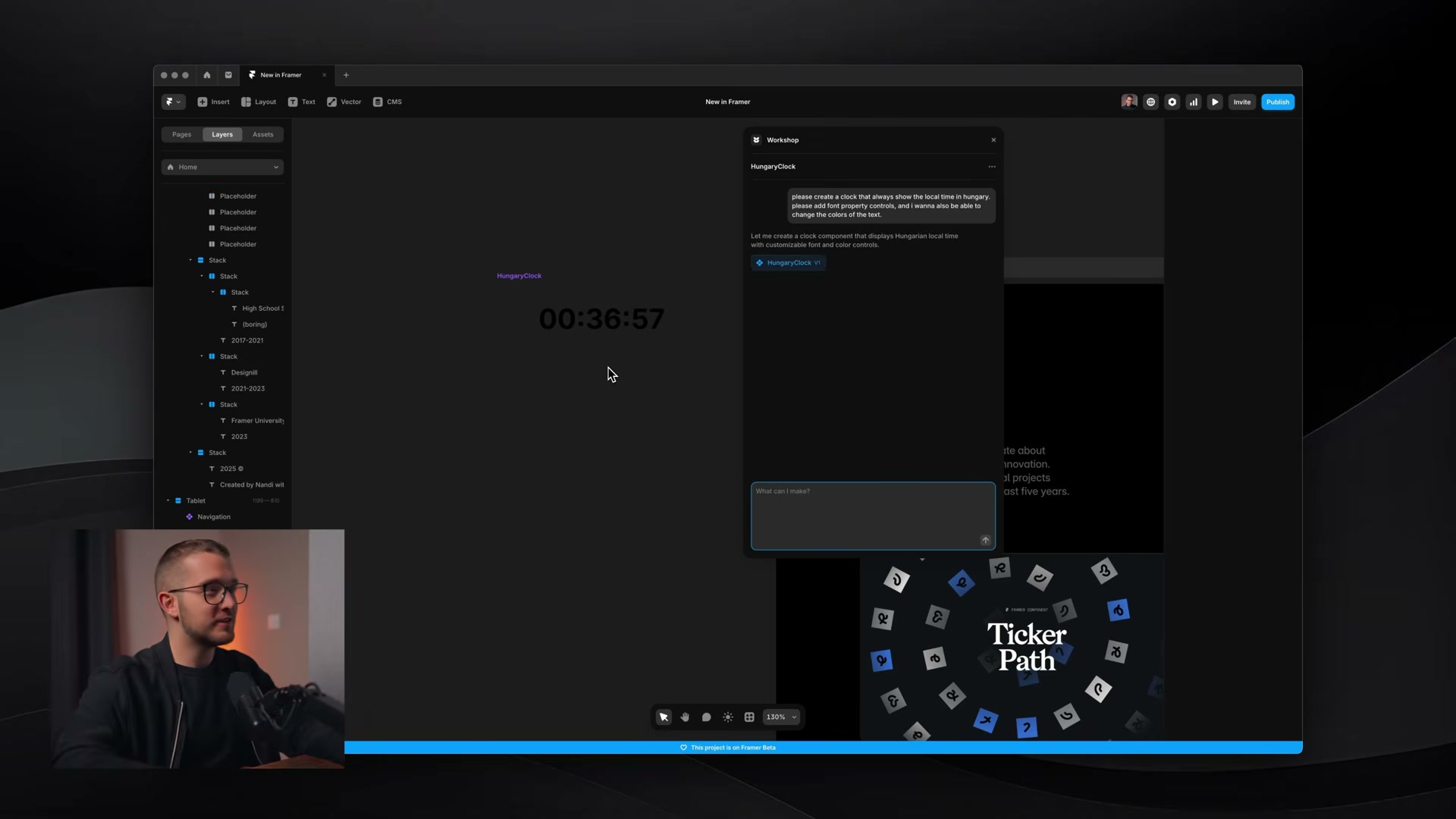
This blend of visual editing and code generation puts Framer halfway between a design tool and a no-code builder: unlike Figma Make, it publishes a live site directly, with a shareable URL and no export step.
Lovable: aiming for a working product over pixel-perfect design
Lovable doesn't try to compete on pure aesthetics. Across all three test scenarios, its interfaces betray web-builder origins rather than mobile ones, and its AI-generated visuals sometimes lack credibility — warped car bodies, impossible reflections.
Its real strength lies elsewhere: laying down a functional database from the moment of generation. Where Figma Make wins on visuals, Lovable lays the groundwork for a real application, with a backend ready to hold actual business logic.
The real test: three scenarios, three different verdicts
Mobile onboarding
On the transport app, Figma Make wins clearly thanks to its grasp of mobile conventions. Lovable produces a clean but more generic flow, while already setting up a real database for what comes next.
Car marketplace
On complex data handling, Figma Make delivers a visually credible search page with genuinely working filters. Lovable stops at a polished homepage, without matching that level of functional detail.
Showcase site
On a simple pizzeria site, both tools land on similar base structures. Lovable, though, starts showing some visual repetition — a recognizable AI "signature" from one site to the next.
Our recommendation based on what you need
No tool wins across the board — the right pick depends on what you're actually trying to ship:
- high-fidelity mockup faithful to mobile conventions, to present to a client → Figma Make
- showcase site or portfolio to publish immediately, no developer needed → Framer
- app with a real backend, even if the design needs work afterward → Lovable
For a more ambitious project, the same logic applies as in our deep dive into Figma Make: test the tool on a real use case before rolling it out to a whole team, rather than deciding from a marketing demo alone.
Conclusion
Figma Make, Framer and Lovable aren't three interchangeable competitors: they're three answers to three different problems. Prompt engineering matters as much as the tool itself — a precise context, a defined layout and clearly described interactions make all the difference in what you get out.
Further reading
This synthesis article is based on the following videos:
- Lovable vs Figma Make: Which AI designer comes out on top? (No Code MBA)
- Figma Make Tutorial & Best Practice Guide | Figma AI 2026 (TD Sunshine)
- Framer's New AI Site Generator is Crazy... (Framer University)
Articles generated via Vidiome, then merged and enriched.