Preview 1 of 4
Icon review skill for Claude Code: 24 px checks, contact sheets and tested path fixes
A Claude Code skill and agent that review your SVG icons at true 16, 24 and 48 px and return, for each icon to rework, a corrected path that was already tried.
Overview
Description
This kit is for designers, front-end developers and small teams who draw or maintain a set of line icons in SVG and work in Claude Code. It adds a skill, /icon-review, and a reviewer agent, icon-review-critic, which review your set the way a demanding art director would: spec checks (grid, stroke, live area, radii), contact sheets at true 16, 24 and 48 px in light and dark, a verdict per icon and, for each icon to rework, a corrected SVG path. Its core rule: try before you prescribe. A fix instruction nobody has drawn (“make the key’s tooth bigger”) often fails: it contradicts the spec, or the resulting shape reads as another object once rendered at 24 px. So the agent draws the fix itself, renders it at the same sizes, measures it, compares it with the neighbouring icons, and only hands you the path that passed those tests. Your fix instructions therefore arrive as exact paths, ready to copy. It is the generic version of the review the author runs on his own icon packs.
Specifications
| Skill and agent | 1 skill, 1 agent, 3 modes |
|---|---|
| Review criteria | 12 |
| Render sizes | 3 |
| Templates | 3 |
| Languages | 2 |
| Example | 24 files |
| Formats | Markdown (skill, agent, templates), JavaScript (render and measurement script, Node 18.17 or later), JSON (settings), SVG and PNG (example) |
| License | commercial (page in French) |
| Version | 1.0.0 of November 12, 2026 |
Contents
- 1 skill,
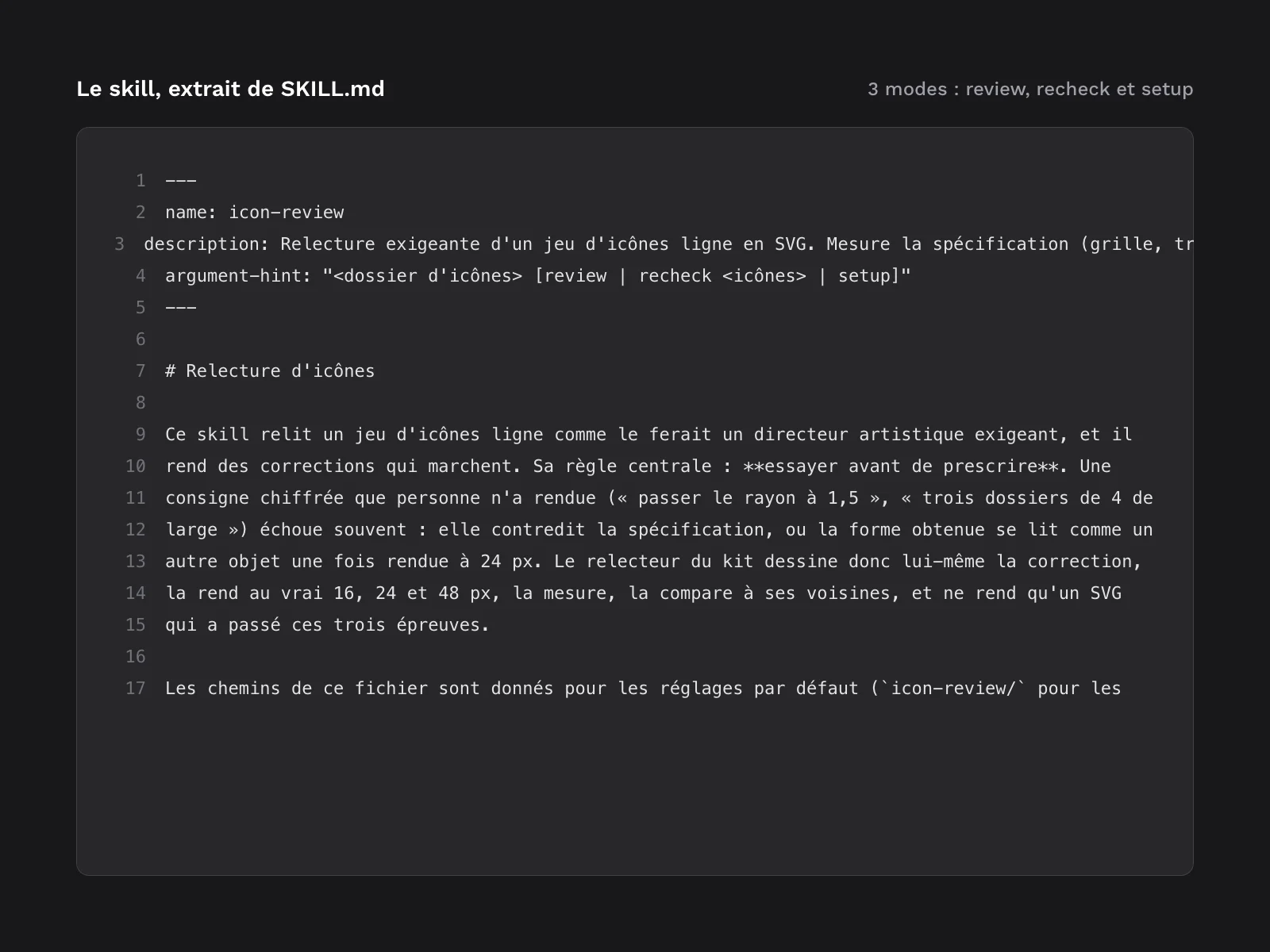
icon-review(command/icon-review), with 3 modes:review: first full review of an icon folder (default mode);recheck: second pass, on the reworked icons only;setup: installs the rasteriser, then stops. The skill reads your settings, runs the measurements and the sheets, hands the review to the agent, then checks what it returns before showing it to you. It also provides a targeted check after the fixes are applied and an escalation rule when an icon resists.
- 1 agent,
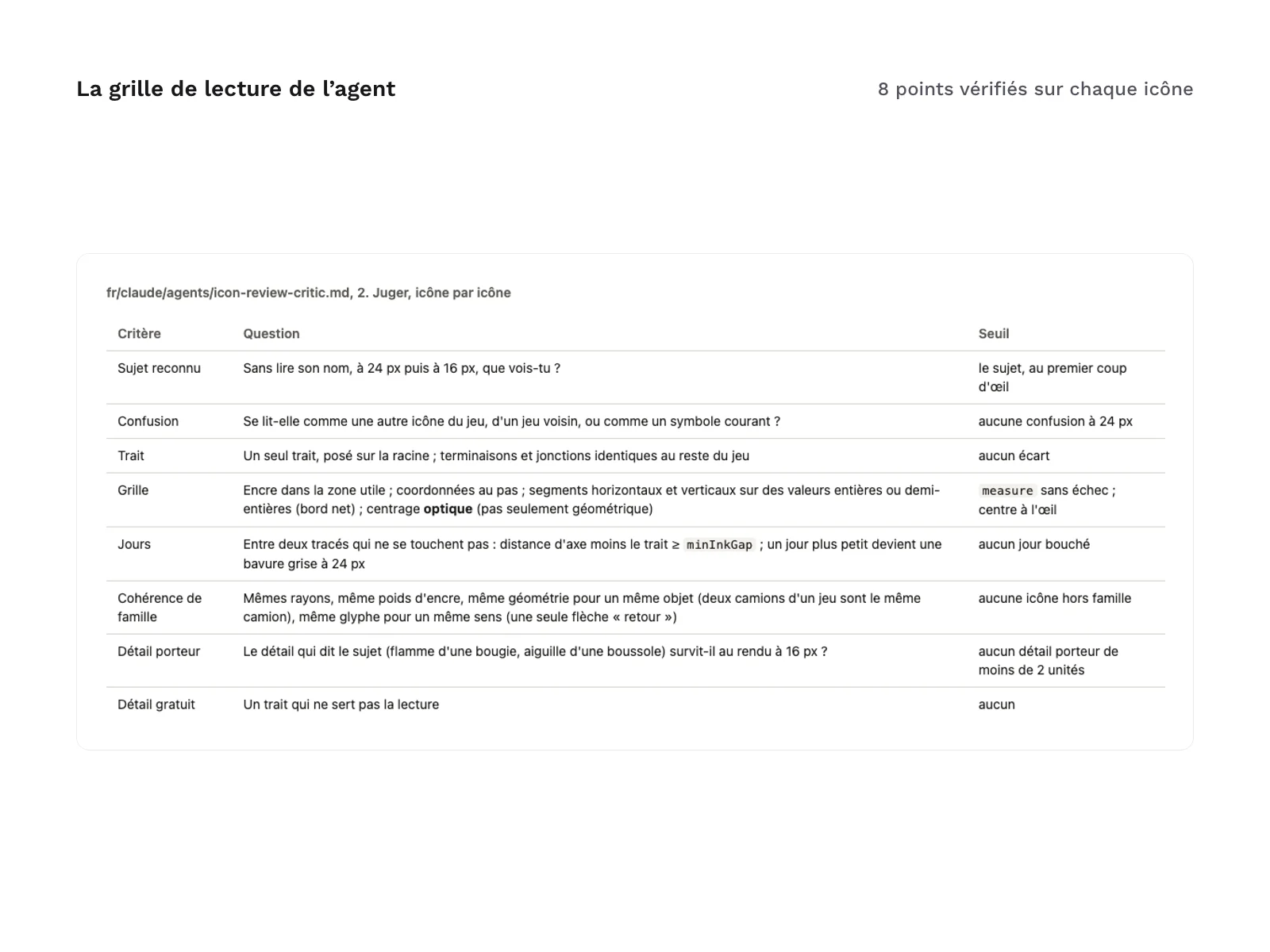
icon-review-critic:- an 8-point reading grid, applied to every icon: subject recognised, confusion, stroke, grid, gaps between strokes, family consistency, telling detail, needless detail;
- a list of common symbols that are easily confused at small sizes;
- fixes tried before being written: rendered, measured and compared with their neighbours;
- a verdict per icon: “pass”, “rework” or “pass with reservations” once the allowed attempts are used up.
- 3 templates installed with the skill: the review report (
review.md), the 12 acceptance criteria (acceptance-criteria.md) and the default settings (icon-review.json). - 1 script,
icon-tools.mjs, with 5 commands:setup: installs the rasteriser in the kit’s cache folder, outside your project’spackage.json;defaults: prints the default settings, without writing anything;measure: spec checks, ink box, centre and ink weight of each icon;sheet: contact sheets at true 16, 24 and 48 px, in light and dark;compare: icons side by side, each at the 3 sizes.
- 2 languages with the same structure,
fr/anden/: you install one language per project. - One installation guide per language (
INSTALL.fr.md,INSTALL.en.md): requirements, installing in a project or for all your projects, checking the install, settings, first use step by step, public repositories, updating and uninstalling.CHANGELOG.mdtracks the versions. - An example in 24 files (
example/), described below.
What the example shows
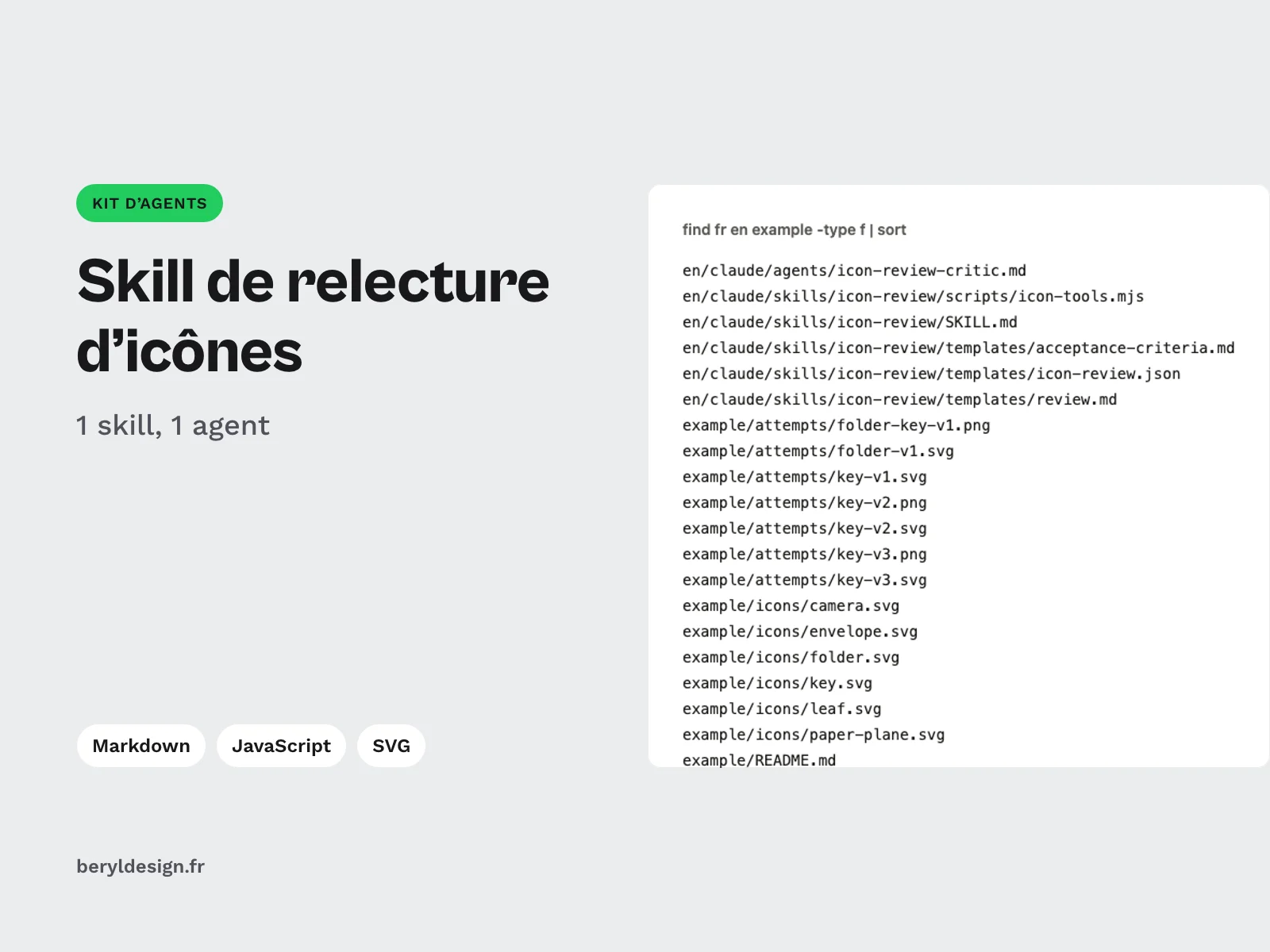
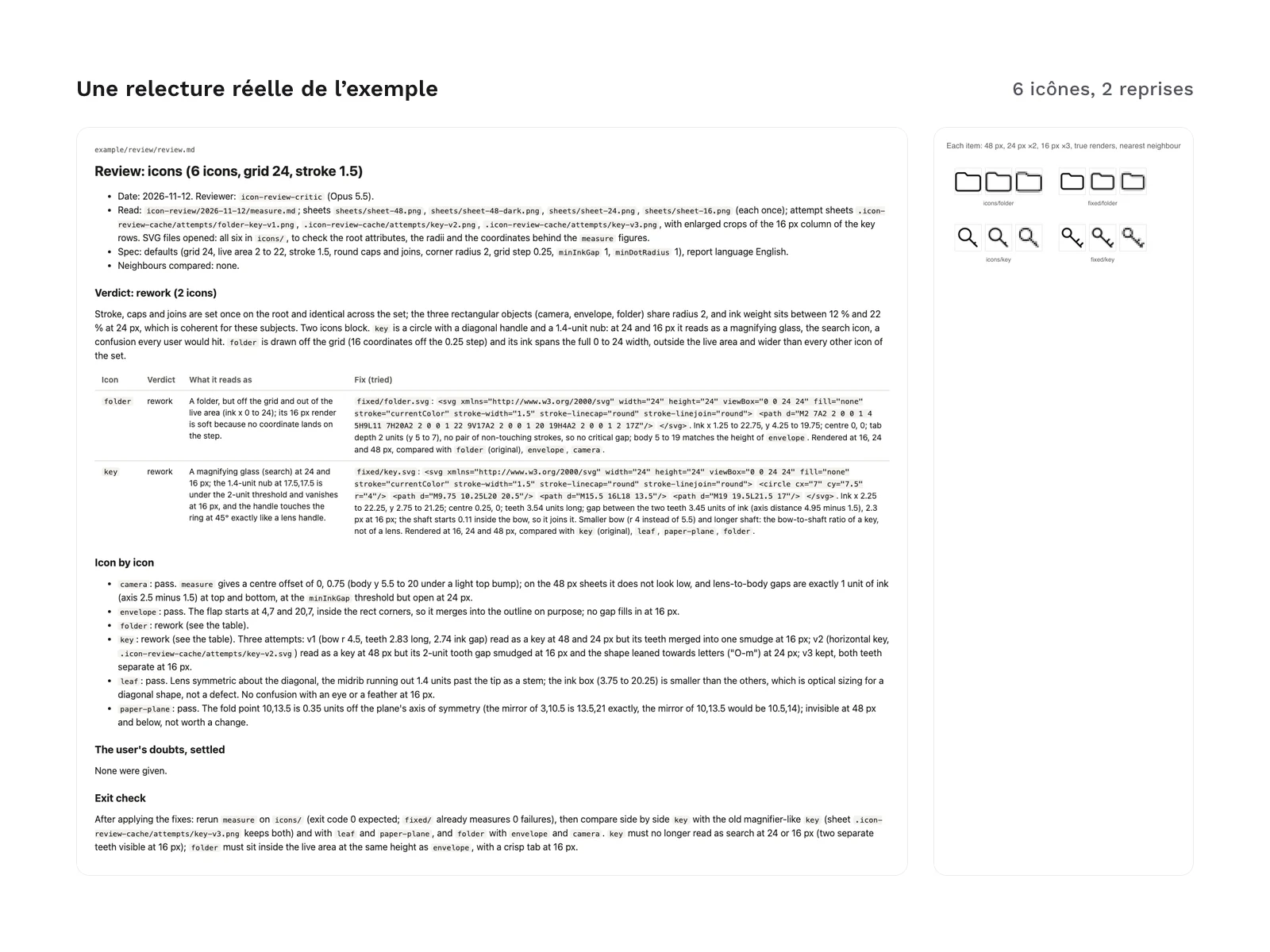
The example/ folder holds 6 icons made up for the demo and their real review by the kit. Two of them were broken on purpose: a key whose tooth disappears at small sizes so that it reads as a magnifying glass, and a folder off the grid, with ink outside the live area. The reviewer was not told about these defects: it found both without any hint, marked them “rework”, and the 2 reworked icons each have their corrected path. The other icons pass.
The example contains the report (review.md), the measurements, the sheets, the before and after comparison, the corrected SVG files and the agent’s scratch folder, with every drawing it tried. Nothing in it was written or edited by hand. The example was produced in English.
One caveat, which the example’s README also states: the skill was not run end to end for this example. Its measuring, sheet and comparison steps were run one by one with the kit’s script, and the icon-review-critic agent file was given as the instructions of a separate agent, with the brief the skill would have written. The example therefore shows what the reviewer agent returns, not the full sequence started by /icon-review.
Formats and compatibility
- Markdown: the skill, the agent, the templates and the guides. The agent file has a header (
name,description,tools,model) read by Claude Code. - JavaScript: the rendering and measuring script, for Node 18.17 or later.
- JSON: the settings. They are optional: without a file, the default spec applies. If your set follows another one (grid size, stroke width, live area, radius, coordinate step, sheet sizes), you describe it in
.claude/icon-review.json, which a kit update does not overwrite. - SVG: the example icons, and the format the kit reviews.
- PNG: the example’s sheets.
Requirements:
- Claude Code, with a subscription or key that gives access to the models; the agent is set to Opus, and the guide describes the
inheritfallback if your subscription does not include it; - Node.js 18.17 or later, and npm;
- network access the first time
setupruns, to install thesharprasteriser (Apache-2.0 licence, never shipped in the zip): run/icon-review setuponce in each project where you review icons; - line icons in SVG, one per file, in a single folder.
The installation commands run in a terminal: macOS, Linux, or Windows with WSL or Git Bash. Installing means copying a folder into your project’s .claude/, or into the one in your home folder for all your projects.
What was tested, and what was not
Tested before release: installation in a blank repository, in both languages, in a project and for all projects; Claude Code loading the agent and the skill; the script’s setup, measure, sheet and compare commands; the review of the example by the kit’s agent.
Not tested, and dependent on your environment: the full sequence started by /icon-review, triggering the skill with a free-form sentence, Opus availability on your subscription, the permission prompts of your settings, and a very large icon set, whose sheets then span several pages.
What the kit does not do:
- it does not draw an icon set from scratch: it reviews and fixes an existing set;
- it does not replace your files unless you ask: fixes are written separately, and you apply them or not;
- it only judges line icons in SVG; filled or colour icons need another spec and a kind of reading the grid only partly covers;
- it does not check the rights to a path taken from elsewhere;
- it sends nothing online: only
setupdownloads the rasteriser; - it does not replace your eye: an icon that still resists after the allowed attempts comes back as “pass with reservations”, with the attempts listed.
License
The kit is free: you only need to create a free Beryl Design account to download the archive. It comes under a commercial license: you can use it for your own icon sets and your clients’ sets, and keep all the reports and corrected paths it produces for you. You may not resell or redistribute the kit or its files, even for free. If your repository is public, install the kit for all your projects, or add its folders to .gitignore as the installation guide explains.
Going further
- On the method behind this kit (in French): producing a consistent icon series with AI, method and rejects.
- On connecting an AI agent to your design tools: the guide to agents and the MCP protocol.
Version history
1.0.0 (November 12, 2026): first release.
Claude Code is a trademark of its publisher; this kit is neither affiliated with nor endorsed by it.