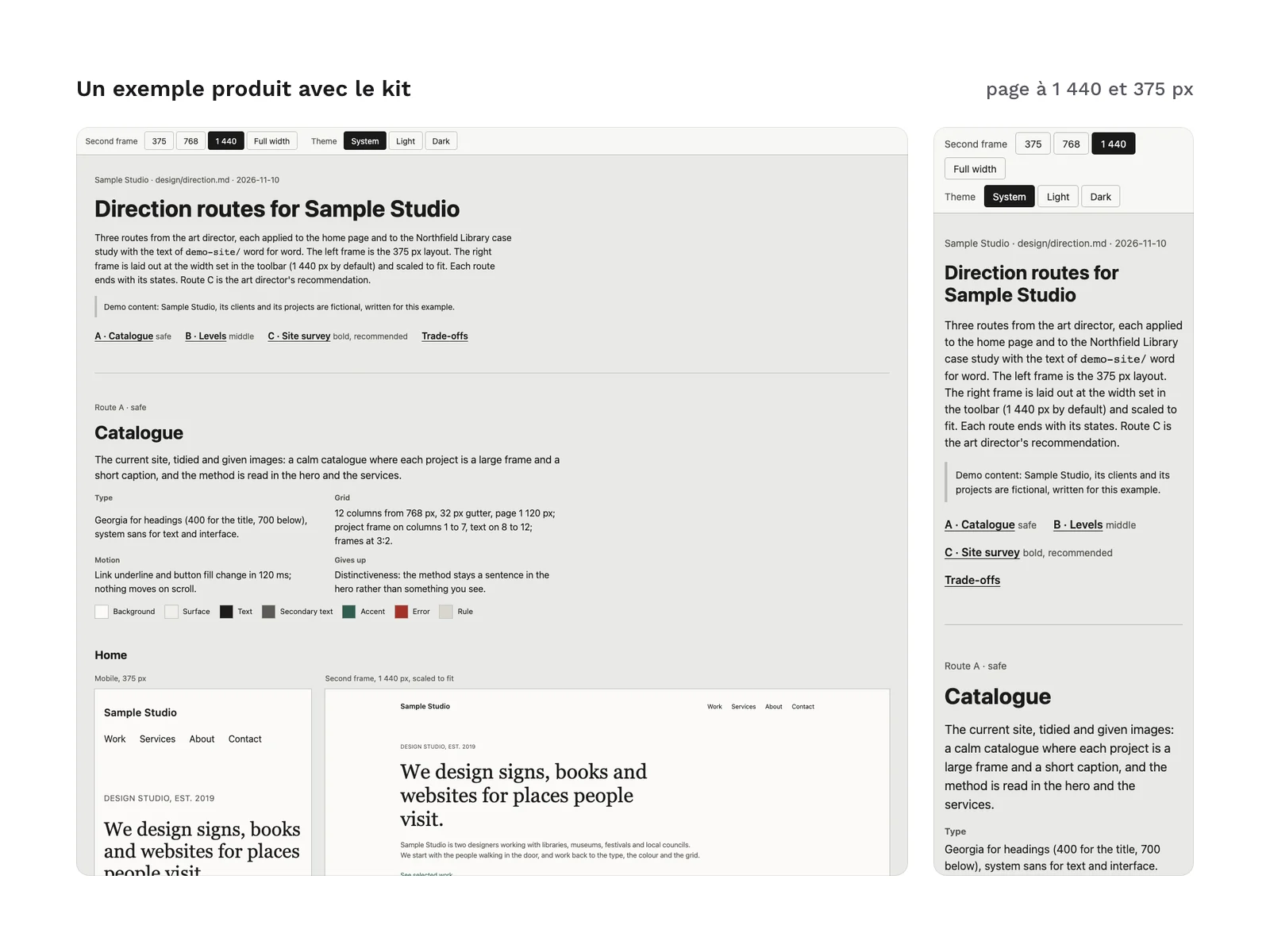
Preview 1 of 4
Agentic design studio for Claude Code (7 roles, from audit to QA)
A skill and 7 Claude Code agents to run your website redesign from audit to QA, with a steady method and stop points that leave each key decision to you.
Overview
Description
This kit is for designers and studios who work in Claude Code and want to run a website redesign with a steady method rather than scattered prompts. It adds a skill, /design-studio, which acts as the director, and 7 agents that work under its direction: benchmark, UX architecture, art direction, design system, HTML prototyping, integration and QA. The director reads your brief, calls the roles it needs, keeps a design journal in your repository and stops at the decisions that are yours to make: picking a direction route, then approving each mockup. It is the generic version of the studio the author uses on his own sites: private paths, accounts and project names have been removed, the steps of the method have been kept.
Contents
- 1 director skill,
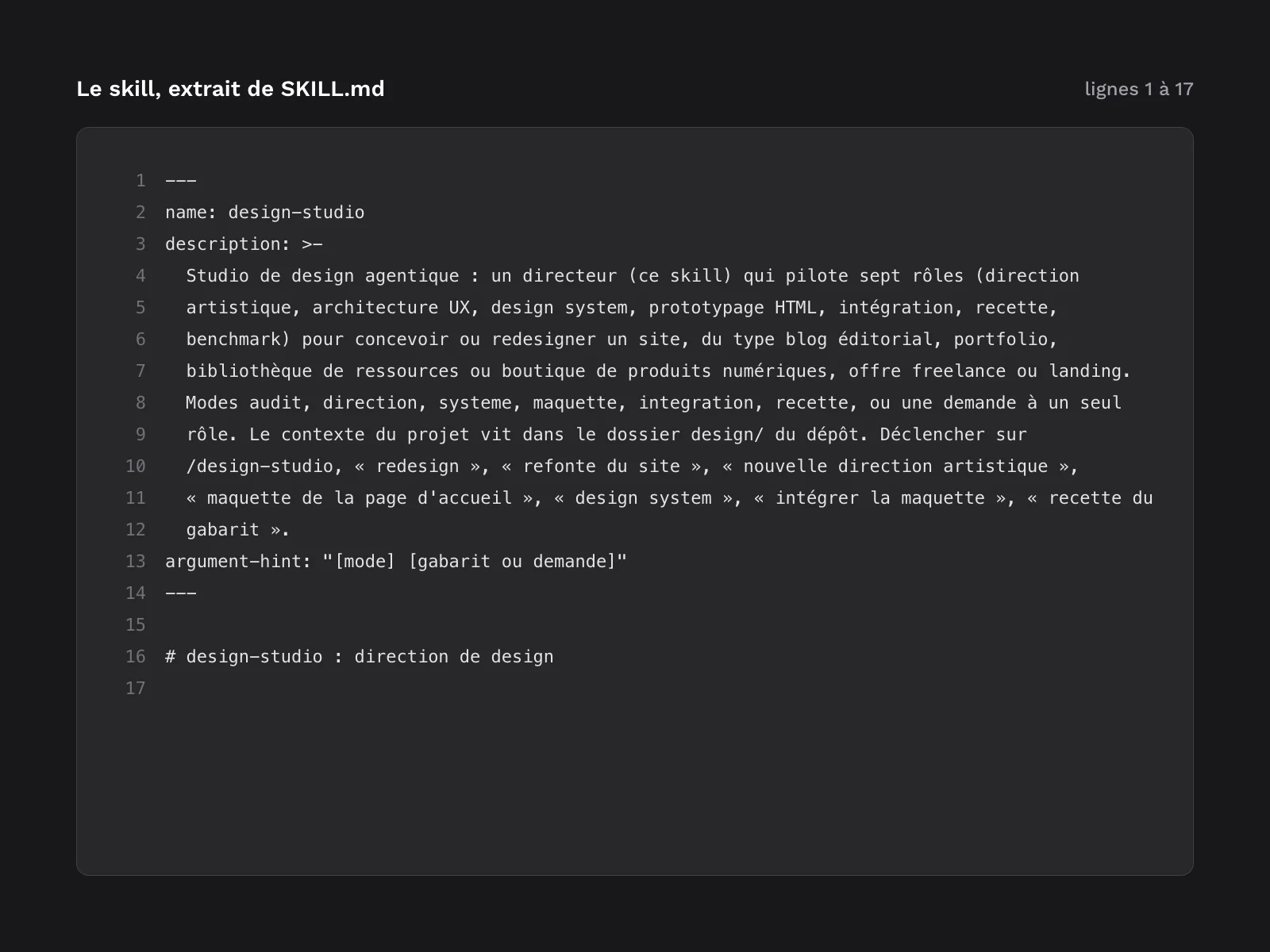
design-studio(command/design-studio), with 7 modes:audit: a review of the site’s design, UX, accessibility and performance, with a benchmark, written todesign/audit-<YYYY-MM>.md;direction: direction routes, from the safest to the boldest, indesign/direction.mdand an HTML board to open; the director stops so that you choose;system: tokens, computed contrast and components for the chosen route, with a “design system” page to open;mockup <template>: a high-fidelity prototype with the real content, mobile and desktop; the director stops so that you approve, rework or drop it;integration <template>: the move to code in the project’s stack, as one commit on a branch, not pushed;qa <template>: visual, accessibility, performance and SEO checks against the base branch, with a “pass” or “rework” verdict;- a request to a single role, for example
/design-studio benchmark photographer portfolios.
- 7 agents, one per role, each with its model and tools declared in its header:
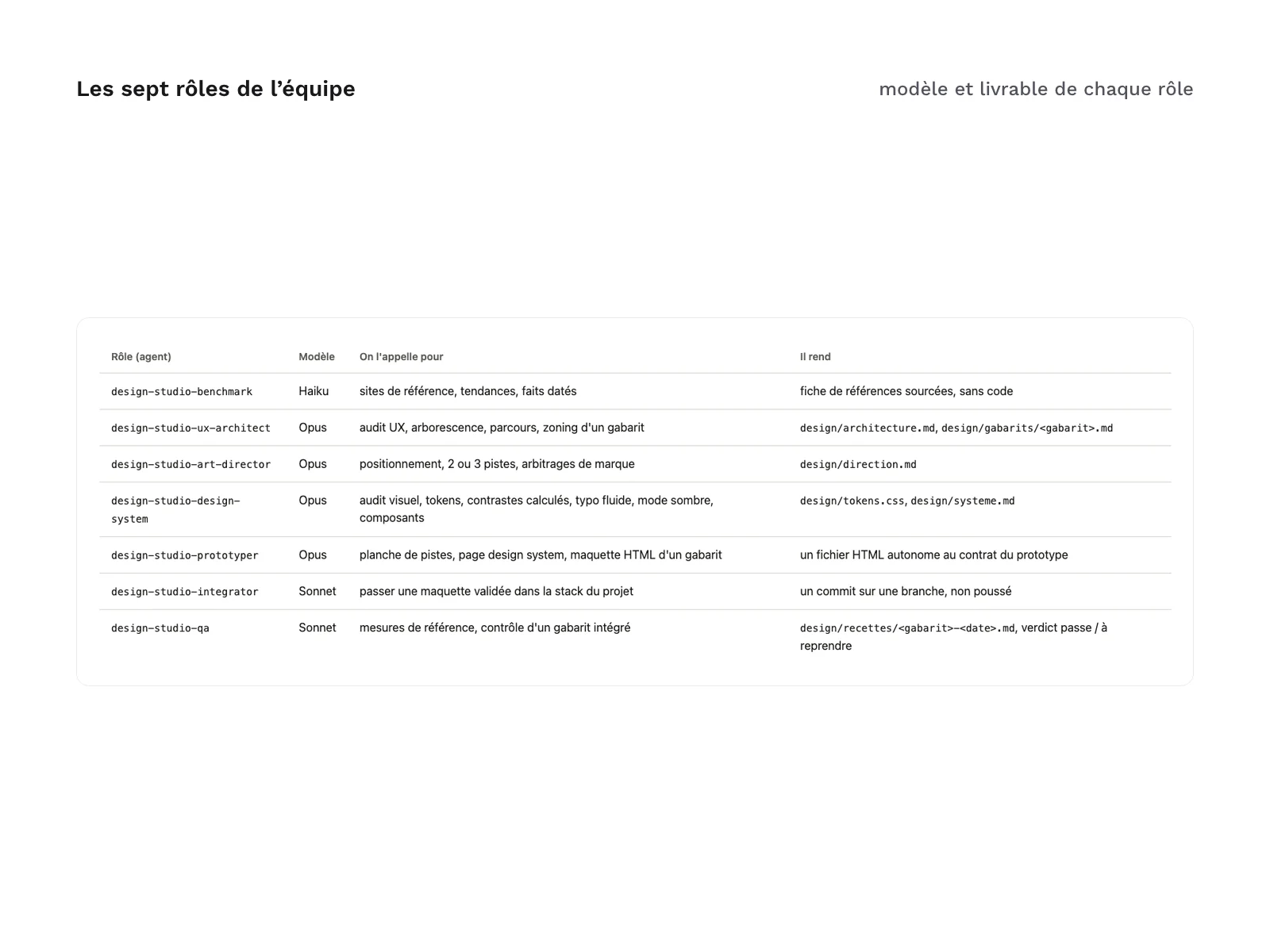
design-studio-benchmark: reference sites, trends and dated facts, delivered as a sourced reference sheet;design-studio-ux-architect: UX audit, site structure, user journeys and the zoning of a template;design-studio-art-director: positioning, direction routes and brand trade-offs;design-studio-design-system: visual audit, tokens, computed contrast, fluid type, dark mode and components;design-studio-prototyper: the routes board, the design system page and the mockup of a template, each as a standalone HTML file;design-studio-integrator: moving an approved mockup into the project’s stack;design-studio-qa: baseline measurements and QA of an integrated template, with a dated report.
- 4 templates installed with the skill: project brief, design journal, QA report and default settings (
design-studio.json). - 2 languages with the same structure,
fr/anden/: you install one language per project. - One installation guide per language (
INSTALL.en.md,INSTALL.fr.md): requirements, installing in one project or for all your projects, settings, a first project step by step, updating and uninstalling.CHANGELOG.mdtracks the versions. - A real example in 8 files (
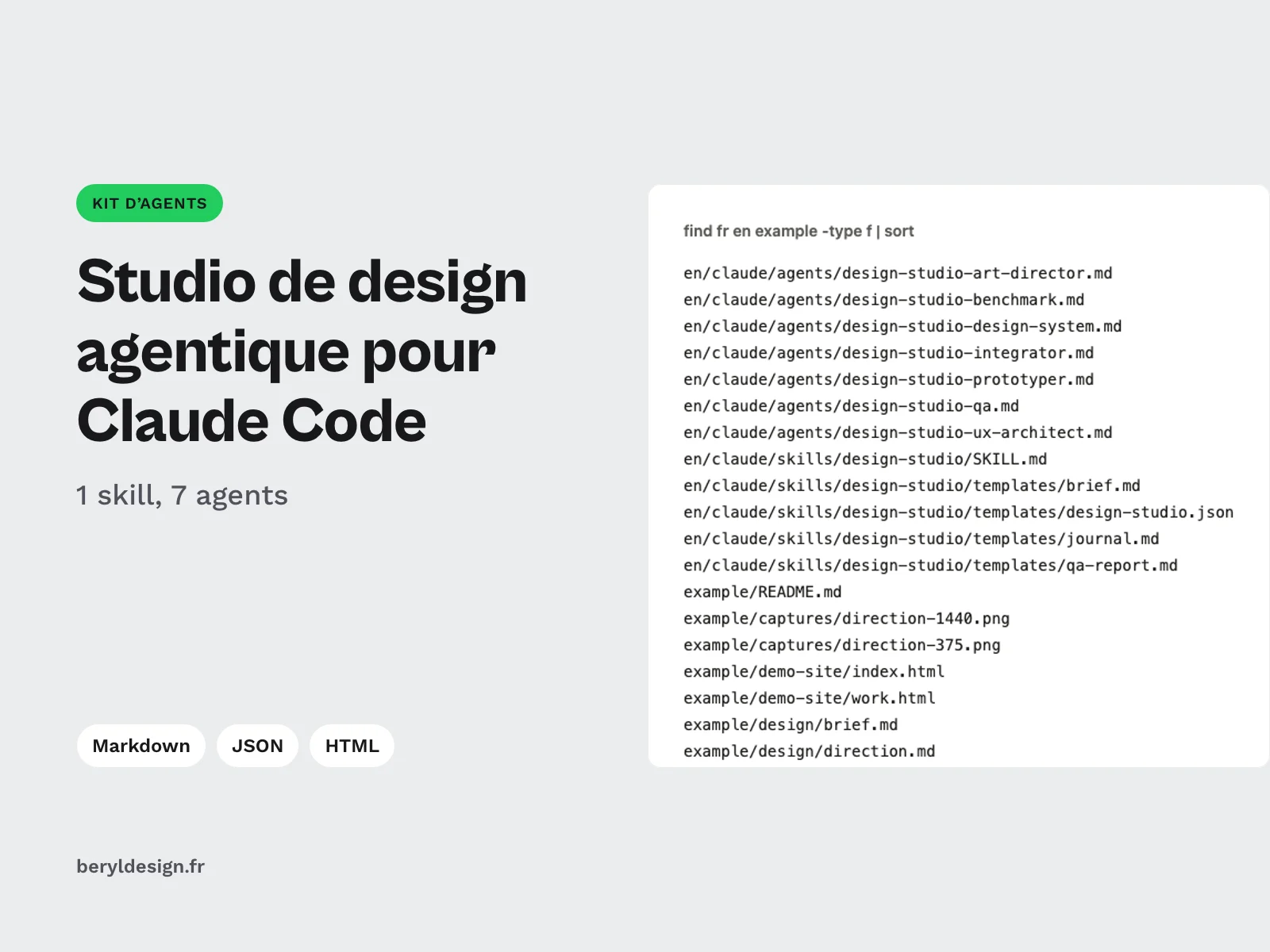
example/): a fictional demo site (“Sample Studio”), its brief, the unedited outputs of the art director and prototyper agents, and screenshots of the resulting board at 375 and 1,440 px wide. - 35 files in total.
File layout:
en/claude/skills/design-studio/   SKILL.md, templates/
en/claude/agents/                 design-studio-*.md
fr/claude/                        same tree, in French
example/                          README.md, demo-site/, design/, captures/
INSTALL.en.md, INSTALL.fr.md, CHANGELOG.md
The claude/ folder of each language mirrors Claude Code’s .claude/ folder: you copy it into a project or into your home folder. Its name has no leading dot so that it stays visible once the zip is extracted. The brief, the journal and the outputs of your projects are written to the design/ folder of your repository, created on first use.
Production and AI
The kit (skill, agents, templates, installation guides and English translation) was produced with an AI assistant, Claude Code, from the studio the author uses, then reviewed and checked before release: installation tested on a blank repository in both languages, in a project and for all projects; the 7 agents and the skill loaded by Claude Code; no absolute path, no secret and no private element found; the same files, headings and settings in French and English; a review by a second agent, whose remarks were fixed.
The example is a raw output of the kit’s agents: design/direction.md and the board design/maquettes/direction-pistes.html are copied as the art director and prototyper agents wrote them, with no manual edit. The demo site and the brief were written for the example. On that board, every measured spacing falls on the 4 px grid, and nothing scrolls horizontally at 375 or 1,440 px.
Formats and compatibility
- Markdown: the skill, the agents, the templates and the guides. Each agent file has a header (
name,description,tools,model) read by Claude Code. - JSON: the settings, optional; with no file, the defaults apply. They set the design project folder, the cache folder, the output language, how prototypes are previewed, the allowed external origins, optional advisors (an agent of your own repository for conversion or SEO) and an experiments file.
- HTML: the prototypes the agents produce, like those in the example, are standalone HTML files to open in a browser. By default they load nothing but a few CDNs and Google Fonts; the list is a setting.
- PNG: the example screenshots.
Requirements:
- Claude Code, in a version that supports skills and subagents;
- access to the models the agents set (Opus, Sonnet or Haiku); without Opus, the guide describes the
inheritfallback; - git, which the journal, the design branches and the integration commit rely on;
- Node.js and network access for QA, integration, screenshots and contrast computation; the required versions are given in the installation guide;
- a browser, to open the prototypes.
The installation commands run in a terminal: macOS, Linux, or Windows with WSL or Git Bash.
What was tested, and what was not
Tested before release: installation in a project and for all projects, in both languages, on a blank repository; the 7 agents and the skill loaded by Claude Code; a real example produced by the art director and prototyper agents.
Not tested, and dependent on your environment: triggering the skill with a free-form sentence (instead of /design-studio), the director actually delegating to each agent, model availability on your plan, tool permission prompts, and a complete project from end to end. The example shows what these agents deliver from a brief; it does not show the director’s orchestration.
What the kit does not do:
- it does not produce files for a design tool: the prototypes are HTML pages;
- it is not a hosted service: everything runs in your Claude Code session, on your machine, with your plan;
- it does not push, merge or deploy anything: integration stops at a commit on a branch;
- it changes neither your URLs nor your content: the redesign sits behind the same addresses, with the same text.
License
The kit is sold under a commercial license (terms in French): you may use it in your personal and professional projects, including for clients, and deliver the websites designed with it. You may not resell or redistribute the kit or its files. If your repository is public, install the kit for all your projects, or add its folders to the repository’s .gitignore as the installation guide explains. The design/ folder the studio produces belongs to you.
Further reading
- On going from a prompt to a working website: Claude Design and the prototyping revolution.
- On sharing roles between an agent and a human (in French): an AI agent to produce a game’s visuals.
Version history
1.0.0 (November 10, 2026): first release.
Claude Code is a trademark of its publisher; this kit is neither affiliated with nor endorsed by it.