Preview 1 of 4
DTCG design tokens starter (light and dark)
Design tokens in the W3C DTCG format, light and dark, exported to CSS variables and a Tailwind v4 theme, with rules for your AI agents. Free with an account.
Overview
Description
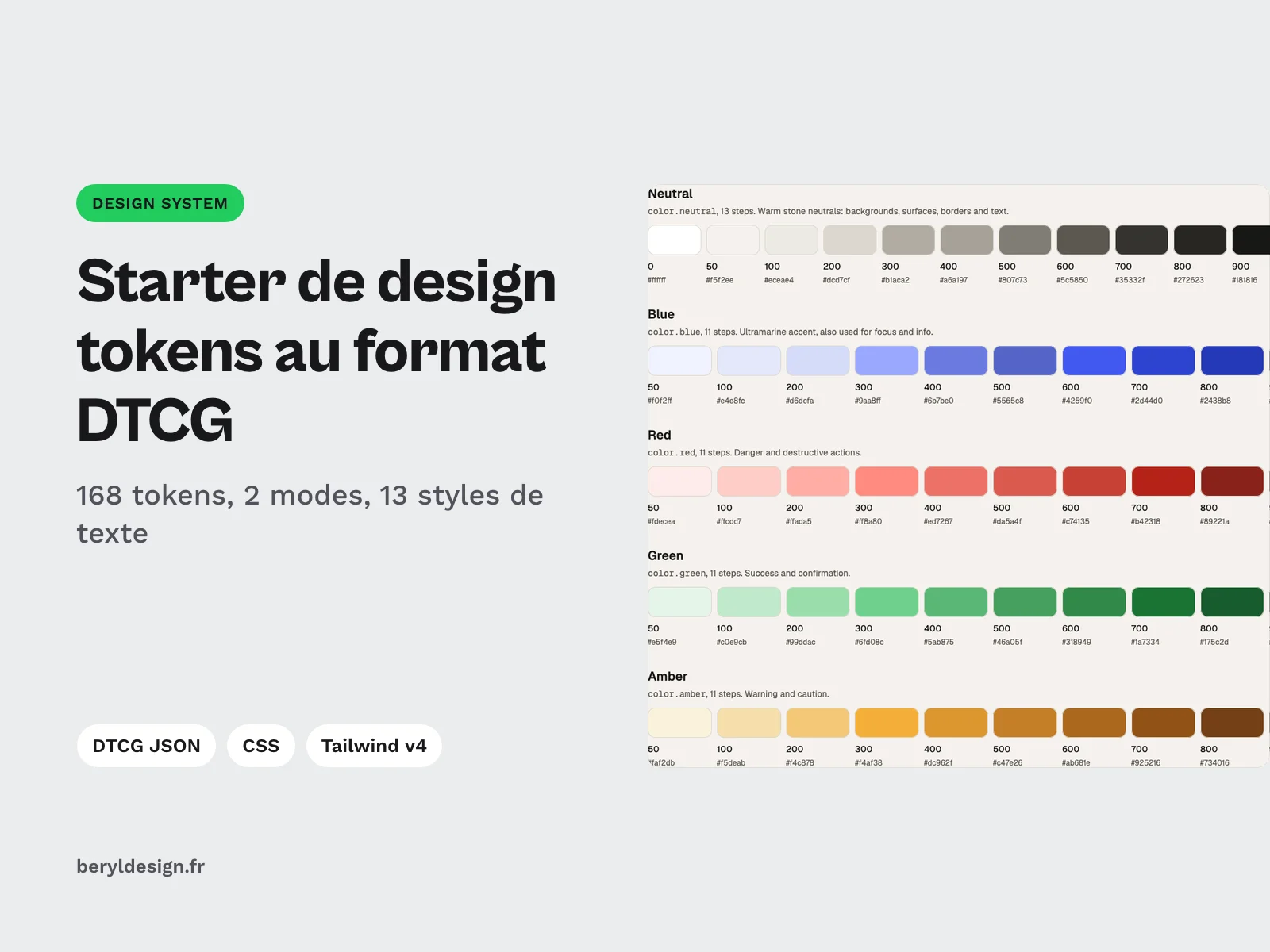
This starter is for UI designers and front-end developers who are setting up a design system or a new project and do not want to start from a blank page. It provides ready-to-use foundations in the DTCG format (the W3C Design Tokens Community Group): colors, spacing, sizes, radii, borders, shadows, motion and typography, in a light mode and a dark mode. The same tokens are already exported to CSS variables and a Tailwind CSS v4 theme, and an AGENTS.md file gives AI coding agents the rules to follow so they never write a hard-coded value. You keep a single source, the JSON files, and regenerate the rest.
Contents
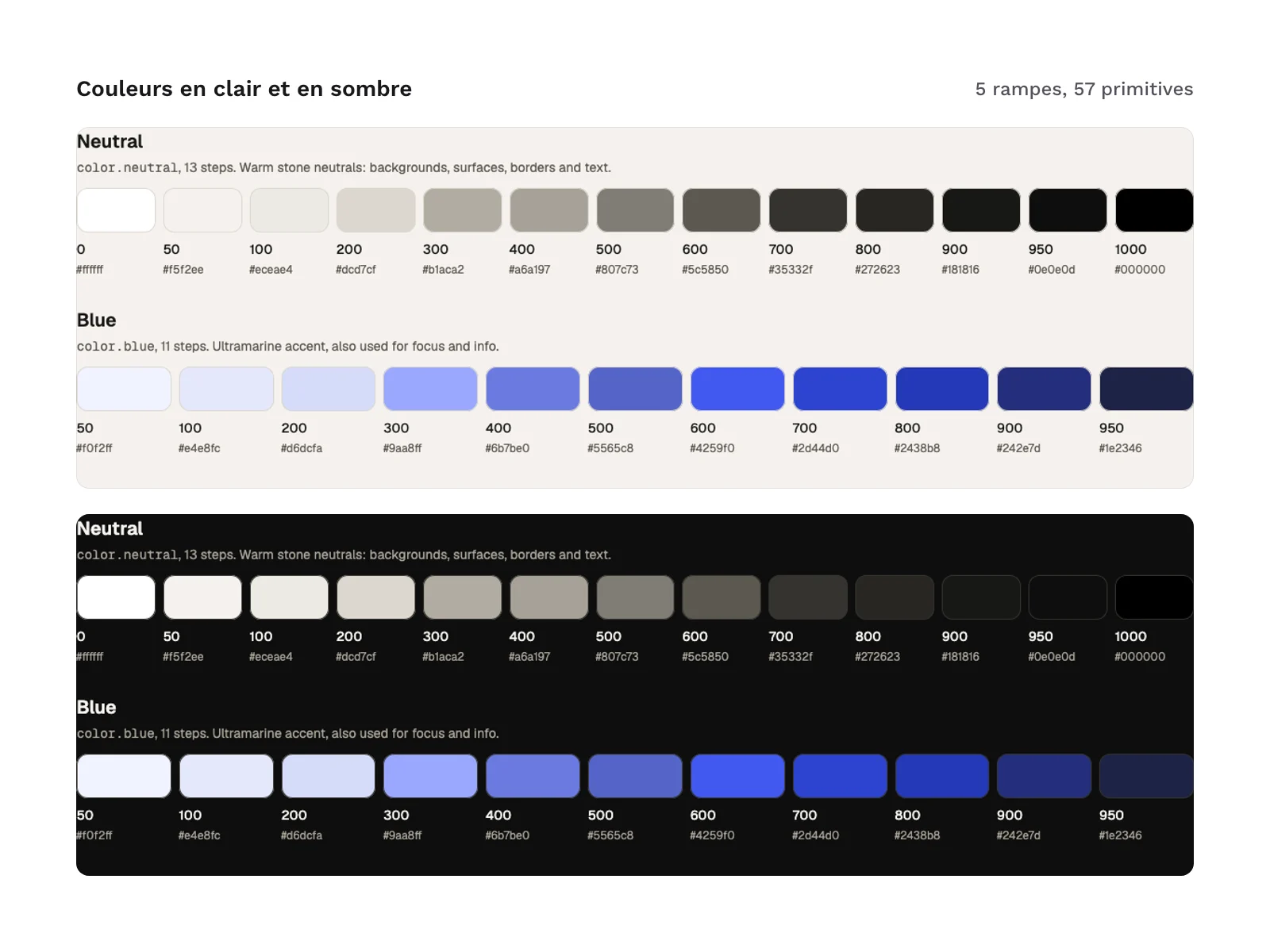
- 168 tokens in total: 137 primitives and 31 semantic tokens, present in each of the 2 modes (light and dark) with the same path and the same type.
- Primitives (
tokens/primitives.tokens.json):- 5 color ramps (
neutral,blue,red,green,amber), 57 colors in all; - spacing and sizes for controls, icons and containers, on a 4 px scale;
- radii, stroke widths, borders and shadows;
- durations and an easing curve;
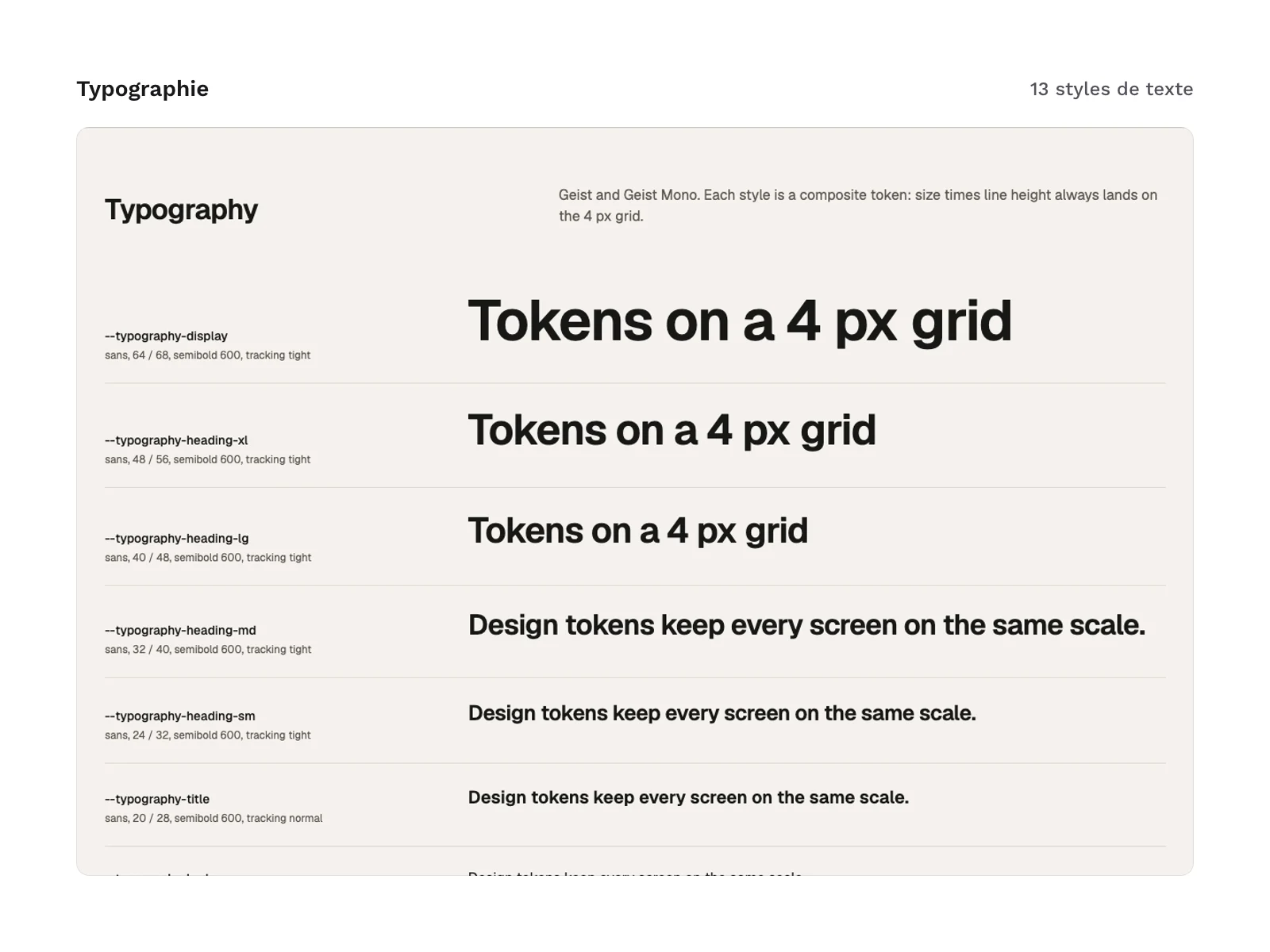
- font families, weights and 13 type styles, from display headline to code.
- 5 color ramps (
- Semantic tokens (
tokens/light.tokens.jsonandtokens/dark.tokens.json): background, surfaces, text, borders, accent,danger,success,warningandinfostates, focus ring, inverse tile, shadow and overlay. They are aliases to the primitives: their value changes with the mode, your components do not. - 35 text and background pairs checked for contrast in each mode, listed in
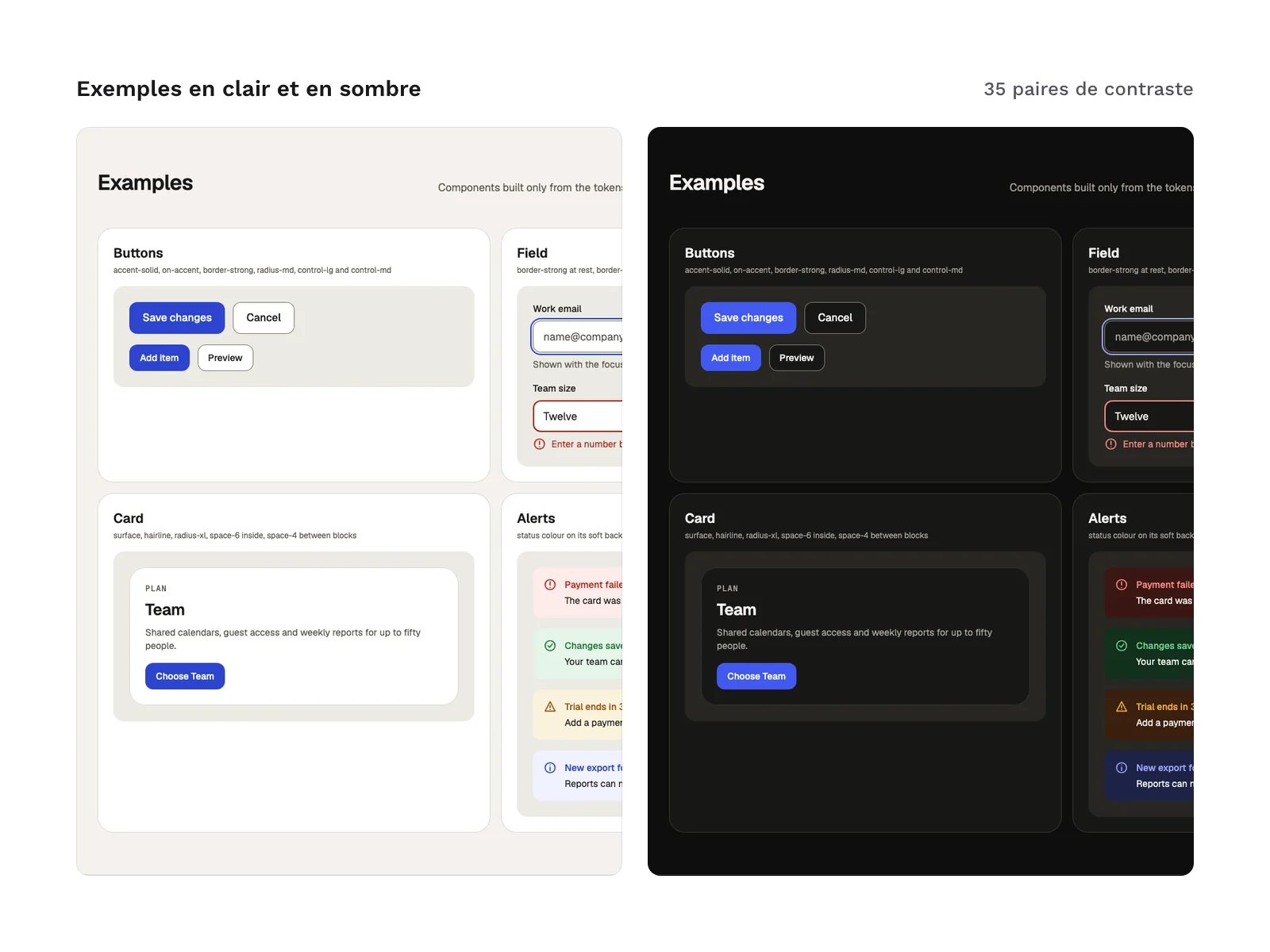
AGENTS.mdwith their ratio in light and in dark. - Rules for AI agents (
AGENTS.md): use tokens only, prefer semantic over primitive, stay on the 4 px scale, apply the type styles, put text only on the allowed pairs, leave dark mode to the tokens, and the steps to add a token. - Documentation (
docs/index.html): a reference page that shows every token in light and in dark, with sample buttons, fields, cards and alerts built only from the tokens.
Starter files:
AGENTS.md
tokens/primitives.tokens.json
tokens/light.tokens.json
tokens/dark.tokens.json
tokens/theme.resolver.json
css/tokens.css
tailwind/theme.css
style-dictionary/light.json
style-dictionary/dark.json
docs/index.html
Production and AI
The token files, exports and documentation were produced with an AI assistant, then reviewed and checked: DTCG schema validation, consistency of aliases and of both modes, 4 px scale, contrast of the 35 color pairs and a reproducible build. The starter contains no AI-generated images.
Formats and compatibility
- DTCG 2025.10 JSON: the
tokens/*.tokens.jsonfiles are the source. Each token carries its$type, its$valueand a$descriptionthat says where to use it; semantic tokens point to primitives through an alias between braces. They can be read by tools that support the DTCG format. - DTCG Resolver 2025.10:
tokens/theme.resolver.jsonloads the primitives, then applies the chosen mode (light by default, or dark). Excerpt from the file:
"modifiers": {
  "theme": {
    "description": "Colour theme.",
    "contexts": {
      "light": [{ "$ref": "light.tokens.json" }],
      "dark": [{ "$ref": "dark.tokens.json" }]
    },
    "default": "light"
  }
}- CSS variables (
css/tokens.css): light mode lives in:root. Dark mode applies when the system asks for it, unless the page setsdata-theme="light"on thehtmlelement;data-theme="dark"forces dark. In your components, just writecolor: var(--color-text)orbackground: var(--color-surface). - Tailwind CSS v4 theme (
tailwind/theme.css): import it aftertailwindcss. It replaces the default palette, spacing, radii, shadows and type scale, so only token classes exist (bg-surface,text-text-muted,rounded-md…). Thedark:variant followsdata-theme="dark". - Style Dictionary 5: two configs,
style-dictionary/light.jsonandstyle-dictionary/dark.json, that read the DTCG files and write their CSS variables tobuild/. - HTML documentation: a self-contained page, readable with no horizontal scrolling from 375 to 1,440 px wide, in light and in dark.
- AGENTS.md: a Markdown file that AI coding agents read before writing an interface.
The Geist and Geist Mono fonts (SIL OFL 1.1 license) are referenced by the tokens, not included in the files: the documentation loads them from an online font service. This version does not include a variables file for a design tool.
License
The starter comes with the commercial license (page in French): you can use it in personal and professional projects, including client work and products you sell, but you may not resell or redistribute the files, even for free.
Further reading
Version history
1.0.0 (November 10, 2026): first release.