Preview 1 of 4
Astro and Tailwind restaurant website sections (menu, allergens, booking)
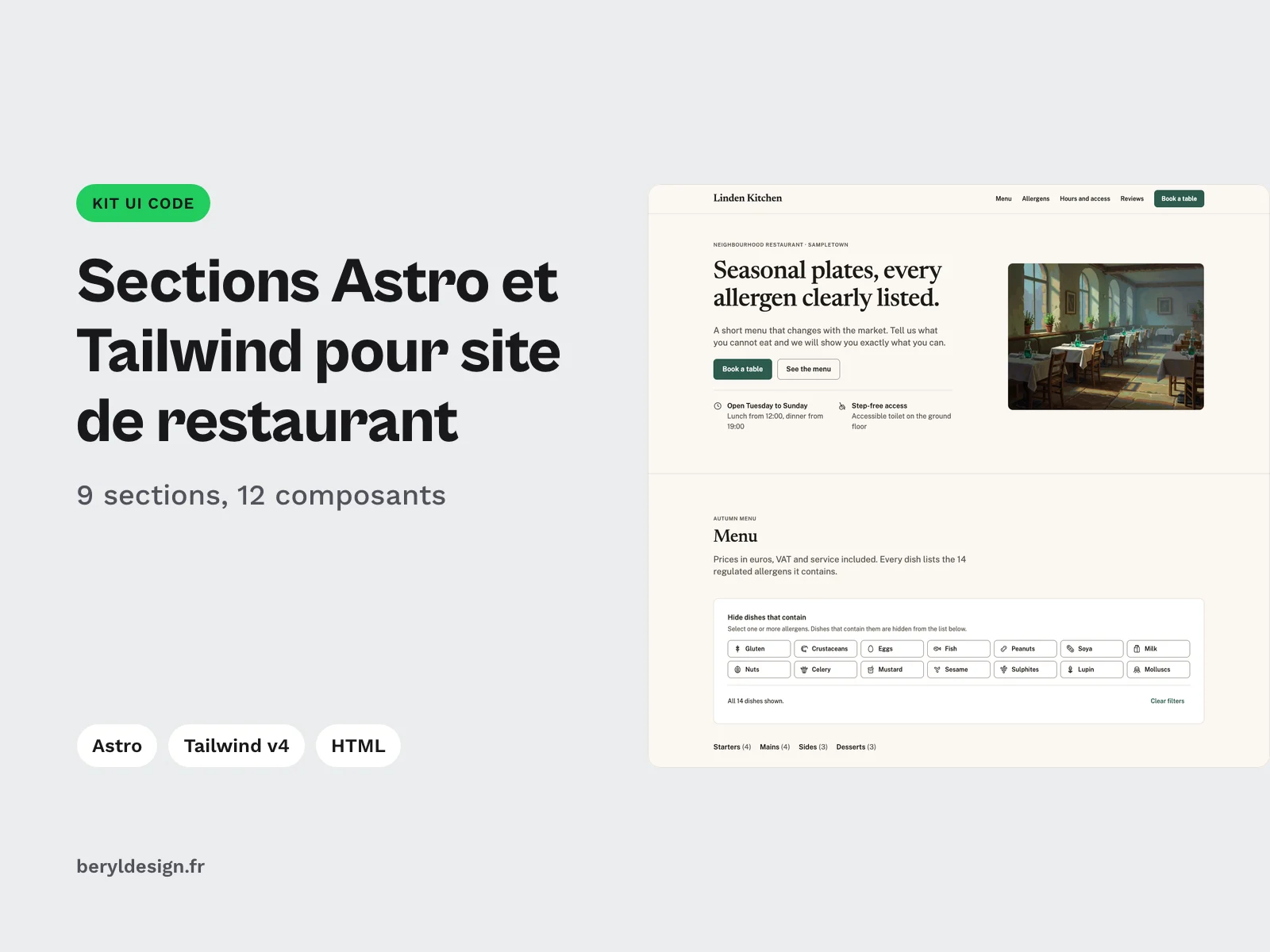
Astro and HTML sections for restaurant websites: menu with an allergen filter, dish page, opening hours, accessible booking form. Built for client sites.
Overview
Description
This kit is for front-end developers and freelancers who deliver restaurant websites. It brings together the sections of a restaurant site, ready to take your client’s data: header, hero, menu by category with an allergen filter, dish page, allergen key, opening hours and access, accessible booking form, reviews and footer, plus Restaurant and Menu structured data. Every section comes as an Astro component with typed props and as static HTML, sharing the same stylesheet. The allergen display follows the information duty of the EU FIC Regulation: each dish carries its list of allergens, and each allergen name is written out in full next to its pictogram. The demo content, the default labels and the setup guide are in English.
Contents
- 9 sections as Astro components (
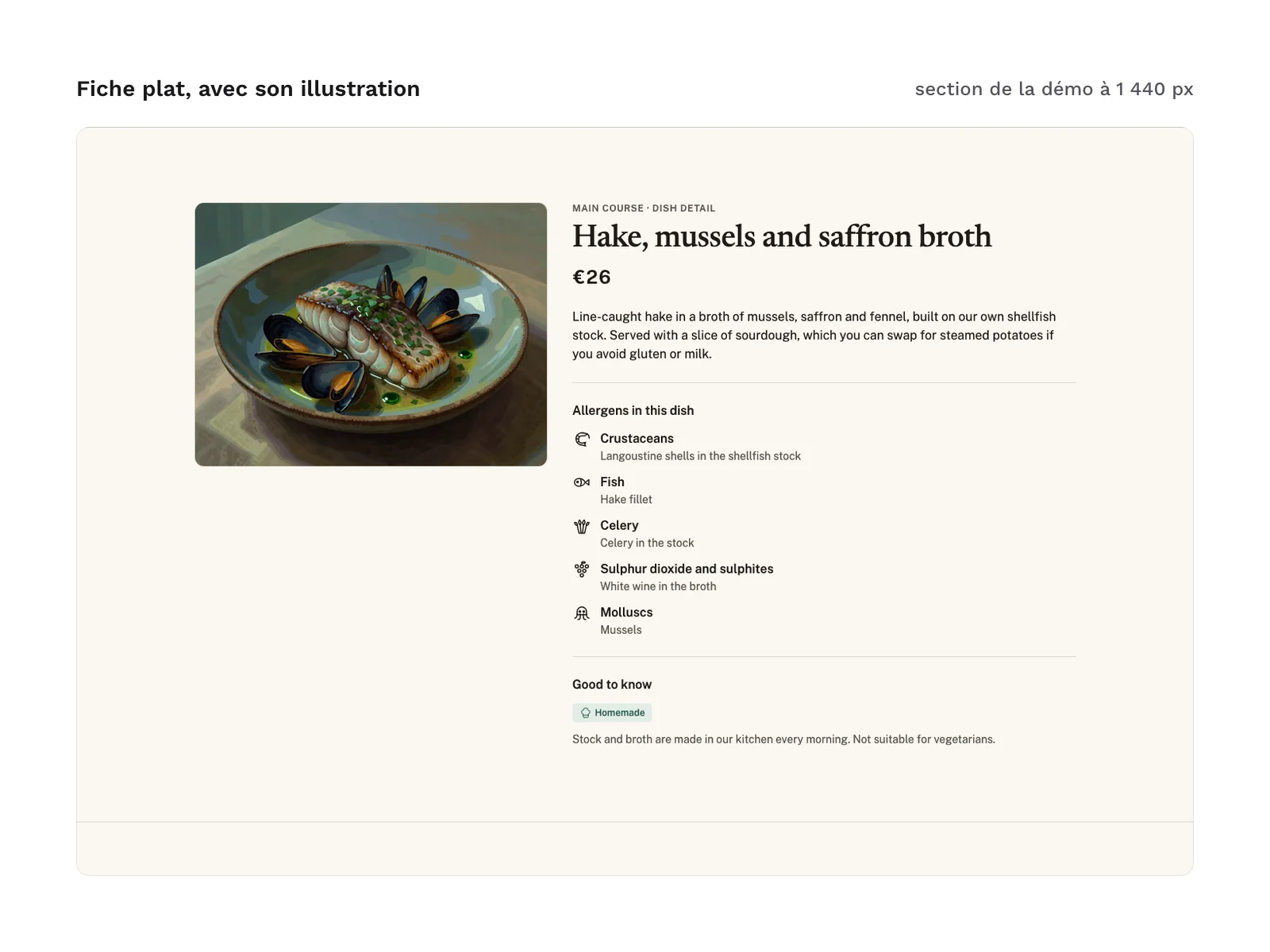
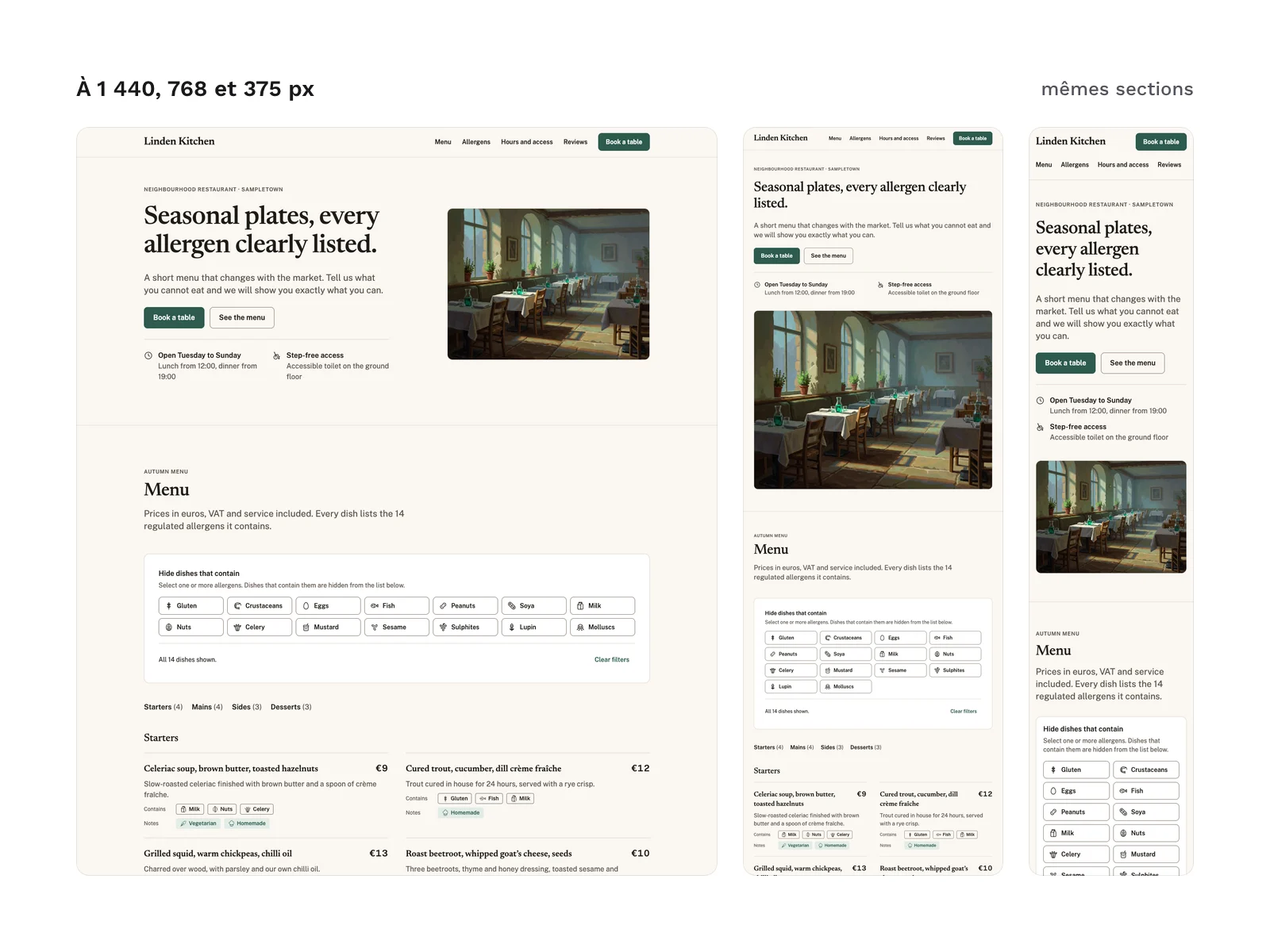
astro/), with no content hard-coded in the components:Header: restaurant name, navigation, booking button, skip link;Hero: title, lead, action buttons, key facts, photo (a placeholder frame shows if you provide none);Menu: menu by category, allergen and note tags on every dish, “hide dishes that contain” filter;DishDetail: a dish page section, linked from the menu by an anchor;AllergenKey: key to the 14 allergens of Annex II of the EU FIC Regulation and to the menu notes;HoursAccess: hours table with the current day marked, address, map, facilities;Booking: booking form with inline errors, error summary, request recap and confirmation;Reviews: one featured review and the others, no photo;Footer: address, links, legal lines.
- 12
.astrocomponents in total: the 9 sections, plusIcon(one pictogram),IconSprite(the sprite, rendered once per page) andRestaurantJsonLd(the structured data). - An example page:
PageExample.astrowires every section with the fictional data insample-data.ts; the data shapes are described intypes.ts. - 9 sections as static HTML (
html/sections/), extracted from the build of the demo page, with the sprite and the JSON-LD as HTML and the full pagehtml/index.html. - 22 SVG pictograms (
icons/), including the 14 allergens. They are the files of the food service and 14 allergens pictogram pack, unchanged. - 2 example illustrations in WebP (
images/), the dining room in the hero and the dish in the dish page, each 800 and 1,184 px wide. They were generated with AI (Krea’s krea-2 model), then retouched. - A setup guide,
astro/LISEZMOI-astro.txt. - 58 files in total.
File layout:
astro/       the 12 components, PageExample.astro, types.ts, sample-data.ts, format.ts, LISEZMOI-astro.txt
html/        index.html, sections/*.html
html/css/    tokens.css, kit.css
tailwind/    theme.css
icons/       *.svg
images/      *.webp
The menu is complete HTML and reads fine without JavaScript: the filter panel only appears once the script runs. Ticking an allergen hides the dishes that contain it, an empty category shows a message, and a status line announces the result to screen readers. The booking form stores nothing and sends nothing by itself: without an action attribute, it validates the input and shows the demo confirmation; with action, it posts the request to the endpoint of your choice.
Production and AI
The code of the sections (Astro components, HTML, CSS, Tailwind theme) was produced with an AI assistant, then reviewed and checked: no violation reported by axe-core, colour contrast included, a Lighthouse accessibility score of 100 on mobile, and every measured spacing on the 4 px grid.
The 2 demo illustrations, the dining room in the hero and the dish in the dish page, were generated with AI using Krea’s krea-2 model, then retouched (cropping, colour grading, WebP export). They are included under the same commercial license as the kit and are there to show the layout: replace them with the venue’s own photos. The access map in the HoursAccess section remains a placeholder frame, ready to connect to the map service of your choice.
Language of the sections
The sections ship in English: sample data, default labels and setup guide. In the Astro components, labels (buttons, error messages, filter and hours headings) are replaced through props, without touching the code, and allergen names come from your data. In the HTML version, you edit the text directly in the markup.
Formats and compatibility
- Astro:
.astrocomponents with props typed in TypeScript. The menu filter, the booking form and the current-day marker are dependency-free JavaScript, inline in the components that need them. Supported versions are listed in the setup guide. - HTML and CSS:
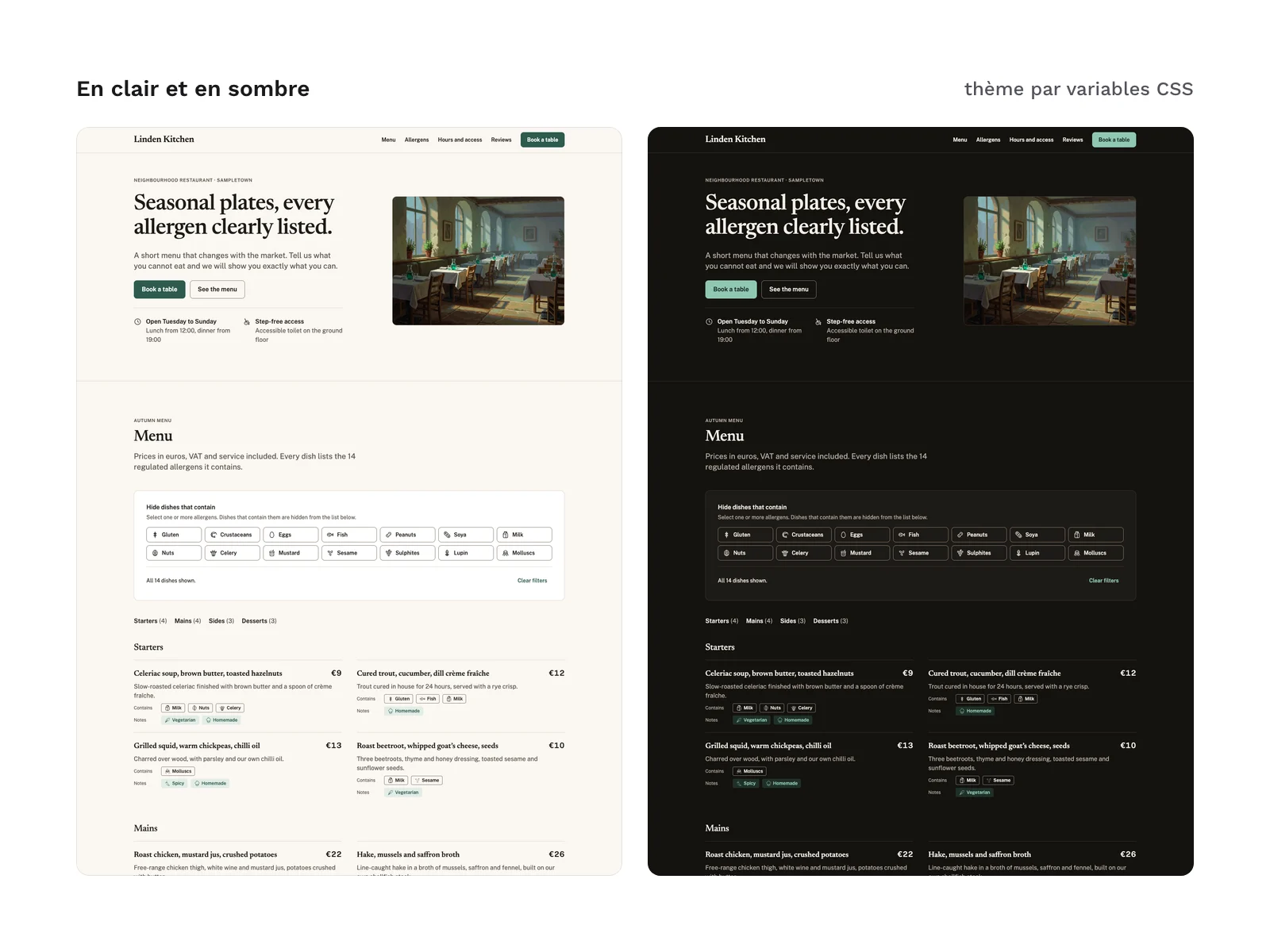
tokens.css(light and dark modes) andkit.css, already compiled, no CDN. These files work in any web project, with or without a framework.kit.cssis written in an@layer componentsblock, so your own styles always win. - Tailwind v4 theme:
tailwind/theme.cssholds the same tokens as an@theme, so you can use them as utility classes. It is optional:kit.cssis enough if your project does not use Tailwind. - SVG: the 22 pictograms, whose stroke takes the text colour (
currentColor). They open in most design tools and work directly in code. - WebP: the 2 example illustrations, in a 4:3 format, with a lighter version for small screens; the components set their dimensions and load the hero image with priority.
- Structured data:
RestaurantJsonLdoutputs a schema.orgRestaurantandMenuas JSON-LD, with the sections and dishes of the menu. It deliberately adds no aggregate rating and no review: add them only if they come from a real source.
Everything goes through tokens: spacing on a 4 px grid, sizes, radius, borders, type scale and colours. Dark mode follows the system setting; a data-theme attribute on the html tag forces either mode. Layouts change at 768 and 1,024 px wide, through media queries.
The Newsreader and Public Sans fonts (SIL OFL 1.1 license) are referenced through a link to an online font service, not bundled in the files; you can self-host them. The kit contains no mockup file for a design tool.
Checks run before release, in light and dark modes, at 375, 768 and 1,440 px wide: no violation reported by axe-core, in the default state and with the form errors displayed, and no horizontal scrolling.
License
The kit is sold under the commercial license (page in French): you can use it in your projects and deliver to your clients the websites built with its sections. You may not resell or redistribute the kit or its files, nor hand the original kit to a client for reuse elsewhere. The 2 example illustrations are covered by the same commercial license. The fonts keep their own license.
Further reading
- The same pictograms in SVG and PNG, for a printed menu or an app: the food service and 14 allergens pictogram pack.
- For the booking form: the most common accessibility mistakes in forms (article in French).
Version history
1.0.0 (10 November 2026): first version.