
Introduction: two no-code heavyweights, one shared AI ambition
Framer and Webflow have spent years fighting over the same ground: building a professional site without writing code. In 2026, the real divide is no longer editor ergonomics — it's the artificial intelligence each tool now ships with.
We cross-referenced three complementary takes: a head-to-head comparison of both platforms, a tutorial pushing Framer's AI features to their limits, and the first-hand account of a designer who migrated his own site. Enough to move past the marketing pitch and decide based on your actual use case.
Design and animation: canvas versus timeline
Framer opens like a graphic design tool: an infinite canvas and "design pages." Native vector tools let you draw rectangles, stars, or pen paths without ever leaving the editor.
For a custom icon kit, the process is straightforward: adjust the stroke weight, watch the component update, then export to SVG — no round trip through Illustrator required.
Animation follows the same organic logic, powered by the Motion library: hover effects, blurs, and scroll-triggered transforms come together in a few clicks, no GSAP plugin needed. Webflow, by contrast, still relies on its traditional timeline — any scroll effect requires an action configured on a specific class, with a naming discipline Framer doesn't demand.
AI steps in: Wireframer and Workshop at Framer
This is where the real shift of 2026 happens. Framer no longer just assists the design process — it generates structure and code on demand, through two distinct, complementary tools.
Wireframer: a Full Site From a Single Sentence
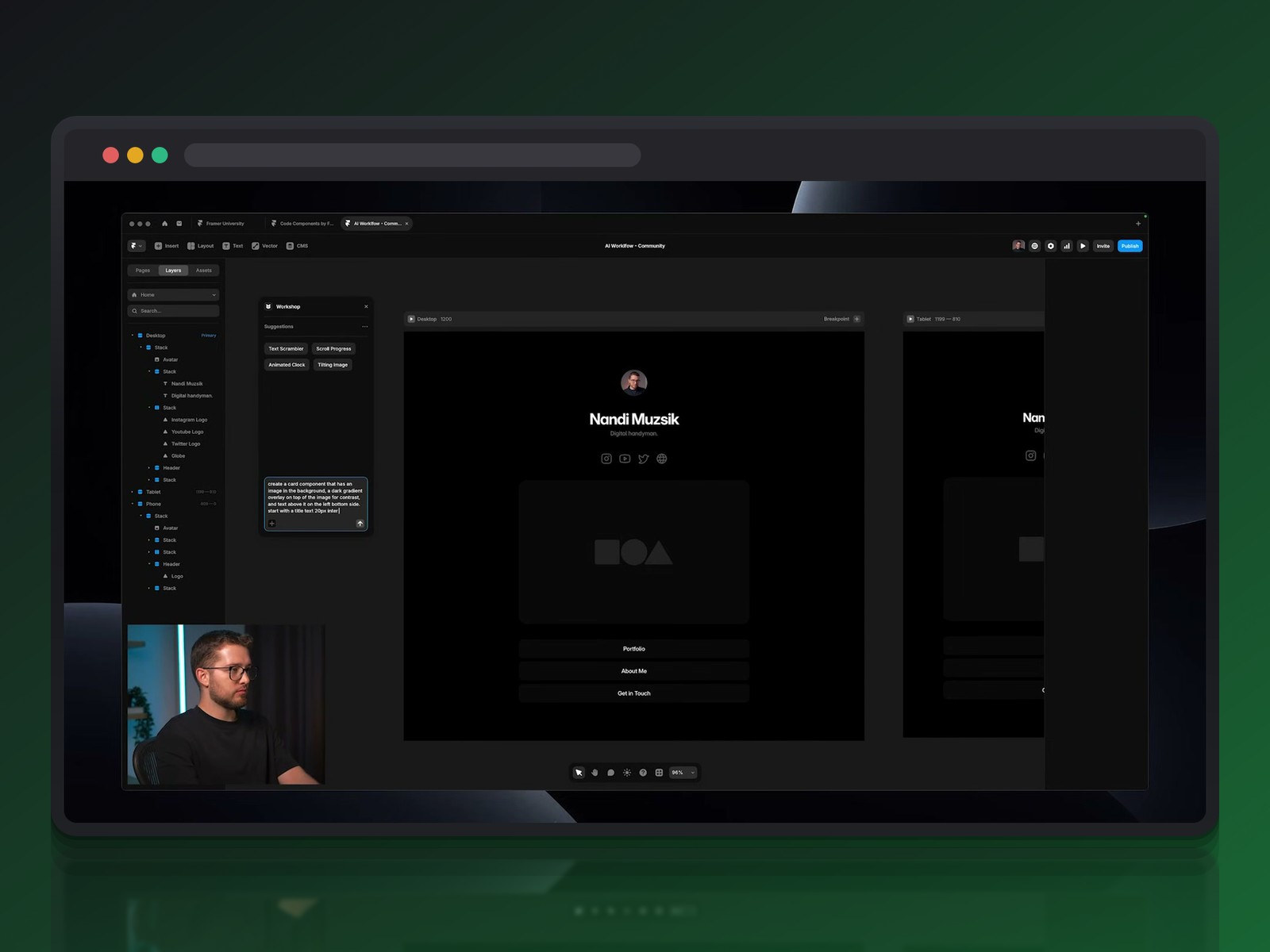
The process starts with a simple description — portfolio, company page, changelog. Wireframer instantly builds a complete architecture, with desktop, tablet, and mobile versions generated automatically. Contact sections, galleries, and headers all appear without touching a single traditional drawing tool.
This output is a starting point, not a finished result: an element misplaced on mobile gets nudged back into place with the arrow keys, exactly like any other layer. This total freedom on the canvas sets Framer apart from more rigid tools like Linktree, where nothing goes deeper than the template.
Workshop: a Personal Developer on Demand
When no-code hits its limits, Workshop takes over to generate a custom code component from a precise prompt. Describing a card with a background image, a dark gradient for contrast, and a 3D flip effect on hover is enough to get a working, ready-to-drop component.
The result often exceeds the initial request: gradient intensity, animation duration, or font controls that can be added afterward, with no CSS to write. We find the same prompt-driven logic we tested on Figma Make and Lovable — except Framer publishes the result live instantly, with no separate export step.
A practitioner's take: a designer moving from Figma to Framer
Beyond staged demos, the most telling test is a practitioner migrating a real project. A freelance designer, a former agency lead, rebuilt his own professional site in Framer — a chance to step outside a scripted scenario.
An Old Site, a Heavy Technical Legacy
His old site, built seven years earlier on Readymag, had every flaw in the book: outdated typography, painfully slow loading, zero responsiveness. Every update, even swapping a font or adding a client testimonial, turned into a fight with the interface.
A Familiar Interface, a Fast Learning Curve
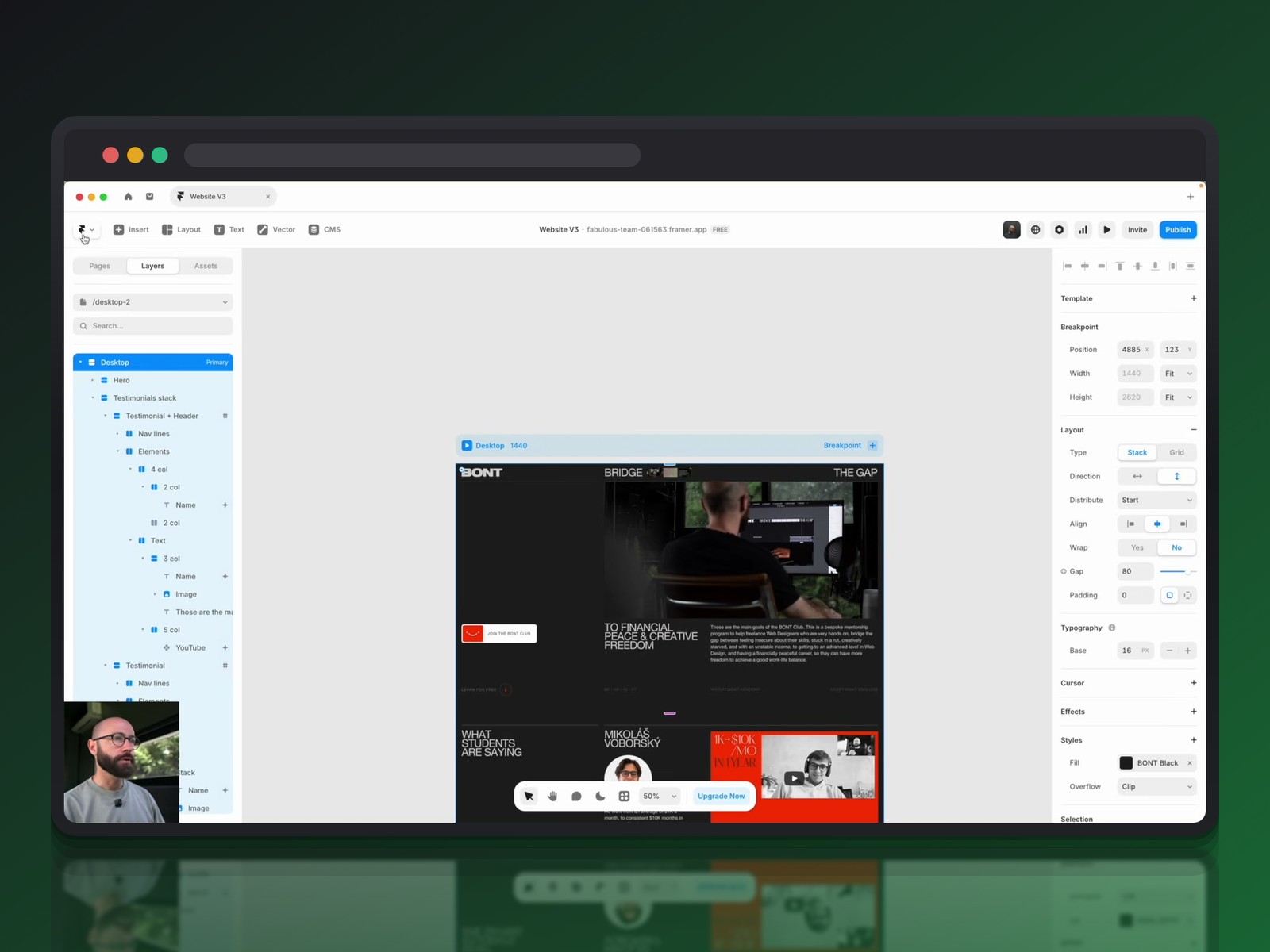
Opening Framer, the Design Pages echo Figma's behavior: layers, components, full freedom of movement. Standard keyboard shortcuts all just work (Control G for the grid, Control R for rulers), skipping the painful relearning curve he faced moving from Sketch to Figma.
Eight hours of hands-on exploration, tutorials included, were enough to grasp the component logic and think in layers rather than lines of code.
Stacks, Components and Responsive: Everyday Productivity
Stacks automatically rearrange testimonials or lists without moving each element by hand. Turned into components with text, image, and video variables, these blocks can be dropped onto any page while keeping perfect consistency.
The real test was responsiveness on a deliberately deconstructed editorial layout. The designer kept his complex alignments intact down to under 1000 pixels wide, without writing a single line of code. An infinite carousel generated by Workshop replaced, in under two hours, a feature once thought impossible on his old platform.
Content, CMS and SEO: where Webflow keeps the edge
Framer: Custom Fields, but a Younger CMS
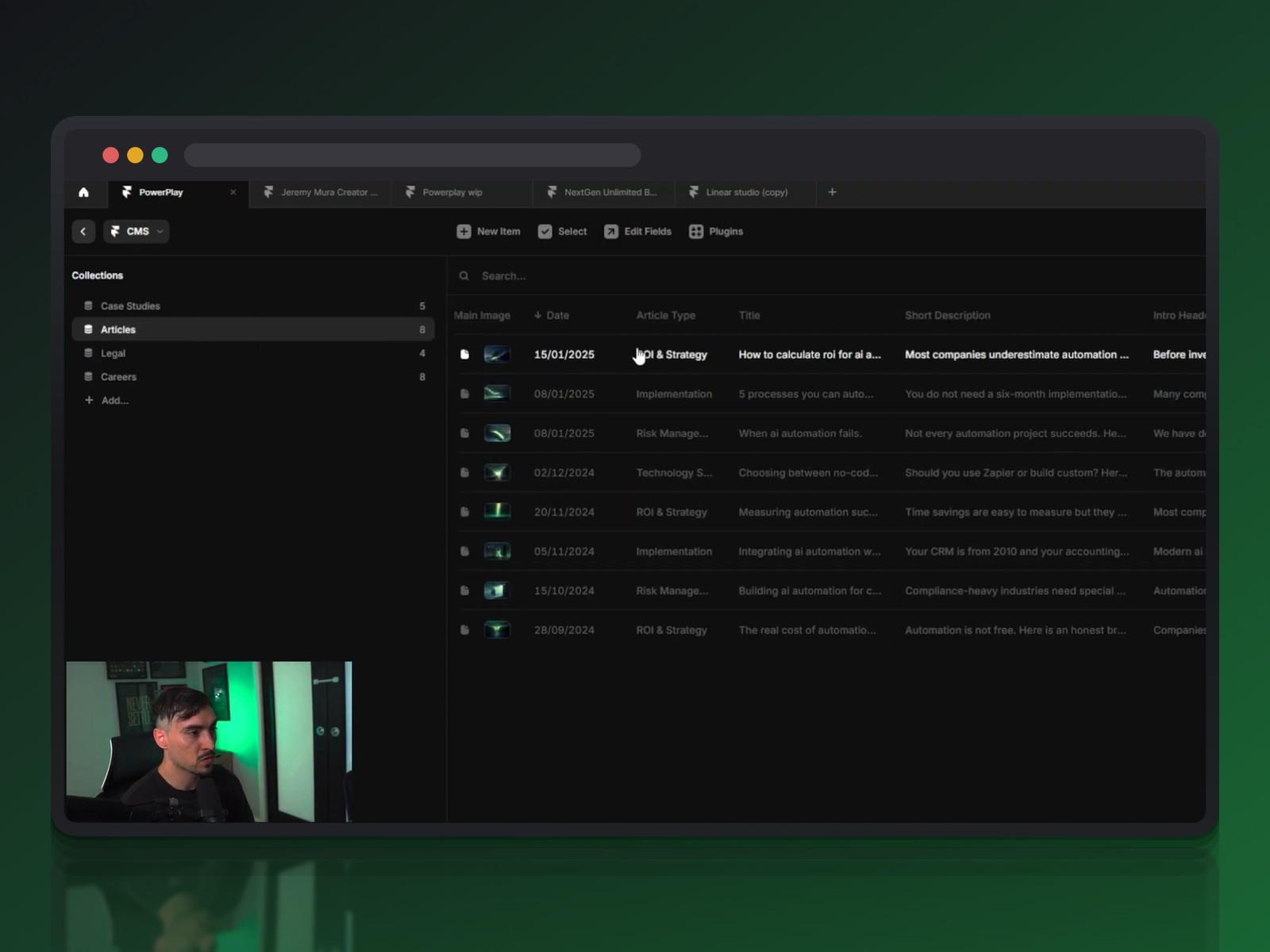
On content management, both platforms offer solid collections, but with opposite philosophies. Framer pushes field customization all the way to embedding interactive components, and connects external sources like Notion or Google Sheets through dedicated plugins. Dynamic filters and multi-references make browsing large content libraries easier.
Webflow: the Structural Rigor of a CMS Veteran
Webflow still leads on structural rigor: predefined templates that work well for blogs or portfolios, and a back-end view that's easy to read across thumbnails and metadata. Its barrier to entry stays higher, though — no CMS on entry-level plans — a constraint we already covered in our hands-on with Webflow.
On the Framer side, AI also automates technical SEO: one click generates alt text for every image in a project, validated then applied automatically. A once-tedious task becomes a simple review step.
It doesn't replace the structural depth of a CMS built for hundreds of entries, though. On that front, Webflow remains the reference for complex content or the kind of interactive experiences you get pairing it with Spline.
Collaboration and pricing: the commercial showdown
Real-time collaboration is now a baseline expectation: both tools let you invite clients and teammates, with live cursors and fine-grained access control depending on who's in the room. Design becomes an almost "multiplayer" activity, where every change appears instantly for the whole team.
Pricing, though, diverges sharply in clarity. Framer bets on simplicity, with a free domain included and plans that are easy to compare. Webflow complicates the math with extra costs for workspaces and editor seats — picking a plan becomes a strategic calculation based on team size and number of contributors.
What the three videos reveal
All three sources converge, but each lights up a different angle — and that's instructive. The broad comparison (Jeremy Mura) sweeps across design, AI, CMS, collaboration, and pricing to lay the groundwork for the match-up.
The Framer University tutorial zooms in on the hands-on process: Wireframer for structure, Workshop for the custom component, all the way to publishing. The practitioner's account (BONT) delivers what no marketing demo can — a real project migrated, with real frustrations beforehand and measurable gains after.
Framer or Webflow? Our recommendation based on your use case
Neither tool wins across the board. The right pick mostly depends on what you're trying to build:
- a showcase site, portfolio, or quick redesign led by a solo designer → Framer
- a blog, heavy editorial content, or a complex CMS structure at scale → Webflow
- a custom component with no developer involved (carousel, clock, animated card) → Framer's Workshop
- an agency juggling several design tools depending on the client → the same logic we laid out in our Figma, Sketch and Penpot comparison for agencies
Prompt engineering matters almost as much as the tool itself: a precise brief on context, layout, and expected interactions radically changes the quality of the result, on Framer just as on any other AI generator.
Conclusion
Framer and Webflow are no longer two clones fighting over the same audience. Framer speeds up solo production thanks to generative AI built deep into the editor; Webflow remains the safe bet for structured content at scale and larger teams. The real winner of this duel, in 2026, is the designer who knows which one to call on for which project.
Further reading
This synthesis article is based on the following videos:
- Framer contre Webflow : analyse comparative des nouveaux standards du design web sans code
- Concevoir un site web professionnel avec Framer et l'IA sans aucune ligne de code
- De Figma à Framer : comment l'IA et le no-code redonnent le contrôle aux designers web
Articles generated via Vidiome, then merged and enriched.