Introduction: stock-asset fatigue has reached icons too
We all know the drill: search a free icon library, then another, then a third, and end up with a patchwork of strokes and styles that never quite match. In 2026, a new generation of AI tools promises to end that patchwork.
We looked at three videos that tackle the question from very different angles: the raw potential of a vector generator, its concrete use for producing a branded icon set, and the place these tools occupy in an agency's daily workflow. Enough to answer honestly: can we really do without a paid pack?
Recraft V4: the end of the fake-vector illusion
The historic problem with AI image generators is raster output. You get a nice logo or icon, then discover at export that it's a flat image, impossible to scale up without losing sharpness. Recraft V4 tackles this friction point head-on.
An exploitable vector, not a disguised image
The tool produces genuine, infinitely scalable vector paths, with results that look hand-traced by a senior designer. It also ships a vectorizer that turns a paper sketch or an old photo into a clean vector in one click.
It's a real shift in kind, not just speed: hours of manual tracing become a few seconds, without sacrificing how usable the final file is in Figma or Illustrator.
An AI that understands a brand's "taste"
Another difference from generic generators: you drop in a brand image, the tool infers a reusable style, then generates the assets that follow from it. Amazon, Vidyard and Salesforce already rely on this kind of flow for large-scale production — a signal that stylistic consistency, not just raw looks, is becoming the real stake for these tools. On the purely creative side rather than the utilitarian one, Krea.ai follows a similar logic, though it leans more toward visual exploration than interface-asset production.
From one icon to a coherent set: the real test
Generating one nice icon is easy. Generating twenty icons that actually look alike for a deck or a full interface is where most generative AI tools fall short — and that's exactly the ground covered by the second video, focused on a very concrete use case: replacing Canva and Midjourney for a set of professional slides.
Working by set, not by image
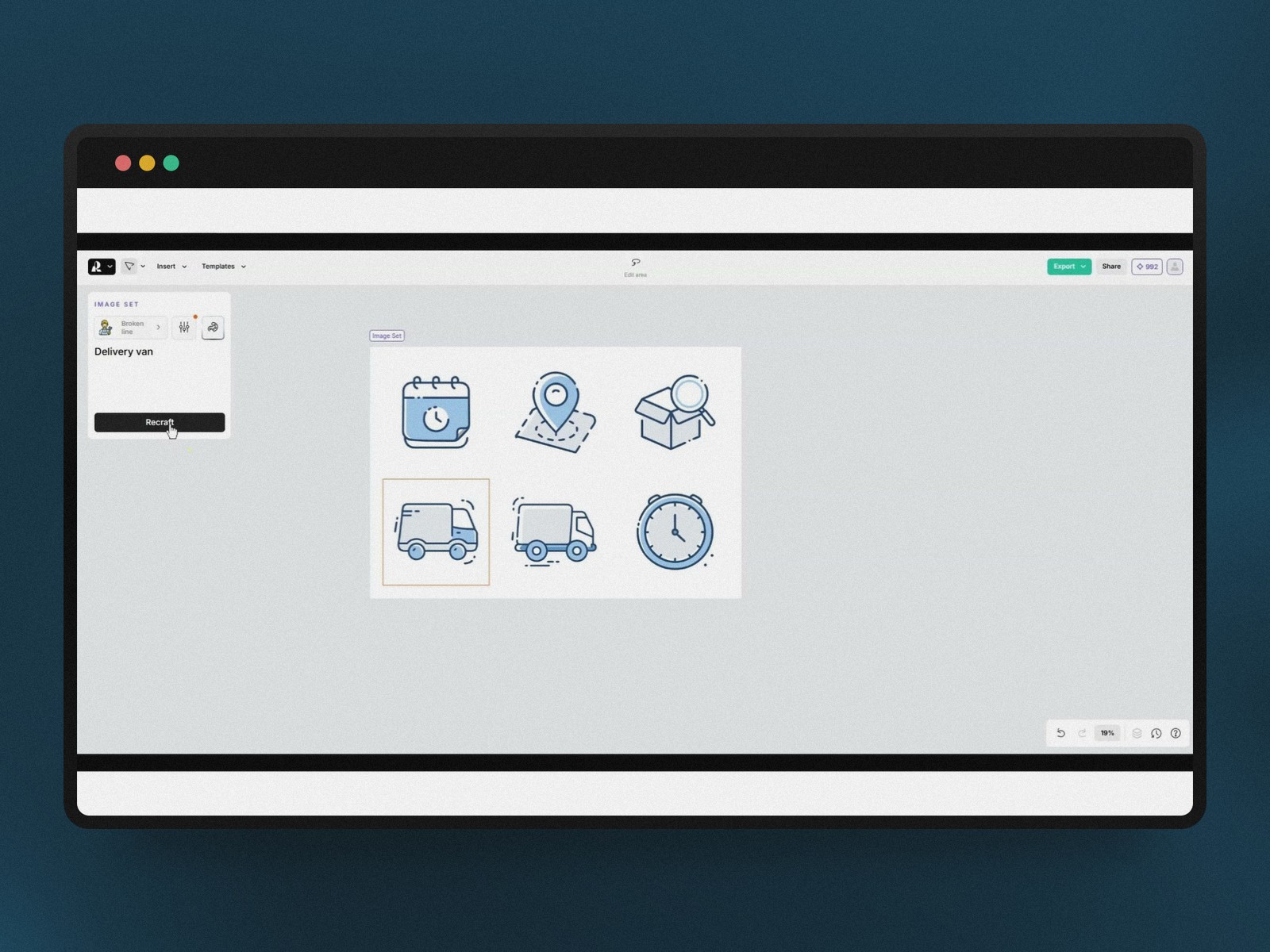
Recraft AI's project mode generates several images at once from the same working frame, which keeps stroke weight and aesthetics identical from one icon to the next — whether it's a building or a vehicle.
You can also import your own RGB or Hex color codes, or simply extract the palette from an existing logo so the AI aligns with it automatically. → logo imported → palette extracted → icon set consistent with the brand identity. It's the same instinct behind a palette system like Radix Colors: lock the color consistency first, generate second.
Negative filtering, a habit worth building
The exclusion feature (removing characters, stray text on an icon) turns out to be as useful as the initial prompt: it avoids ten extra generations for a detail that could have been filtered out from the first attempt.
Iteration is still a craft
The first pass isn't always right: a delivery van can come out too bulky, an icon can miss the intended message. The video is clear on this point — art direction doesn't disappear, it shifts toward fine-tuning prompts and picking between variants.
The agency view: an AI stack rather than a single tool
The third video shifts registers entirely. Rather than an icon tool, it describes how an agency centralizes its creative production — briefing, visuals, motion, decks — around a platform like Abacus AI, routing through Recraft for minimal styles and Flux for more cinematic renders.
Icons are just one link in the chain
In this context, generating an icon or illustration set is no longer an isolated task: it's one step among defining the brand brief, generating visuals, then animating and packaging them into a presentation. A useful reminder — "which tool for my icons" rarely gets asked in isolation inside a real production flow.
Price changes the perception
For around ten dollars a month, an agency gets access to a bundle that would cost hundreds if every piece (stock library, palette tool, icon generator, presentation software) were paid for separately. That economic argument, more than visual quality alone, is what pushes teams to switch.
Humans still own publishing
The video is clear on one point: automation stays supervised, especially before anything goes public. The AI proposes variants, the team disposes. That discipline is what keeps a generated icon set from looking like just another generic set.
So, does AI really replace paid packs?
All three videos converge on a nuanced answer. For a specific, well-scoped need — a branded icon set, a series of illustrations for a deck — generative AI now rivals a paid pack, with the added benefit of a usable vector and a palette locked to the brand.
It doesn't replace the manual curation still needed once you step outside that frame: highly specific icons, strict adherence to an existing design system, or production volume that far exceeds a single deck. The gain is real on speed and stylistic consistency, not on making art direction disappear.
Conclusion: one more tool, not an automatic replacement
The real shift in 2026 isn't that an AI can draw icons — we already knew that. It's that it now draws them as coherent sets, aligned with a brand identity, exportable as clean vectors, and built into full production flows rather than isolated tools. Paid icon packs keep their place for generic, high-volume libraries; generative AI takes the more strategic slot of fast, bespoke work. For a generic, high-volume UI library, a pack like Lucide Icons or Tabler Icons still beats a custom generation on speed and predictability.
Further reading
This synthesis article is based on the following videos:
- Recraft V4 et l'IA créative : révolutionner le design vectoriel et l'identité visuelle des marques
- Maîtriser Recraft AI pour créer des présentations professionnelles à l'identité visuelle cohérente
- Comment Abacus AI transforme le workflow créatif en centralisant l'intelligence et la productivité d'agence
Articles generated via Vidiome, then merged and enriched.