Introduction
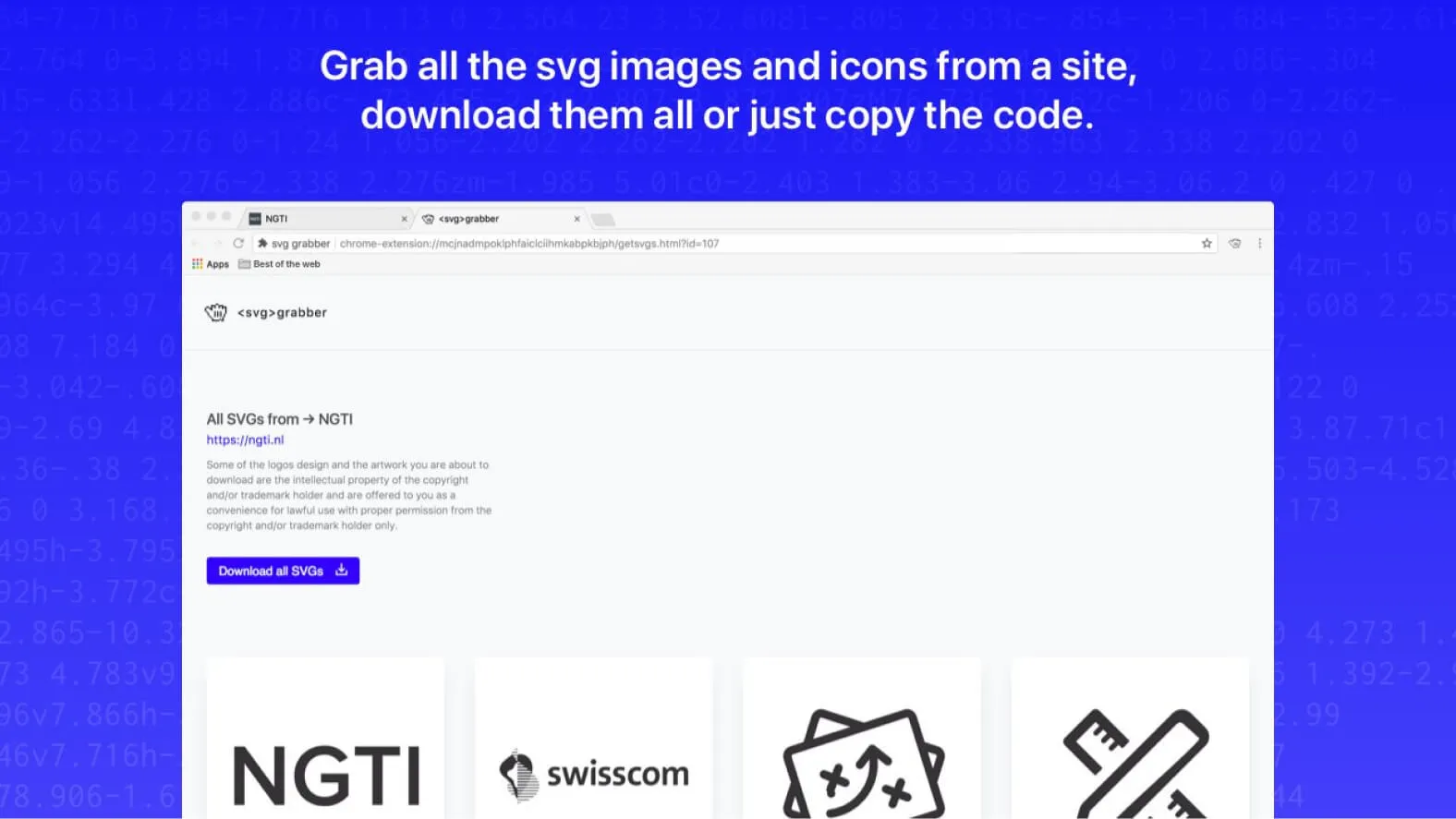
SVG Grabber is an open-source Chrome extension that enables users to easily view, download, and copy all SVG assets from a website¹. Developed by Jaques Bouman and Juan Rios at NGTI in Rotterdam, Netherlands, this tool has become a staple for extracting SVG images.
Key Features
QUICK AND INTUITIVE PREVIEW
SVG Grabber provides a clear and concise overview of the icons and SVG illustrations present on a website. With this feature, users can quickly explore and select the graphic elements they want to retrieve.
FLEXIBLE DOWNLOAD AND COPY OPTIONS
Users have the ability to download SVG files in high quality directly from the extension interface. Additionally, they can also copy the corresponding SVG code to the clipboard, offering maximum flexibility for integrating graphics into their projects.
PRECISE FILTERING AND SELECTION
SVG Grabber allows users to filter SVG elements based on various criteria such as size, color, or type. This feature makes it easier to search for and select specific graphic assets needed for a given project.
BROWSER COMPATIBILITY
Beyond its seamless integration with Google Chrome, SVG Grabber is also compatible with other popular browsers such as Firefox and Microsoft Edge. This versatility allows users to benefit from the extension's features regardless of their preferred browser.
OPEN SOURCE COMMUNITY SUPPORT
As an open-source project hosted on GitHub, SVG Grabber benefits from an active community of contributors and users. This open collaboration ensures continuous evolution of the extension, with regular updates and the addition of new features in response to community needs.
Benefits for Professionals
Designers benefit from SVG Grabber's ability to retrieve high-quality graphic assets. Developers appreciate the ease of integrating SVGs into their web projects. Additionally, being open source, it benefits from an active community that contributes to its improvement.
Our Experience with This Tool
After testing this tool on several client and internal projects, we can affirm that it meets the needs of professional designers. Our team uses it regularly in our daily workflow, which allows us, based on our experience, to validate its effectiveness under real-world production conditions.
Detailed Test Points:
- Performance on large files (500+ frames)
- Compatibility with complex design systems
- Stability during intensive use
- Integration in a team workflow
Points of Attention (tested in real conditions)
In the interest of transparency, here are the limitations we identified during our testing:
- Processing time can be extended on very large files
- Requires a stable internet connection for certain features
- Learning curve for beginner users
Conclusion
SVG Grabber embodies the essence of collaboration and ease of use in the world of design and web development. By offering an intuitive solution for extracting, previewing, and integrating vector graphics, this Chrome extension positions itself as an invaluable tool for creative professionals.
Whether you are a designer looking for inspiration or a developer seeking to improve user experience, SVG Grabber meets your needs with efficiency and elegance. With its cross-browser compatibility and commitment to the open-source community, SVG Grabber continues to evolve, promising a future where exploring and using vector graphics on the web is more accessible than ever.