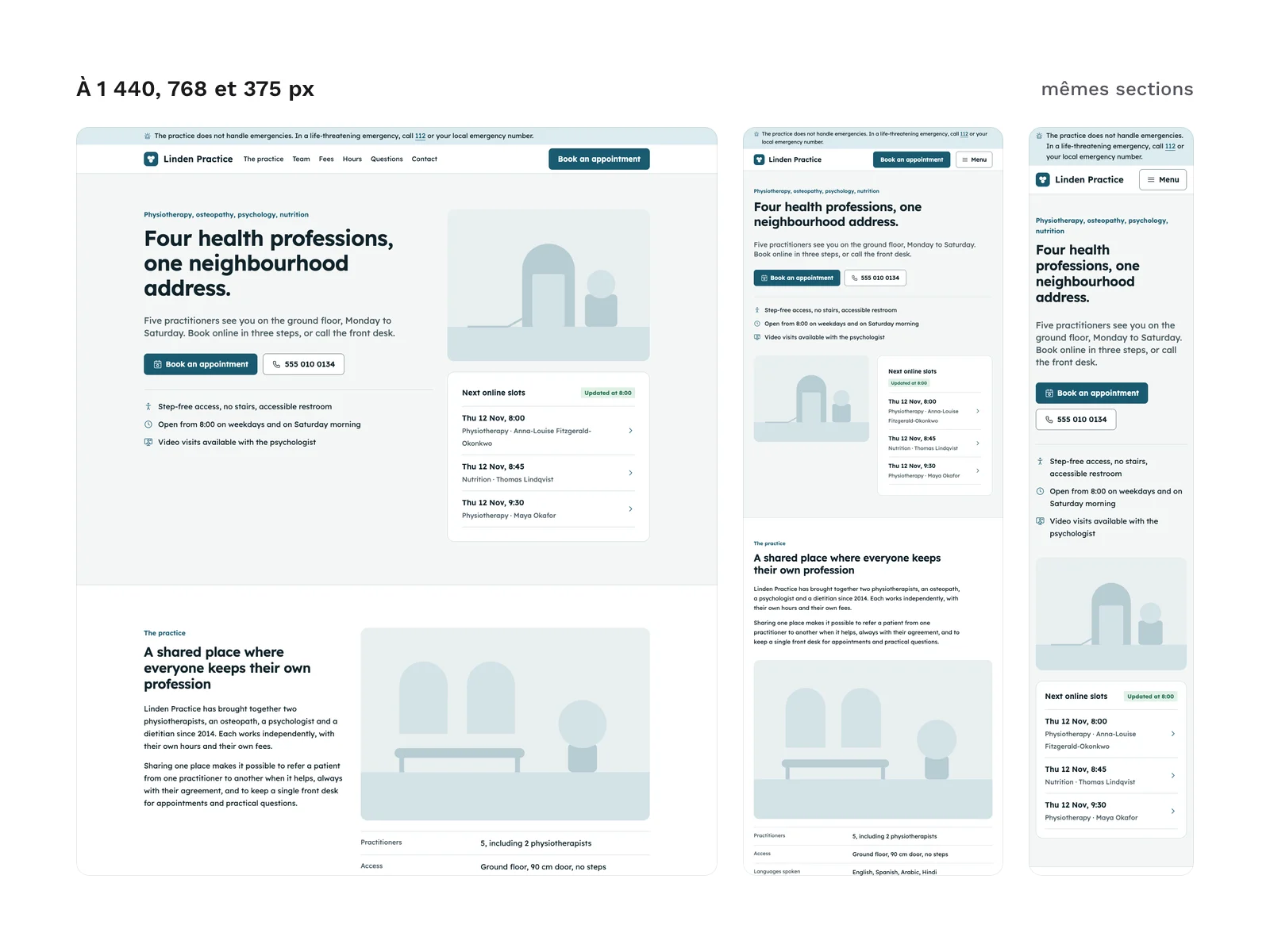
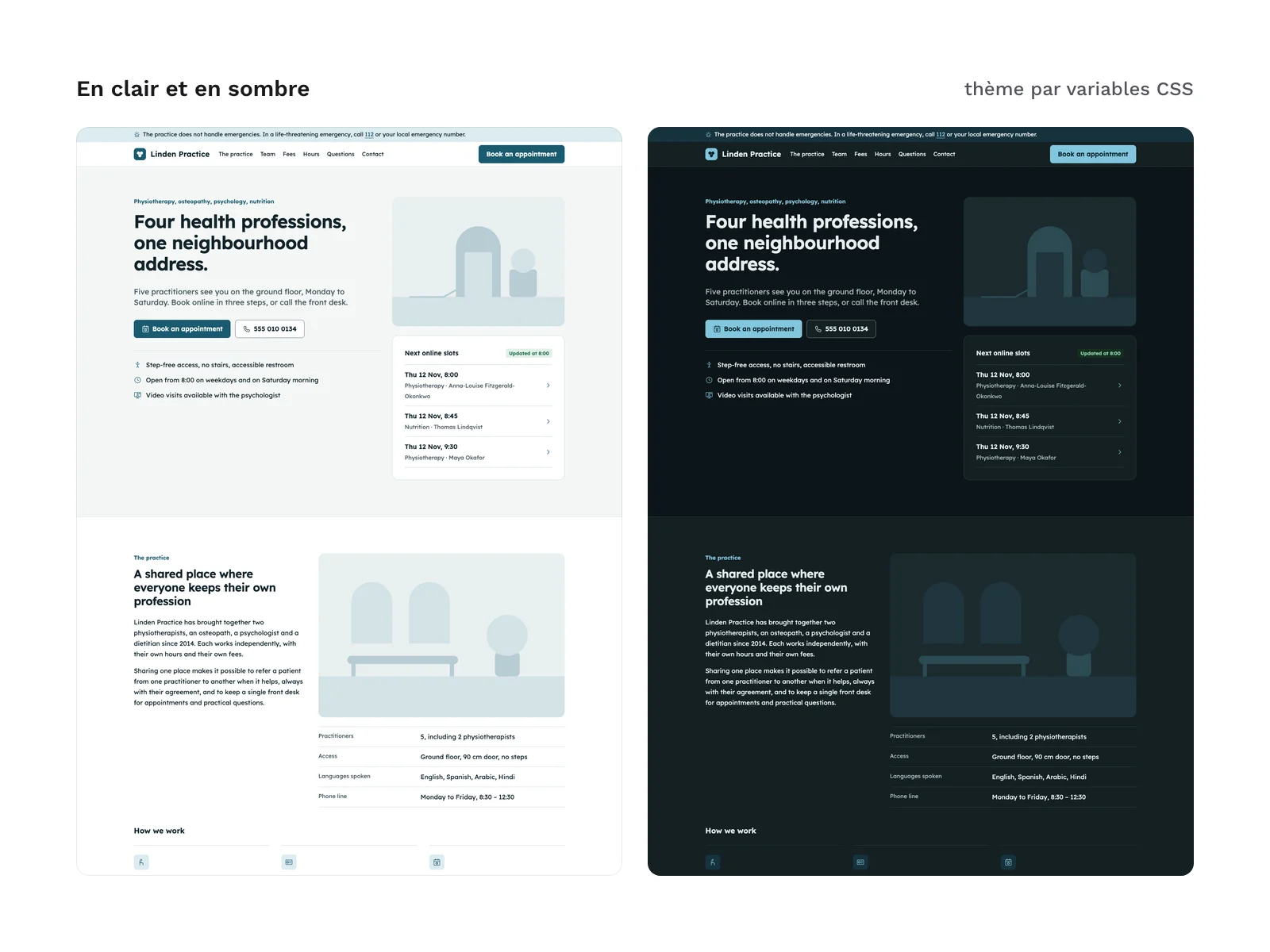
Preview 1 of 4
Astro and Tailwind sections for a health or wellness practice (team, services, opening hours, booking)
Astro and HTML sections for a health practice website: team, services and fees, opening hours, appointment booking interface. Built for client sites.
Overview
Description
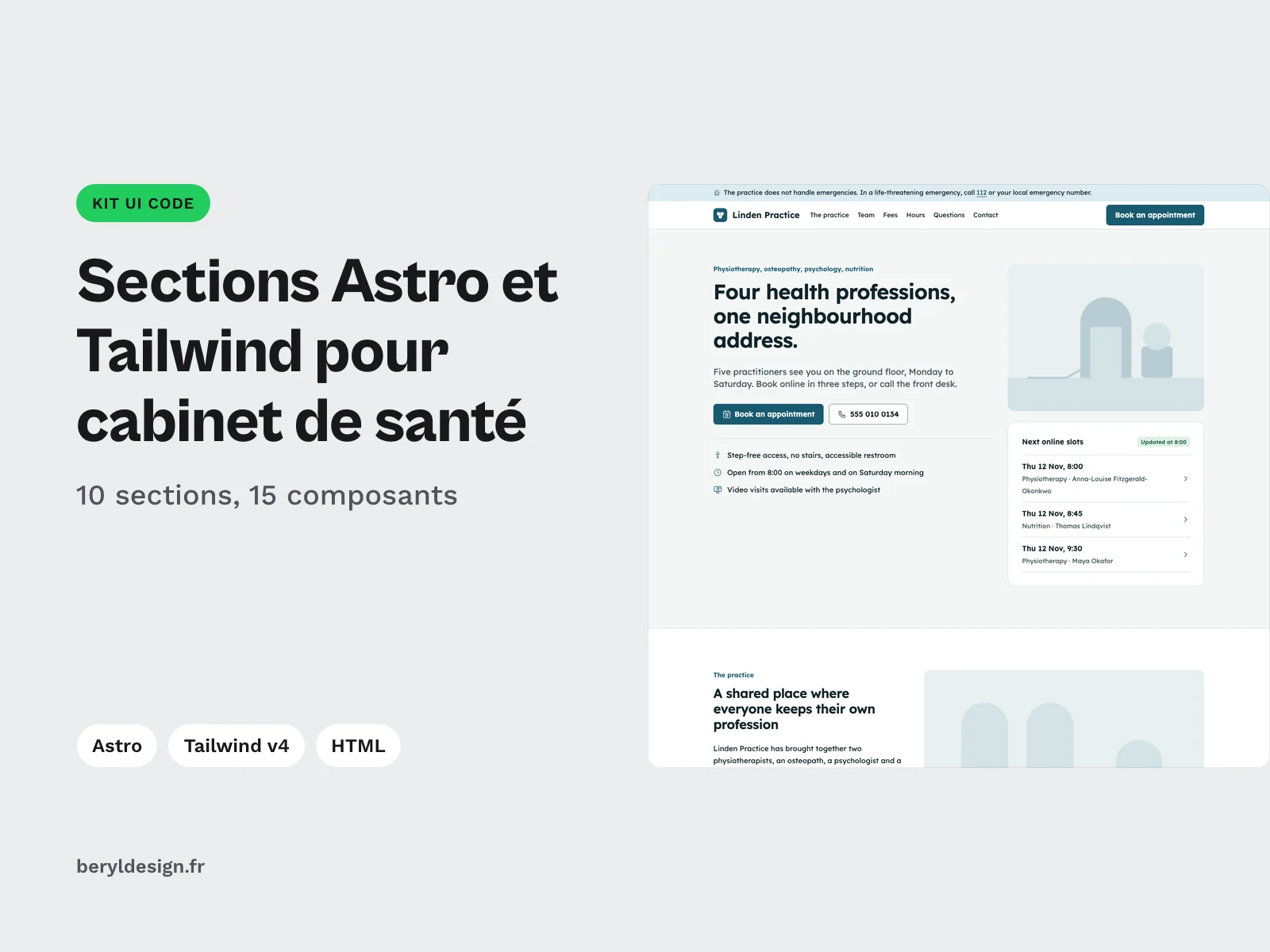
This kit is for front-end developers and freelancers who deliver the website of a health or wellness practice: physiotherapist, osteopath, psychologist, dietitian, dental practice. It brings together the sections of such a site, ready to take your client’s data: header with an emergency notice, hero with the next free slots, practice presentation, team with a specialty filter, services and fees, opening hours and access, appointment booking interface, frequently asked questions, contact and footer. Every section comes as an Astro component with typed props and as static HTML, sharing the same stylesheet. The kit contains no photo: every image slot shows a neutral visual drawn in SVG, at the right ratio, which you replace with the practice’s photos. The demo content is in English (see “Language of the sections” below).
Specifications
| Sections | 10, as Astro components and in HTML |
|---|---|
| Components | 15, 23 variants, 8 states |
| SVG icons | 26: 9 specialty icons, 17 interface icons |
| Files | 62 in the archive |
| Formats | HTML, CSS, Astro, TypeScript, Tailwind v4 theme, SVG |
| License | commercial (page in French) |
| Version | 1.0.0 of November 11, 2026 |
Contents
- 10 sections as Astro components (
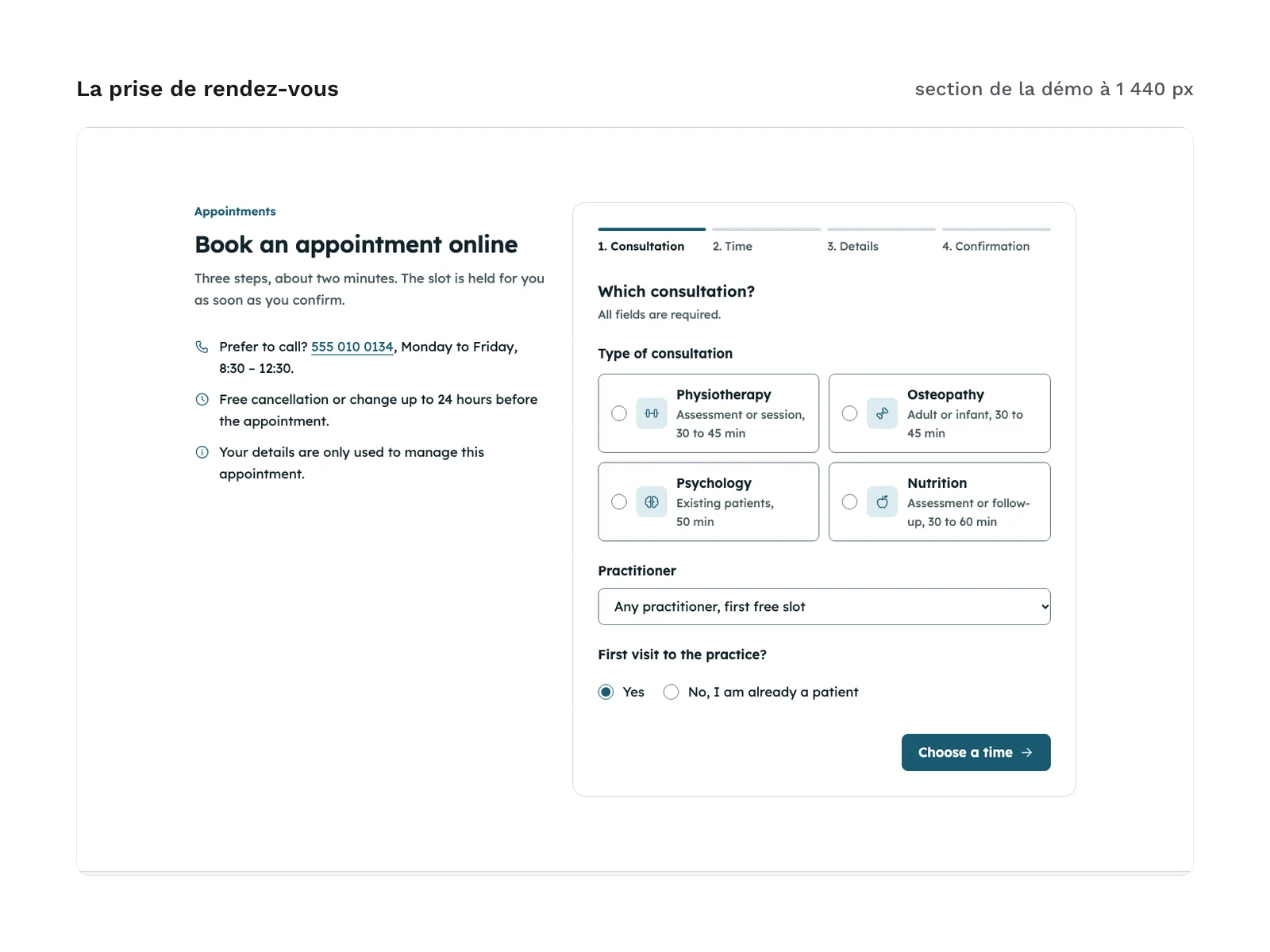
astro/), with no content hard-coded in the components:Header: emergency notice bar, practice name, navigation, booking button, skip link;Hero: title, lead, booking and call buttons, key facts, photo slot, next free slots;About: the practice, its key facts, how it works, photo slot;Team: practitioner cards with a specialty filter, each one’s next slot and a button that opens the booking form already filled in;Services: treatments and fees by specialty, with the duration and a coverage tag;HoursAccess: hours table with the current day and the “open” or “closed” status computed in the browser, address, map slot, access;Booking: step-by-step booking (consultation, time, details, confirmation), with inline errors and an error summary;Faq: accordion questions built on thedetailselement, no script;Contact: contact channels, emergency warning, message form with inline errors;Footer: address, hours, emergency numbers, links, legal lines.
- 15
.astrocomponents in total: the 10 sections, plusBrand(the practice name with a simple mark, to swap for your logo),Icon(one pictogram),IconSprite(the sprite, rendered once per page),Visual(the image slot or your photo) andClinicScript(the behaviour of the sections, rendered once per page). - 23 component variants: buttons, tags, callouts, icon badges, practitioner cards (including the “waiting list” card), day cells and time slots (selected, disabled, already booked), plus the open and closed states of the hours and of the menu.
- 8 states of the booking and contact forms (steps, errors, confirmation). A URL parameter opens the steps and the error or confirmation screens directly, for your previews and tests.
- An example page:
PageExample.astrowires every section with the fictional data insample-data.ts(5 practitioners across 4 specialties: physiotherapy, osteopathy, psychology, dietetics); the data shapes are described intypes.ts. - 10 sections as static HTML (
html/sections/), extracted from the build of the demo page, with the sprite and the script as HTML and the full pagehtml/index.html. - 26 SVG pictograms (
icons/): 17 interface pictograms and 9 health pictograms, the latter taken unchanged from the health and wellness line icon pack. - A setup guide,
astro/LISEZMOI-astro.txt. - 62 files in total.
File layout:
astro/: the 15 components,PageExample.astro,types.ts,sample-data.ts,format.tsandLISEZMOI-astro.txt.html/:index.htmlandsections/*.html.html/css/:tokens.cssandkit.css.tailwind/:theme.css.icons/: the SVG pictograms.
A booking interface, not a booking engine
The appointment booking is a complete interface: choice of consultation and practitioner, weeks and time slots, contact details, recap and confirmation, with an .ics calendar file generated in the browser. It contains no booking engine: it stores nothing, sends nothing and does not know the practice’s real schedule. The booked slots in the demo follow a fixed pattern, to replace with a call to your own schedule. The script carries TODO comments where you send the booking and the contact message to the booking tool or server of your choice. The current day, the “open” or “closed” status and the next free slots are computed in the browser from the opening hours in your data, so the static HTML never goes stale.
Without JavaScript, the page still reads fine: the 10 sections and the 5 sample practitioners are shown, the team filter, the opening status and the next free slots are hidden, and a message above the booking form explains that booking requires JavaScript.
The forms ask patients not to write medical details or send documents. Keep them that way unless your server and your legal basis allow health data.
Images: slots, not photos
No photo is included. The hero, the practice presentation, the access map and each practitioner’s portrait show a neutral visual drawn in SVG with the kit’s colour tokens, at the ratio of the slot and with no text on it. You pass your photo through a prop (source, alt text, width and height): the frame keeps its ratio and the page does not shift while the picture loads. The map remains a slot, ready to connect to the map service of your choice.
Production and AI
The code of the sections (Astro components, HTML, CSS, Tailwind theme), the SVG pictograms and the neutral visuals were produced with an AI assistant, then reviewed and checked: no violation reported by axe-core, colour contrast included, a mobile Lighthouse score of 100 for accessibility and 98 for performance, and every measured spacing on the 4 px grid.
Language of the sections
The sections ship in neutral English, with nothing specific to one country: sample data, labels and setup guide. The notice bar, the contact section and the footer give 112 and “your local emergency number”: the guide lists where to put the numbers of the practice’s country. The form messages live in the labels object of sample-data.ts, the fixed headings, hints and buttons in the .astro files. The language and order of dates are set by a prop of the script. In the HTML version, you edit the text directly in the markup.
Formats and compatibility
- Astro:
.astrocomponents with props typed in TypeScript. The team filter, the opening hours, the booking and the contact form are dependency-free JavaScript, in a single inline script (ClinicScript). Supported versions are listed in the setup guide. - HTML and CSS:
tokens.css(light and dark modes) andkit.css, already compiled, no CDN. These files work in any web project, with or without a framework.kit.cssis written in an@layer componentsblock, so your own styles always win. - Tailwind v4 theme:
tailwind/theme.cssholds the same tokens as an@theme, so you can use them as utility classes. It is optional:kit.cssis enough if your project does not use Tailwind. - SVG: the 26 pictograms, on a 24 px grid with a 1.5 stroke, whose stroke takes the text colour. They open in most design tools and work directly in code. For a specialty without its own pictogram, the guide explains how to add a symbol to the sprite.
Everything goes through tokens: spacing on a 4 px grid, sizes, radius, borders, type scale and colours. The sections are flat, with no shadow. Dark mode follows the system setting; a data-theme attribute on the html tag forces either mode.
The Lexend font (SIL OFL 1.1 license) is not bundled in the files: the guide installs it through its npm package, so you host it with the site. The plain HTML demo page loads it from a public CDN; remove that line if you self-host. The kit contains no mockup file for a design tool.
Checks run before release, in light and dark modes, at 320, 375, 768 and 1,440 px wide, on the page and on the form states: no violation reported by axe-core and no horizontal scrolling. With the keyboard, every element reached shows a visible focus ring.
License
The kit is sold under the commercial license (page in French): you can use it in your projects and deliver to your clients the websites built with its sections. You may not resell or redistribute the kit or its files, nor hand the original kit to a client for reuse elsewhere. The font keeps its own license.
Further reading
- Pictograms in the same style for the rest of the practice’s site or app: the health and wellness line icon pack.
- The same kit for another sector, with menu, allergens and booking: the Astro and Tailwind restaurant website sections.
- For the booking and contact forms: the most common accessibility mistakes in forms (article in French).
Version history
1.0.0 (11 November 2026): first version.