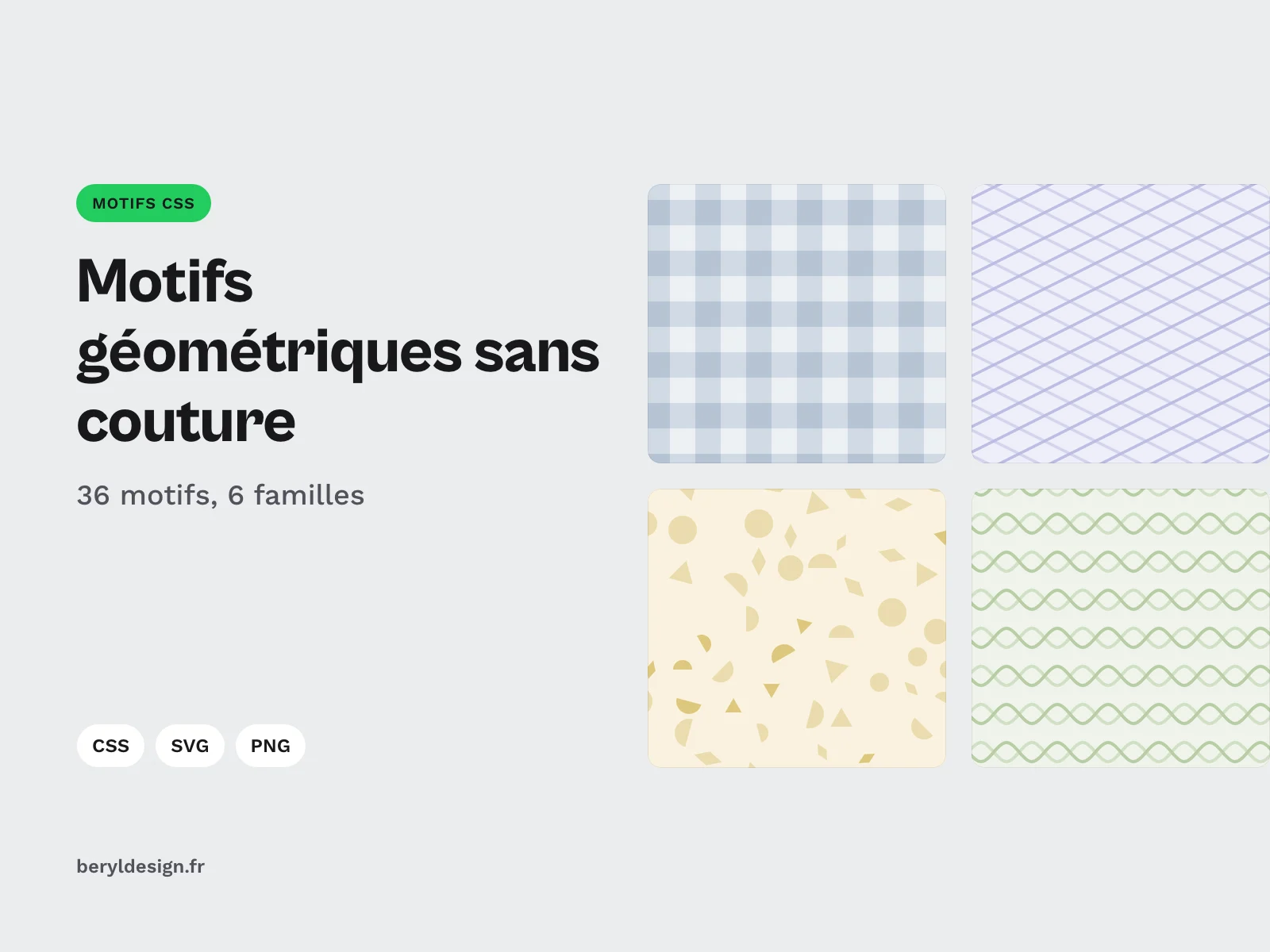
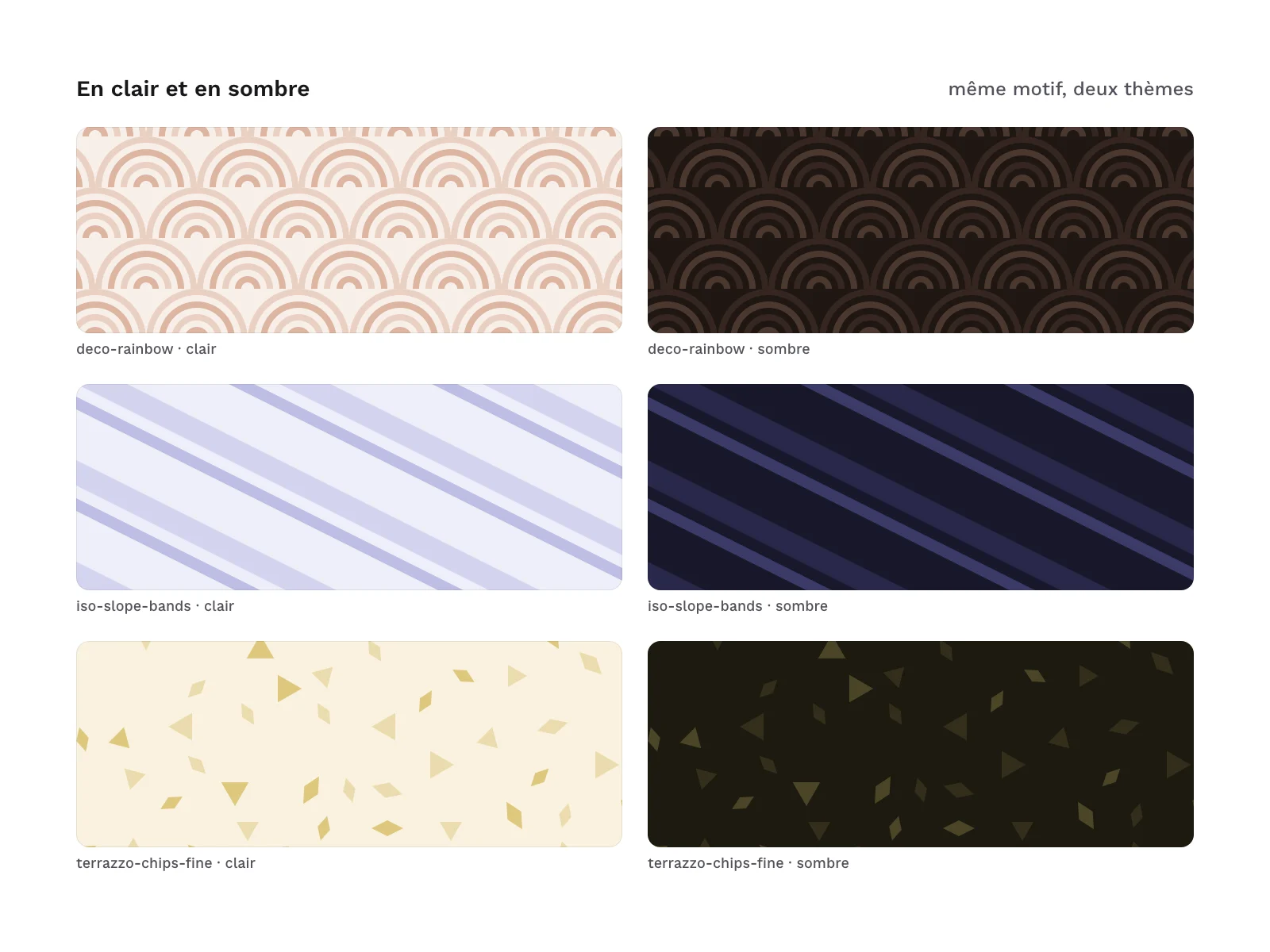
Preview 1 of 4
Seamless geometric patterns in SVG and CSS: 36 patterns, colours as variables (SVG, CSS, PNG)
36 seamless geometric patterns in CSS with variables, plus SVG tiles and PNG, light and dark: recolour your backgrounds without touching the drawing.
Overview
Description
These patterns are for UI designers and front-end developers who want a quiet background behind a header, a card, a section or a whole page, without loading an image. Each pattern is a class of CSS with variables: the shape is written once in the stylesheet, and its colours are variables you change without touching the drawing. The same pattern also comes as an SVG tile and as a PNG, for a mockup, a presentation or a visual.
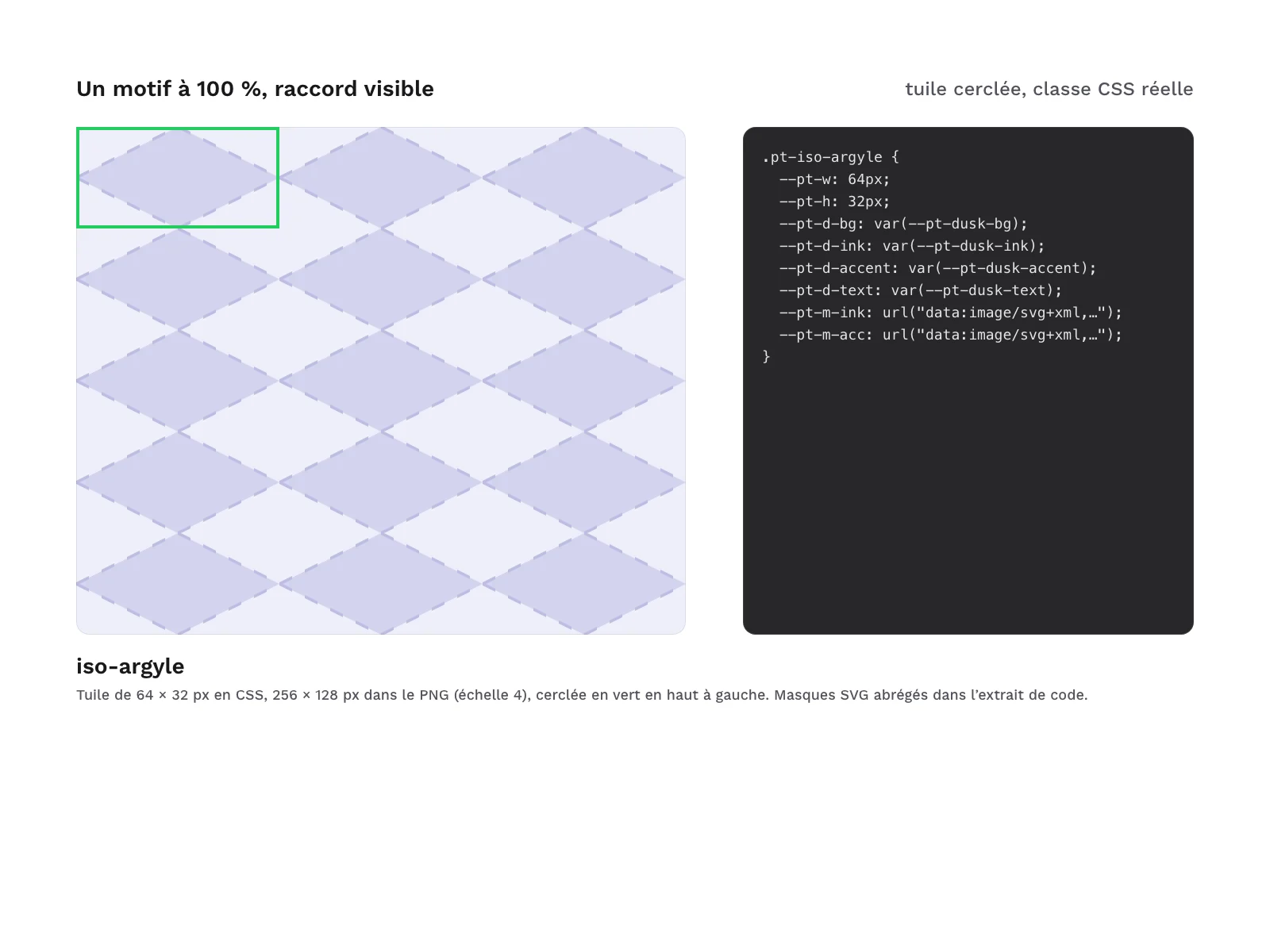
Each pattern repeats with no visible seam: laid over a surface of any size, it shows neither the edge of the tile nor the repeat.
Specifications
| Patterns | 36 in 6 families |
|---|---|
| Palettes | 6 |
| Themes | 2 |
| Files | 37 CSS, 72 SVG, 72 PNG, 1 demo page |
| Formats | CSS (variables), SVG, PNG 3840 × 2160, HTML |
| License | commercial (page in French) |
| Version | 1.0.0 of November 11, 2026 |
Contents
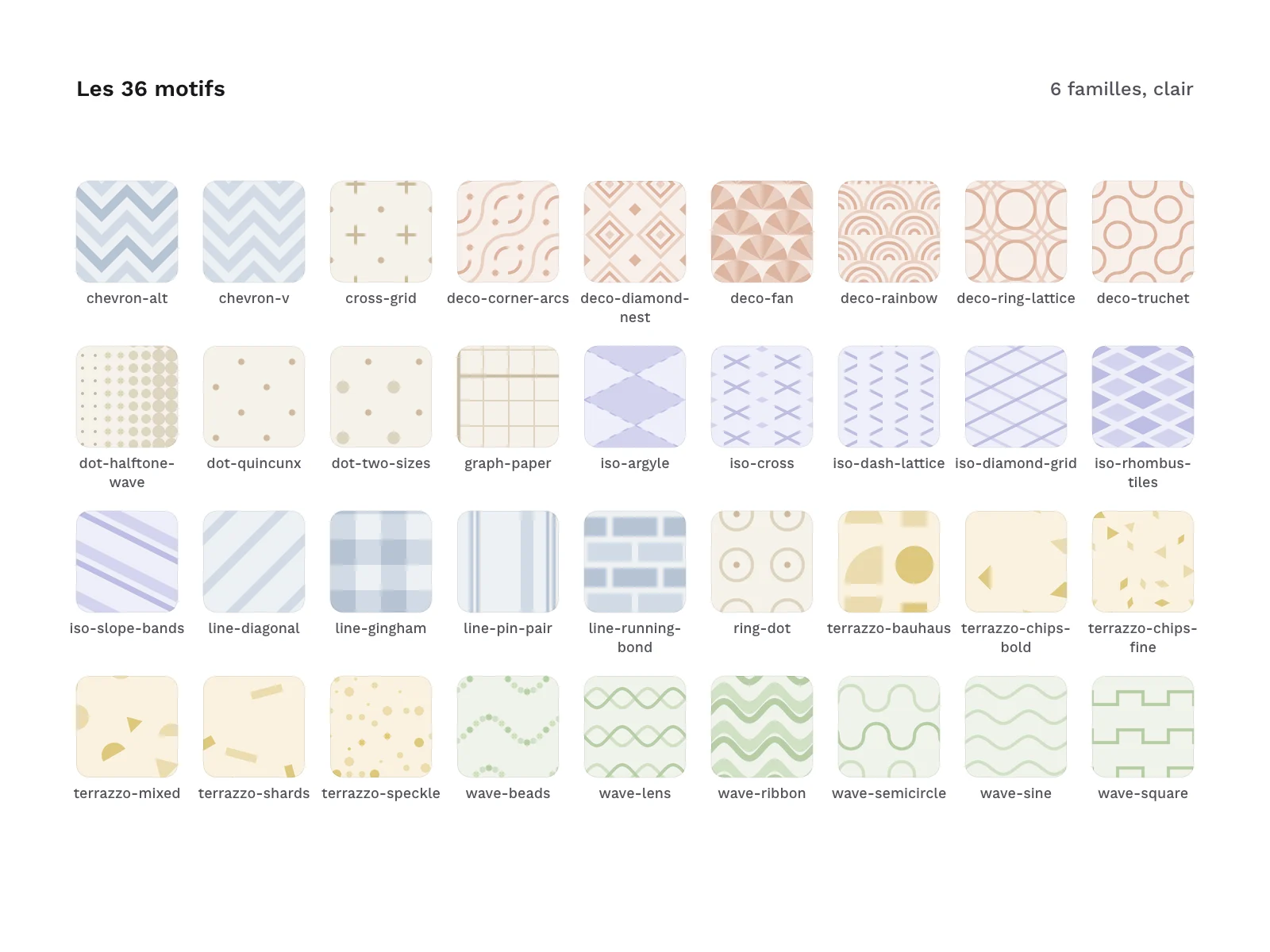
- 36 patterns, in 6 families:
- Grids and dots:
dot-halftone-wave,dot-quincunx,dot-two-sizes,ring-dot,cross-grid,graph-paper; - Lines and chevrons:
line-diagonal,line-pin-pair,chevron-v,chevron-alt,line-running-bond,line-gingham; - Art Deco:
deco-corner-arcs,deco-fan,deco-rainbow,deco-diamond-nest,deco-ring-lattice,deco-truchet; - Waves:
wave-sine,wave-lens,wave-square,wave-semicircle,wave-ribbon,wave-beads; - Isometric:
iso-diamond-grid,iso-rhombus-tiles,iso-dash-lattice,iso-cross,iso-argyle,iso-slope-bands; - Vector terrazzo:
terrazzo-chips-fine,terrazzo-chips-bold,terrazzo-speckle,terrazzo-shards,terrazzo-mixed,terrazzo-bauhaus.
- Grids and dots:
- 6 named palettes:
paper,slate,clay,moss,duskandsand. Each family gets one by default, and each palette gives a background colour, an ink, an accent and a text colour. - 2 themes, light and dark, for every palette.
- 37 CSS files:
css/patterns.css, which holds all 36 patterns, and one standalone file per pattern incss/patterns/, to copy on its own. - 72 SVG files: one tile per pattern and per theme.
- 72 PNG files: one render per pattern and per theme.
- A palette file (
palettes/palettes.json): the light and dark values of each palette, the families and the patterns. - 1 HTML demo page, in French, that opens offline: the 36 patterns as named tiles, a theme switch (system, light or dark) and a palette switch.
Archive layout:
css/patterns.css
css/patterns/<name>.css
svg/light/<name>.svg
svg/dark/<name>.svg
png/light/<name>.png
png/dark/<name>.png
palettes/palettes.json
demo/index.html
The zip also holds the licence text, a README file (LISEZMOI) and the credits.
How to use it
Load css/patterns.css (or only the file of the pattern you picked), then put the class pt on the element, followed by the pattern’s class.
<link rel="stylesheet" href="css/patterns.css">
<section class="pt pt-line-diagonal">…</section>
Here is an excerpt copied as is from css/patterns/line-diagonal.css: the light variables of the slate palette, the class that assigns them to the pattern, then the pattern’s class. The shape sits in an SVG mask; the colours only go through variables.
:root{--pt-slate-bg:#EDF1F5;--pt-slate-ink:#D0DAE5;--pt-slate-accent:#B6C4D4;--pt-slate-text:#15202B}
.pt-theme-slate{--pt-bg:var(--pt-slate-bg);--pt-ink:var(--pt-slate-ink);--pt-accent:var(--pt-slate-accent);--pt-text:var(--pt-slate-text)}
.pt-line-diagonal{--pt-w:32px;--pt-h:32px;--pt-d-bg:var(--pt-slate-bg);--pt-d-ink:var(--pt-slate-ink);--pt-d-accent:var(--pt-slate-accent);--pt-d-text:var(--pt-slate-text);--pt-after:none;--pt-m-ink:url("data:image/svg+xml,%3Csvg xmlns='http://www.w3.org/2000/svg' viewBox='0 0 32 32' fill='%23000'%3E%3Cpath d='M4 0 0 4 0 0zm28 0L32 4 4 32 0 32 0 28 28 0zm-4 32L32 28 32 32z'/%3E%3C/svg%3E")}- Recolour: redefine
--pt-bg,--pt-inkand--pt-accenton the element or on a parent. The drawing stays put; only the colours change. - Switch palette: add the class
pt-theme-<palette>on the pattern or on a parent, for examplept-theme-moss. - Light and dark: the theme follows the visitor’s system setting. To force it, add
data-theme="light"ordata-theme="dark"on the root of the page. The dark theme only changes variables. - Scale: the
--pt-scalevariable enlarges the tile. Keep it a whole number. - Rounded corners: the pattern follows the element’s
border-radius. The element getsposition: relativeandisolation: isolate, and the pattern is painted in::beforeand::after, under the content.
Low contrast, on purpose
The patterns are deliberately quiet: the contrast between the pattern’s ink and the background is low. These are background patterns, not text, and they carry no information: removing them changes nothing in the meaning of the page. The text colour of each palette (--pt-text) was measured against the background, the ink and the accent, in light and in dark, and the lowest contrast found is 7.55:1. Thin text set straight on a pattern is still less comfortable to read than on a plain background: for body copy or small text, put it on a solid fill, such as a plain card, as the demo page does. If you want a stronger pattern, pick a darker ink and accent, and then check your text contrast against those new colours.
Production and AI
The patterns, palettes, CSS, SVG files, render scripts and demo were produced with an AI assistant, then reviewed and checked: the seam of every tile, the CSS render compared with the PNG files in Chromium and in WebKit, text contrast, file weights. No image was made by an image generator: every file comes out of the same code.
Formats and compatibility
- CSS (variables): the source of the patterns, with no script, no dependency and no external address. The render was measured in Chromium and in WebKit, against the delivered PNG files, for all 36 patterns in light and dark: Chromium and WebKit draw the same pattern, and the measured gap comes down to the smoothing of a few edges.
- SVG: one tile per pattern and per theme, to repeat as a mosaic. Colours are written out, with the CSS variable as a fallback: the file displays as is in most design tools, and recolours through the same variables when inlined in a page. It holds no text, image, filter or gradient.
- PNG 3840 × 2160: a continuous render of the pattern per theme, in sRGB with no metadata, for a presentation, a wallpaper or a document. To repeat a pattern in a mockup, start from the SVG tile instead.
- HTML: the demo page, to open in a browser, with no connection.
Good to know
- Keep
--pt-scalea whole number: at a fractional scale, a browser may leave a thin line between two tiles. This case was not measured. terrazzo-bauhaussits on a grid, by design. The other terrazzo patterns are scattered with no visible grid.- The patterns contain no text and no brand.
Licence
The patterns come under a commercial licence: you may use them in your personal and professional projects, including for your clients and in the products you sell, but you may not resell or redistribute the files, even for free.
Further reading
- Copy & Rotate: create circular patterns and radial menus
- Grainy gradient: textured, elegant gradients
- To give your backgrounds some material, the seamless texture packs: paper and board, soft concrete, plaster, linen and felt and grain.
Version history
1.0.0 (11 November 2026): first release.