Preview 1 of 4
Low-poly designer desk objects: 16 real-scale 3D models (GLB and .blend)
16 low-poly 3D designer desk objects at real-world scale, as GLB and .blend, with an assembled desk scene, for your mockups, web scenes and game prototypes.
Overview
Description
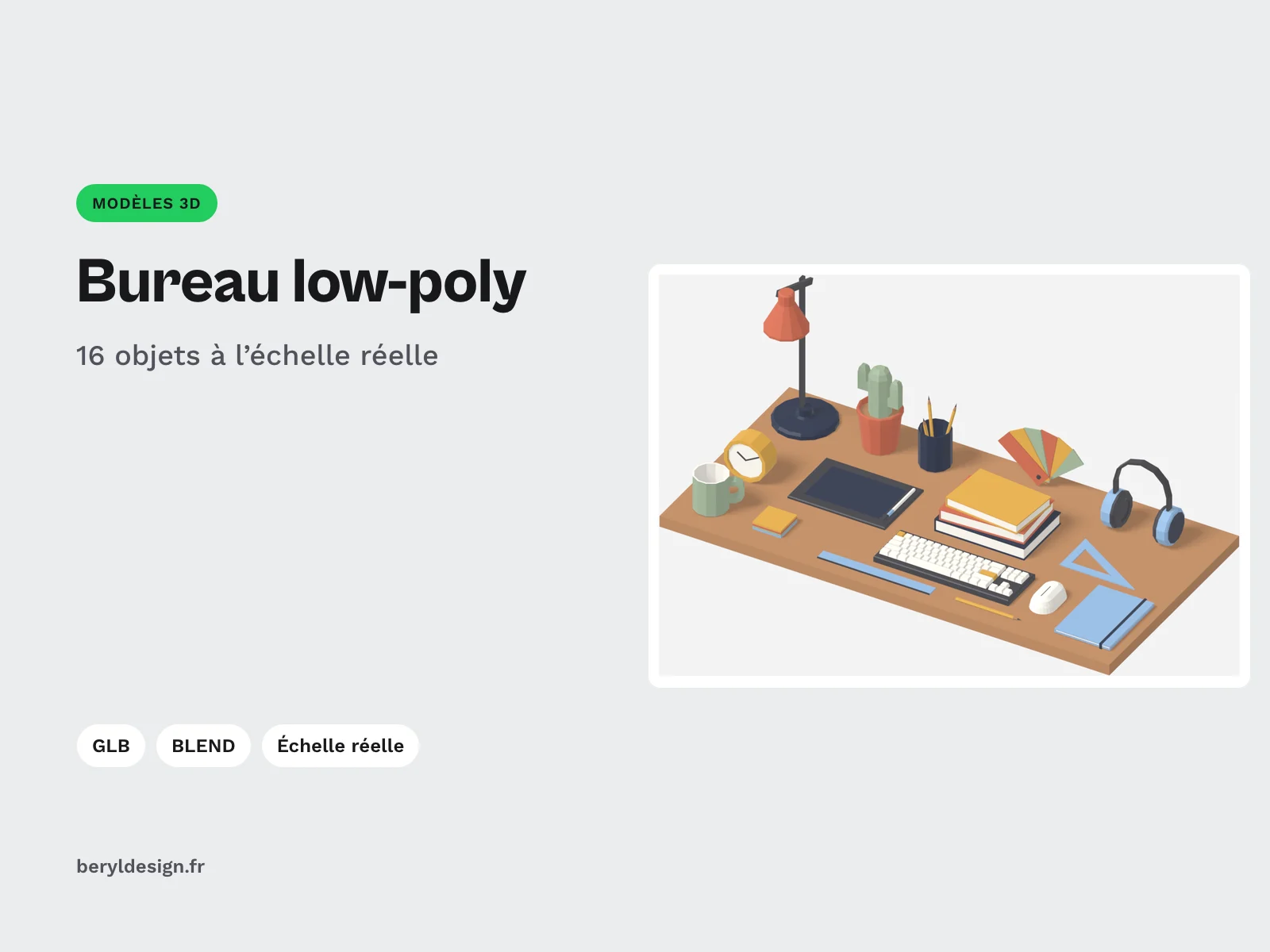
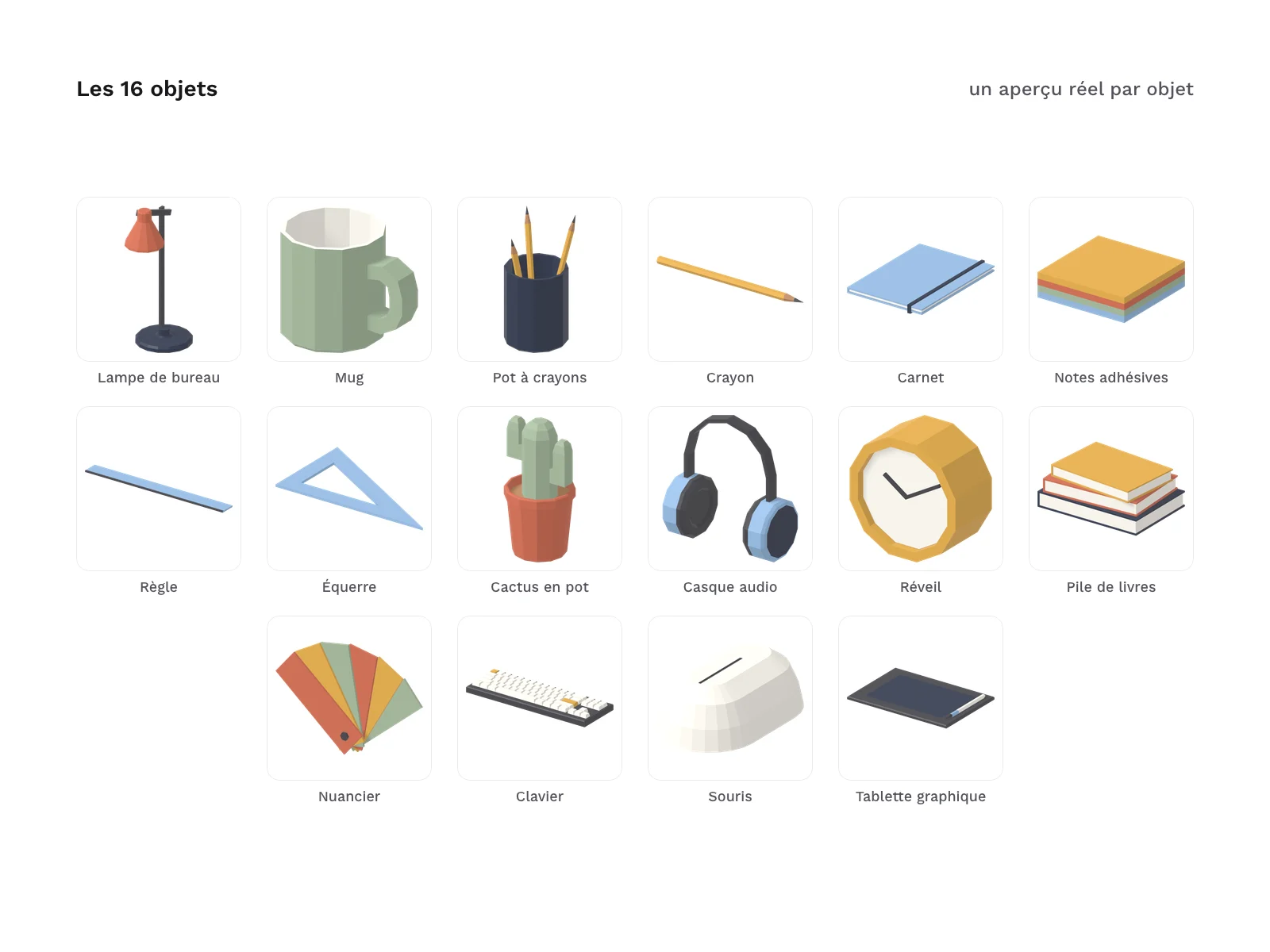
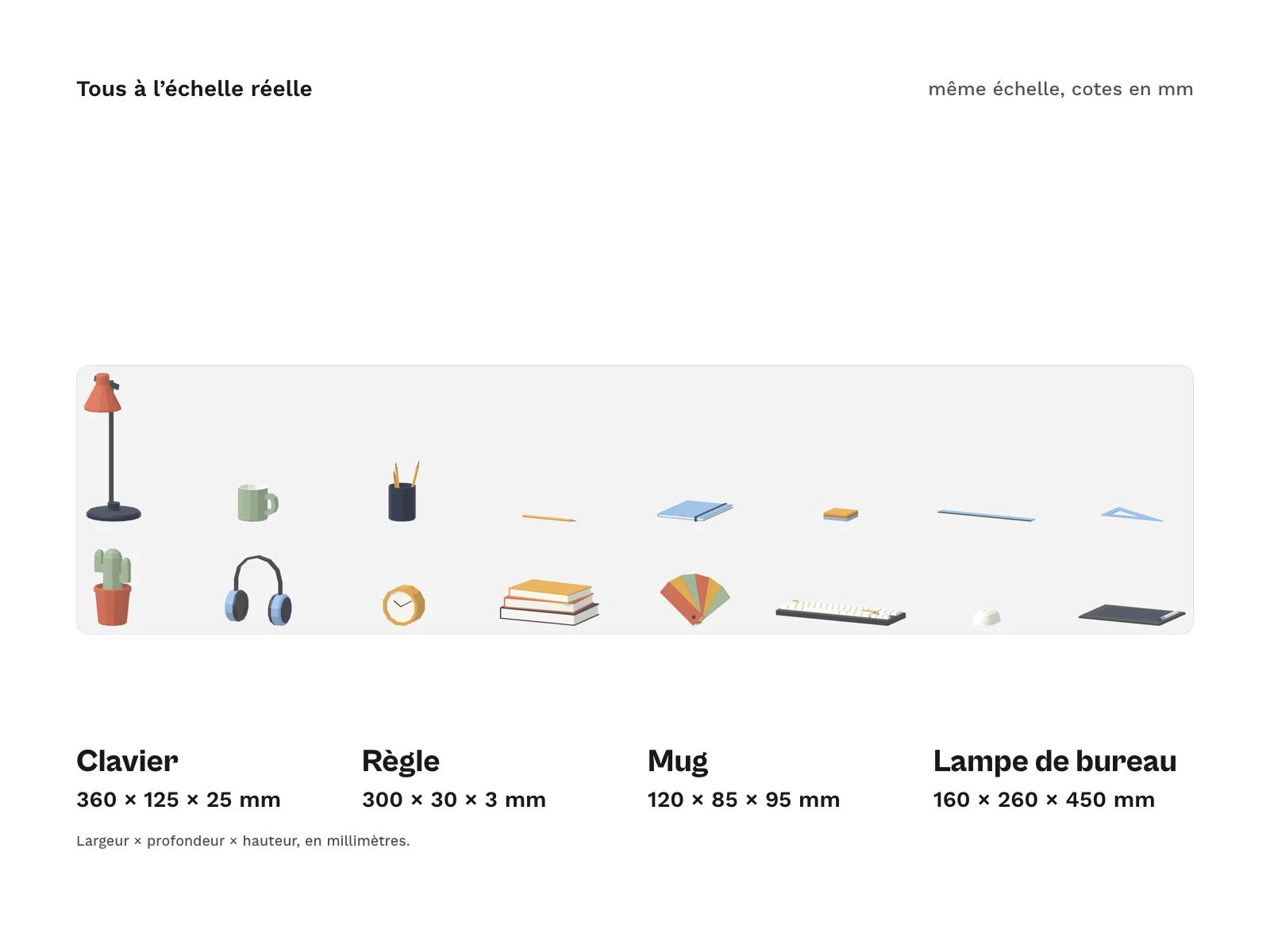
This pack is for designers and developers who need simple, consistent 3D objects to dress up a screen: a product mockup, a landing page with a desk in perspective, an interactive scene built in a browser 3D tool such as Spline or Vectary, or a game prototype. The 16 objects make up a designer’s desk (lamp, keyboard, pen tablet, colour swatch fan, ruler, notebook…), with crisp facets and a single colour palette. Every object has its real size in metres: placed side by side, they keep their proportions with no adjustment.
Specifications
| Objects | 16, one GLB each, plus 1 assembled scene |
|---|---|
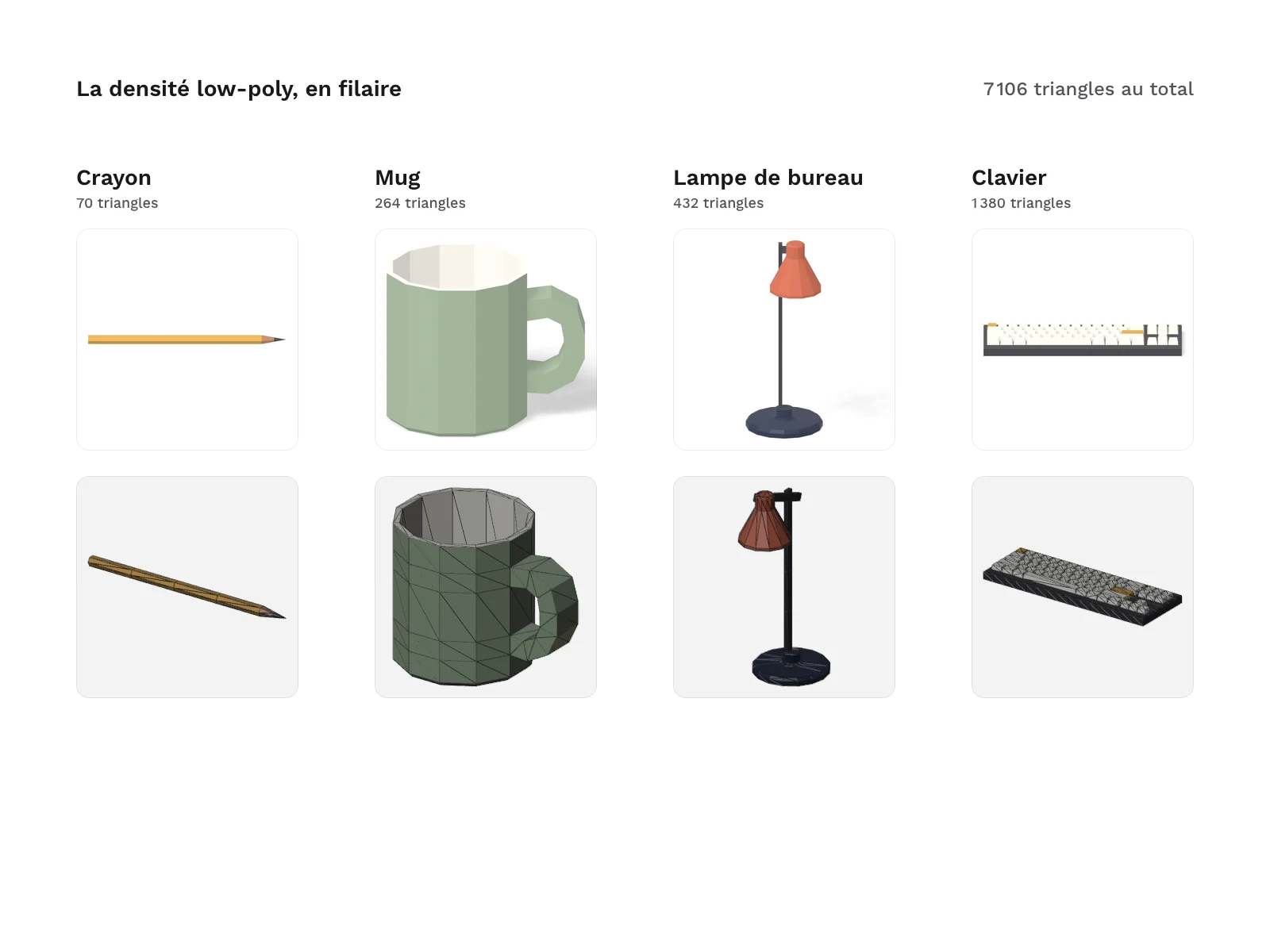
| Triangles | 7,106 in total |
| Materials | 8, no textures |
| PNG previews | 17 |
| Files | 38 in the archive |
| Formats | GLB, BLEND (Blender 4.5+), PNG |
| License | commercial (page in French) |
| Version | 1.0.0 of November 11, 2026 |
Contents
- 16 objects, one GLB file each, in
glb/:
| Object | File | Size (mm) | Triangles |
|---|---|---|---|
| Desk lamp | desk-lamp.glb | 160 × 260 × 450 | 432 |
| Mug | coffee-mug.glb | 120 × 85 × 95 | 264 |
| Pencil cup | pencil-cup.glb | 87 × 83 × 177 | 326 |
| Pencil | pencil.glb | 175 × 8 × 7 | 70 |
| Notebook | notebook.glb | 148 × 210 × 15 | 584 |
| Sticky notes | sticky-notes.glb | 76 × 76 × 20 | 192 |
| Ruler | ruler.glb | 300 × 30 × 3 | 116 |
| Set square | set-square.glb | 200 × 120 × 3 | 136 |
| Potted cactus | potted-cactus.glb | 110 × 110 × 220 | 420 |
| Headphones | headphones.glb | 180 × 90 × 200 | 444 |
| Desk clock | desk-clock.glb | 110 × 60 × 110 | 188 |
| Book stack | book-stack.glb | 240 × 170 × 90 | 1104 |
| Colour swatch fan | color-swatch-fan.glb | 220 × 24 × 154 | 404 |
| Keyboard | keyboard.glb | 360 × 125 × 25 | 1380 |
| Mouse | mouse.glb | 65 × 110 × 36 | 260 |
| Pen tablet | pen-tablet.glb | 260 × 180 × 15 | 786 |
Sizes are width × depth × height, in millimetres.
- 1 assembled scene (
scene/desk-scene.glb): the 16 objects placed on a desk top, each in its own named node, so you can move or delete them one by one. - 1 Blender source file (
blend/low-poly-designer-desk-3d.blend): one collection per object, the scene and the palette. - 17 PNG previews (
previews/): one render per object and one of the scene. - The palette of 8 materials (
materials/palette.json): name, colour and roughness of each. - The object table (
docs/objects.csv): dimensions in millimetres, triangles, materials and parts of each object. - An integration guide (
docs/integration.md): scale and axes, materials, a complete web page that displays an object with three.js, tips for game engines and for Blender.
In total, 7106 triangles for the 16 objects. The zip also holds the licence text, a README file and the credits.
Archive layout:
glb/<object>.glb
scene/desk-scene.glb
blend/low-poly-designer-desk-3d.blend
previews/<object>.png
materials/palette.json
docs/objects.csv
docs/integration.md
Scale, axes and origin
- Unit: the metre. A mug 95 mm high measures 0.095 in your tool. Keep an import scale of 1.
- Axes: in the GLB files, Y is up and the front of each object faces +Z, as glTF expects. In the Blender file, Z is up; the glTF exporter converts it.
- Origin: at the centre of the object seen from above, at the height of its lowest point. An object placed at height zero sits on the floor, without floating or sinking.
- No transforms on the root nodes: no rotation, no scale.
Good to know before you buy
- No textures, no UV coordinates. Colours come from 8 flat materials (paper, ink, graphite, terracotta, sage, mustard, sky, wood), named the same way in every file. To change a colour across the pack, edit the material by name after loading, or once in the Blender file before re-exporting. You cannot paint details or add labels without adding UVs yourself.
- Faceted shading. Normals are stored per face: keep the imported normals. If your tool recomputes or smooths them, the facets round off and the low-poly look is lost.
- Generic shapes. The objects copy no commercial product and carry no logo or lettering: the keyboard keys are blank.
- The keyboard has 72 separate parts (the base and each key): it is the most detailed object in the pack. The other objects have 1 to 7 parts.
- In the scene preview, seen in perspective, the mug partly hides the base of the desk clock. The two objects stay apart on the desk top, without touching.
How it was made, and AI
The objects are modelled by Blender scripts written with an AI assistant (Claude Code), then reviewed and checked: glTF validation of every file, dimensions measured to the millimetre, closed meshes with no degenerate faces, orientation and origin checked, several files loaded in a three.js page, renders reviewed. No shape was produced by a 3D model or image generator.
Formats and compatibility
- GLB (binary glTF, uncompressed, no extensions): the most widespread 3D exchange format on the web. JavaScript 3D libraries, most game engines and browser 3D tools import it with no extra plug-in or decoder.
- BLEND (Blender 4.5+): the source of every object, to open with Blender 4.5 or newer. Edit an object in its collection, the scene updates, then re-export it as GLB.
- PNG: a preview of each object and of the scene, for your boards or documentation.
- CSV and JSON: the object table and the palette, readable in a spreadsheet or by your scripts.
Licence
The models come under a commercial licence: you can use them in your personal and professional projects, including for your clients, in your images, websites, apps and games, but not resell, share or redistribute the raw or barely modified 3D files, even for free.
Embedding a GLB file in a website or an app is allowed, even though the browser loads it to display it. Selling it on its own or offering it as a download is still forbidden.
Further reading
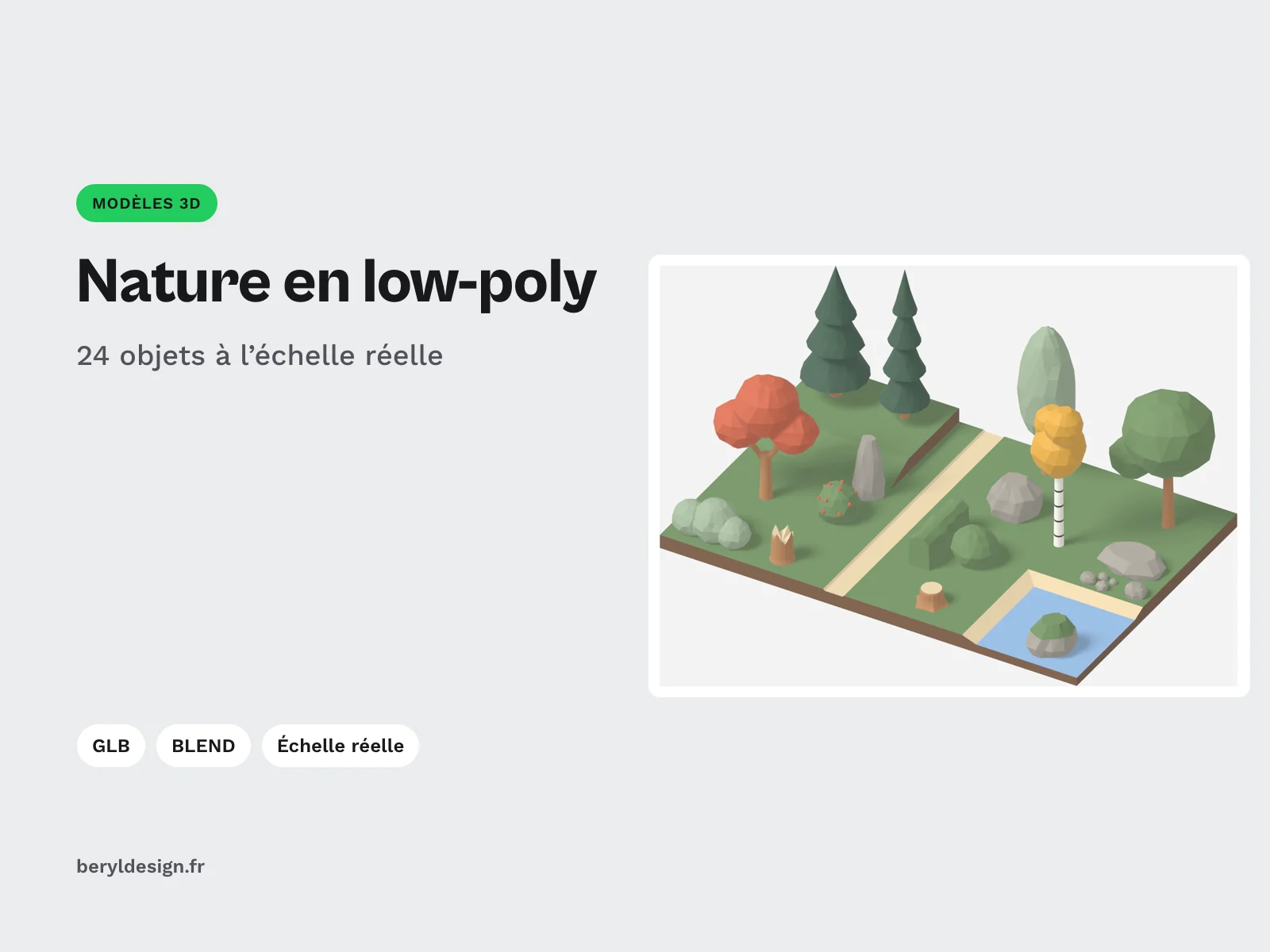
- For an outdoor scene with the same palette: the low-poly nature pack (trees, rocks, bushes and terrain tiles).
- Spline, the 3D design tool in the browser
- Add 3D to your mockups with the Vectary 3D Elements plug-in
Version history
1.0.0 (11 November 2026): first version.