
Introduction
In the world of digital design, Creatie.ai is revolutionizing the creative process by integrating artificial intelligence (AI) at every stage of the workflow. This all-in-one tool is designed for UI/UX designers, product managers, and creative teams looking to boost their efficiency while maintaining a high level of visual quality.
Creatie simplifies complex tasks such as ideation, prototyping, collaboration, and handing projects off to developers. More than just a design software, Creatie automates and enhances human creativity thanks to its innovative features.
A powerful tool for all creatives
FAST CREATION WITH THE CREATIE WIZARD
The Creatie Wizard is one of the platform's cornerstones. It offers instant layout ideas tailored to users' needs, whether they are in the middle of designing a wireframe or looking for inspiration for a prototype. This feature helps designers overcome blank-page syndrome, providing a creative boost at the very start of every project.
MAGICON: 3D ICON GENERATION
Magicon is another key feature that, in our experience, makes it possible to generate 3D icons in just a few clicks. Thanks to AI, this tool transforms a simple text description or a wireframe into custom, visually striking icons. This added dimension enriches designs, giving them a professional aesthetic while adapting to the specific requirements of each project.
IMAGE ENHANCEMENT WITH THE IMAGE ENHANCER
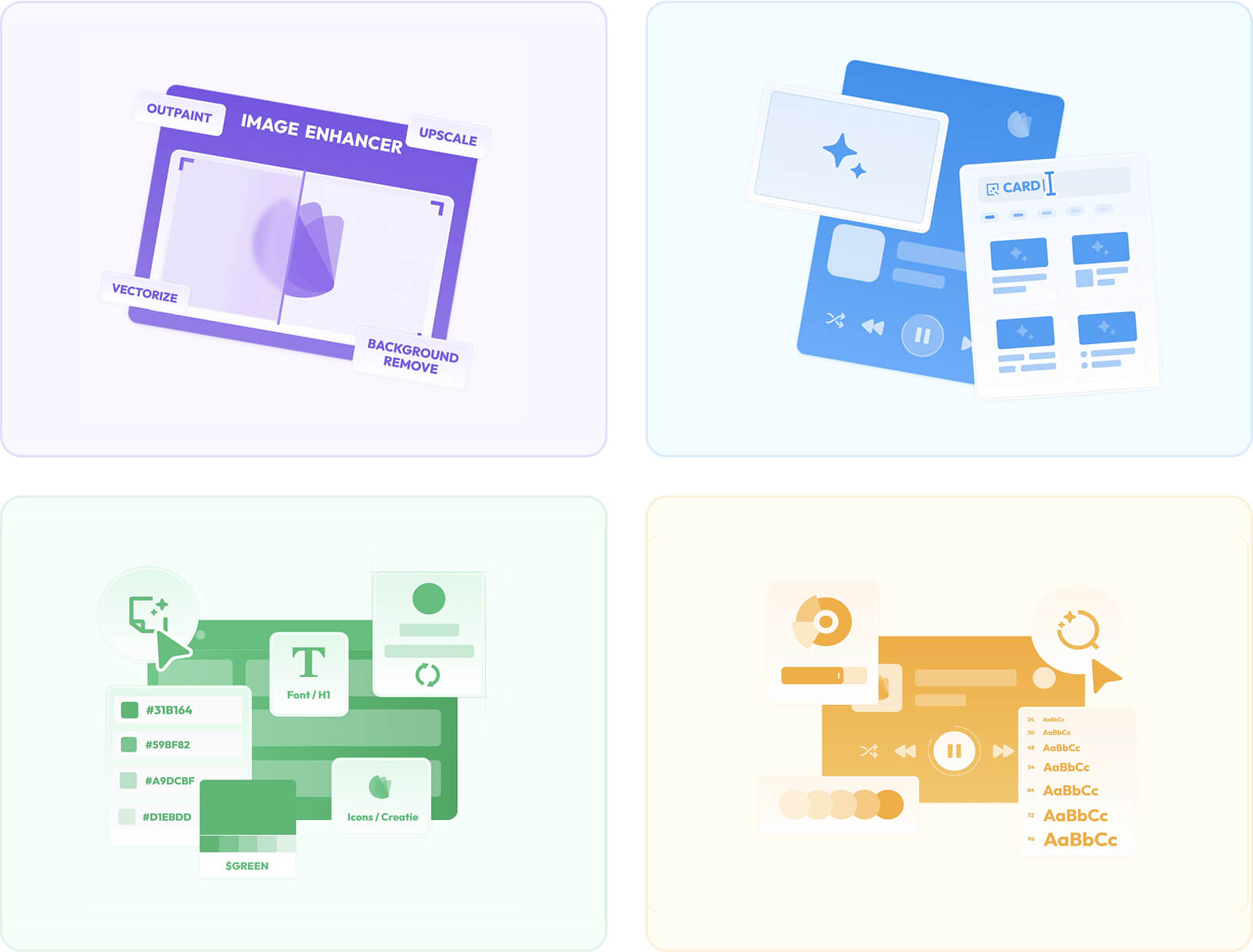
Image enhancement is often a challenge for creators, but with Creatie's Image Enhancer, this task becomes easy. Whether you need to upscale an image, change its background, or convert it into a vector file, Creatie's image enhancement tool uses AI to optimize the visual quality of every element. This feature is especially useful for graphic designers looking to maintain high resolution and aesthetic consistency across their projects.
STYLE GUIDE AUTOMATION
The style guide is a fundamental element for consistency in design projects, and Creatie automates it entirely. Its AI identifies reusable components within existing files and creates a complete style guide, including fonts, colors, and shadow effects.
This approach allows teams to create a uniform visual language without any extra manual effort, thereby speeding up the design phase while ensuring consistency across projects.
DESIGN CONSISTENCY AUDIT
Maintaining consistency across multiple design iterations can be a real headache, but Creatie's Design Auditor takes care of it. The tool compares each design file to your style guide and automatically flags non-compliant elements. It takes just one click to fix these inconsistencies, ensuring visual uniformity at every stage of the project.
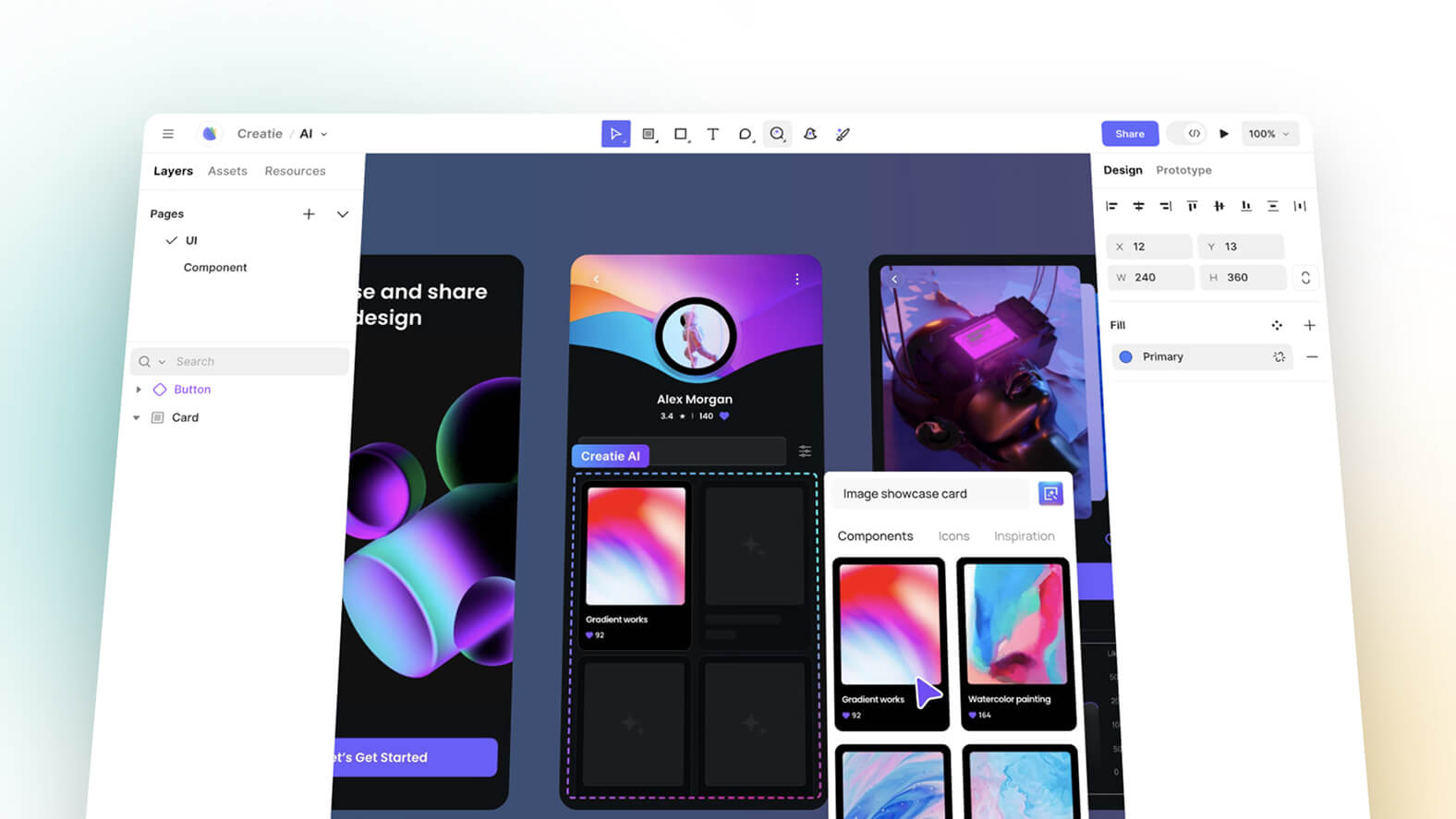
How to use Creatie.ai?
Creatie was designed to be accessible and intuitive. After signing up on the platform, users can immediately start a new project or import existing design files. Every feature, whether it's icon generation, image enhancement, or prototyping, is right at hand within a clear and fluid interface.
One of the great advantages of Creatie lies in its ability to integrate real-time collaboration tools. This allows teams to work together efficiently, leaving feedback on designs and editing prototypes simultaneously, which greatly simplifies project management.
Target audience
Creatie is aimed at a wide range of design and development professionals, each benefiting from the tool's features to optimize their work:
UI/UX DESIGNERS
Creatie is a valuable asset for designers looking to speed up their workflow without compromising the quality of the interfaces they build. Thanks to its advanced prototyping features and efficient design-system management, it makes it possible, in our experience, to create consistent and attractive interfaces while reducing the time spent on repetitive tasks.
PRODUCT MANAGERS AND DEVELOPERS
By easing the transition from mockups to development, Creatie simplifies collaboration between design and development teams. Product managers can use the tool to better structure the prototyping process, while developers benefit from a smoother handoff of mockups, with well-defined components that are easy to integrate into development.
CREATIVE TEAMS
Creatie is ideal for teams working collaboratively on complex design projects. The tool enables smooth coordination between team members, thanks to centralized design-system management and collaborative features that improve communication and collective productivity.
Supported platforms
Creatie is available on several platforms, including the web, macOS, and Windows. This cross-platform compatibility offers maximum flexibility and allows users to work in their preferred environments, whether on a desktop computer, a laptop, or directly online. Thanks to this accessibility, Creatie adapts to the varied needs of professionals, wherever they are.
Pricing plans
Creatie.ai is offered in a free version, allowing users to get familiar with its core features. However, paid subscriptions are available for those who want access to advanced tools and extended options, ideal for professionals working on large-scale projects.
Advantages of Creatie.ai
TIME SAVINGS AND EFFICIENCY
Integrating artificial intelligence makes it possible to automate many repetitive tasks, such as creating visual elements or managing design consistency. This allows creators to focus on the very essence of their creative work, reducing the time spent on tedious tasks while increasing their productivity.
REAL-TIME COLLABORATION
Thanks to its collaborative tools, Creatie facilitates communication between the members of a creative team. Feedback can be integrated directly into the design, and corrections made collaboratively, which improves the quality and speed of projects.
IMPROVED DESIGN QUALITY
With tools like the Design Auditor and the Image Enhancer, Creatie ensures that projects meet the highest visual standards. By automating consistency checks and improving image quality, creators are able to produce professional designs without having to go through laborious manual processes.

Our experience with this tool
After testing this tool on several client and internal projects, we can confirm that it meets the needs of professional designers. Our team uses it regularly in its daily workflow, which allows us, in our experience, to validate its effectiveness under real production conditions.
Points tested in detail:
- Performance on large files (500+ frames)
- Compatibility with complex design systems
- Stability during intensive use
- Integration into a team workflow
Points to watch (tested under real conditions)
In the interest of transparency, here are the limitations we identified during our tests:
- Processing times that can be longer on very large files
- Requires a stable internet connection for certain features
- Learning curve for beginner users
Conclusion
Creatie.ai is more than just a design tool; it's a complete solution that supports creators at every stage of their process, from ideation to delivery. Its AI-based approach makes it possible to significantly improve the efficiency, quality, and collaboration of creative teams. By relying on innovative features and an intuitive interface, Creatie transforms the way design projects are carried out, making it an essential tool for all of today's creators.
USEFUL LINKS
Official Website