Introduction
When I started working on Dynasty Nova, my goal was clear: to reinvent the user experience of a spatial strategy game inspired by OGame, with a modern, elegant, and fluid mobile interface. But moving forward alone on such a vast project also meant seeking to optimize every step of the creative process. That's where artificial intelligence came into play—not as a replacement, but as a creative assistant, a copilot in service of my vision.
Context
An initiative born from a user insight
At the root of the project lies a disappointment: seeing OGame's mobile version fall significantly short of the desktop experience. Compressed interface, loss of visual landmarks, progressive user disengagement… The potential was there, but the user experience wasn't keeping up. As both a player and designer, I decided to roll the dice again—imagining a modernized, mobile-first version, designed according to current best practices.
A solo project, limited resources, augmented tools
Dynasty Nova is not a team project. It's a personal project, done in my spare time, carried out autonomously. To avoid drowning in the scope of tasks, I made the choice to integrate AI tools from the outset into my working method. Not to automate design, but to assist me: create, iterate, structure faster—and better.
AI as a visual creation assistant
KREA: playing the role of a junior designer… faster
From the start, I used KREA to imagine the Dynasty Nova logo. I had the name, the universe, but I needed a visual signature. By generating over 50 proposals from prompts, I eventually landed on a symbolic, dynamic form, evoking both a rocket and the letter A—almost an echo of Assassin's Creed.
But this base remained raw. So I treated it the way I would a deliverable from a junior designer: vector refinement, curve harmonization, application of a typographic grid. The final result is not a raw AI image, but a hybrid creation: AI in suggestion, designer in execution.
Guided generation through prompts and style
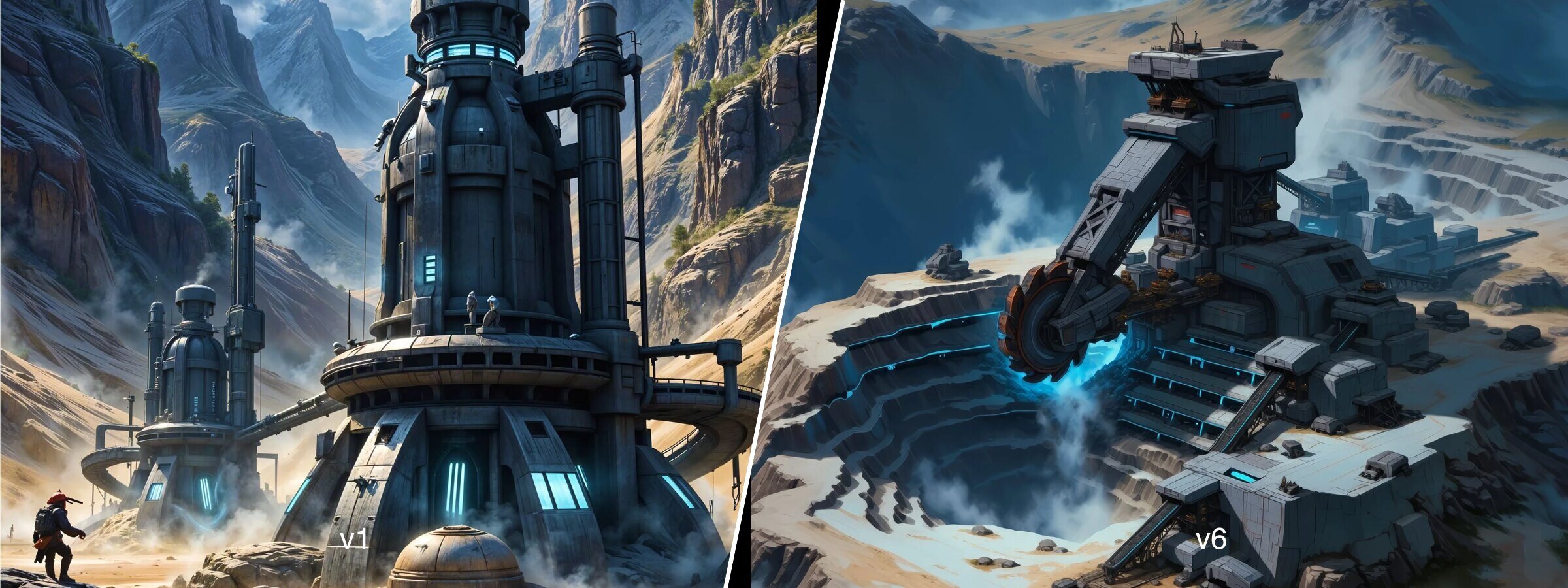
Beyond the logo, all the game's visuals benefited from a similar approach. I retrieved OGame's assets (at 200x200 px), too small and too identifiable, to transform them.
- Initial upscale via specialized AI, up to x8.
- Textual description generated by AI (like GPT) to formulate a suitable prompt.
- Custom style in KREA, providing it with a coherent image base to infer a graphic signature.
- Series generation of visuals from these prompts + style to create original visuals, compatible without being mimetic.
Each image then went through a post-processing pipeline: HD upscale (Freepik), compression (TinyPNG), WebP conversion.
AI as productive toolkits
Bolt: sketches in Tailwind to lay the foundation
I used Bolt to quickly generate HTML/CSS interface drafts with Tailwind. These foundations allowed me to move fast, explore page structures, establish initial navigation logic without having to prototype everything on Figma.
Cursor and augmented IDEs: iterate without friction
Thanks to Cursor (or Windsurf), AI integrated directly into my IDE. This allowed me to chain components faster, correct in real-time, generate more efficient UI blocks. Result: less time spent on micro-adjustments of code, more focus on the overall experience.
From front to Figma: restructuring with HTML to Design
When I wanted to structure the interface more finely, I used the HTML to Design plugin in Figma to import my HTML components as static mockups. Even though the result wasn't 100% clean, this method allowed me to quickly create a design system, with reusable components, colors, and styles.
Manual finalization: keeping control of the output
Standardizing and cleaning AI visuals
No generated image was used as-is. All were retouched: perspective corrections, artifact removal, light realignment. I also passed each image through Figma to adjust contrast and saturation, before copying these adjustments via plugins to maintain overall consistency.
Adapting each visual to its purpose
The generated visuals were square. Yet, the game's cards are vertical (2/3 format). For each element (buildings, research, ships, shop…), I placed the image in a card, simulated overflow, and chose the one that worked best within the frame. A task of selection, but also refinement, until a single image was retained for each item.
Conclusion
Using artificial intelligence does not mean giving up on creativity. In Dynasty Nova, AI was a lever, an engine, a catalyst—never an end in itself. It allowed me to move faster, dare more, generate more… but always under my supervision.
AI, in this context, plays the role of an ultra-productive junior creator: it proposes, it enriches, it accelerates. But the designer's eye remains key. Because what makes good design isn't just the idea or the style—it's the intention, the consistency, the experience you wish to convey.