
Introduction
In Figma, sections allow you to group frames and visually organize a project. However, manually adjusting their dimensions so that the content remains well-framed takes time, especially when the composition evolves.
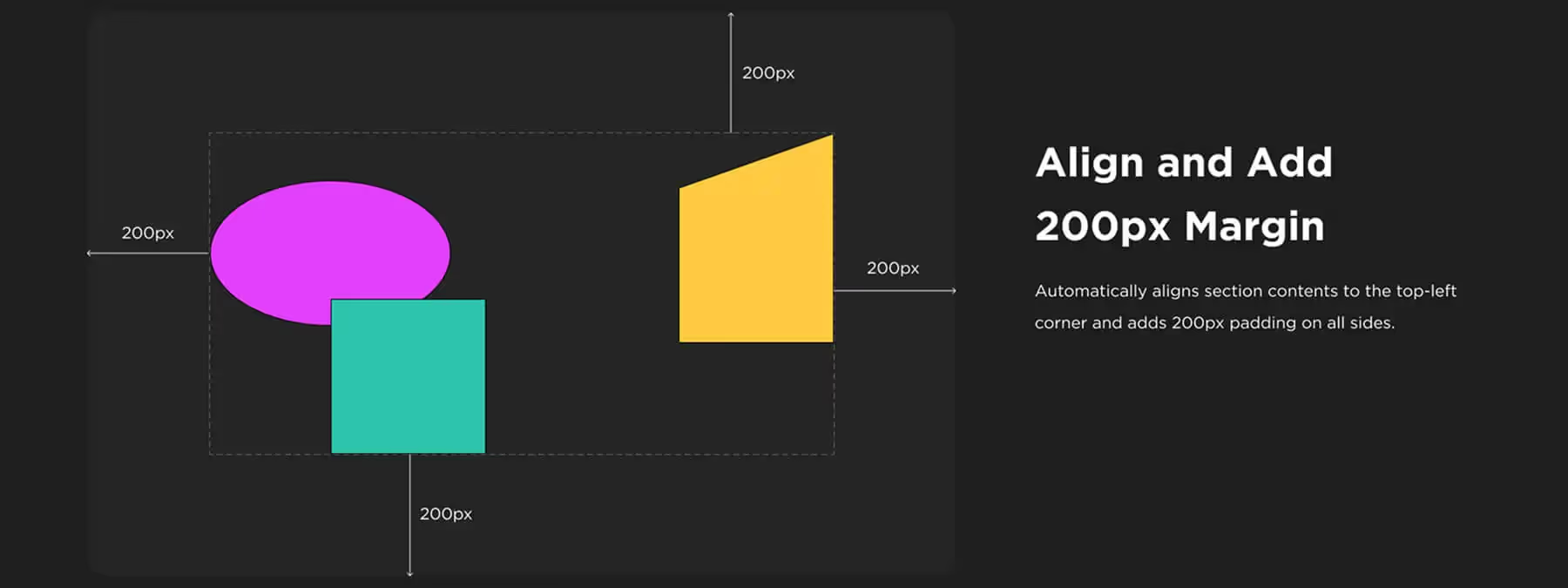
Section Auto‑Resize with 200 px Margin is a plugin that automates this task by resizing sections based on their content and adding a uniform 200 px margin around it.
The Importance of Consistent Margins
A well-organized design is built on regular spacing and precise alignment. When working with a grid system or design system, maintaining consistent margins around groups of screens or components improves readability and collaboration.
Figma sections, when used correctly, become visual reference points for teams. But without automation, you sometimes forget to adjust them or spend time resizing them manually.
Key Feature
The Section Auto‑Resize with 200 px Margin plugin offers a simple solution : it analyzes the content of a section and automatically adjusts its size to surround it with a fixed 200 px margin.
So, whenever you add, move, or resize elements inside, you just need to rerun the plugin for the section to update. Distances become homogeneous, without effort.
Use Cases and Benefits
Design Systems and Grids
Using a common basis for all your measurements ensures more consistent spacing between components and different pages of your design system. This ensures better visual harmony and facilitates element alignment.
Collaborative Projects
Standardized margins and spacing make your files more readable and easier to navigate for your colleagues. By using clear and uniform reference points, you improve team communication and streamline collaborative work.
Time Savings
With standardized measurements, you no longer need to manually check and adjust section dimensions after each content modification. This saves you valuable time, allowing you to focus on other aspects of design.
Tips
This plugin is particularly suitable for teams that apply strict spacing rules and want to automate the formatting of their sections to gain efficiency and consistency.
Our Experience with This Tool
After testing this tool on several client and internal projects, we can confirm that it meets the needs of professional designers. Our team uses it regularly in their daily workflow, which allows us, based on our experience, to validate its effectiveness in real production conditions.
Points tested in detail :
- Performance on large files (500+ frames)
- Compatibility with complex design systems
- Stability during intensive use
- Integration into team workflow
Points of Attention (tested in real conditions)
In the interest of transparency, here are the limitations we identified during our testing :
- Processing time that can be extended on very large files
- Requires a stable internet connection for certain features
- Learning curve for beginner users
Conclusion
Section Auto‑Resize with 200 px Margin is a simple and effective tool for standardizing the appearance of your sections in Figma.
By automatically resizing sections and applying a consistent margin, it contributes to a more organized workspace aligned with your design system. If you're looking to streamline section management and harmonize your spacing, this plugin will be a valuable ally.



