
Introduction
When working in design, it is common to create Figma mockups to design user interfaces and graphic designs. However, a designer may sometimes need to convert these mockups into images for various reasons, such as creating presentations, publishing on websites or social media, or making resources available to the design community.
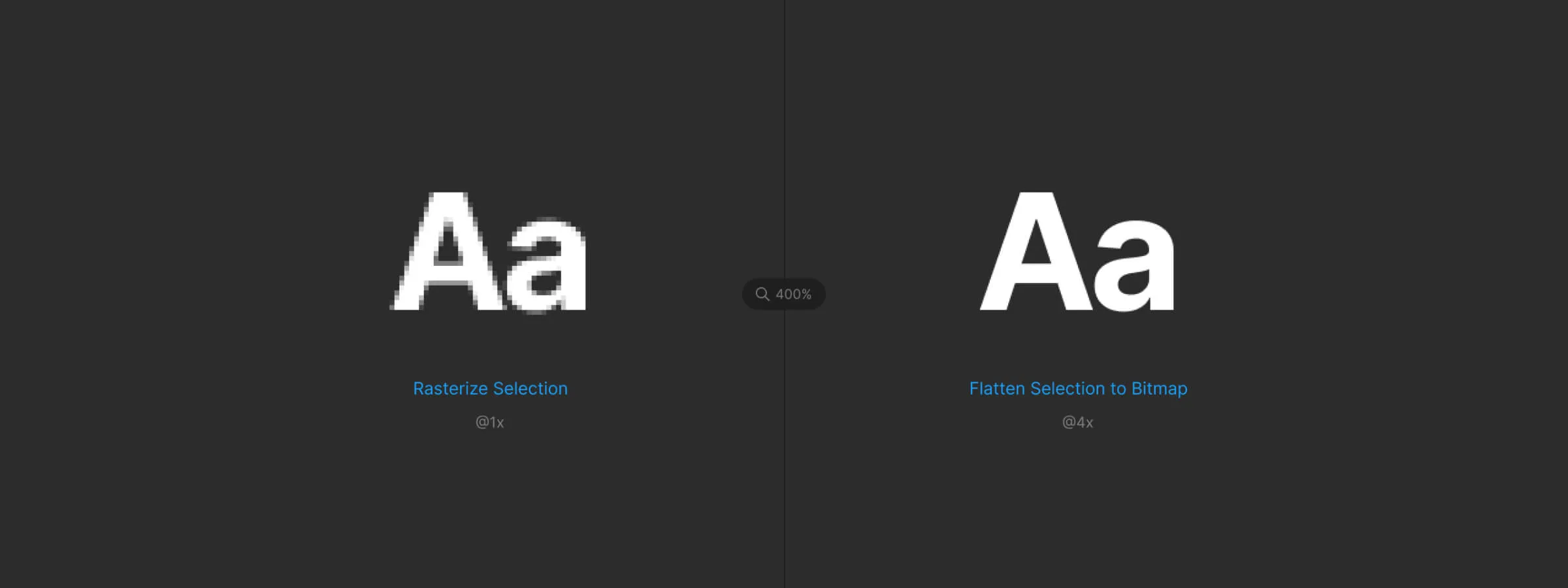
Unfortunately, when you export an image at a resolution higher than 2x in Figma, the size of the resulting image is limited to a maximum of 4096px in width or height when it is imported back into Figma. This limitation can be a real obstacle for designers looking to create higher-quality images from their Figma mockups. This is where the Flatten Selection to Bitmap plugin can prove very useful. In just a few clicks, this plugin lets you, in our experience, convert any Figma mockup into a group of high-quality images, with no size limit whatsoever.
How to use it
FLATTEN SELECTION TO BITMAP
The main function of this plugin is to convert the selected element or elements into an image. If the image exceeds the value set by Figma, the plugin will slice the image into as many images as needed to reproduce everything that was just converted. The conversion starts automatically using the resolution defined by default or manually in the settings.
SETTINGS
The plugin also lets you change the resolution of the generated images. The options range from 2x up to 10x the displayed size, ensuring a pixel density close to vector rendering. There are 5 possible values (2x, 3x, 4x, 8x, and 10x). This option lets you, in our experience, guarantee quality rendering without pixelation. You can also save your settings. The default resolution is 2x.
Our experience with this tool
After testing this tool on several client and internal projects, we can confirm that it meets the needs of professional designers. Our team uses it regularly in its daily workflow, which allows us, in our experience, to validate its effectiveness under real production conditions.
Points tested in detail:
- Performance on large files (500+ frames)
- Compatibility with complex design systems
- Stability during intensive use
- Integration into a team workflow
Conclusion
In conclusion, the Flatten Selection to Bitmap plugin is an extremely useful tool for all designers using Figma. It lets you, in our experience, work around the size limitations when exporting images from Figma mockups, thereby guaranteeing high-quality rendering with no loss of detail or resolution. The resolution customization features offered by the plugin also make it possible to adapt to the specific needs of every project.
In addition, this plugin can also be very useful for designers who want to publish paid resources on Figma Community, by converting their mockups into images while preserving the confidentiality of their paid templates. In short, we strongly recommend using this plugin for all designers looking to obtain high-quality images from their Figma mockups and who want to offer a preview of their work while preserving the confidentiality of their paid templates.



