Preview 1 of 4
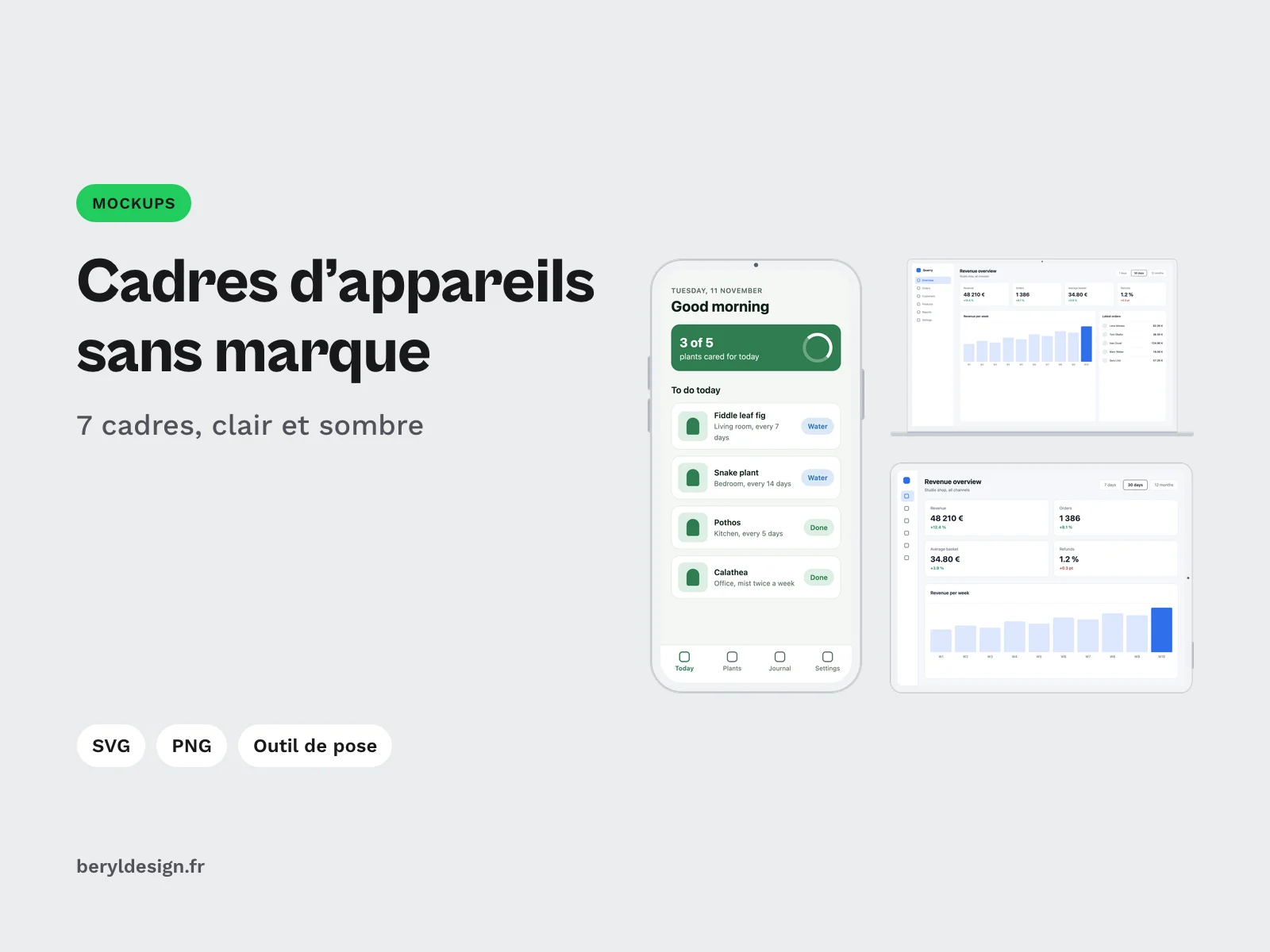
Unbranded device frames: 7 frames, light and dark (SVG, PNG and drop-in tool)
7 generic unbranded device frames, light and dark, as SVG and transparent PNG, with an offline drop-in tool for your screenshots. Free with an account.
Overview
Description
These frames are for UI designers, developers and anyone who needs to show an interface in context: a portfolio, a case study, a client presentation, a sales page or a social media visual. You put a screenshot into a phone, tablet, computer or browser window frame and get a clean image, with no logo and no device name. No design software is needed: a drop-in tool, shipped as an HTML page, does the assembly in your browser.
The frames are generic on purpose. They copy no device on the market: the camera is a small dot in the bezel, there is no notch or island in the screen, and the browser window is a neutral frame. The drawing uses flat colours only, with no reflection, gradient or shadow.
Specifications
| Device frames | 7 |
|---|---|
| Themes | 2 |
| Files | 14 SVG, 28 PNG at 1x and 2x |
| Placement tool | 1 HTML page, offline |
| Formats | SVG, PNG 1x and 2x (transparent), HTML, JSON |
| License | commercial (page in French) |
| Version | 1.0.0 of November 11, 2026 |
Contents
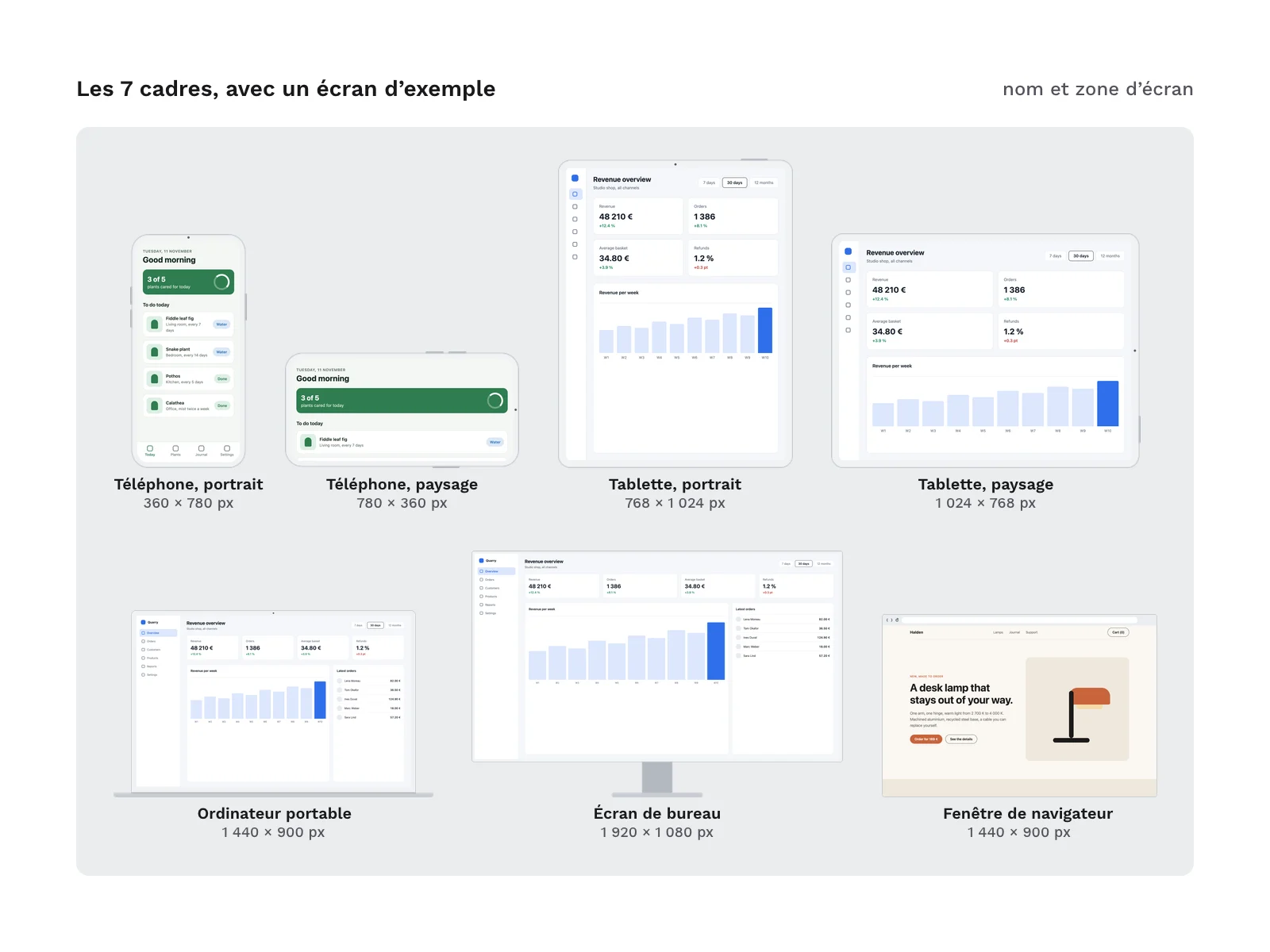
- 7 frames:
- a phone in portrait (
phone-portrait) and landscape (phone-landscape); - a tablet in portrait (
tablet-portrait) and landscape (tablet-landscape); - a laptop (
laptop); - a desktop monitor on a stand (
monitor); - a browser window (
browser).
- a phone in portrait (
- 2 themes for every frame, light (
light) and dark (dark). - 14 SVG files: every frame in every theme.
- 28 transparent PNG files: the same frames at 1x and 2x.
- 1 offline drop-in tool (
pose/index.html): drop a screenshot, choose the frame, theme, fit, scale and background, then download the PNG. - The screen area table (
docs/screen-areas.md, in English and French) and the same data for scripts (frames.json).
Archive layout:
svg/<frame>-<theme>.svg
png/1x/<frame>-<theme>.png
png/2x/<frame>-<theme>.png
pose/index.html
docs/screen-areas.md
frames.json
The zip also contains the licence text, a README file and the credits.
What the frames do, and don’t do
- The screen area is exact. For every frame, the table in
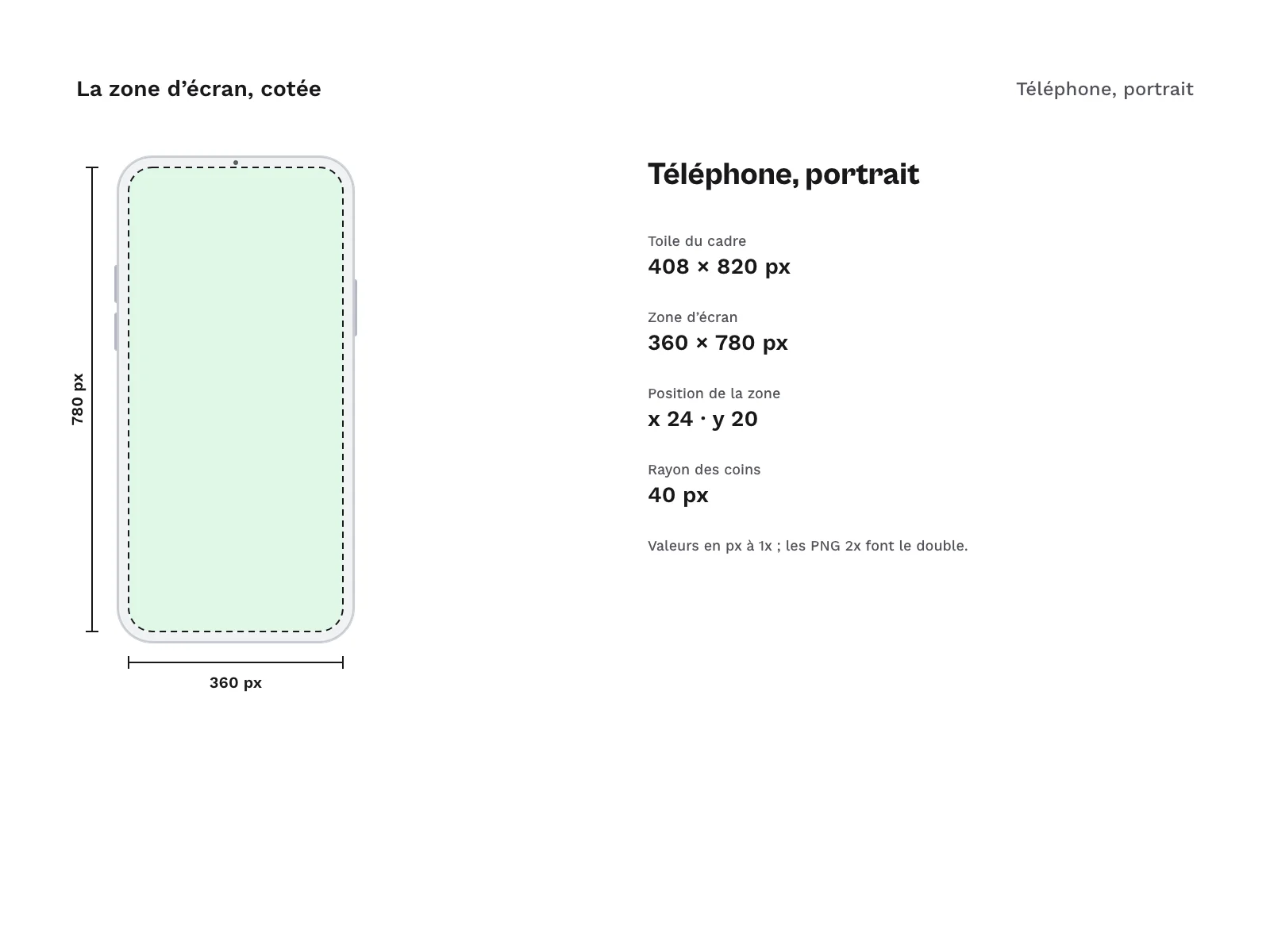
docs/screen-areas.mdgives the canvas size, the screen position, its size and its corner radius, in pixels at 1x; the 2x PNG files double every value. The screen is a hole: SVG and PNG files are transparent inside it, and a screenshot placed underneath shows through, rounded corners included. - The camera sits in the bezel. No frame has a notch, an island or a hole punched in the screen: the whole screen area is left to your screenshot.
- The browser is a generic window frame: a bar with back, forward and reload buttons and an empty address field. It has no tabs, no window buttons and no logo.
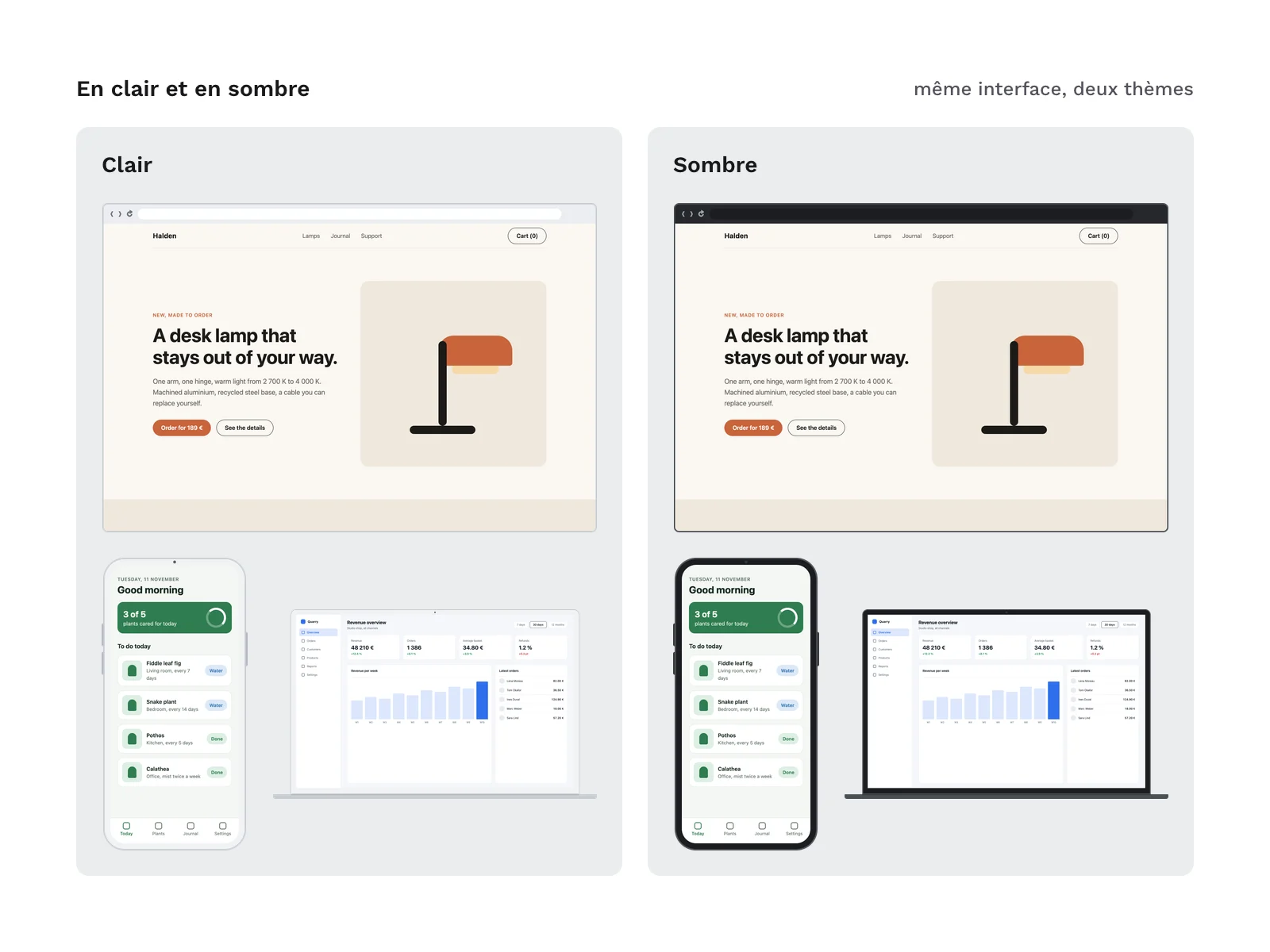
- The previews on this page show made-up sample screens, placed with the tool. They are not in the archive: you place your own screenshots.
How to use it
- Open
pose/index.htmlin a recent browser. The tool works offline and sends nothing anywhere. - Drop a screenshot on the panel, or click it to choose a file.
- Choose the frame, the theme, the fit (fill the screen, show the whole image, or keep the top of a long page), the 1x or 2x scale and the background, transparent or coloured.
- Download the PNG.
For a pixel-exact result, capture your interface at the screen size given in the table, or at twice that size for the 2x export. In a design tool, place the screenshot under the SVG frame and use the screen shape, present in every SVG, as its mask.
Production and AI
The SVG frames, the drop-in tool, the scripts and the sample screens in the previews were produced with an AI assistant, then reviewed and checked: measured acceptance tests on every file (screen area, corners, PNG compared with SVG, drop-in tool exports checked to the pixel) and a human review of the contact sheets. No image was made by an image generator: the PNG files are rendered from the SVG files.
Formats and compatibility
- SVG: the source of every frame, with no text and no embedded font. The SVG files work in most design tools and vector editors.
- PNG 1x and 2x (transparent): ready to sit under a screenshot in presentation, word processing or photo editing software, or in a web page.
- HTML (offline drop-in tool): a single page, to open in a recent browser, with no installation and no connection.
- JSON:
frames.jsondescribes every frame (canvas, screen area, radii, files) so you can automate the placement in your own scripts.
Licence
The frames come under a commercial licence: you can use them in personal and professional projects, including for clients and in products you sell, but you may not resell or redistribute the files, even for free.
Further reading
Version history
1.0.0 (11 November 2026): first version.