

Introduction
In the field of design, finding high-quality, royalty-free images can often prove to be a challenge. However, thanks to the Figma plugin "Unsplash", designers now have access to a vast library of varied images directly from the design interface. This plugin meets designers' needs for visual inspiration research and the creation of attractive interfaces. This article will explore the features offered by the "Unsplash" plugin for Figma, detailing its advantages and disadvantages, and explaining why it has become an indispensable tool in a designer's design methodology.
The "Unsplash" plugin for Figma offers a range of practical features for designers, allowing them to search, insert, and easily manage images in their projects. Among these features, image search, direct image insertion, the "Presets" tab, the "View History" tab, and the "Login" section stand out. In this article, we will explore these different features in detail and explain how they can improve the efficiency and creativity of designers in their design process.
How to Use It
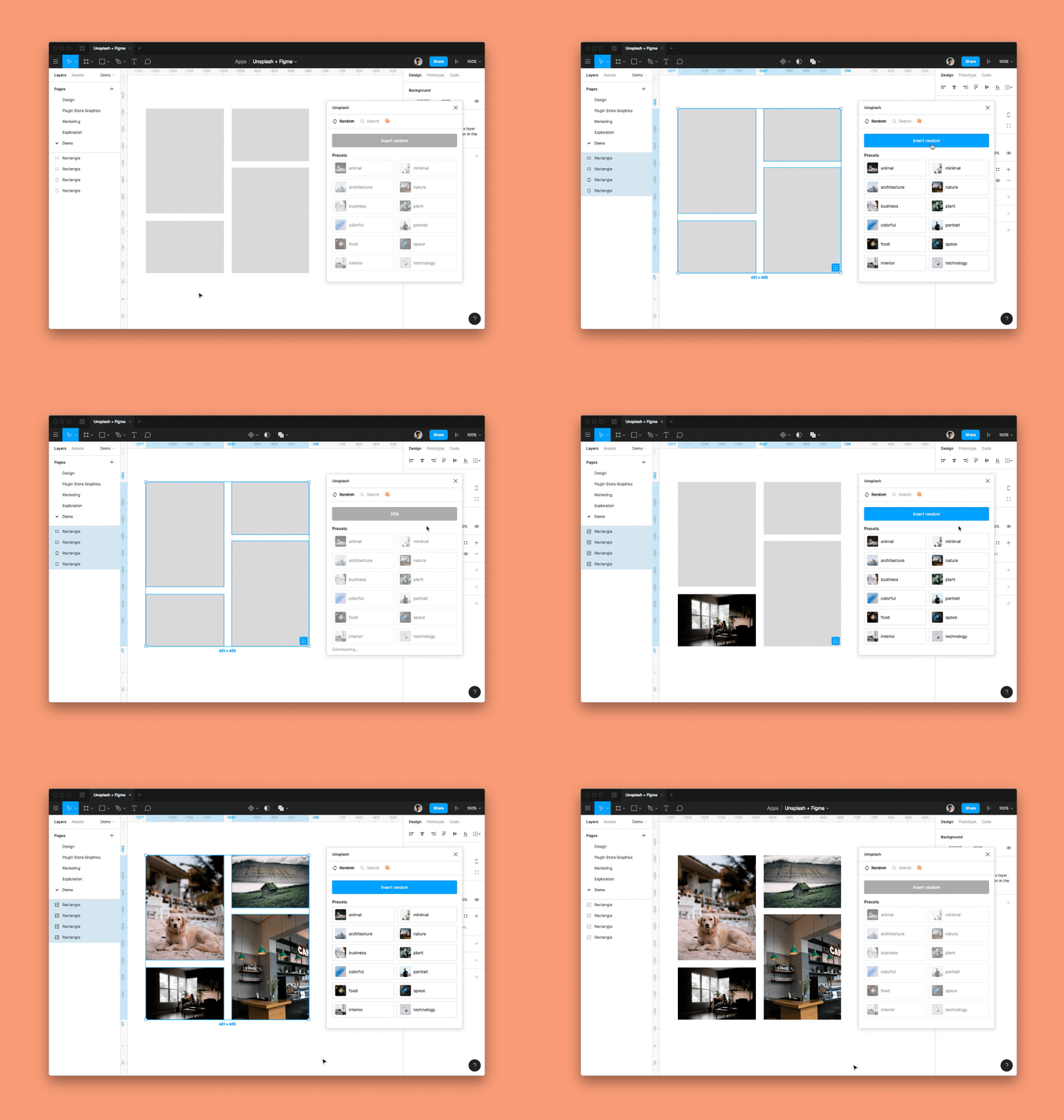
IMAGE SEARCH
The search feature lets you type a keyword into the plugin's dedicated search bar to instantly display a selection of matching visuals as thumbnails right inside the Figma panel. Simply scroll through the results and click the one you want to see it appear immediately on the canvas, without ever leaving the design interface.
DIRECT IMAGE INSERTION
The direct image insertion feature of the "Unsplash" plugin for Figma facilitates the integration of selected images into users' Figma projects without leaving the interface. This feature accelerates the design process by preventing users from having to manually download and import images from external sources. Additionally, each image is accompanied by the author's name and a link to their profile, allowing designers to properly credit the author and discover more of their work.
The plugin also distinguishes images available with a paid Unsplash+ account, making it easier to make decisions about the appropriate use of images based on rights and the specific needs of the project. In summary, the direct image insertion function of the "Unsplash" plugin simplifies the image integration process, provides information about authors and licensing options, and allows designers to create visually attractive projects using quality images from the Unsplash library.
PRESETS TAB
The "Presets" tab of the "Unsplash" plugin for Figma offers users the ability to choose from a variety of predefined themes to find corresponding images quickly and conveniently. By using the "Presets" tab, users can select a theme from options such as Abstract, Minimal, Animal, Nature, Architecture, Plant, Art, Portrait, Business, Space, Colorful, Technology, Food, Texture, Interior, or Wallpaper. Each theme groups together a collection of images corresponding to that specific category.
When a theme is selected, the plugin allows inserting an image randomly from those available in this specific theme. This offers a fun and practical approach to discovering and integrating images into the project, providing a random selection of images matching the chosen theme. By using the "Presets" tab and its predefined themes, users can quickly explore different image categories and find relevant visuals to enrich their design projects.
VIEW HISTORY
The "View History" tab of the "Unsplash" plugin for Figma allows users to easily view recently used images and insert them individually into their project. This offers a convenient way to quickly find and reuse previously used visuals, simplifying the image insertion process and providing valuable time savings in designers' workflow.
LOGIN
The "Login" section of the "Unsplash" plugin for Figma offers users the ability to log in to their Unsplash+ account. When they log in with their Unsplash+ account, this activates the plugin's paid features, allowing them to access additional features and images reserved for subscribers. The "Login" section thus facilitates account and subscription option management for users who wish to benefit from the advantages of the Unsplash+ offering.
Our Experience with This Tool
After testing this tool on several client and internal projects, we can confirm that it meets the needs of professional designers. Our team uses it regularly in its daily workflow, which allows us, based on our experience, to validate its effectiveness in real production conditions.
Points tested in detail:
- Performance on large files (500+ frames)
- Compatibility with complex design systems
- Stability during intensive use
- Integration in team workflows
Conclusion
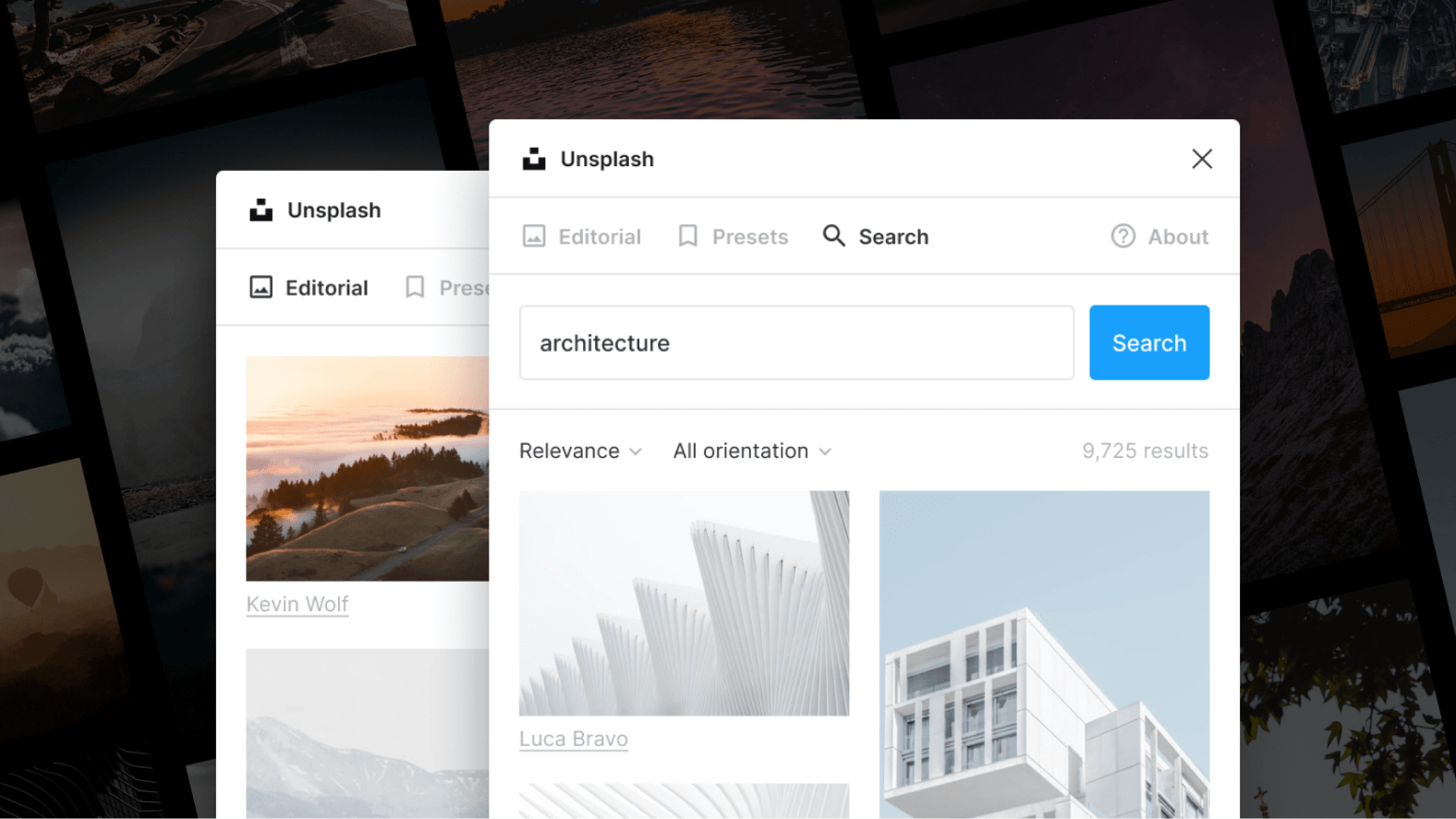
The Figma plugin "Unsplash" has revolutionized the way designers work with images in their projects. With its vast library of high-quality images and ease of use, it has become an essential element in designers' toolbox. Through instant access to a multitude of inspiring images, the "Unsplash" plugin provides designers with a source of inspiration and improves the visual quality of their projects. Despite some limitations related to licensing and internet connectivity, the benefits offered by the "Unsplash" plugin are undeniable.
By integrating this plugin into their design methodology, designers can optimize their workflow, stay up to date with visual trends, and create visually attractive interfaces. The richness of the image library allows designers to find visuals suited to all styles and design needs. In conclusion, the Figma plugin "Unsplash" offers a simplified and efficient experience for using images in design projects, allowing designers to improve their productivity, stimulate their creativity, and create visually impactful projects. It has become an essential tool for designers who wish to create exceptional visual experiences.



