
Introduction
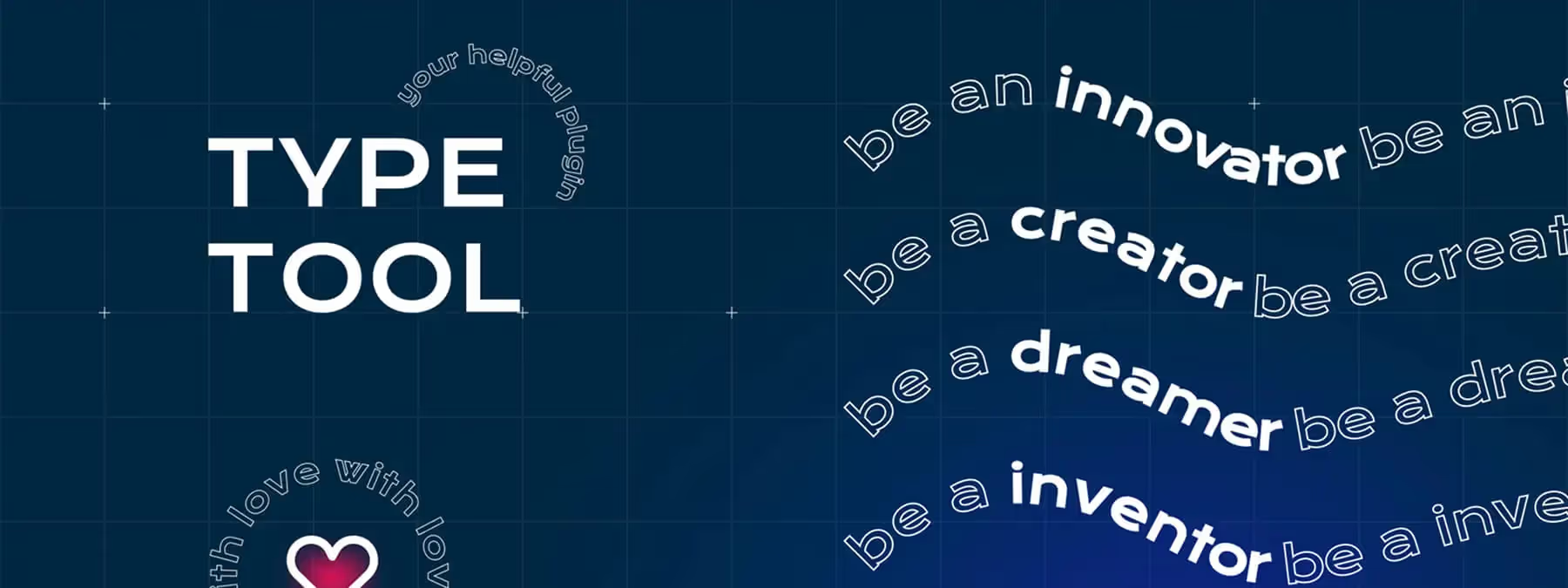
Dynamic text effects bring a touch of originality to your compositions. Until now, creating text in an arc or making it follow a curve often required using external software, then importing the result into Figma.
Type Tool ends these back-and-forths by offering advanced typographic transformations directly in Figma, thanks to two distinct modes : Circle and Curve.
Context : Typography at the Heart of Design
Text layout strongly influences how an interface is perceived. Curved text can guide the eye, while circular text can serve as a badge or ornament. Typically, designers resort to Adobe Photoshop or InDesign to achieve such effects, which slows down the workflow. Type Tool addresses this integration need by offering native and customizable typographic transformations.
Circle Mode : Text in Rounds or Arcs
How it works
The Circle mode of the Type Tool plugin allows, according to our experience, to curve text into a round or arc shape. To use it, simply select a text layer, launch the plugin and set several parameters: the radius of the circle, the starting angle (rotation), the text orientation (flip) and the spacing between letters.
Usage and Application
After setting the parameters, click "Apply" for the text to take the desired shape. This mode is particularly useful for creating circular logos, badges or decorative-style titles.
Curve Mode : Text Following a Vector Path
Usage
The Curve mode of Type Tool allows, according to our experience, to make text follow any vector path. To do this, you must first create a curve with the Pen tool. Then create a separate text layer and select both elements simultaneously. Launch the plugin and adjust the baseline height, starting position and letter spacing.
Result and Applications
Once the parameters are set, click "Apply" for the text to follow the curve's path. This mode is ideal for giving a unique style to your illustrations, creating path effects or following non-linear contours in your designs.
Advantages and Usage Tips
Advantages and Configuration
The plugin offers considerable time savings by allowing you to apply advanced typographic effects without leaving Figma. Thanks to precise configuration, you can adjust elements such as radius, rotation, distance or spacing to achieve a custom result and enhance your creativity.
Usage Tips
For optimal performance, ensure you work on ungrouped text layers. For Circle mode, select a single text layer. For Curve mode, you must select both the text and vector path simultaneously. Don't hesitate to test different values to find the effect that suits you, always making sure the text remains legible, especially with tight curves.
Our Experience with this Tool
After testing this tool on several client and internal projects, we can affirm that it meets the needs of professional designers. Our team uses it regularly in its daily workflow, which allows us, according to our experience, to validate its effectiveness in real production conditions.
Detailed tested points:
- Performance on large files (500+ frames)
- Compatibility with complex design systems
- Stability during intensive use
- Integration in a team workflow
Points of Attention (tested in real conditions)
In the interest of transparency, here are the limitations we identified during our testing:
- Processing time that may be extended on very large files
- Requires a stable internet connection for certain features
- Learning curve for beginner users
Conclusion
With Type Tool, Figma gains a feature expected by many designers : the ability to transform text into a circle or make it follow a vector path without leaving the application.
Easy to use and rich in customization options, this plugin proves to be essential for all creations where typography plays a strong graphic role. Integrate it into your workflow to enhance your designs and unleash your typographic creativity.



