
Introduction
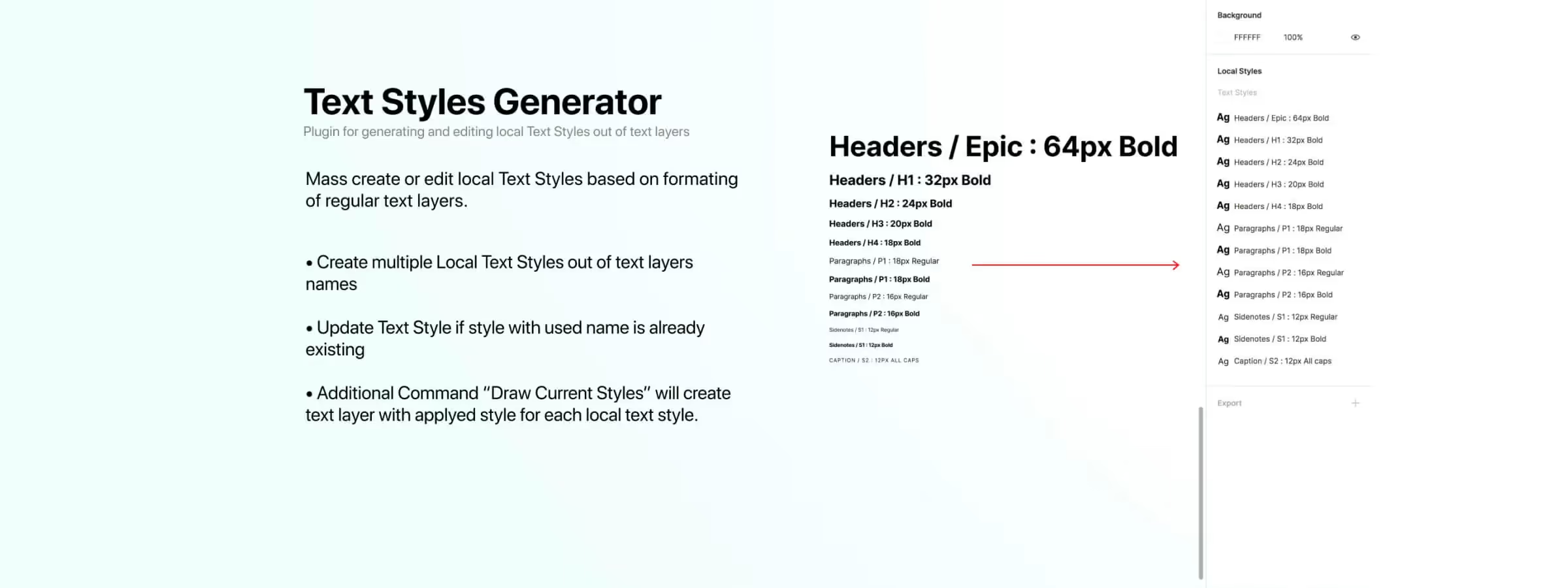
The "Text Styles Generator" Figma plugin is a practical tool for designers and developers looking to simplify the creation and management of consistent text styles for their project. Using this plugin, you can quickly create text styles by selecting multiple texts and applying the desired style options. If you've already created a text style and want to update it, the plugin also offers this capability in a single click.
Additionally, you can preview what the text style will look like before creating or updating it thanks to the plugin window. In addition to creating and updating text styles, the "Text Styles Generator" plugin also allows you to easily manage all the text styles created in your project by displaying them in a dropdown list. This saves you time searching for and applying the text styles you've created.
Features
DRAW CURRENT STYLES
This feature allows, according to our experience, generating a list of text with the text style applied for each local text style found. In other words, this function will create a text layer for each local text style you've defined in your project and apply the corresponding text style to it. This allows you, according to our experience, to quickly visualize all the text styles you've created and verify that everything is in line with what you planned.
GENERATE TEXT STYLES
This feature allows, according to our experience, creating or updating local text styles based on the formatting of regular text layers. When you use the plugin on one or more texts, it checks whether a local text style exists with the same name as the text. If not, it will be created based on the text properties.
If the local text style already exists, it will be updated based on the properties of the text layer and renamed according to the content of the text layer. This feature allows you to quickly create or update text styles based on existing text layers.
Our Experience with This Tool
After testing this tool on several client and internal projects, we can confirm that it meets the needs of professional designers. Our team uses it regularly in its daily workflow, which allows us, according to our experience, to validate its effectiveness under real production conditions.
Tested Points in Detail:
- Performance on large files (500+ frames)
- Compatibility with complex design systems
- Stability during intensive use
- Integration into a team workflow
Points of Attention (Tested Under Real Conditions)
In the interest of transparency, here are the limitations we identified during our tests:
- Processing time can be extended on very large files
- Requires a stable internet connection for certain features
- Learning curve for beginner users
Conclusion
By using the "Text Styles Generator" Figma plugin, you can easily create and manage consistent text styles for your project. Thanks to its advanced features, you can quickly create text styles, update them, and preview them before applying them. Additionally, you can easily manage all the text styles created in your project thanks to the dropdown list provided by the plugin.
In summary, the "Text Styles Generator" Figma plugin is a practical tool for designers and developers looking to simplify the creation and management of consistent text styles for their project. We highly recommend it to improve your text style creation process in Figma.



