
Introduction
When diving into the exciting world of user interface design and component creation in Figma, you quickly discover the importance of organization. Designs evolve, features multiply, and with them, the number of component variants to manage. It's a fascinating yet demanding challenge where every detail counts to create flawless user experiences.
This is where Figma's Simple Sort plugin comes in, like a helpful assistant in the designer's workshop. Imagine a tool that simplifies the chaotic management of your variants, streamlines your workspace, and frees your creativity. In this article, we'll dive deep into this powerful Figma extension, exploring its features and how they radically transform the way you work.
How to Use It
ROWS AND COLUMNS
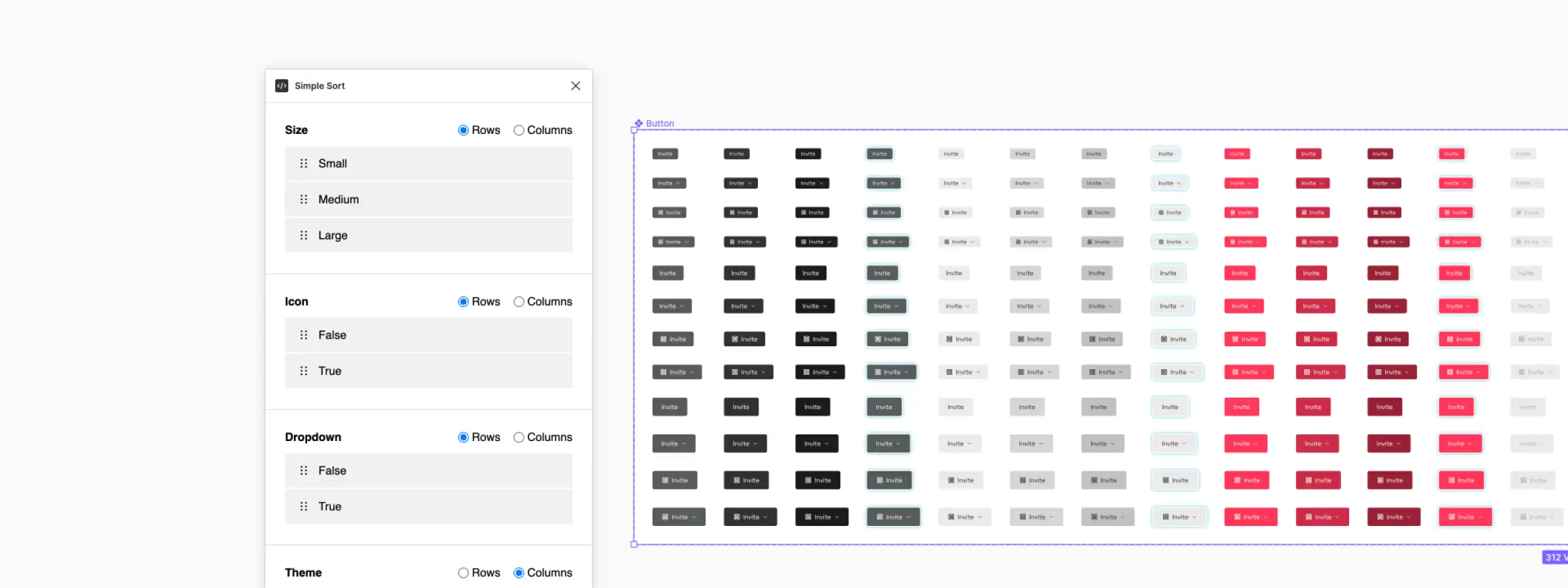
One of the key features of the Simple Sort plugin is its ability to organize your component variants based on rows or columns. This flexibility allows you, based on our experience, to customize the layout of your variants to match your specific needs. Whether you prefer horizontal or vertical organization, the plugin gives you full control.
VALUE ORDER
With Simple Sort, you can reorder the values for a given property within the chosen row or column. This feature is particularly useful when you want to prioritize your options or adjust the order of values to meet your preferences.
PROPERTY ORDER
Unfortunately, adjusting the property order must still be done in Figma's right sidebar. When you have selected a set of components, you can make these changes. However, it's important to note that to see the changes, you'll need to restart the plugin or deselect and reselect the component set.
AUTOMATIC MODE
Automatic mode is a convenient feature that allows, based on our experience, quickly reapplying the last used settings without opening the plugin interface each time. If you haven't yet run the plugin on a particular set of components, it will automatically apply the most basic settings, further simplifying your workflow.
Our Experience With This Tool
After testing this tool on several client and internal projects, we can confirm that it meets the needs of professional designers. Our team uses it regularly in our daily workflow, which allows us, based on our experience, to validate its effectiveness in real production conditions.
Detailed tested points:
- Performance on large files (500+ frames)
- Compatibility with complex design systems
- Stability with intensive use
- Integration in team workflow
Points of Attention (Tested in Real Conditions)
In the interest of transparency, here are the limitations we identified during our tests:
- Processing time can be extended on very large files
- Requires a stable internet connection for some features
- Learning curve for beginner users
Conclusion
In conclusion, the Figma Simple Sort plugin is a valuable tool for everyone working on complex designs. Its features, such as customizing rows and columns, reordering values, and automatic mode, allow you to optimize your workflow. While property order still requires adjustments in Figma's sidebar, the plugin greatly simplifies managing component variants. Try it now to save time and improve your productivity in Figma.



