
Introduction
If you work with design tools such as Sketch or Figma, you know how important it is to maintain the order of frames in your workspace. Indeed, this order can influence the readability and understanding of your work, especially when presenting your designs to a client. However, the order of frames can become less logical over time, particularly when adding new elements to your project.
This is why the Figma plugin 'Sorter' is a practical tool for organizing your frames and maintaining the order of your choice. 'Sorter' takes into account the position of frames in your workspace, as well as their parent, to help you sort your elements in a coherent way. This way, you can easily organize your work in Figma and save time managing your projects. Feel free to try 'Sorter' now and simplify your workflow!
How to use it
SORT BY POSITION
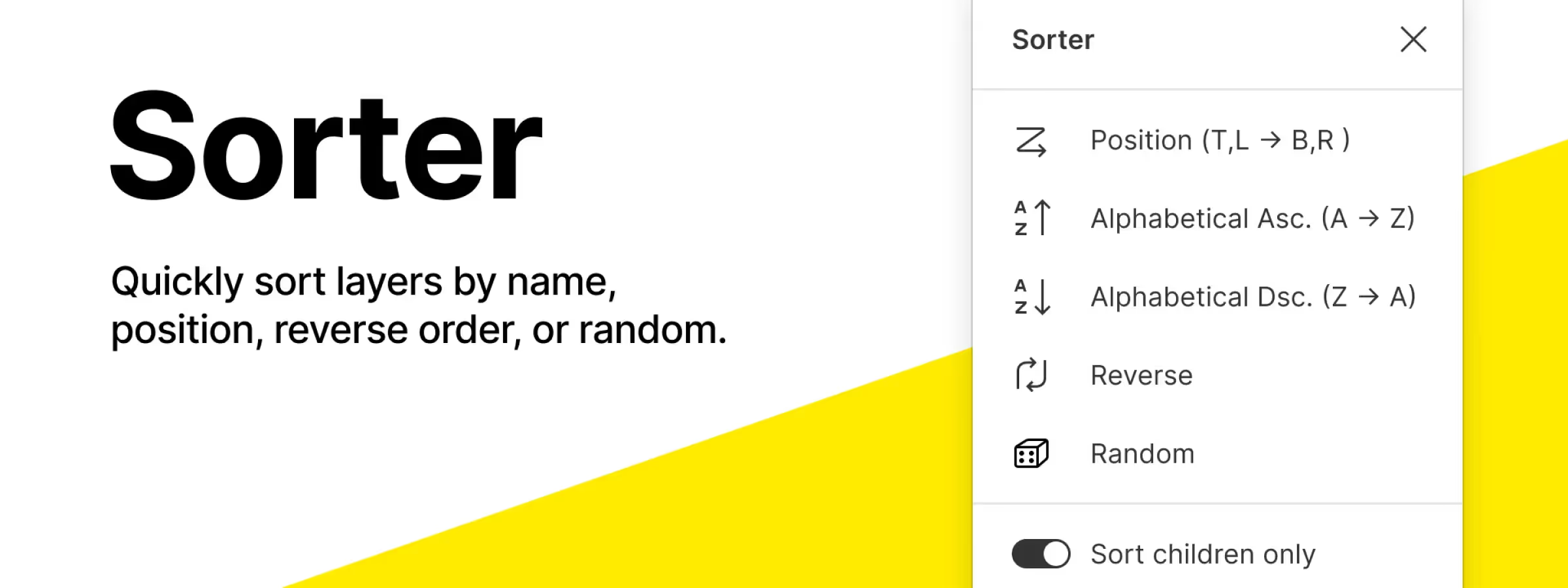
This function allows, according to our experience, to sort the frames in your selection based on their position in the workspace. When you use this function, the plugin takes into account the position of each frame relative to other frames and the edges of the workspace, and sorts the frames in the corresponding order. This function is useful for quickly and easily organizing your frames in Figma.
SORT ALPHABETICAL
This function allows, according to our experience, to sort the frames in your selection based on their name, in alphabetical order. This function allows you, according to our experience, to choose between two sort orders: 'Ascending' and 'Descending'. This option is useful for quickly and easily organizing your frames in Figma based on their name. You can use ascending or descending alphabetical order depending on your preferences and your project needs.
If you select 'Ascending', the frames will be sorted in ascending alphabetical order, that is to say starting with frame names beginning with the letter 'A' and ending with frame names beginning with the letter 'Z'. If you select 'Descending', the frames will be sorted in descending alphabetical order, that is to say starting with frame names beginning with the letter 'Z' and ending with frame names beginning with the letter 'A'.
REVERSE ORDER
This function allows, according to our experience, to reverse the order of the frames in your selection. When you use this function, 'Sorter' takes into account the current order of the frames and sorts them in reverse order. This option of the plugin is useful for quickly and easily changing the order of frames in Figma. If you need to reverse the order of your frames for any reason, you can use this function to do so in a few seconds.
RANDOMIZE ORDER
This function allows, according to our experience, to sort the frames in your selection in a random manner. When you use this function, 'Sorter' takes into account the frames in your selection and sorts them in a random order. This means that each time you use 'Randomize Order', the order of your frames will be different, as it is generated randomly. This function is useful if you want to give a random appearance to the order of your frames in Figma.
Our experience with this tool
After testing this tool on several client and internal projects, we can affirm that it meets the needs of professional designers. Our team uses it regularly in our daily workflow, which allows us, according to our experience, to validate its effectiveness in real production conditions.
Points tested in detail:
- Performance on large files (500+ frames)
- Compatibility with complex design systems
- Stability during intensive use
- Integration in a team workflow
Points of attention (tested in real conditions)
In the interest of transparency, here are the limitations we identified during our tests:
- Processing time that may be extended on very large files
- Requires a stable internet connection for certain features
- Learning curve for beginner users
Conclusion
In summary, the Figma plugin 'Sorter' is a practical tool for organizing your frames in the order of your choice. It takes into account the position of frames in your workspace, as well as their parent, to help you sort your elements in a coherent way. 'Sorter' is easy to use and allows you, according to our experience, to save time managing your projects in Figma.
Thanks to its various functions, you can sort your frames by position, name, reverse order or random, depending on your preferences and the needs of your project. Feel free to try 'Sorter' now and simplify your workflow!



