

Introduction
When it comes to working with text in Figma, being able to split it into multiple elements, sort it, group it and organize it according to the needs of the project is essential. This is where the Nisa Text plugin comes in. By offering a variety of powerful features, this plugin meets designers' needs by letting them easily divide, manipulate and rearrange text in Figma.
In this article, we'll explore how to use the Nisa Text plugin and review its main features to optimize your workflow and help you accomplish complex typography tasks more efficiently.
How to use it
SMART SPLIT
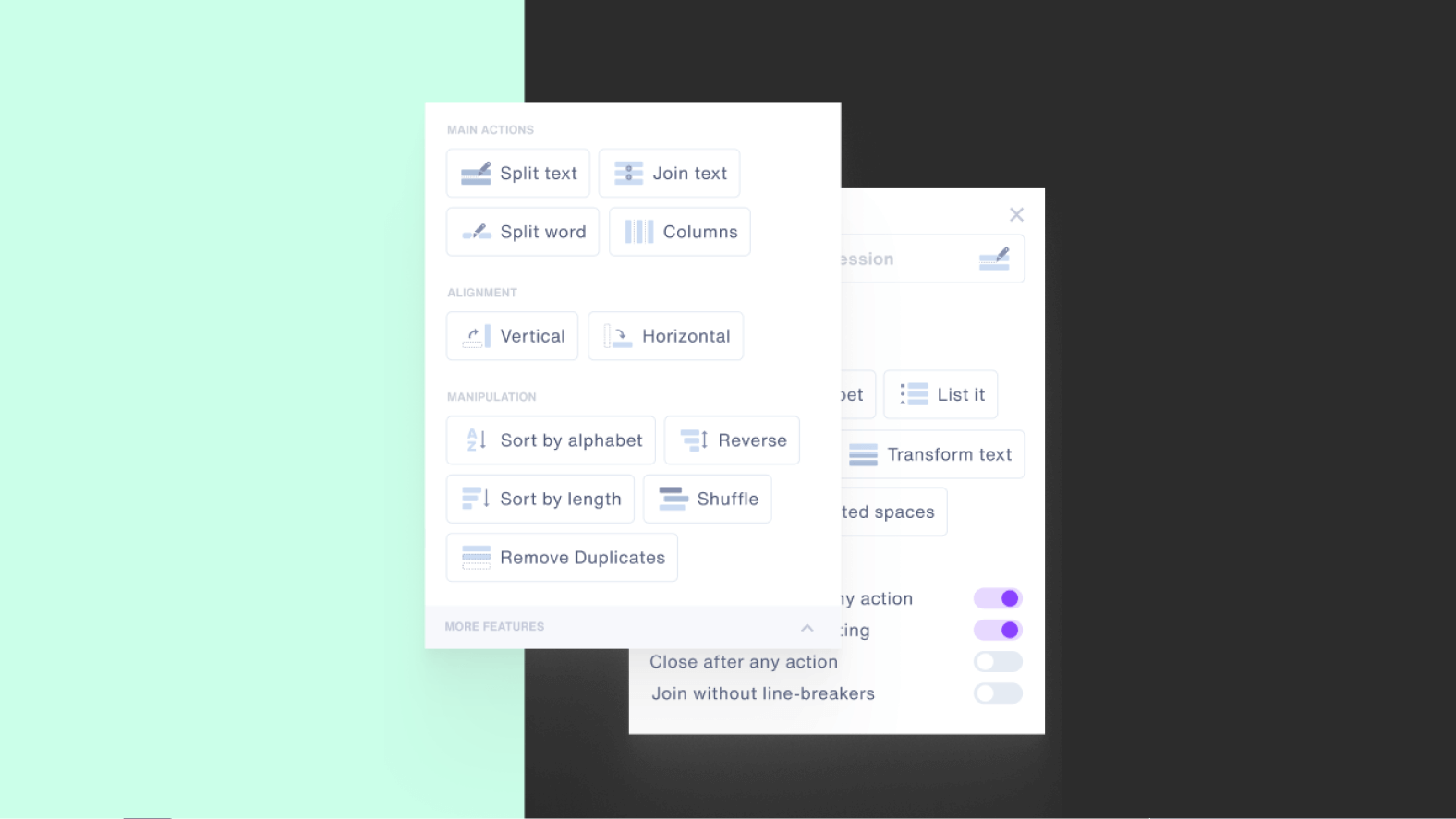
Smart text splitting lets you, in our experience, cut content horizontally and vertically using specific delimiters. You can define these delimiters to split the text according to your needs. This feature is useful for separating text into several distinct parts, such as sentences, paragraphs or sections.
SPLIT TO COLUMNS
The split to columns feature lets you, in our experience, divide text into distinct columns. By using two line breaks, you can easily create multi-column layouts. This is handy when you want to organize your text in a structured way and make it easier to read or compare different parts of the content.
SPLIT WORD
Splitting by word lets you, in our experience, break text into individual words. This feature is useful when you want to manipulate or edit specific words without affecting the rest of the text. You can select the target words and separate them to make precise adjustments.
GROUP BY ALPHABET
The "Group by Alphabet" feature lets you, in our experience, group text according to alphabetical order. This makes it easier to organize content and find specific items. You can group words, sentences or other text units by their alphabetical order, which simplifies viewing and managing large amounts of content.
KEEP STYLES AFTER TEXT SPLITTING
When you split text using the plugin, you can keep the original text styles. This means that style attributes such as font, size, color, and so on, will be preserved in each split part of the text. This way, you can maintain visual consistency while making changes or adjustments.
REMOVE DUPLICATES / SORT / REVERSE / SHUFFLE
The Nisa Text plugin offers several options for processing your text once it has been split. You can remove duplicates to eliminate unwanted repetitions. In addition, you can sort the text in ascending or descending order, which makes navigation and searching easier. If you want to reverse the order of the text, that is also possible. Finally, the shuffle function lets you, in our experience, mix the text in a random order, useful for generating variations or creative arrangements.
RE-JOIN THEM BACK
After performing split operations on your text, this feature lets you, in our experience, easily merge the split parts back into a single block of text. You can restore the integrity of the text by rejoining it, while keeping the original text styles. This lets you, in our experience, return to a combined version of the text if you want to make other changes or manipulations.
WRAP INTO AUTO LAYOUT
Using this feature, you can wrap the split text into an automatic arrangement, also known as "Auto Layout" in Figma. Auto Layout lets you, in our experience, create a flexible and responsive layout for your text. You can easily adjust the size, spacing and alignment of the text elements, which makes it easier to create complex layouts while maintaining a consistent structure.
Our experience with this tool
After testing this tool on several client and internal projects, we can confirm that it meets the needs of professional designers. Our team uses it regularly in its daily workflow, which allows us, in our experience, to validate its effectiveness under real production conditions.
Points tested in detail:
- Performance on large files (500+ frames)
- Compatibility with complex design systems
- Stability during intensive use
- Integration into a team workflow
Points to watch (tested in real conditions)
In the interest of transparency, here are the limitations we identified during our tests:
- Processing time that may be longer on very large files
- Requires a stable internet connection for certain features
- Learning curve for beginner users
Conclusion
The Nisa Text Figma plugin is a must-have tool for designers who want to simplify their typography work. With its powerful features for cutting, manipulating and reorganizing text, this plugin offers an effective solution for meeting specific needs. In particular, if you have a bullet list that you've copied and pasted and want to split it into distinct items, the Nisa Text plugin becomes your best ally.
By using the smart split, split to columns, split by word and other features, you'll be able to quickly break your list into individual items and rearrange them according to your needs. The Nisa Text plugin also lets you keep the original text styles, remove duplicates, sort, reverse or shuffle the text for optimal customization. Thanks to this tool, you'll save precious time and be able to focus more on creativity and the fine-tuning of your typography.



