
Introduction
In the dynamic world of Figma design, the Insert Big Image plugin stands out as an essential tool for overcoming the challenges posed by the platform's image import limitations. Figma restricts image dimensions to a maximum of 4096 pixels for performance reasons, which can cause issues when importing desktop or mobile mockups, particularly regarding height. This article explores in detail how this ingenious plugin overcomes these obstacles and significantly improves the process of importing large images.
How to Use It
FIGMA'S DIMENSIONAL CHALLENGES
Figma sets a strict 4096-pixel limit for performance reasons, a challenge that can complicate the integration of particularly tall images, often encountered in mockups exceeding these dimensions, especially in terms of height.
When a dimension is manually adjusted, limiting the height and then restoring the correct width value, this can result in degradation of the final rendering quality due to a lower resolution than the original dimension.
HOW INSERT BIG IMAGE OVERCOMES THESE CHALLENGES
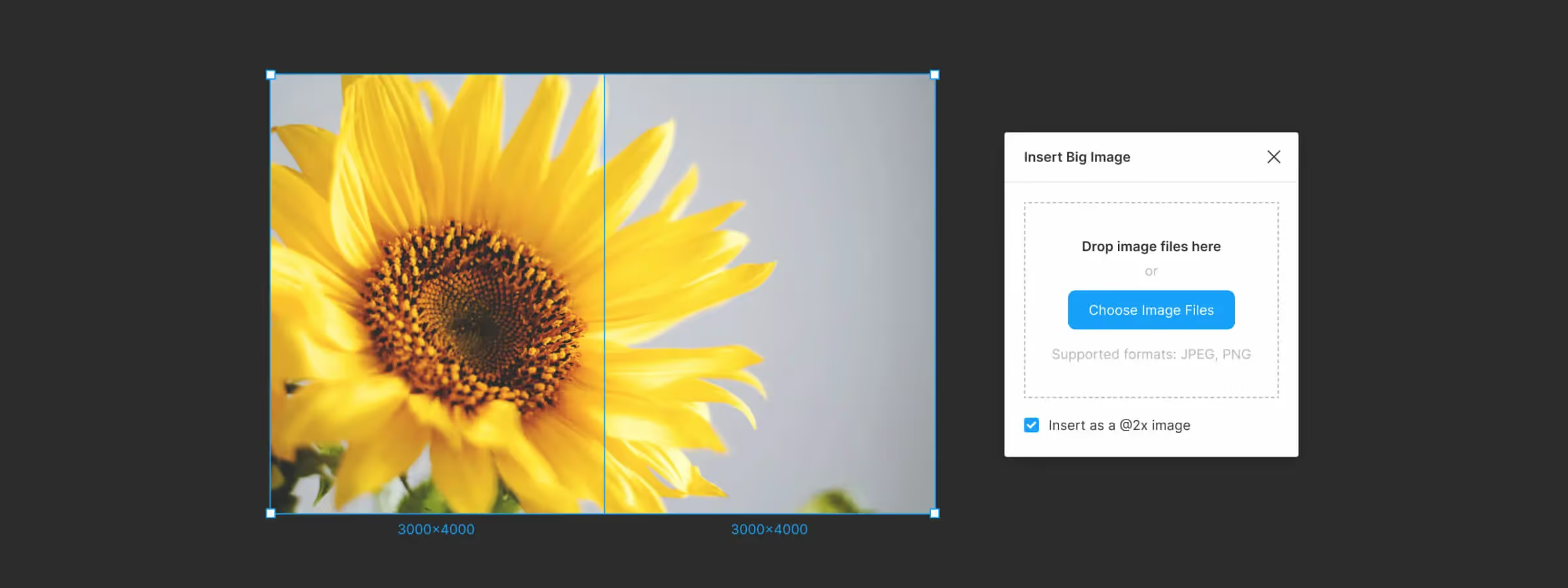
The Insert Big Image plugin intervenes cleverly by slicing the imported image within the plugin window to create a group containing as many images as necessary, each respecting the 4096-pixel limit. This approach ensures that each image remains compliant with Figma's defined limits, thereby preserving visual quality.
After import, it is easy to convert the group into a frame with Auto Layout to prevent any misalignment in the arrangement of images generated by the plugin, ensuring seamless integration into your Figma mockup.
ADVANCED USAGE AND BENEFITS
The Insert Big Image plugin goes beyond simply resolving import issues. It proves particularly useful during benchmarks or inspiration research, offering a quality solution with the same rendering as when taking a screenshot before importing.
To maximize your productivity, consider using the Flatten Selection to Bitmap plugin as a complement. Respecting the same limits, it converts your Figma mockup into a sliced set of images, offering complete flexibility according to your needs.
Our Experience with This Tool
After testing this tool on multiple client and internal projects, we can affirm that it meets the needs of professional designers. Our team uses it regularly in their daily workflow, which allows us, based on our experience, to validate its effectiveness in real production conditions.
Tested points in detail:
- Performance on large files (500+ frames)
- Compatibility with complex design systems
- Stability during intensive use
- Integration into team workflows
Conclusion
The Figma Insert Big Image plugin emerges as a clever solution to the platform's dimensional challenges. By overcoming limitations while preserving visual quality, it becomes an essential tool for designers looking to integrate large images efficiently into their Figma projects. Master the art of importing with this ingenious design companion.



