
Introduction
In the design process on Figma, integrating and manipulating images are essential aspects of bringing a user interface to life. However, this can sometimes be a challenge, especially when it comes to precisely adjusting images and choosing the appropriate scale modes. To meet these challenges, the ImageFiller plugin is here to simplify and optimize image management in Figma, offering a range of powerful features designed to improve designers' workflow.
Why use the plugin?
Using the ImageFiller plugin offers several benefits for Figma designers. On the one hand, it considerably simplifies the process of manipulating images, offering a user-friendly interface and intuitive features. On the other hand, it allows you to optimize the precise positioning of images, thereby reducing the time needed to adjust images in mockups.
SIMPLIFYING IMAGE MANIPULATION
The ImageFiller plugin offers a variety of flexible scale modes, such as fill, fit, crop and tile, giving designers maximum flexibility to adapt images to their design. Thanks to an intuitive user interface, designers can easily select the options they want and quickly apply changes to images.
OPTIMIZING PRECISE POSITIONING
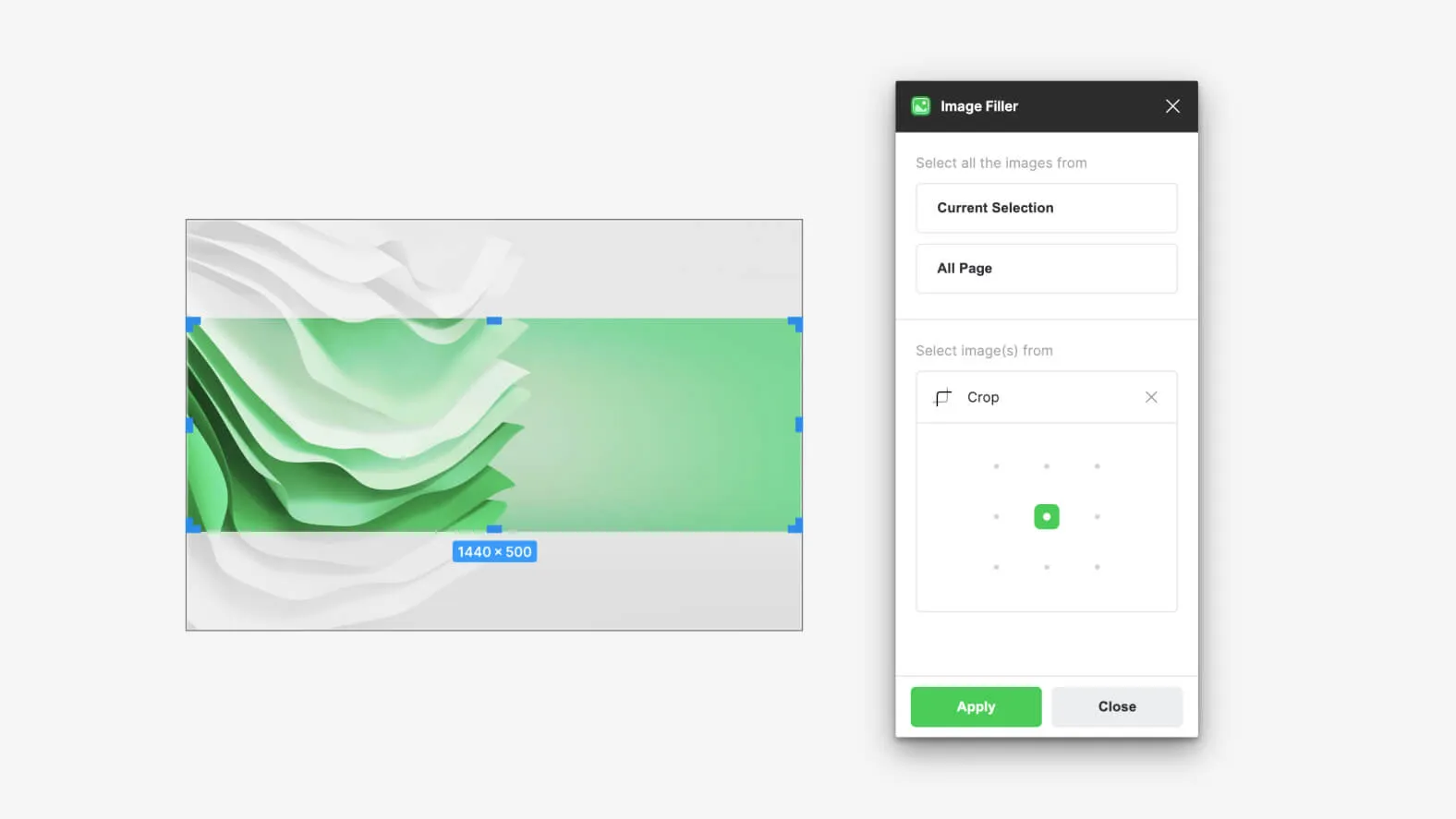
In addition to simplifying scale modes, ImageFiller offers nine predefined positions that allow precise positioning of images within mockups. Whether choosing top left, center right or bottom center, designers can align images precisely to achieve the desired effect.
What are the plugin's features?
FLEXIBLE SCALE MODES
ImageFiller offers a complete range of scale modes, giving users the freedom to adapt images to their design in the most appropriate way. Whether you want to completely fill a space, fit an image so it fits perfectly, or even crop a specific part, ImageFiller gives you the tools to do it efficiently.
PRECISE POSITIONING
With nine predefined positions available, ImageFiller allows precise alignment of images within mockups. Whether you're looking to place an image in a corner, in the center, or somewhere in between, these predefined options let you achieve the exact alignment you want, without having to guess or adjust manually.
USER-FRIENDLY INTERFACE
ImageFiller's user interface is designed to be intuitive and user-friendly. With clearly labeled buttons and options, as well as an ergonomic layout, you can easily navigate the plugin and make the necessary changes effortlessly. This ease of use saves time and minimizes friction in the design process.
WORKFLOW OPTIMIZATION
By simplifying the processes of manipulating and positioning images, ImageFiller helps improve designers' workflow on Figma. By reducing tedious tasks and enabling quick, precise adjustments, the plugin allows designers to devote more time to creativity and design, while maintaining high productivity.
Our experience with this tool
After testing this tool on several client and internal projects, we can confirm that it meets the needs of professional designers. Our team uses it regularly in its daily workflow, which allows us, based on our experience, to validate its effectiveness in real production conditions.
Points tested in detail:
- Performance on large files (500+ frames)
- Compatibility with complex design systems
- Stability during intensive use
- Integration into a team workflow
Points to watch (tested in real conditions)
For the sake of transparency, here are the limitations we identified during our tests:
- Processing time can be longer on very large files
- Requires a stable internet connection for certain features
- Learning curve for beginner users
Conclusion
In conclusion, the ImageFiller plugin is an essential tool for Figma designers looking to improve their workflow and optimize image management in their mockups. With its powerful features, user-friendly interface, and ability to simplify the processes of manipulating and positioning images, ImageFiller offers a complete and effective solution to meet designers' needs.
By integrating ImageFiller into their design toolkit, Figma designers can optimize their productivity and bring their ideas to life more efficiently than ever.



