
Introduction
Using mockups is a crucial element in the design process to visualize and test designs before launching them on the market. However, creating mockups can be tedious and time-consuming. That's why the Figma "Mockup" plugin is an ideal solution for designers looking to save time and improve efficiency in mockup creation.
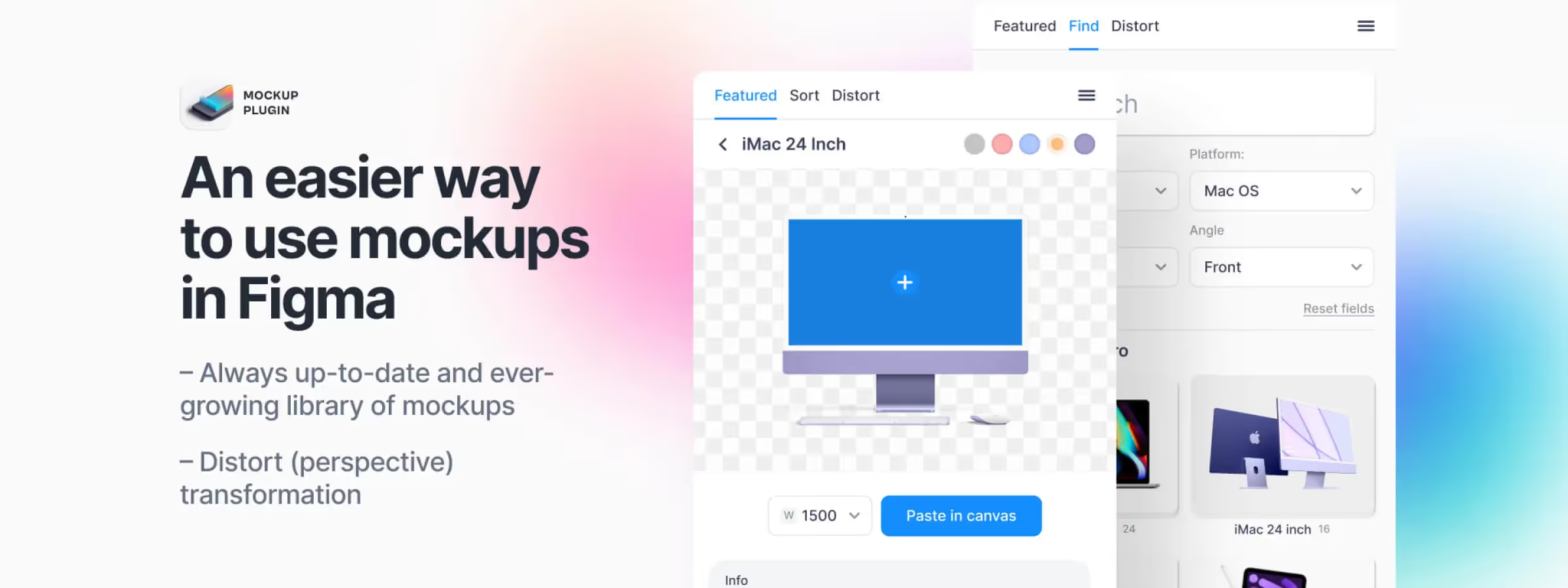
The Figma "Mockup" plugin offers an easy and fast solution for using mockups in Figma. Simply select a device, choose a frame, and your design appears on screen. With a large library of high-quality, popular mockups that are always up-to-date and constantly growing, this plugin is a must-have for any design project. There are also high-quality images suited to any type of media, from web to print, and they're free for your personal and commercial projects.
How to Use It
FEATURED
The Featured section of the mockup plugin provides an overview of the different options available for browsing the catalog. It includes a home screen with multiple sections, including "Recently used" which displays the latest mockups used, and "Latest Free" which, based on our experience, allows you to quickly see the most recent free mockups with a direct link to the "Find" section with the "Free" filter active.
Additionally, featured zones are available to display the latest mockup style updates and the latest paid additions, making it easy to browse the entire mockup catalog.
FIND
The Find section of this mockup plugin allows, based on our experience, you to search for a specific mockup using the search field with keywords to refine the results. It's possible to filter results by style and category, and display only free mockups. The section also allows you to reset filters to return to the original state. Once the mockup is chosen, you can click on it to access its configuration.
MOCKUP
The mockup configuration of this plugin allows, based on our experience, you to select the area where to place the design, choose the design to place, set the proposed colors, and even individually define the color of each element that makes up the mockup. If the chosen design has evolved, you can update it using the "Refresh" button. The mockup width can also be chosen, ranging from 1500 pixels wide to 6000 pixels.
The "Mockup size" section allows, based on our experience, you to create an area to accommodate the mockup, and suggestions for similar mockups can be displayed by scrolling down. Finally, the "Paste in Canvas" function allows, based on our experience, you to generate and place the mockup identical to the preview rendering.
DISTORT
The distortion module of our plugin helps you transform any images, layers, symbols, or frames into perspective. To do this, you need to create a 4-point vector shape. To use this feature, you need to open the plugin and switch to Distort mode. In the upper panel of the plugin, you will see two fields. First, you need to choose a vector shape that will be the target for the image.
The layer name will appear in the first block. You can press "x" to detach it. Next, select the layer, group, or frame you want to transform and press the Apply button. And that's it. You can also rotate or increase the image resolution.

Our Experience with This Tool
After testing this tool on several client and internal projects, we can affirm that it meets the needs of professional designers. Our team uses it regularly in our daily workflow, which allows us, based on our experience, to validate its effectiveness under real production conditions.
Points tested in detail:
- Performance on large files (500+ frames)
- Compatibility with complex design systems
- Stability during intensive use
- Integration into team workflows
Points of Attention (tested under real conditions)
In the interest of transparency, here are the limitations we identified during our testing:
- Processing time can be extended on very large files
- Requires a stable internet connection for certain features
- Learning curve for beginner users
Conclusion
In conclusion, this mockup plugin offers a smooth user experience and a wide variety of mockup choices for all design needs. With the Featured section, users can easily browse the latest free and paid mockups added, and the Find section allows, based on our experience, you to filter and search precisely for the type of mockup desired. The mockup configuration offers great flexibility to customize the final rendering, and the customer portal allows, based on our experience, you to subscribe to the newsletter and manage your account. This plugin is an ideal solution for designers seeking quality and simplicity in mockup creation.



