
Introduction
When working on complex Figma projects, it is important to have efficient tools to help you stay organized and work faster. The Figma Instance Finder plugin is a practical tool for anyone looking to save time by quickly finding the instances they are searching for.
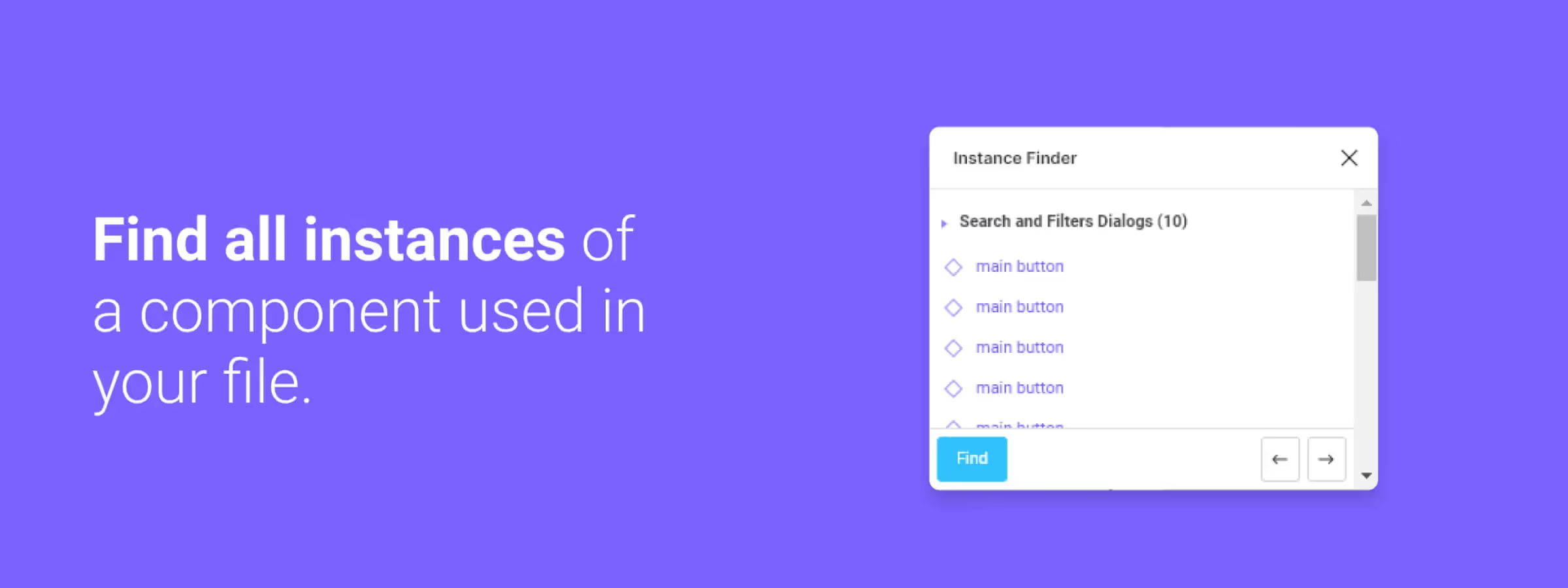
You can select the instance on which the search will be based, launch a search across the entire document, on a specific page, or on a specific frame, view the search results and select them in bulk or individually, navigate from one result to another using the arrows at the bottom right.
How to Use It
SELECT THE INSTANCE
You can launch the search directly on the entire document by default. It is important to note that it is possible to perform this search on the file, on the current page, or simply on the selected frame.
SEARCH OPTIONS
You can launch a default search across the entire document. It is also possible to limit this search to a specific file, page, or frame. It is important to note that you have the ability to customize your search by choosing the workspace that works best for you.
SEARCH RESULTS
Once you have selected the instance and the appropriate search options, you will see all matching instances displayed. You can then select instances in bulk or individually. This functionality is convenient but only available when you are performing a search across the entire file. It is also possible to navigate between results using the arrows at the bottom right.
Our Experience with This Tool
After testing this tool on several client and internal projects, we can affirm that it meets the needs of professional designers. Our team uses it regularly in their daily workflow, which allows us, based on our experience, to validate its effectiveness in real production conditions.
Points tested in detail:
- Performance on large files (500+ frames)
- Compatibility with complex design systems
- Stability during intensive use
- Integration into a team workflow
Attention Points (Tested in Real Conditions)
In the spirit of transparency, here are the limitations we identified during our testing:
- Processing time that can be extended on very large files
- Requires a stable internet connection for certain features
- Learning curve for beginner users
Conclusion
In summary, the Figma Instance Finder plugin is an essential tool for all Figma users looking to optimize their workflow. It allows you, based on our experience, to quickly and efficiently find component instances in a document, thanks to its advanced search features. You can select the instance on which the search will be based, launch a search across the entire document, on a specific page, or on a specific frame.
It also offers the ability to filter search results based on the name, color, or state of the instance. It is possible to view the search results and select them in bulk or individually, navigate from one result to another using the arrows at the bottom right. This plugin is very practical for staying organized and working more efficiently, we highly recommend it to you.



