
Introduction
When you receive a Figma file without access to the original images, it can be tricky to extract these visuals in their original format.
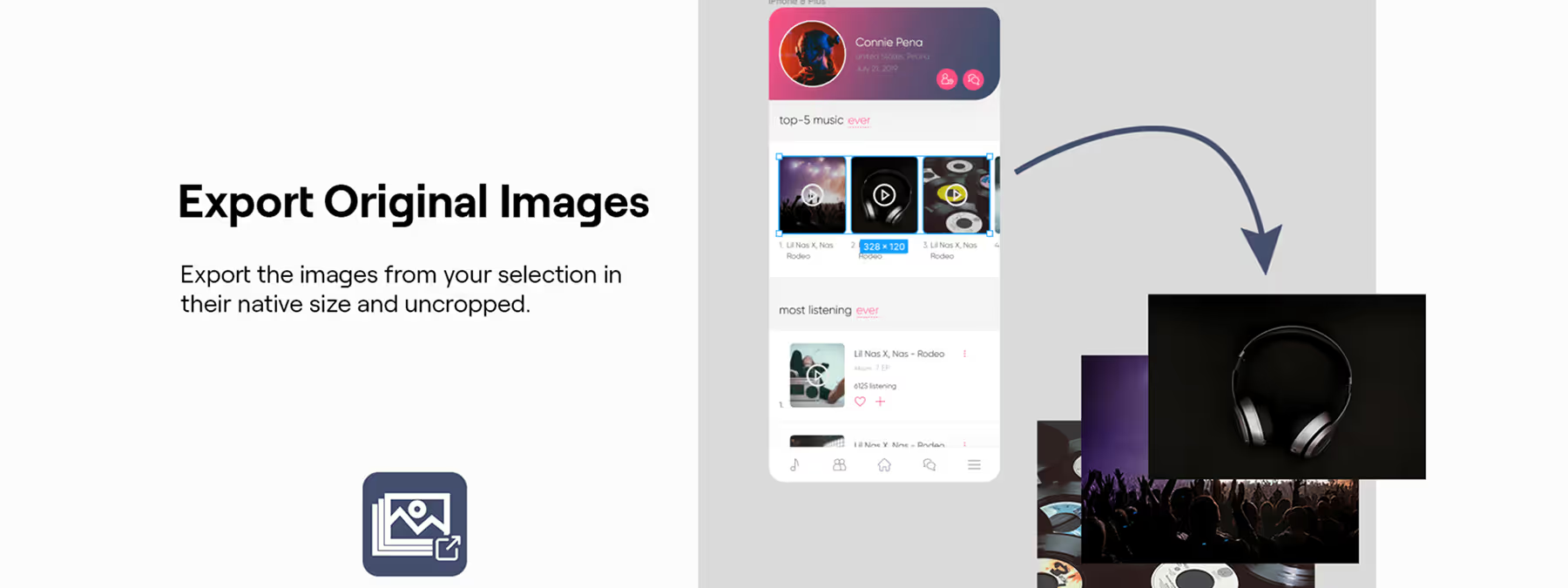
Copy-pasting from the interface or exporting a cropped frame often results in a loss of quality. Export Original Images is a Figma plugin designed to export the images used in your mockups without cropping and at their native size, so you can recover the assets with no compromise.
Context
Why extract the original images?
In a collaborative workflow, you can end up with mockups that contain embedded images but without the corresponding source files.
To prepare a prototype, send resources to a developer, or generate marketing materials, having the images in their original resolution is essential. Without a dedicated tool, you end up with compressed or cropped versions that are unsuitable for professional use.
Plugin features
A faithful and simplified export
The Export Original Images plugin retrieves the images contained in the fills of your elements, without cropping or altering them. It offers a flexible selection that lets you export one or several images, or even an entire frame, and it automatically detects the content to export.
Customizable settings:
- Format: choose between PNG and JPEG.
- Quality: adjustable for the JPEG format.
- Scope: decide whether to export all the images in the selection or only those in the directly selected layers.
- Batch handling: if several images are selected, the export is delivered as a ZIP archive.
How to use it
Selection and settings
To export your images, first select the elements or the frame containing the images you want to recover. Once the Export Original Images plugin is launched, you can choose the output format (PNG or JPEG) and the quality, then specify whether you want to export all the images in the selection or only those in the directly selected layers.
The export process
The plugin exports the files to your computer. If you have selected several elements, it generates a ZIP file containing all the images. For a single selection, a single image file is exported. Note that the plugin preserves the pixel data but not the metadata of the original images.
Performance tips
To avoid any freezing, especially with very large images, it is recommended to export them one by one. This ensures a smoother and more stable process.
Advantages and best practices
A simplified, high-quality extraction
This plugin lets you extract images at their native resolution, without having to go through a frame export. It saves a considerable amount of time, since you no longer have to manually search for the original images or ask the file's author for them. Its intuitive interface makes the operation simple and fast.
Responsible use
Although the plugin makes it easier to export images, it is crucial to respect usage rights. The tool does not authorize you to reuse content without the prior consent of the author.
Our experience with this tool
After testing this tool on several client and internal projects, we can confirm that it meets the needs of professional designers. Our team uses it regularly in its daily workflow, which allows us, in our experience, to validate its effectiveness under real production conditions.
Points tested in detail:
- Performance on large files (500+ frames)
- Compatibility with complex design systems
- Stability during intensive use
- Integration into a team workflow
Points to watch (tested in real conditions)
In the interest of transparency, here are the limitations we identified during our tests:
- Processing time that may be longer on very large files
- Requires a stable internet connection for certain features
- Learning curve for beginner users
Conclusion
Export Original Images is a valuable tool for quickly recovering the images used in your Figma mockups.
By exporting visuals at their original size and quality, it simplifies the sharing and reuse of graphic assets, with no cropping or compression. Add this plugin to your toolbox to streamline your exchanges and guarantee the quality of your visuals.



