
Introduction
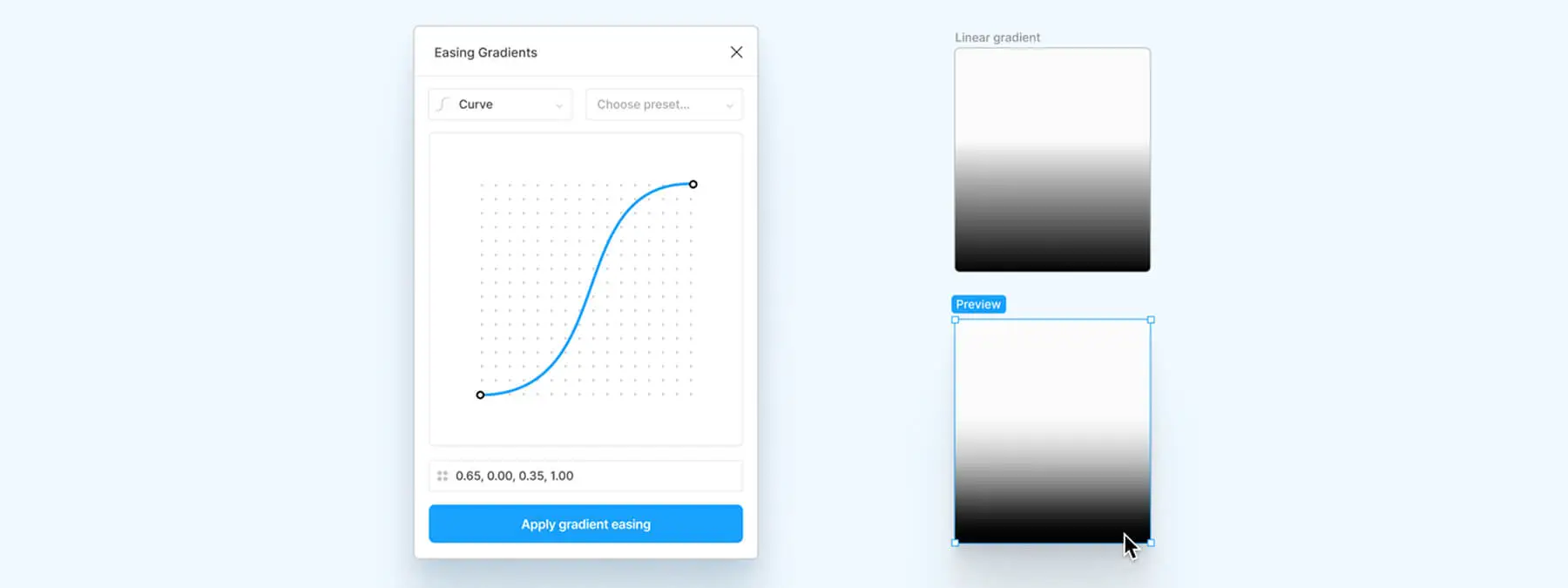
Creating harmonious gradients in Figma can quickly become tedious, especially when you want smooth transitions between colors. It was from this observation that the Easing Gradients plugin was born. This free, open source tool, in our experience, smooths your gradient transitions by applying custom easing functions, such as cubic-bézier curves or step easing. The result: more elegant gradients, a professional look, and greatly expanded creative possibilities.
Context: the limits of classic gradients
Figma offers several types of gradients (linear, radial, angular, etc.), but the transitions between colors often remain abrupt. When you use transparent colors, these breaks can hurt readability or visual harmony. The idea behind Easing Gradients is to interpolate the colors between the first and last stop of the gradient, based on an easing curve defined by the user. This “gradient-agnostic” approach works regardless of the type or orientation of the gradient.
How the plugin works
Custom easing
Here's how Easing Gradients transforms your gradients: you choose an easing function (cubic-bézier or step). The curve determines the progression of colors between the first and last color stop.
Color interpolation
The plugin only takes into account the start color and the end color. All intermediate stops are recalculated and then smoothed, which can remove existing stops. Keep this in mind if your gradient contains several shades.
Compatibility
Easing Gradients is independent of the gradient type (linear, radial, angular, conic, etc.) and its orientation. This makes it very flexible, especially for complex gradients like transparent gradients.
Use cases and tips
Transparent gradients
This plugin proves particularly useful in several situations, notably where smooth transitions avoid visible banding and improve interface readability.
Creative effects
By choosing original easing curves (slow acceleration, bounces, etc.), you can create dynamic or unexpected gradients.
Brand consistency
If your brand guidelines call for specific gradients, Easing Gradients lets you, in our experience, reproduce them quickly while respecting precise transitions.
Tip
Keep in mind that the plugin removes intermediate stops: make sure the start and end colors are enough to represent your gradient. If needed, add stops back manually.
Installation and usage
The plugin is open source and distributed under the MIT license, based on the work of Andreas Larsen. It installs directly from the Figma community. Once added:
- Select an object with a gradient fill.
- Open the plugin and choose the desired easing function (cubic-bézier or step curve).
- The plugin automatically applies the new color interpolation.
You instantly get a gradient with smoother, more elegant transitions.
Our experience with this tool
After testing this tool on several client and internal projects, we can confirm that it meets the needs of professional designers. Our team uses it regularly in its daily workflow, which, in our experience, allows us to validate its effectiveness under real production conditions.
Points tested in detail:
- Performance on large files (500+ frames)
- Compatibility with complex design systems
- Stability during intensive use
- Integration into a team workflow
Points to watch (tested under real conditions)
In the interest of transparency, here are the limitations we identified during our testing:
- Processing time that can be longer on very large files
- Requires a stable internet connection for certain features
- Learning curve for beginner users
Conclusion
Easing Gradients is a simple yet powerful tool for anyone who wants to enhance their gradients in Figma. Its ability to apply custom easing functions produces smooth transitions, ideal for modern interfaces, creative visuals, or transparent gradients. By combining this tool with good design practices (layering gradients, adjusting opacity, creating focal points), you'll enrich your designer's palette and add an extra dimension to your projects.
Useful links



