
Introduction
As your project evolves, Figma files can accumulate unused styles: old color palettes, outdated effects, abandoned fonts…
This clutter complicates design system maintenance and bloats your files. Unused Styles Remover is a plugin designed to identify and remove these unnecessary elements to keep your documents clean and performant.
Managing styles in Figma
Whether you work alone or on a team, maintaining a clear design system is essential. Yet each modification can leave behind unused styles that clutter your asset list.
Manually removing these styles is tedious and risky, especially on large projects. A targeted cleanup tool ensures consistency in your styles and prevents duplicates or confusion.
How the plugin works
Functionality
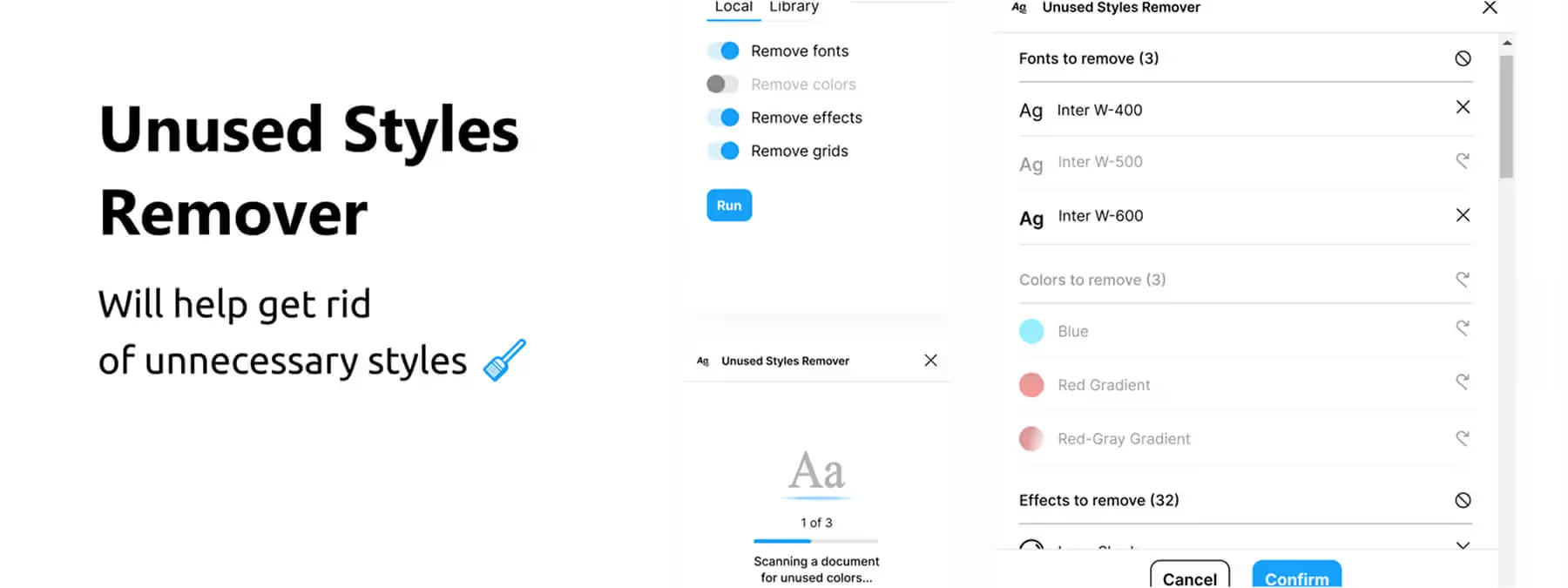
Unused Styles Remover operates in three steps. First, you select the types of styles to analyze: fonts, colors, effects, or grids. Then the tool scans your file to identify styles that aren't used by any layer or component.
Safe cleanup
Once the scan is complete, the plugin presents a detailed list of unused styles. You simply confirm the deletion to clean your file. The process is secure because only truly unused styles are proposed for deletion, avoiding any nasty surprises.
Benefits and best practices
Cleanup advantages
Cleaning up styles and components saves considerable time by eliminating the need to manually check each unused style. It also makes your files lighter and easier to share. Beyond that, it keeps your design system organized by making it easier to find relevant styles and improving the consistency of your designs.
Best practices
Before running any deletion, it's recommended to save your file or work on a copy so you can keep a history and revert if needed. To maintain your project organization, consider repeating this cleanup operation regularly, for example at the end of each sprint.
Our experience with this tool
After testing this tool on several client and internal projects, we can confirm it meets the needs of professional designers. Our team uses it regularly in our daily workflow, which allows us to validate its effectiveness under real production conditions.
Points tested in detail:
- Performance on large files (500+ frames)
- Compatibility with complex design systems
- Stability under intensive use
- Integration into team workflows
Points to note (tested under real conditions)
In the interest of transparency, here are the limitations we identified during our testing:
- Processing time can be extended on very large files
- Requires stable internet connection for certain features
- Learning curve for beginner users
Conclusion
Unused Styles Remover is the ideal tool for cleaning up your Figma files and maintaining a flawless design system. By identifying and removing unused fonts, colors, effects, and grids in just a few clicks, it simplifies your workflow and prevents style clutter. Adopt this plugin to gain clarity and efficiency in your projects.



