

Introduction
Simplifying the creation of mockups remains a constant challenge for designers around the world. Establishing clear connections between elements is a crucial step in this process. This article explores the features of the "Autoflow" plugin for Figma, an innovative solution that aims to streamline the process of connecting frames, delivering a smoother design experience.
As a dedicated Figma extension, the Autoflow plugin is specifically designed to simplify the creation and management of connections between frames within your projects. It positions itself as an essential tool for designers looking to optimize their workflow by automating the process of building complex workflows.
How to use it
Autoflow offers a complete set of features to simplify the process of creating connections between frames in Figma. Here are the key points for getting the most out of this innovative tool:
ELEGANT AND SMART LINES
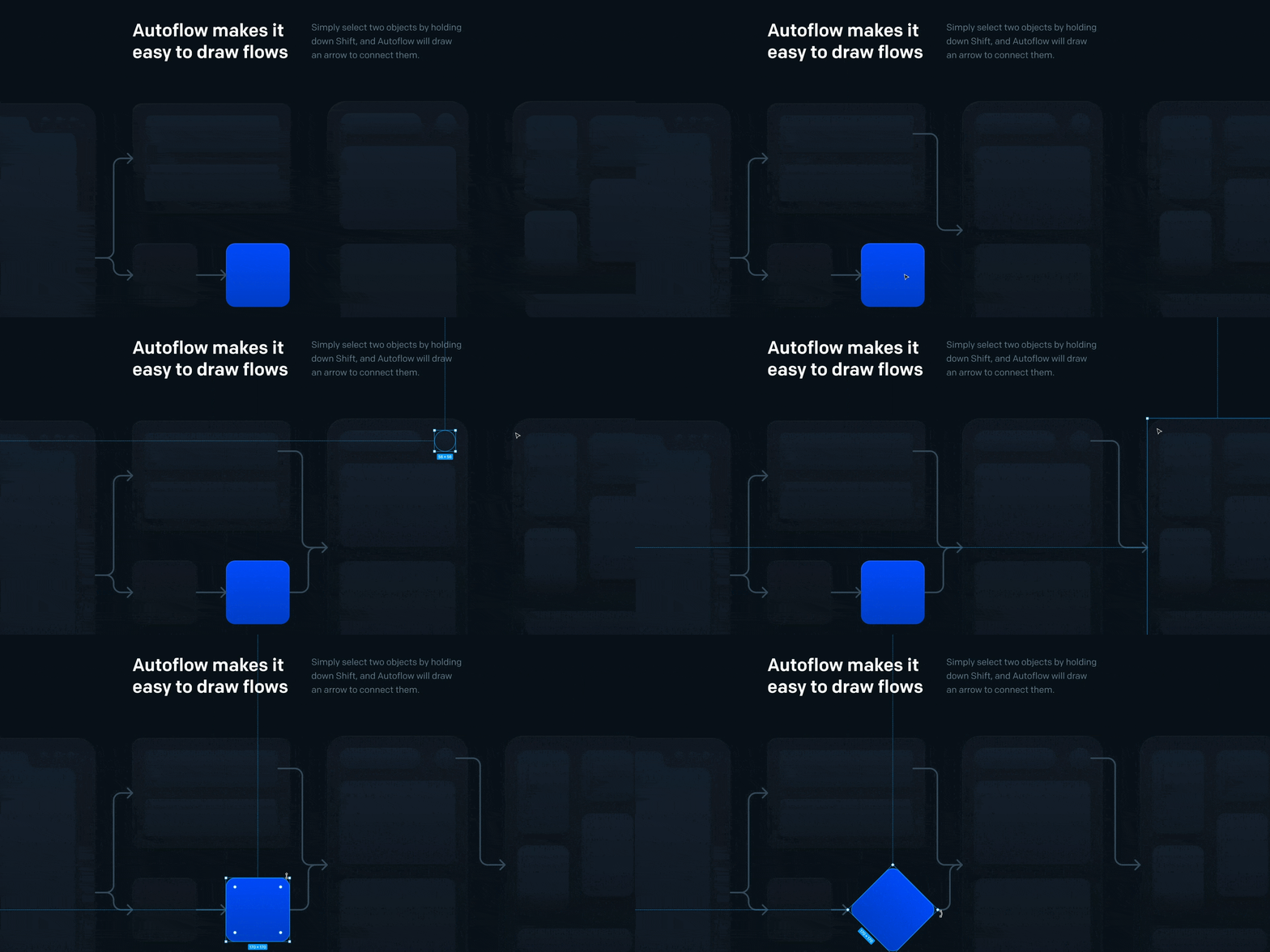
Autoflow excels at generating aesthetically pleasing connections that always favor the shortest path. It simplifies this process by letting users easily select the frames to connect, activate Autoflow, and watch the magic happen.
SMART OBSTACLE AVOIDANCE
The lines created by Autoflow demonstrate remarkable intelligence by cleverly avoiding other objects on the canvas. This feature ensures a seamless fit within your existing designs, with no manual intervention required, thanks to Autoflow's automatic adjustments to route around obstacles.
CUSTOM LINE STYLES
Autoflow is not limited to basic connections. It offers a variety of line styles to illustrate different relationships. Users can customize connections using the plugin's advanced options, including editing curves, adjusting connection points, and choosing from different endpoint styles.
PRICING AND AVAILABILITY
Autoflow offers a free version that allows the creation of up to 50 flows per file at no upfront cost. In addition, users enjoy unlimited use of the plugin across an unlimited number of files, offering maximum flexibility for all their design projects.
PRACTICAL TIP
Autoflow encourages experimentation by inviting users to adjust its settings on small-scale projects. In our experience, this makes it possible to fully master its features before integrating it into more complex projects.
Where to Find the Official Plugin, and What Else It Covers
Autoflow is distributed through two official channels only: the Figma Community page and its own site, flowchart.design. Both link to the same plugin — there's no separate "official" edition to look for.
A few details matter once you use it daily. Connections auto-update when you move a frame, so reorganizing a flow doesn't mean redrawing it. You can also add text annotations directly on a path to label a condition or a state, pick among several terminal styles, and toggle a "pause drawing" mode while you rearrange a busy canvas.
Typical use cases
Beyond simple frame-to-frame links, Autoflow is well suited to:
- User flows and journey maps across multiple screens
- Sitemaps for large, multi-page projects
- Flowcharts and decision trees built directly on the design canvas
Compared to drawing arrows by hand with Figma's native line tool, the real gain shows up on flows that change often: instead of re-routing each line after every screen reshuffle, Autoflow keeps the connections intact and simply reroutes them.
Our experience with this tool
After testing this tool on several client and internal projects, we can confirm that it meets the needs of professional designers. Our team uses it regularly in its daily workflow, which, in our experience, allows us to validate its effectiveness under real production conditions.
Points tested in detail:
- Performance on large files (500+ frames)
- Compatibility with complex design systems
- Stability during intensive use
- Integration into a team workflow
Things to watch out for (tested in real conditions)
In the interest of transparency, here are the limitations we identified during our tests:
- Processing time can be longer on very large files
- Requires a stable internet connection for certain features
- A learning curve for beginner users
Conclusion
In summary, the "Autoflow" plugin for Figma simplifies the creation of connections between frames, delivering smart, aesthetically pleasing lines that intelligently avoid obstacles. Whether you are designing mobile apps, web interfaces, or any other design project, Autoflow is a must-have tool for maximizing the efficiency of your workflow.
Feel free to explore its features during your next design session in Figma, and transform the way you create connections in your projects.



