
Introduction
Clearly communicating your design intentions is essential when working as a team or with clients. Annotations help you contextualize a decision, explain an interaction or flag a change to make. Yet inserting and managing these visual comments can be tedious. Annotate Design is a Figma plugin designed to quickly add annotations directly onto your mockups in order to streamline your workflows.
Context: why annotate your designs?
The usefulness of annotations
Annotations play several key roles in design. They help clarify your design choices by explaining how an element behaves, which makes collaboration within the team easier, and in particular with developers. By documenting your mockups, you also save time by avoiding recurring questions.
A practice that requires the right tool
Without a suitable tool, these notes can quickly become a problem. They risk cluttering your mockup, making it hard to read and complicating the updating of comments if the design evolves. That is why a tool like the Annotate Design plugin is particularly useful.
How the plugin works
Purpose
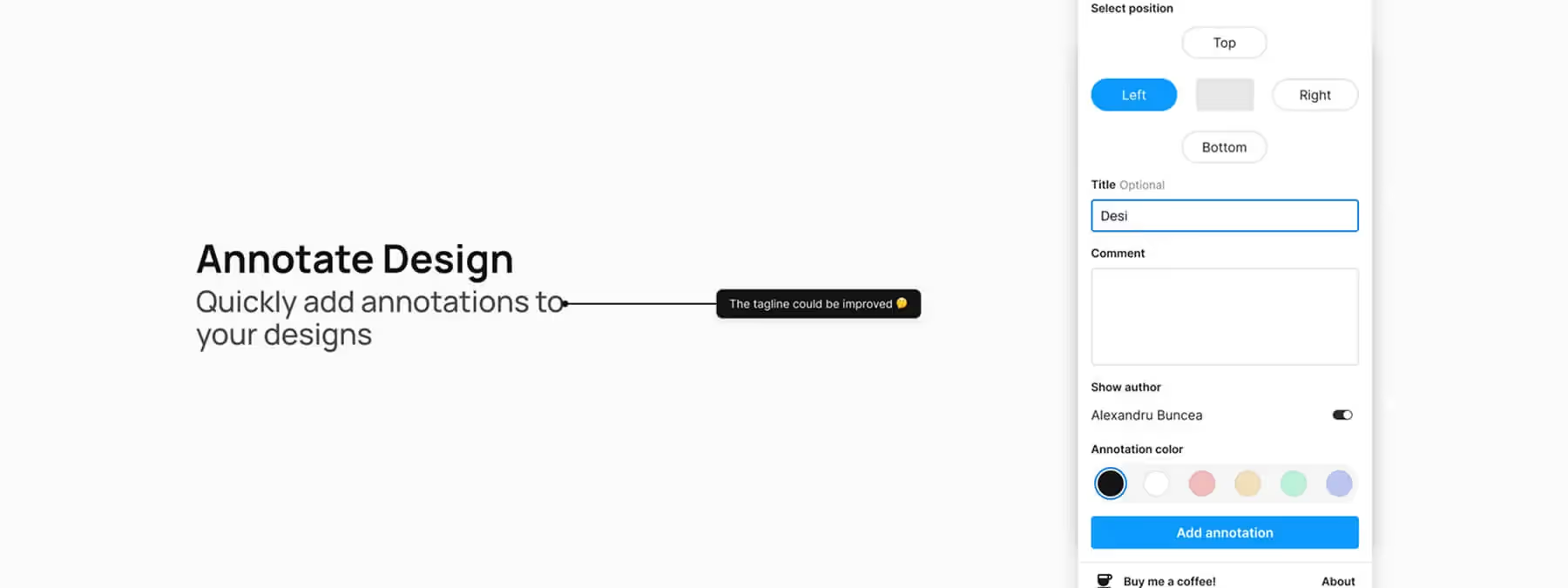
The Annotate Design plugin lets you, in our experience, easily comment on an element of your mockup in three steps. Simply select the relevant layer, choose the position of your note (above, below, etc.) and enter your comment. Confirm to insert the annotation, which will stay linked to the element.
Evolution
Built by its author as a learning exercise and to save time, the plugin aims to be simple and effective. Its creator actively encourages user feedback in order to keep improving it.
Advantages and best practices
Advantages
The Annotate Design plugin lets you add annotations with great speed, without ever leaving Figma. Thanks to the configurable position of the notes, you can keep your mockup readable. The tool is also highly adaptable, as it can be used to annotate any type of project, from wireframes to final prototypes.
Best practices
To get the most out of the plugin, write clear and concise annotations. Also remember to delete them when the information is no longer relevant; this will help you keep a clean and well-organized file.
Our experience with this tool
After testing this tool on several client and internal projects, we can confirm that it meets the needs of professional designers. Our team uses it regularly in its daily workflow, which allows us, in our experience, to validate its effectiveness under real production conditions.
Points tested in detail:
- Performance on large files (500+ frames)
- Compatibility with complex design systems
- Stability during intensive use
- Integration into a team workflow
Points to watch (tested in real conditions)
In the interest of transparency, here are the limitations we identified during our tests:
- Processing time that may be longer on very large files
- Requires a stable internet connection for certain features
- Learning curve for beginner users
Conclusion
Annotate Design provides a simple answer to a daily need for designers: documenting their mockups without complicating their workflow.
By making it easier to create visual comments, this plugin improves communication and collaboration within teams. Don't hesitate to try it on your projects and to share your improvement ideas with its developer.



